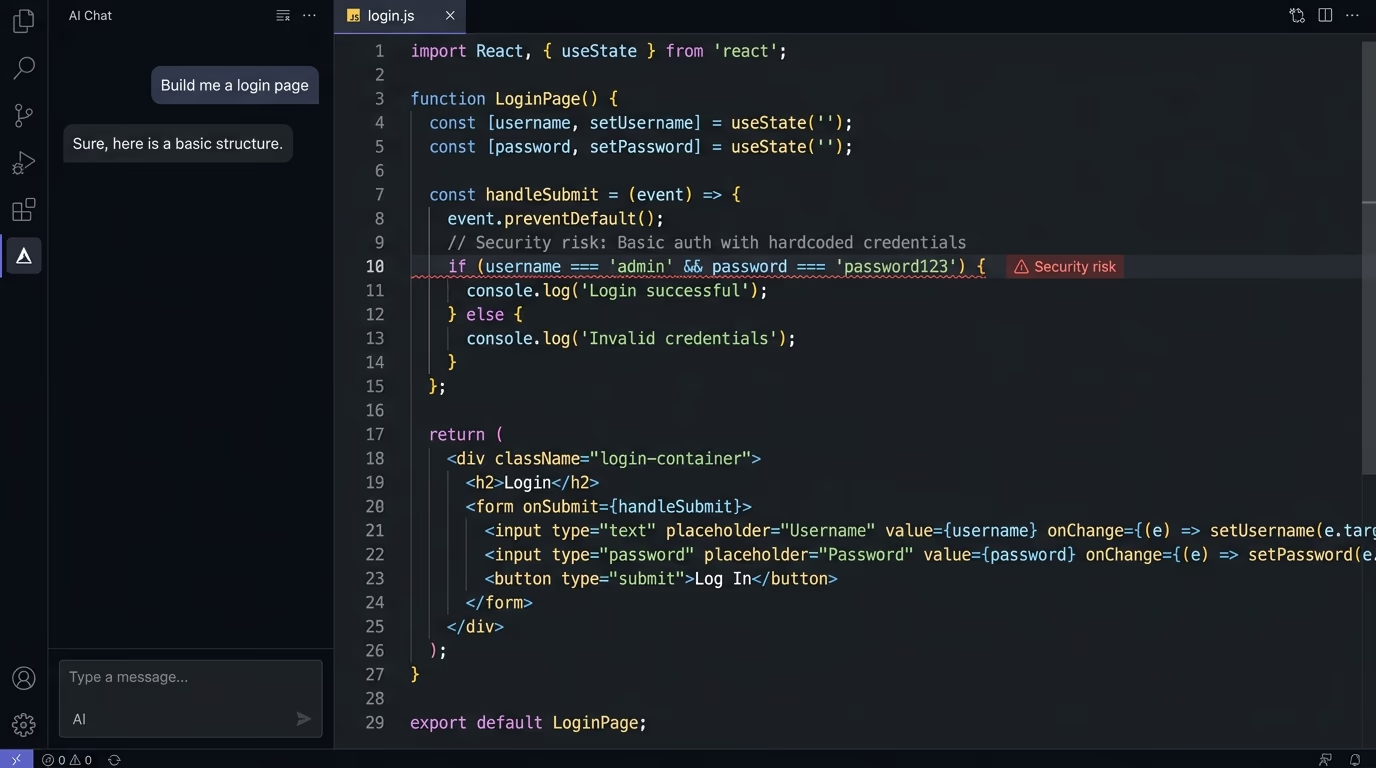
How to Secure a Next.js + Supabase App
Secure a Next.js + Supabase app: turn on RLS, keep the service_role key server-side, get secrets out of NEXT_PUBLIC_ and git, and scan before you ship.

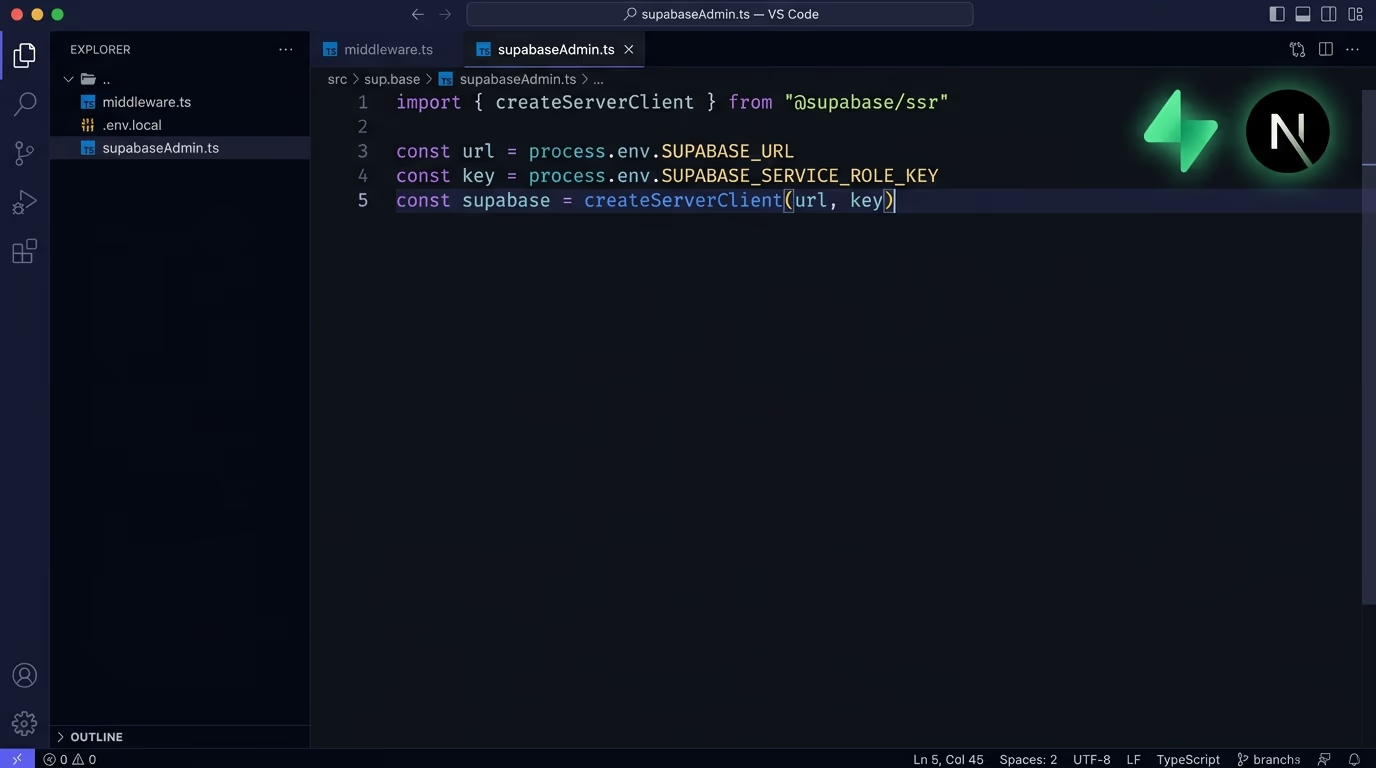
Next.js and Supabase are a fast way to ship a real product. You wire up authentication, a Postgres database and a storage bucket in an afternoon, and the whole thing just works. The trouble is that “it works” and “it’s safe” are two very different states, and a few of Supabase’s defaults will quietly leave your data wide open until you change them. Most of the leaks that make the news aren’t clever attacks at all, they’re a public table, a secret key shipped to the browser, or an .env file pushed to a public repository. The same handful of mistakes shows up over and over, which is good news, because it means a short, specific checklist catches the large majority of them before anyone else finds the hole.
This is the checklist worth running before you let a Next.js and Supabase app anywhere near real users, and it matters even more if you built the thing quickly with an AI coding assistant. Each step below is a specific mistake, the reason it’s dangerous, and the exact fix. Work through them in order and you close the gaps that account for nearly every Supabase data leak, and at the end you can run a security scan to catch anything you missed.
Turn on Row Level Security
Row Level Security is the single most important switch in Supabase, and it is off by default on tables you create directly in the database. With RLS turned off, anyone holding your public anon key can read and write that table through the auto-generated API, and that key ships inside every page you serve. So a table without RLS is effectively a public table, no matter how locked-down your app’s interface looks.
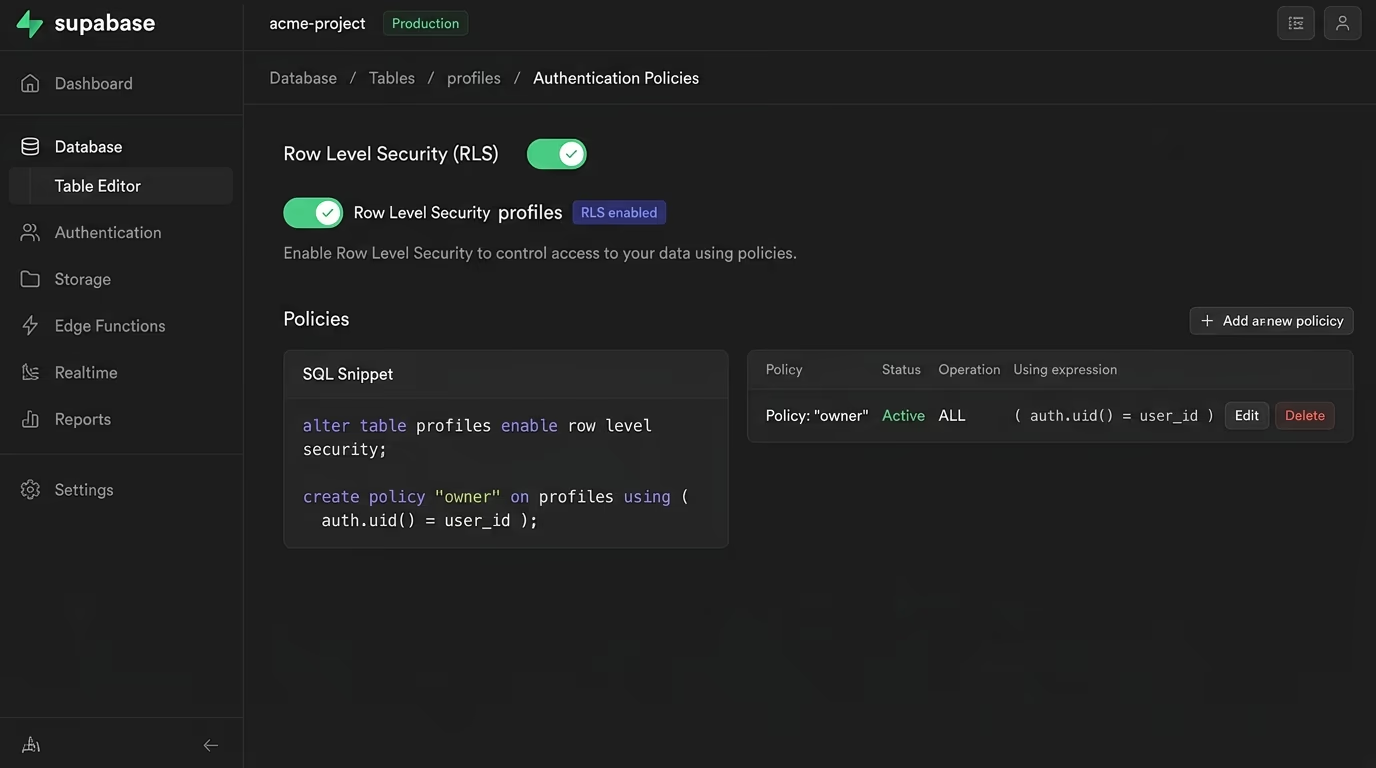
The reason this happens is that Supabase exposes your Postgres database over an instant REST and realtime API. Row Level Security is the layer that decides which rows a given user is allowed to see or change, and with no policy in place there is nothing standing between a visitor and your data. People discover this the hard way when someone points a script at their API and pulls every user record straight out of an unprotected table.
The fix is to enable RLS on every table that holds anything you care about, then write policies that scope each row to its owner. In SQL that’s a line like alter table profiles enable row level security; followed by a policy that checks auth.uid() = user_id, and the Supabase table editor will warn you with a visible badge whenever a table still has it switched off. Once it’s on, test it by querying the table with only the anon key and confirming you get back exactly the rows you should, and nothing more.
One detail trips people up here: enabling RLS with no policy denies everything, so a freshly protected table looks broken until you add the policies that let the right people in. You generally want a separate policy per action, because reading, inserting, updating and deleting are different permissions. A read policy uses a using expression to filter which rows come back, while an insert or update policy uses a with check expression to decide which rows a user is allowed to write. Scope each one to auth.uid() so a logged-in user only ever touches their own records, and lean on the authenticated and anon roles to draw a clear line between signed-in and anonymous access.
Never ship your service_role key to the browser
Supabase hands you two API keys, and only one of them is safe to use in the browser. The anon key is public by design and is meant to run client-side alongside your RLS policies. The service_role key is the opposite: it bypasses Row Level Security completely and has full administrative access to your database, which is exactly why it must live only on the server.
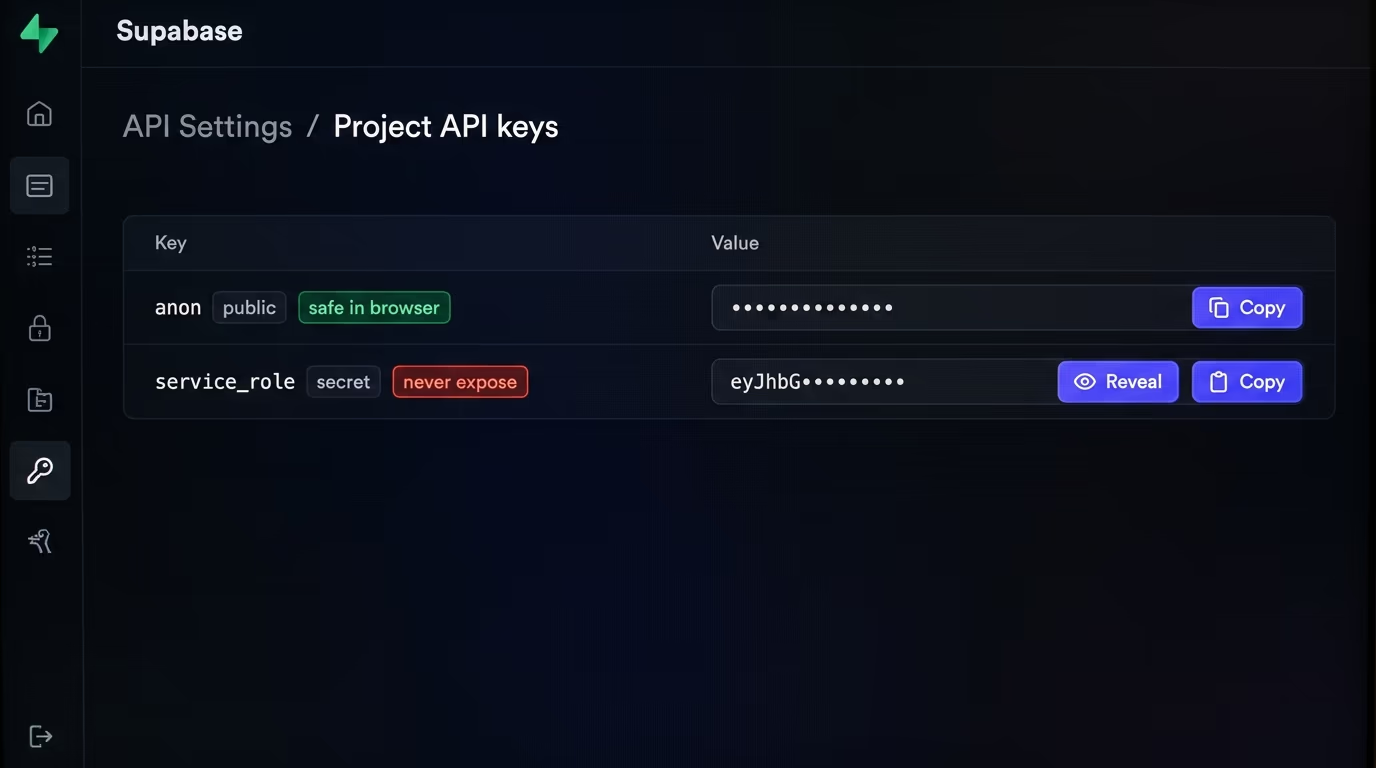
If that service_role key ever lands in client code or behind a NEXT_PUBLIC_ variable, you have effectively published an admin password to your database. Anyone who opens your site, views the bundle, and finds that key can read, change or delete every row you have, RLS or not. This is one of the most common serious mistakes in fast-built apps, because it is so easy to grab “the Supabase key” and paste it wherever the data fetching happens.
Keep the service_role key in a server-only environment variable with no NEXT_PUBLIC_ prefix, and use it only where the browser can’t see it: route handlers, server actions, server components or edge functions. Never import it into anything that runs on the client. If you suspect it has ever been exposed, rotate it in the Supabase dashboard right away, since a leaked admin key is dangerous until the moment you replace it.
The sneaky part is how it leaks. A server-only utility that imports the service_role client gets pulled into the browser bundle the instant a client component imports that same file, and an API route that returns the key in a debug response hands it to anyone who calls the endpoint. Keep the admin client in a file that only ever runs server-side, double-check that no client component imports from it, and never log the key or send it back in a response. When you genuinely need admin power on the client’s behalf, expose a narrow server endpoint that does the one operation and returns the result, instead of shipping the key that could do anything.
Keep secrets out of NEXT_PUBLIC_ and out of git
In Next.js, any environment variable whose name starts with NEXT_PUBLIC_ is compiled directly into the JavaScript bundle and sent to the browser, where anyone can read it. That prefix is a feature for values you want on the client, like your project URL or the public anon key, and a trap for anything secret. A private token sitting behind NEXT_PUBLIC_ stops being a secret the second you build, because it becomes a public string with a misleading name.
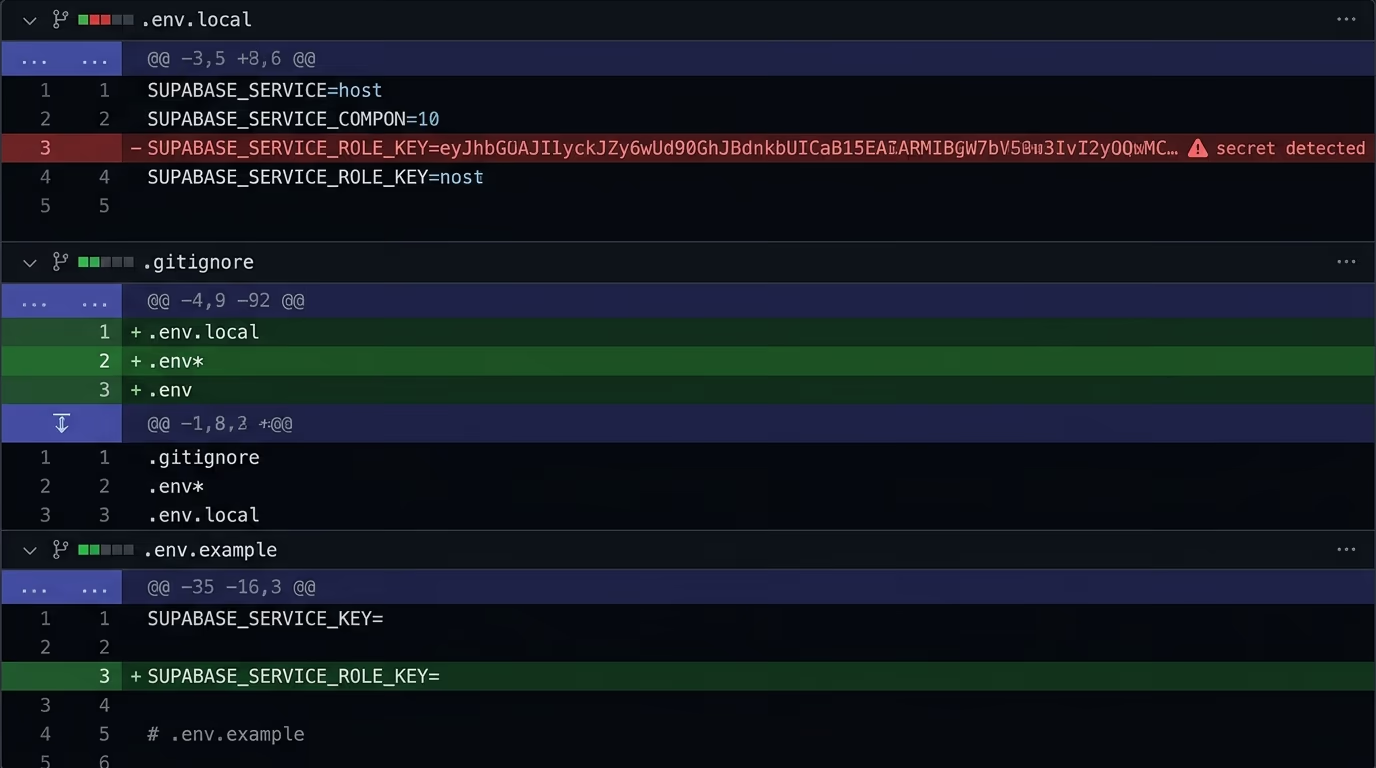
The second half of this is your repository. An .env file committed to git is exposed to everyone who can see the repo, and because git keeps history, the secret stays recoverable even after you delete the file in a later commit. Plenty of leaked credentials trace back to a single early commit that nobody thought about again.
Audit your NEXT_PUBLIC_ variables and move anything sensitive to a server-only variable, then confirm your .env files are listed in .gitignore so they never get committed in the first place. If a secret has already gone into the repository, rotating it is the only real fix, because you have to assume it was copied the moment it became public. Treat every key as compromised once it has touched a public bundle or a public commit.
A couple of habits make this easy to keep clean. Commit a .env.example file that lists the variable names with empty or dummy values, so teammates know what to set without any real secret ever entering the repository. Before you push, run a secret scanner like git-secrets or trufflehog over your history, since they catch the key you forgot was there in a commit from three weeks ago. And give your variables honest names, so a value called SUPABASE_SERVICE_ROLE_KEY never accidentally gains a NEXT_PUBLIC_ prefix during a late-night refactor.
Enforce access on the server, not just the client
Client-side checks exist for the experience, not for security, because anyone can open developer tools and call your API directly. Hiding a button, disabling a field or redirecting away from a page only changes what a polite visitor sees, and it does nothing to stop a crafted request from someone who means harm. If the only thing protecting an action is browser code, that action is unprotected.
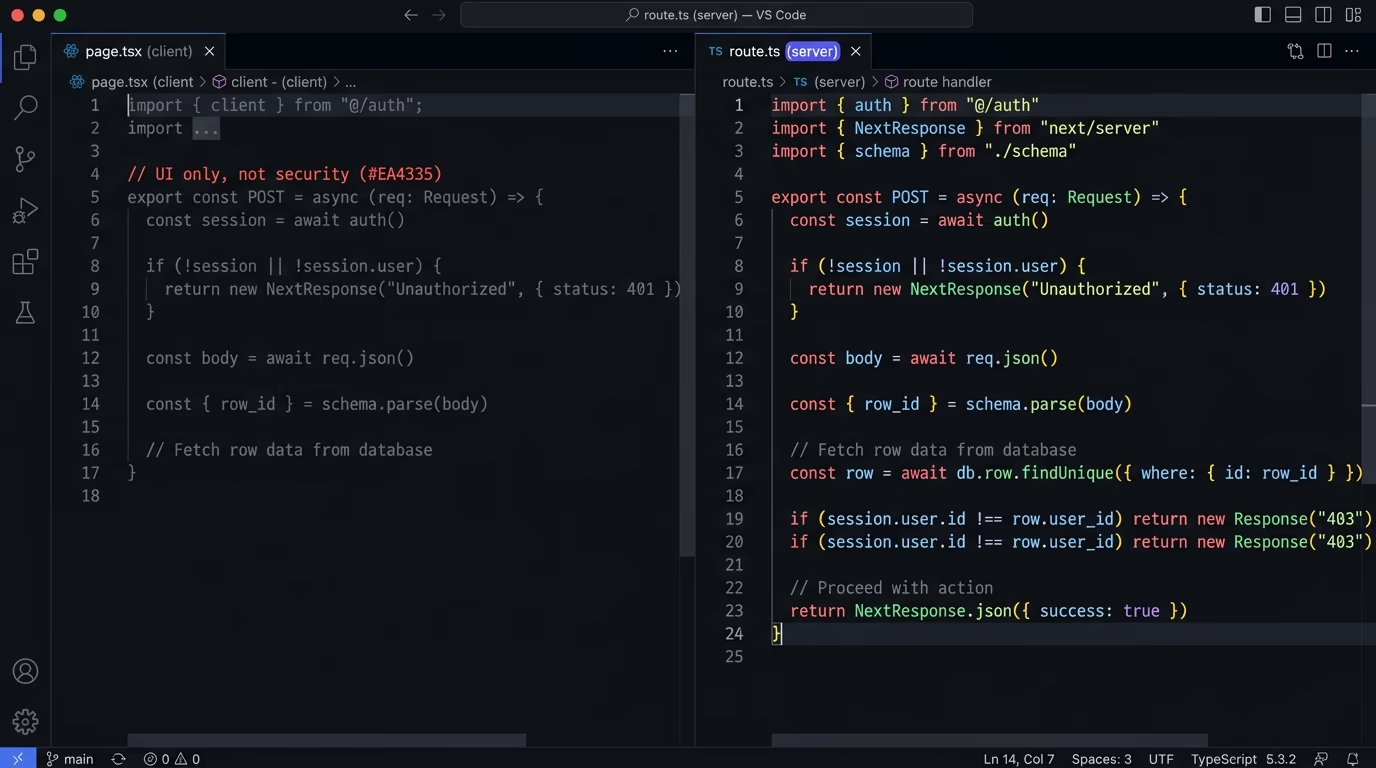
Real enforcement has to happen in places the user cannot edit. The first is the database, through the RLS policies covered above, which hold even when a request comes from outside your app entirely. The second is your server: in route handlers and server actions, verify the session, confirm the user actually owns the resource they’re asking about, and validate the shape of whatever they sent before you act on it.
Treat every incoming request as untrusted until your server has checked it, and treat the interface as a convenience layer sitting on top of those checks rather than the thing doing the work. When the database and the server both agree on who is allowed to do what, a manipulated client request simply fails, which is exactly what you want.
Input validation belongs on the server for the same reason. A schema validator like Zod lets you parse every incoming request and reject anything that doesn’t match the shape you expect, before that data reaches your database. Be especially careful with identifiers that arrive from the client, because a request that swaps one user’s id for another is the classic way people read records that aren’t theirs. Check ownership on the server every time, rather than assuming the id in the request belongs to the person making it.
Lock down your storage buckets
Supabase Storage follows the same access model as your tables, and a bucket set to public exposes every file inside it to anyone who has or guesses the URL. That’s fine for a folder of marketing images, and a real problem for user uploads, invoices, identity documents or anything else that was supposed to stay private. The setting is easy to flip on for convenience during development and just as easy to forget before launch.
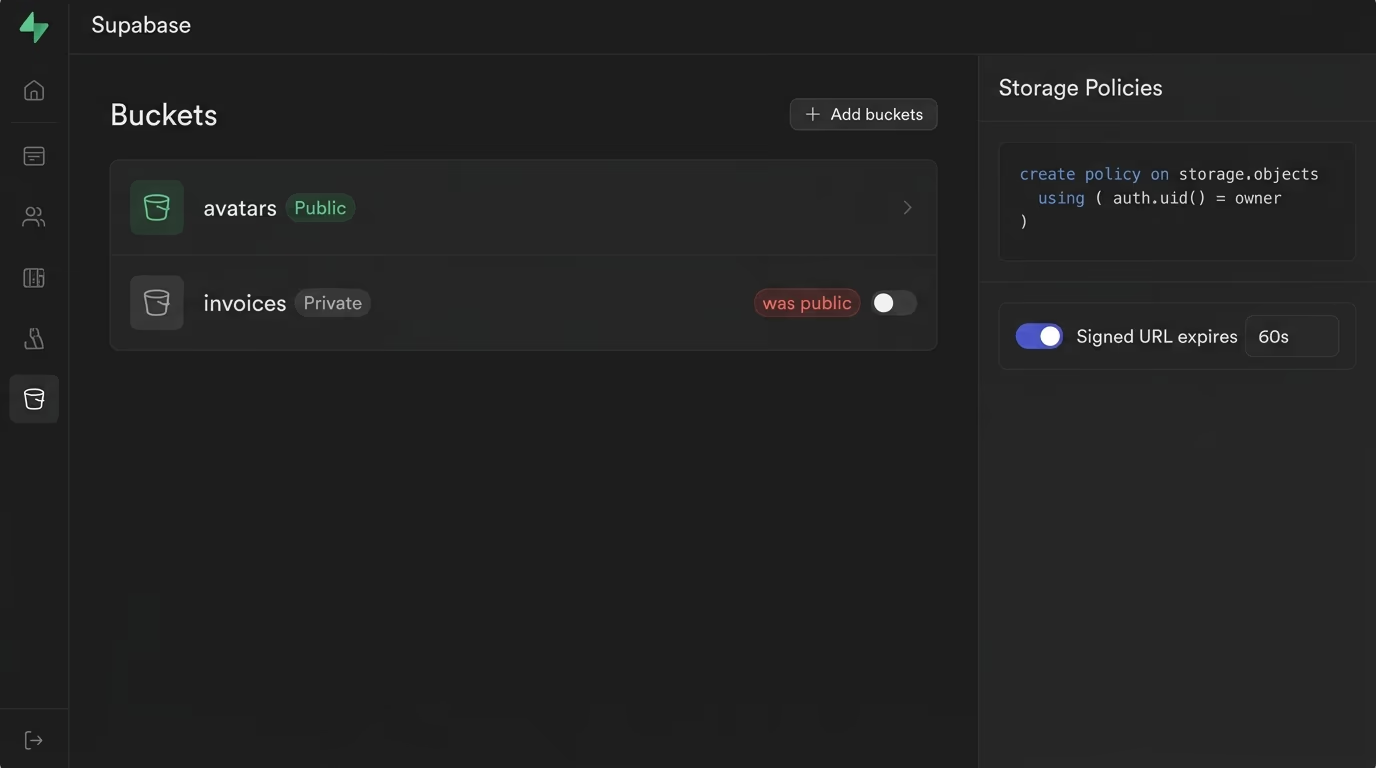
Keep buckets private unless they genuinely hold public assets, and write storage policies that scope each file to the user who owns it, the same way you scope table rows. When you need to share a private file for a limited time, generate a signed URL that expires instead of making the whole bucket public. It also pays to validate the type and size of uploads on the server, so the bucket can’t be used to store something it was never meant to hold.
The thread running through all of this is that the client never gets to decide who can read what. Storage policies and signed URLs put that decision back on the server, where it belongs, and they close one of the quieter holes that fast-built apps tend to leave open.
A few specifics make storage genuinely safe in practice. Set a size limit and an allowed list of file types on every bucket, so nobody can upload a huge file or a script disguised as an image, and re-encode images on the server when you can, which strips anything hidden inside the original file. Generate signed URLs with the shortest expiry that still works for your case, since a link that dies in a few minutes is far less dangerous than one that lives forever. It also helps to name uploaded files with random identifiers rather than their original names, so the contents of one user’s folder can’t be guessed from the pattern of someone else’s.
Add the security headers
A small set of HTTP response headers blocks whole categories of attacks, and Next.js sends none of the important ones unless you add them. These headers are cheap to configure and do a surprising amount of work, so skipping them leaves easy wins on the table.
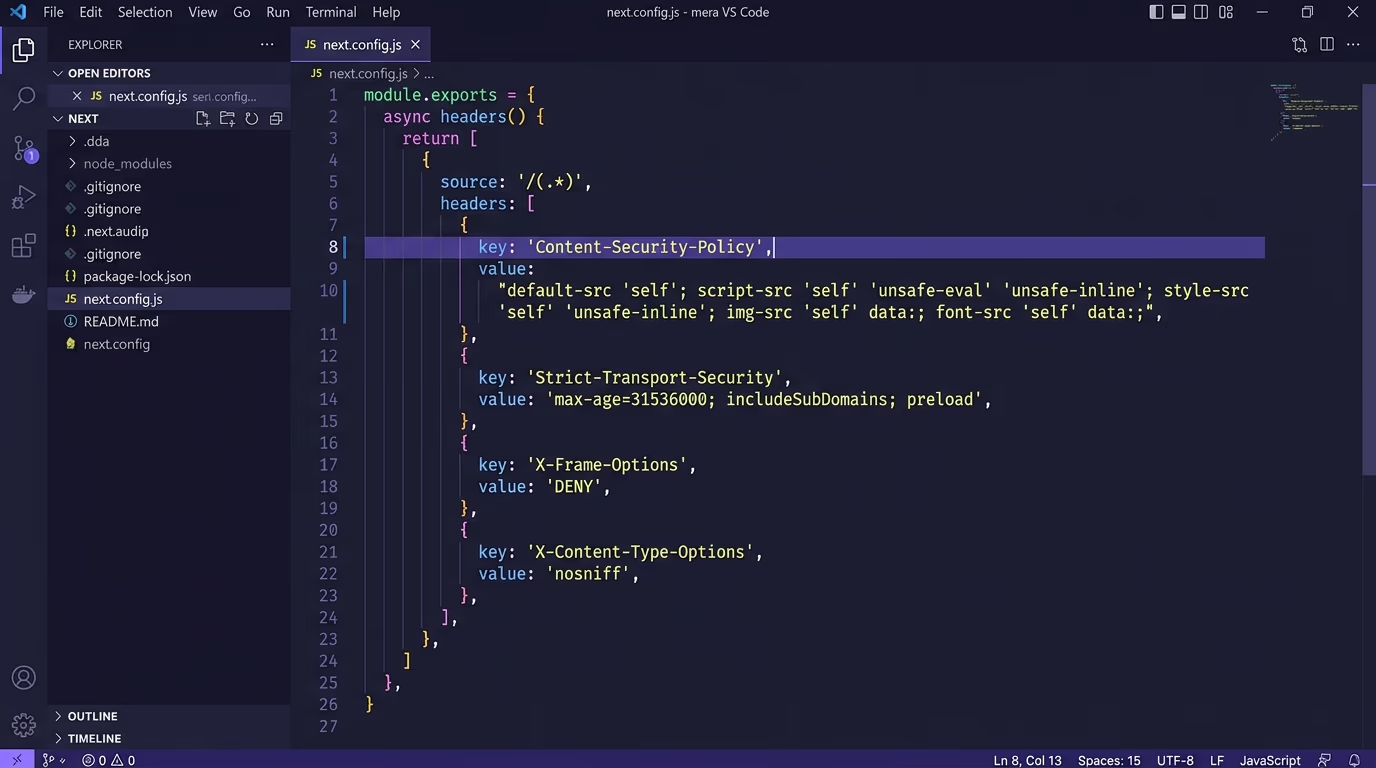
The ones that matter most are a Content-Security-Policy to limit which scripts and resources can load, which is your main defense against cross-site scripting, a Strict-Transport-Security header to force browsers onto HTTPS, X-Frame-Options or a frame-ancestors directive to stop your site being framed for clickjacking, and X-Content-Type-Options to stop browsers from guessing file types. Together they shrink the surface an attacker has to work with.
Set them in the headers() function in your next.config.js or in middleware so they apply across every route, then confirm they’re live by checking the response headers on your deployed site. A strict Content-Security-Policy takes a little tuning to avoid blocking your own scripts, but it is one of the highest-value headers you can ship, and the rest are close to set-and-forget.
A couple more headers are worth adding while you’re there. A Referrer-Policy of strict-origin-when-cross-origin stops your URLs from leaking full paths to other sites, and a Permissions-Policy lets you switch off browser features your app never uses, like the camera or microphone, so a compromised script can’t reach for them. In next.config.js these all live in a single headers() block that returns an array of { key, value } pairs applied to every path. Set them once, deploy, and then run your site through a free header checker to confirm the live response carries each one.
Scan your app before you ship
You can’t eyeball all of this reliably, especially across an app you built quickly, so the last step is to look at your site from the outside the way an attacker would. A real-world check catches the gap you didn’t know was there: the bucket someone flipped public, the test key left in the bundle, the header that never got added.
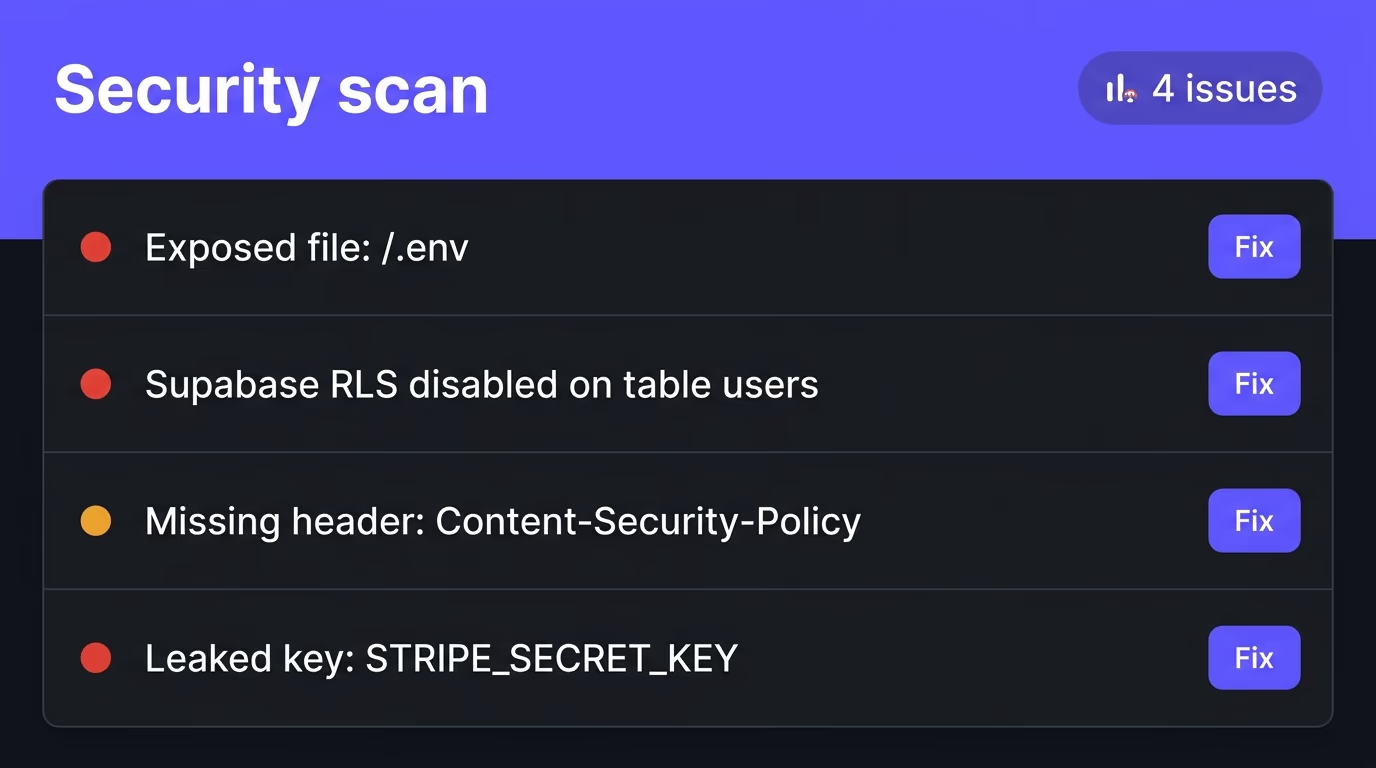
Amabrik’s security scan crawls your live site and report-only flags exactly these issues: leaked API keys for services like Stripe, AWS, OpenAI, GitHub and Supabase, exposed files such as .env and .git, missing security headers, Supabase and Firebase projects with Row Level Security switched off, and insecure cookies. Each finding comes with a plain-English explanation and a copy-paste fix prompt you can hand straight to your AI assistant, so you go from a vague worry to a clear list of what to change. The scan docs walk through what each finding means.
This is where building fast and staying safe finally meet. When you ship in an afternoon, it’s easy to leave one default switched the wrong way, and a scan is the safety net that catches it before a stranger does. Run it before launch, fix what it ranks, then rescan to confirm the holes are closed. Most of the findings turn out to be a one-line change once you can actually see them, so a report that looks alarming at first usually clears within an afternoon of focused work.
Your pre-launch security checklist
Run these in order and you’ve closed the gaps behind almost every Supabase leak: turn on Row Level Security for every table, keep the service_role key server-side, get your secrets out of NEXT_PUBLIC_ and out of git, enforce access in the database and on the server rather than the browser, lock your storage buckets, and add the security headers Next.js leaves out. None of it takes long, and each step removes a way your data could walk out the door.
When you’re ready for a second opinion, run the security scan, fix what it surfaces, and rescan until it comes back clean. Shipping fast and shipping safe sit together fine, once you change a few defaults and take one honest look at your app before real users arrive.
The database itself is solid, but a few defaults leave gaps you have to close yourself. New tables you create have Row Level Security turned off, your public anon key ships to every browser, and storage buckets can be set public. Enable RLS on every table, keep the service_role key server-side, and lock your buckets, and most of the risk goes away.
The anon key is public by design and is meant for the browser, where Row Level Security decides what each user can see. The service_role key bypasses RLS entirely and has full admin access to your database, so it must live only on the server and never reach client code or a NEXT_PUBLIC_ variable. Treat the anon key like a username and the service_role key like a root password.
Yes. Authentication tells Supabase who the user is, while Row Level Security decides which rows that user is allowed to touch. Without RLS, anyone holding your public anon key can read or write the whole table through the auto-generated API, no matter what your app's interface allows. Auth and RLS solve different halves of the same problem.
Yes, as long as Row Level Security is enabled with correct policies. The anon key is built to be public and only works within the limits your RLS policies set. What actually creates the risk is having RLS switched off, because then that public key can reach every row in the table, no matter that it's visible.
No. Any environment variable prefixed with NEXT_PUBLIC_ is compiled into the JavaScript that ships to the browser, so anyone can read it. Only genuinely public values belong there. Secrets like the service_role key, a Stripe secret key or any private API token must use server-only variables with no NEXT_PUBLIC_ prefix.
Run a security scan that looks at your live site the way an attacker would. Amabrik's security scan crawls your app and flags leaked API keys, exposed files like .env and .git, tables with RLS disabled, missing security headers and insecure cookies, and each finding comes with a plain-English explanation and a copy-paste fix prompt.