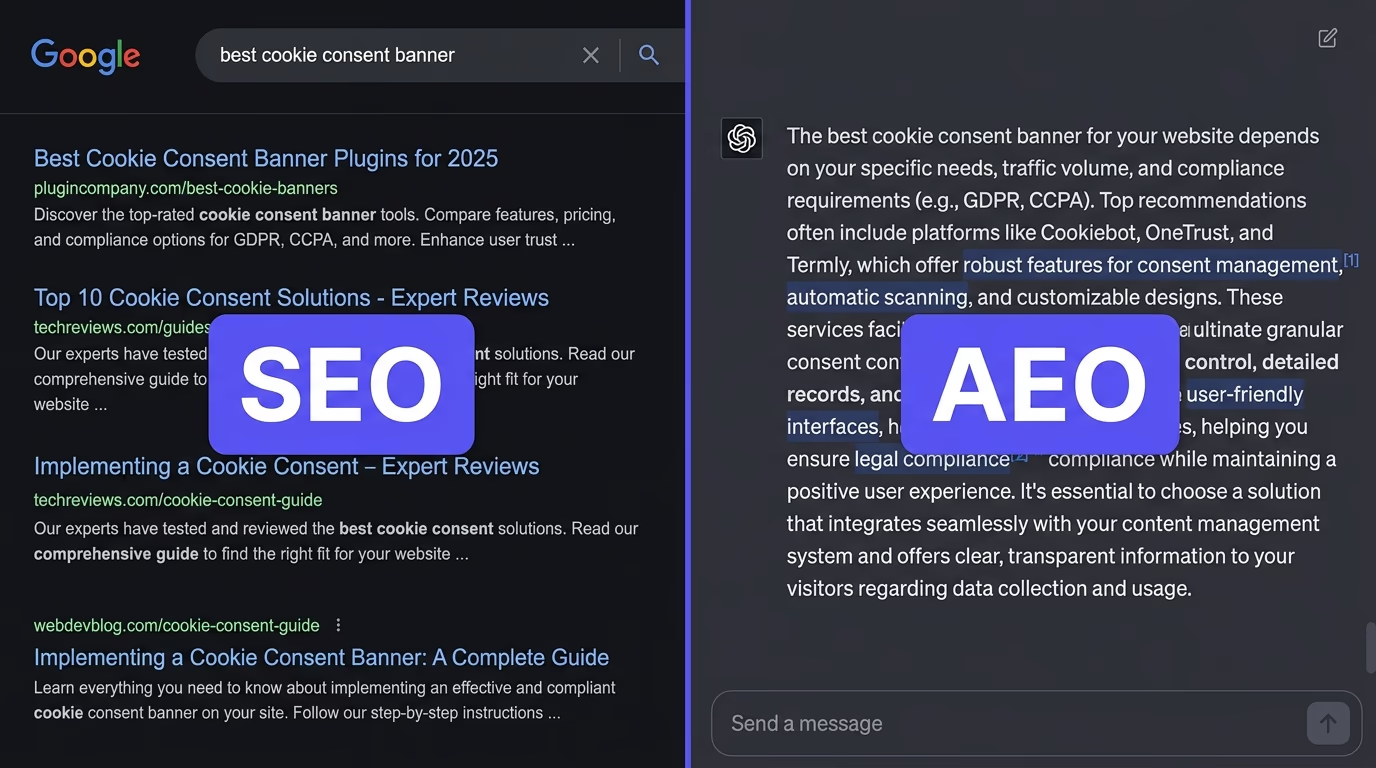
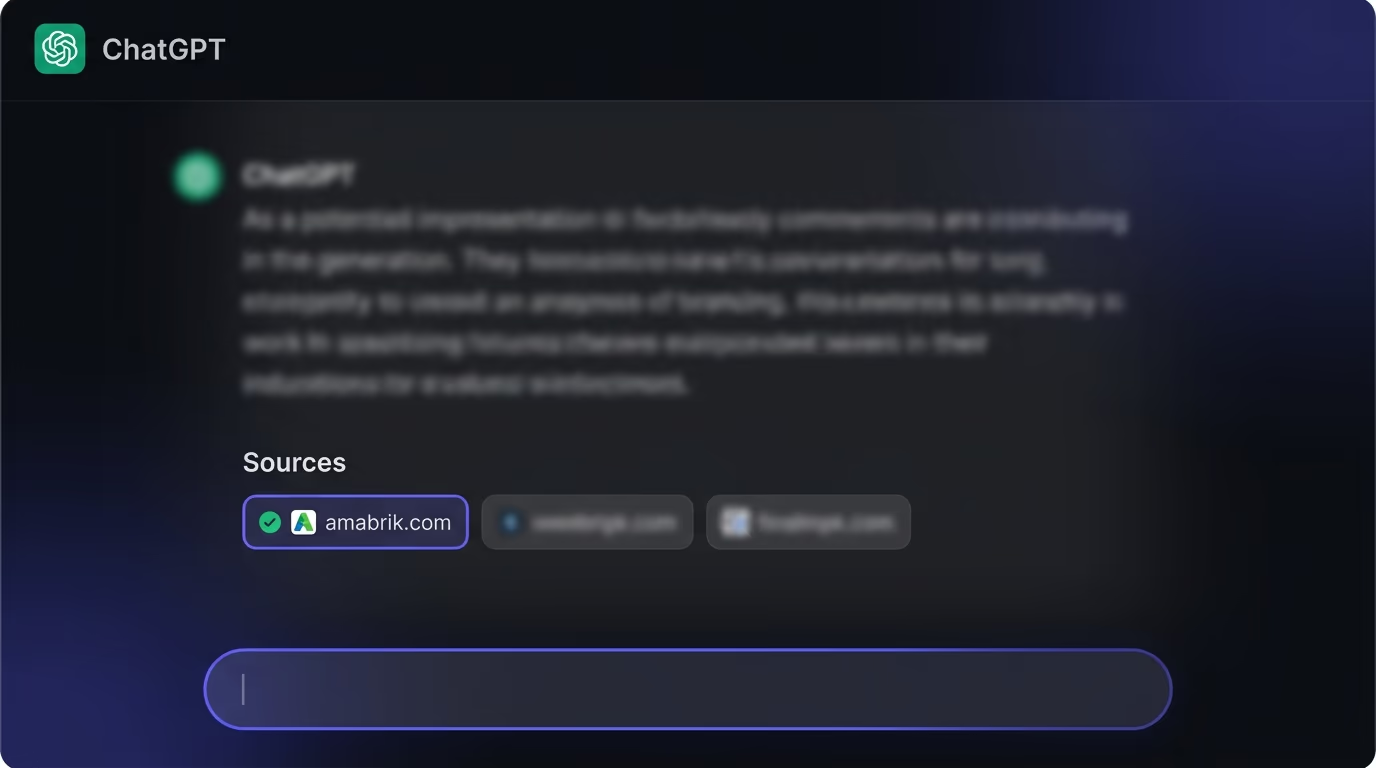
Schema Markup for AI: Which Types Get You Cited
Schema markup for AI helps ChatGPT, Perplexity and AI Overviews read and cite your pages. See which schema types matter and how to add them right.

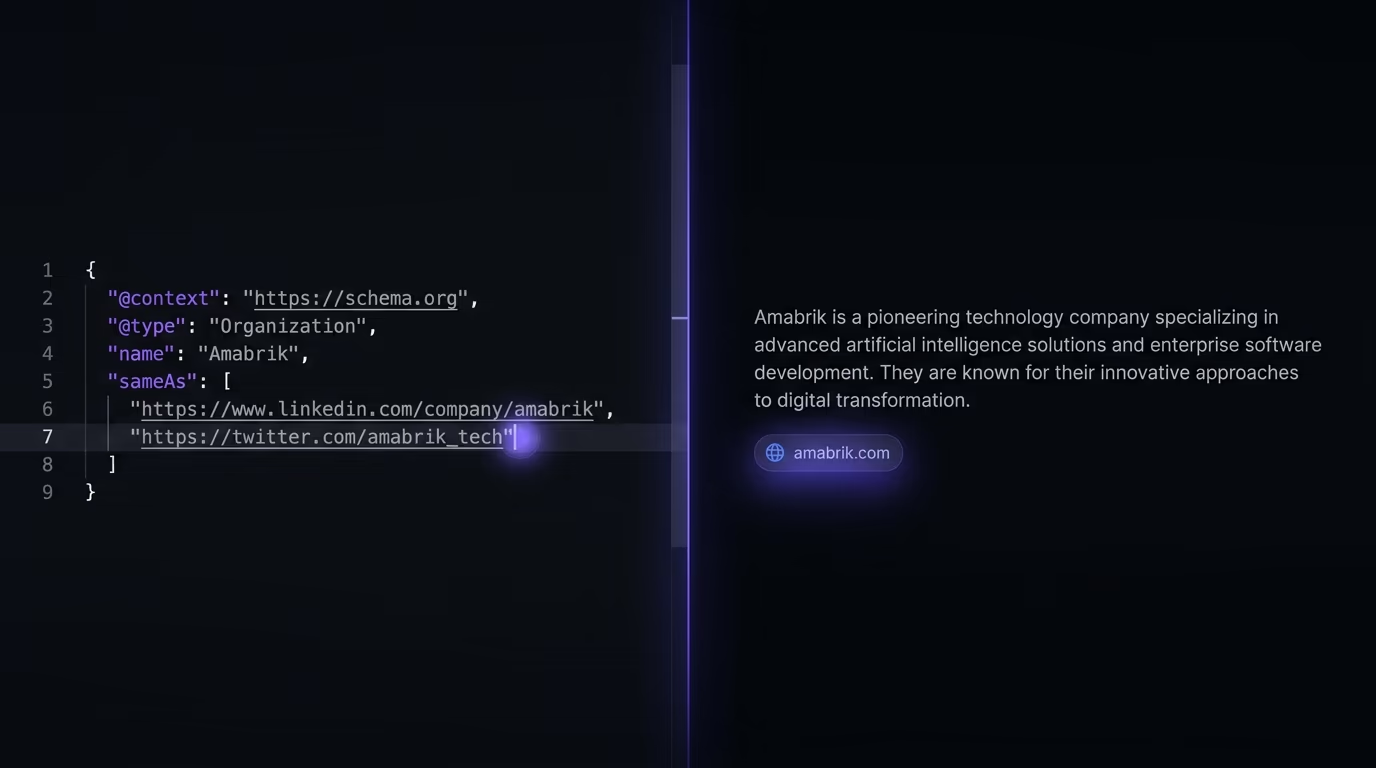
Schema markup for AI is the structured data, usually JSON-LD, you add to a page so answer engines like ChatGPT, Perplexity and Google’s AI Overviews can read your facts cleanly and name you as a source. It is not required to get cited, and Google has never published a schema type built for AI, yet the right markup makes your entities and answers easier for an engine to extract with confidence. The types that carry the most weight are Organization with sameAs, Article or BlogPosting, FAQPage, HowTo, Product and BreadcrumbList. Your JSON-LD also has to sit in the raw HTML, because AI crawlers do not run JavaScript, so schema a plugin injects after the page loads never reaches them.
That last point is where most sites quietly lose. They add markup, it passes Google’s tester, and they assume ChatGPT sees the same thing Google does, which it often does not. The rest of this piece covers which types actually matter for AI, how to add them so they survive the trip to an AI crawler, and how to check what an engine really reads on your pages.
Does AI actually read schema markup?
Yes, but not the way a lot of guides imply. AI engines read the same schema.org structured data Google has used for years, and Google’s own documentation says structured data helps it “understand the content of a page” and “gather information about the web and the world in general, such as information about the people, books, or companies that are included in the markup”. That understanding is what an answer engine borrows when it decides who published a fact and whether it can trust the source enough to quote it.
What schema does not do is guarantee anything. There is no AI provider that publishes a schema requirement, and Google has never released a structured data type meant for AI Overviews or AI Mode. Plenty of pages with no markup at all still get quoted, because a clear, well written answer in plain HTML is already readable. So schema is closer to insurance than to a lever. It removes ambiguity about your entities and hands the engine clean, typed facts, which raises the odds it pulls your content into an answer with your name attached instead of a competitor’s.
A concrete example makes the mechanism obvious. Say two companies both trade as “Nova”, one a payroll tool and one a paint brand, and your page reviews the payroll one. In plain text an engine has to guess which Nova you mean from context, and a wrong guess means it either drops your review or files it under the paint company. Organization schema with a sameAs link to the payroll company’s LinkedIn and Crunchbase settles that in one step, so the engine attaches your facts to the right entity. That is the whole value of entity markup: it turns a name an engine might confuse into an identity it can look up.
The behavior is consistent across the engines people care about. Google’s Gemini powered features read the same structured data your site already exposes for Search, since Google has published no second format. ChatGPT and Perplexity reach your pages through their own crawlers, read the HTML, and will parse a JSON-LD block if it is there, but neither forces you to have one. The takeaway is the same everywhere: schema helps the engine, it does not replace a real answer, and it only counts if the engine can actually see it.
Which schema types matter most for AI search?
The single most useful markup for AI is entity schema: Organization or Person, paired with sameAs. Organization states your name, logo and official URL, and the sameAs property links out to the profiles that confirm you are who you say, such as your LinkedIn page, your Crunchbase entry or your Wikipedia article. This is what lets an engine resolve “Amabrik” to one specific company rather than a string it half recognizes. When an engine is unsure whose claim it is holding, it tends to leave the claim out. Clean entity schema removes that doubt, which is why it does more work than any other type.

Content schema comes next, and it maps to how answers get lifted. Article or BlogPosting attaches an author, a headline and a published date to a page, so an engine can attribute the piece and judge whether it is fresh. FAQPage turns a set of questions and answers into machine readable pairs, which is close to the exact format an answer engine wants to quote, so it is worth adding wherever you genuinely answer common questions. If you already run a question and answer block, the FAQ schema guide walks through the markup and the rules Google enforces on it. HowTo does the same for step by step instructions, giving the engine a clean ordered structure instead of a wall of prose.
Commerce and trust schema round it out. Product carries typed facts an engine cannot safely infer from text, like price, currency, availability and rating, which matters when someone asks an AI for a recommendation. Review and AggregateRating add the trust signal behind those recommendations. BreadcrumbList is small but useful, because it tells the engine where a page sits in your site, which helps it understand context. You do not need every type. Add the ones that describe what your page really is, and skip the rest so your markup stays honest.
Two habits make these types work harder. Nest them instead of listing them flat: put the author as a Person inside the Article, and the publisher as the Organization you already defined, so the engine reads one connected graph rather than loose fragments. And keep the values consistent with the rest of the web. The name, logo and URL in your Organization block should match your LinkedIn, your Google Business Profile and your own footer, because an engine cross checks those signals, and a company that describes itself three different ways is harder to trust than one that says the same thing everywhere.
Why your schema can be invisible to AI even when Google sees it
Schema that a JavaScript plugin adds after a page loads can be invisible to AI even when Google sees it fine, and almost no guide mentions it. Google renders JavaScript before it reads a page, so structured data that a plugin or a tag manager injects on the client still shows up when Google crawls you, and it still passes the Rich Results Test. The named AI crawlers, GPTBot, ClaudeBot, PerplexityBot and the rest, generally do not run JavaScript at all. They read the HTML your server sends and nothing more. Any JSON-LD that only appears after your scripts execute is simply absent when they look.
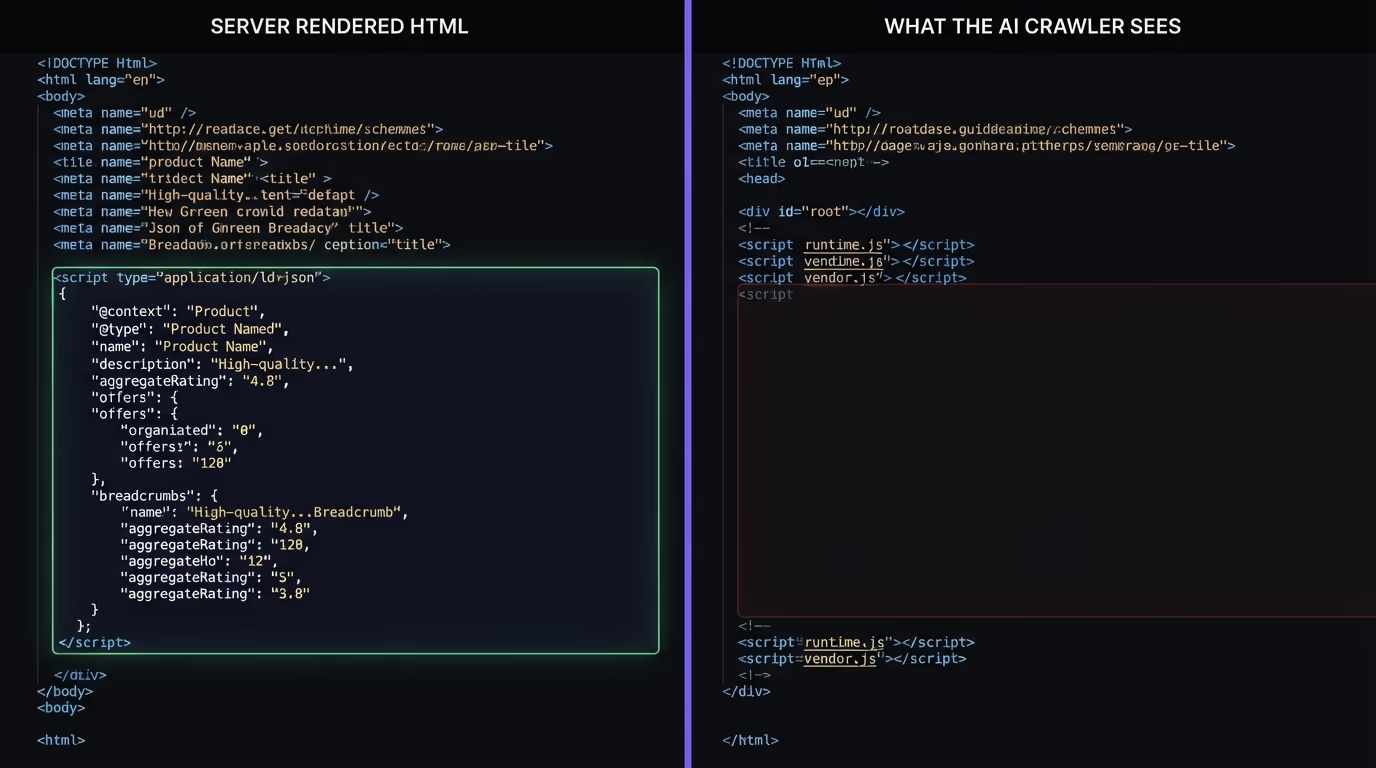
The fix is to render your JSON-LD on the server, in the initial HTML, not through a client script that runs in the browser. If your site is server rendered or statically generated, the markup is usually in the document already and you are fine. If you added schema through a client only tool, a tag manager rule or a single page app that builds everything after load, there is a real chance an AI crawler sees a page with no structured data even though your tester says it is perfect. The same trap catches your actual content: a page whose text only paints after JavaScript runs looks like an empty shell to these bots. That crawler behavior, and how to read your own robots.txt against it, is covered in the piece on how AI crawlers read your site.
This is also why the two page checks disagree so often. Google’s tools tell you whether the markup is valid once the page is fully rendered. They do not tell you whether the markup is in the raw HTML an AI crawler downloads. Those are different questions, and for AI visibility the second one is the one that decides whether you get read.
How do you add schema markup for AI?
Add your structured data as a single JSON-LD block in a <script type="application/ld+json"> tag, rendered by your server so it lands in the raw HTML. JSON-LD is the format Google recommends, it keeps all your markup in one place instead of scattering attributes through your tags, and it is the easiest to keep server rendered. Below are three blocks that cover most sites. Change the values to your own and keep every field truthful to what is on the page.
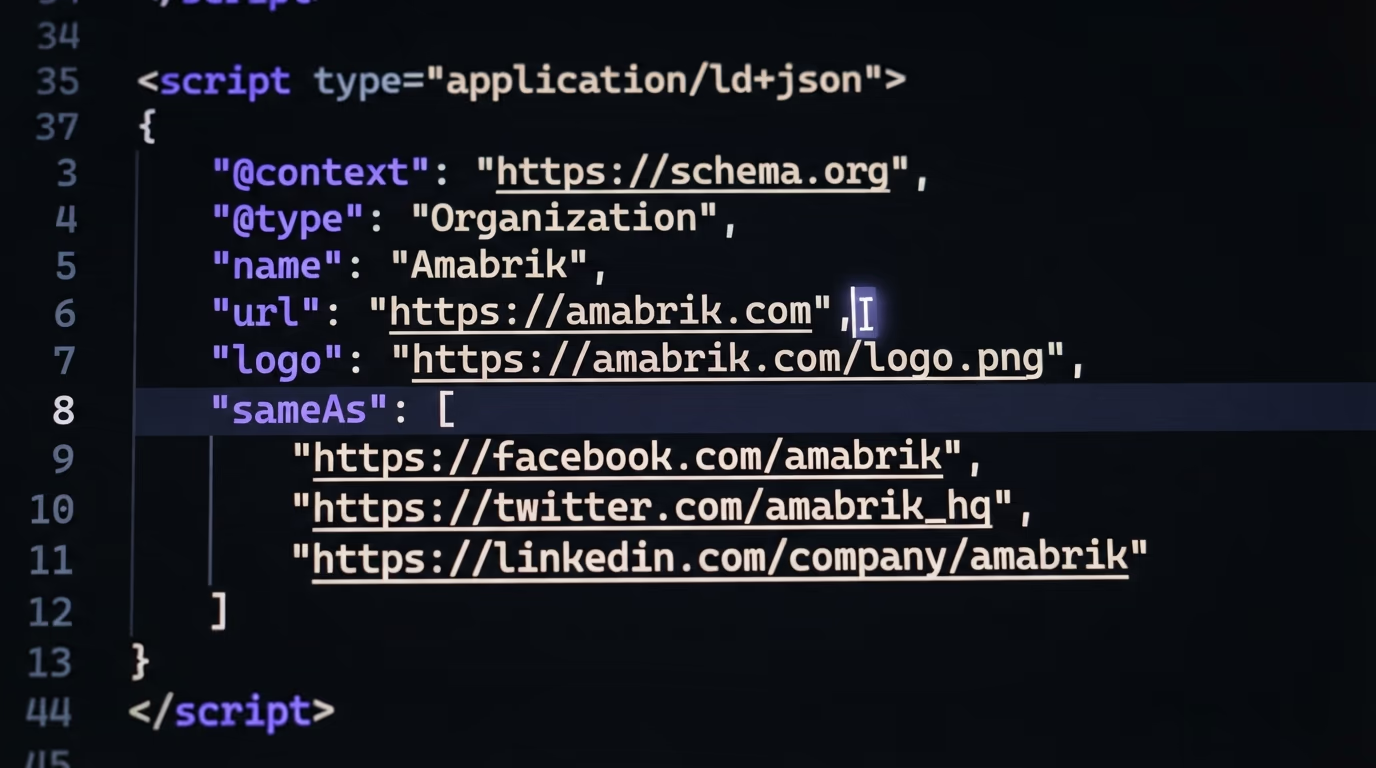
Organization with sameAs, placed once on your home page or in a global layout, is the highest value block:
{
  "@context": "https://schema.org",
  "@type": "Organization",
  "name": "Amabrik",
  "url": "https://amabrik.com",
  "logo": "https://amabrik.com/logo.png",
  "sameAs": [
    "https://www.linkedin.com/company/amabrik",
    "https://x.com/amabrik"
  ]
}
Article or BlogPosting goes on each post, so an engine can attribute the writing and see how recent it is:
{
  "@context": "https://schema.org",
  "@type": "BlogPosting",
  "headline": "Schema Markup for AI: Which Types Get You Cited",
  "author": { "@type": "Person", "name": "Nicolas Lecocq" },
  "datePublished": "2026-08-28",
  "publisher": { "@type": "Organization", "name": "Amabrik" }
}
FAQPage belongs on any page with a real question and answer section, because the pairs match how answers get quoted:
{
  "@context": "https://schema.org",
  "@type": "FAQPage",
  "mainEntity": [{
    "@type": "Question",
    "name": "Does AI read schema markup?",
    "acceptedAnswer": {
      "@type": "Answer",
      "text": "Yes. AI engines read the same schema.org data Google uses, though no engine requires it."
    }
  }]
}
Where you put each block matters less than people fear, since an engine reads the whole document, but two conventions keep things clean. Define Organization once in a global layout so every page inherits your identity, and put page specific types like BlogPosting and FAQPage on the pages they describe. After you ship a change, validate the live URL again rather than a local preview, because a build step or a caching layer can alter the output between your editor and production.
If you run WordPress, a plugin like RankMath or Yoast writes these blocks for you, and as long as the output is in the page source rather than injected later, it works for AI just as well as hand written code. The one rule that never changes: the markup has to describe what a human actually sees on the page. Invented ratings, fake authors or FAQ markup with no visible questions are the kind of mismatch that gets pages penalized, and it teaches an engine to distrust you.
How do you check your schema is working for AI?
Run two checks, because they answer different questions. The first is whether the markup is valid: paste your URL into Google’s Rich Results Test or the Schema.org Validator and confirm the types parse with no errors. The second is the one those tools skip: is the JSON-LD in the raw HTML that an AI crawler downloads. Open the page, view source or fetch it with curl -s https://yoursite.com/page, and search the output for application/ld+json. If the block is in that raw response, an AI crawler can read it. If it only shows up when you inspect the live page in devtools, a script is adding it after load and the bots miss it.
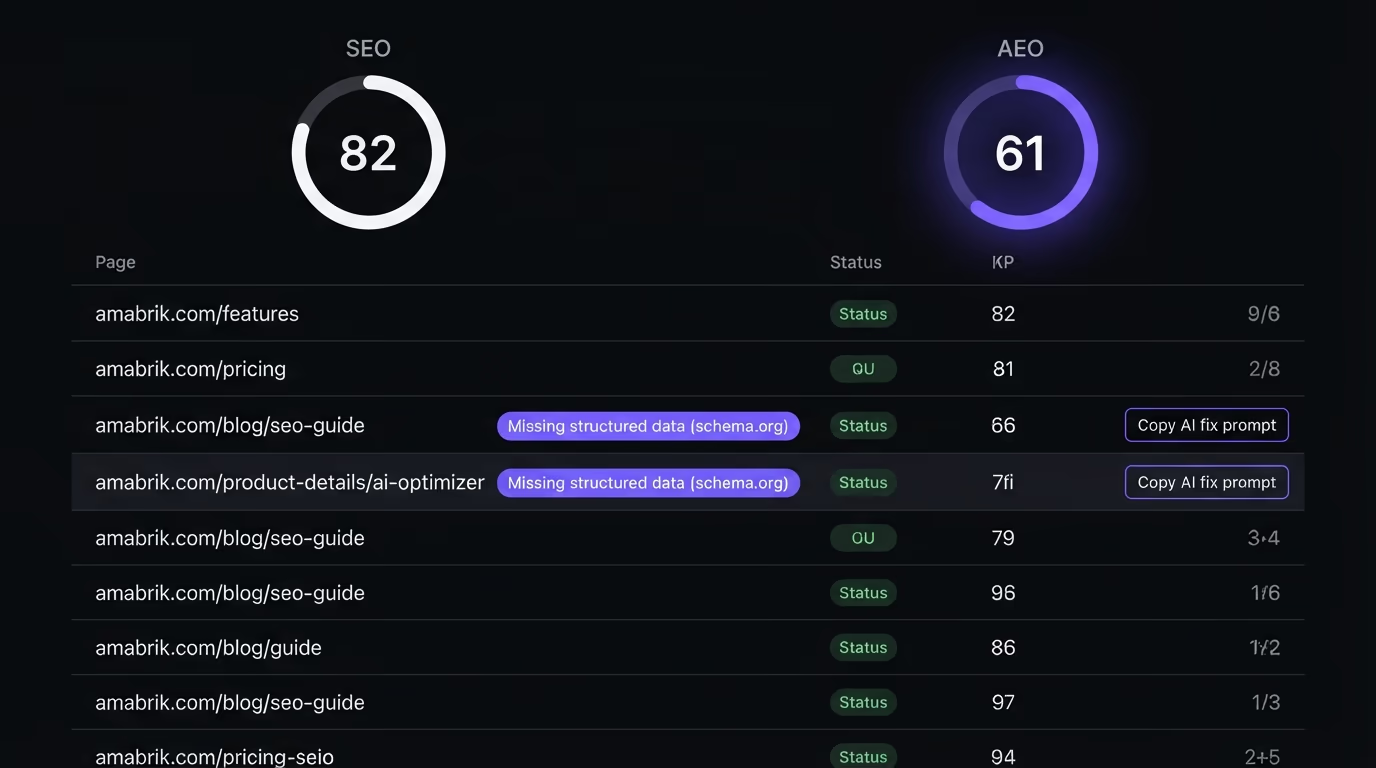
Checking one page by hand is fine. Checking a whole site that way is not, which is where a scan earns its place. Amabrik’s SEO and AEO scan crawls your site, reads the raw HTML of every page, and flags the ones with no JSON-LD so you know exactly where structured data is missing. It detects your schema whether it sits in a plain script tag or is serialized into a framework’s hydration data, so it will not tell you to add markup you already have. Every issue it finds comes with a plain English explanation and a copy and paste fix prompt you drop into Claude, ChatGPT or Cursor, which turns “you are missing Article schema on 40 posts” into code you can ship the same day.
The scan gives you two separate scores, an SEO score for how well pages can rank on Google and an AEO score for how well AI engines can read and cite them. Structured data feeds the AEO side, alongside checks for content that is readable without JavaScript, clear headings and open AI crawlers. Seeing both scores keeps you honest about the gap that this whole piece is about, where a page looks healthy to Google and invisible to an answer engine.
Is schema markup enough to get cited by AI?
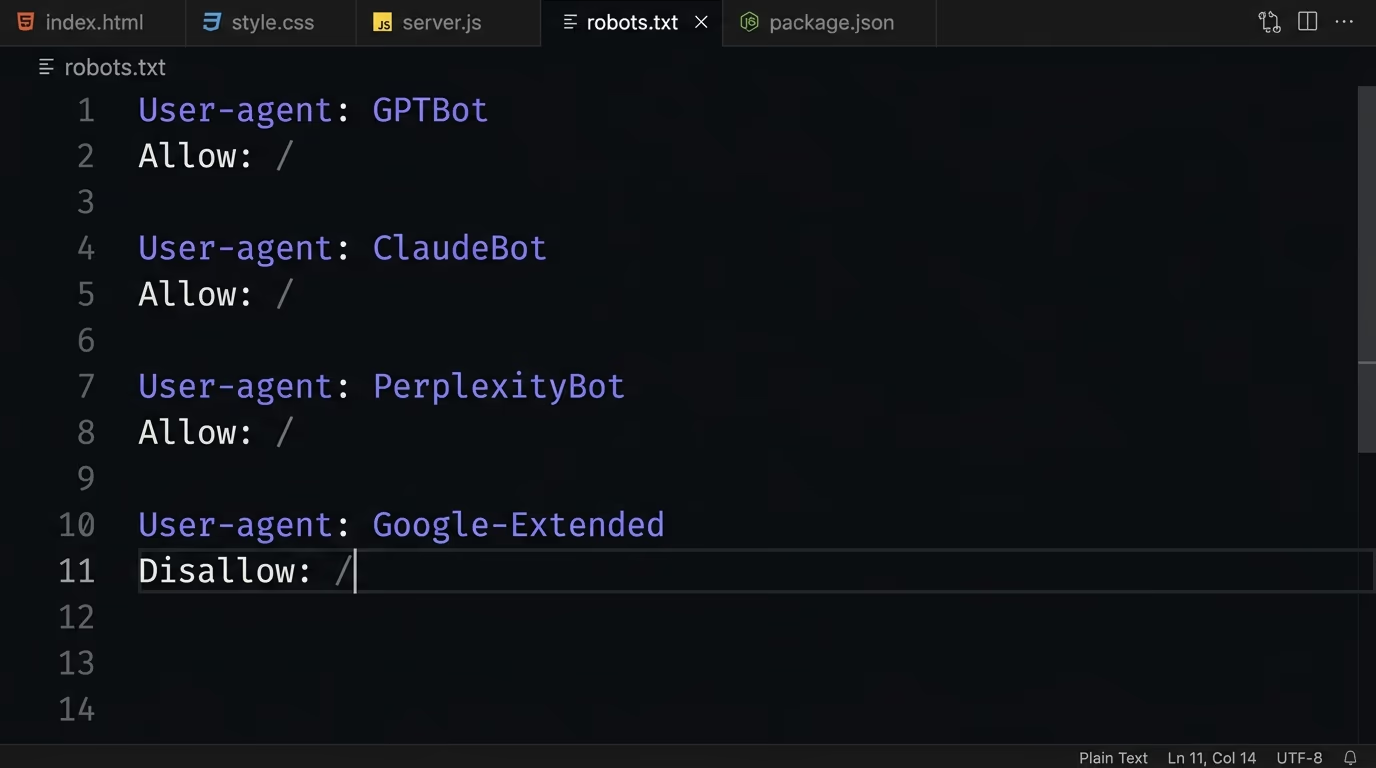
No, and it helps to be clear eyed about that. Schema makes your facts readable and your identity unambiguous, but an engine still has to do three things before it quotes you, and schema only touches the last one. It has to reach your page, which means your robots.txt cannot block GPTBot, ClaudeBot and the other named crawlers. It has to find your content in the HTML, which means the answer cannot live only in JavaScript. And it has to see a direct, quotable answer near the top of the page worth lifting. Miss any of those and the cleanest markup in the world changes nothing.
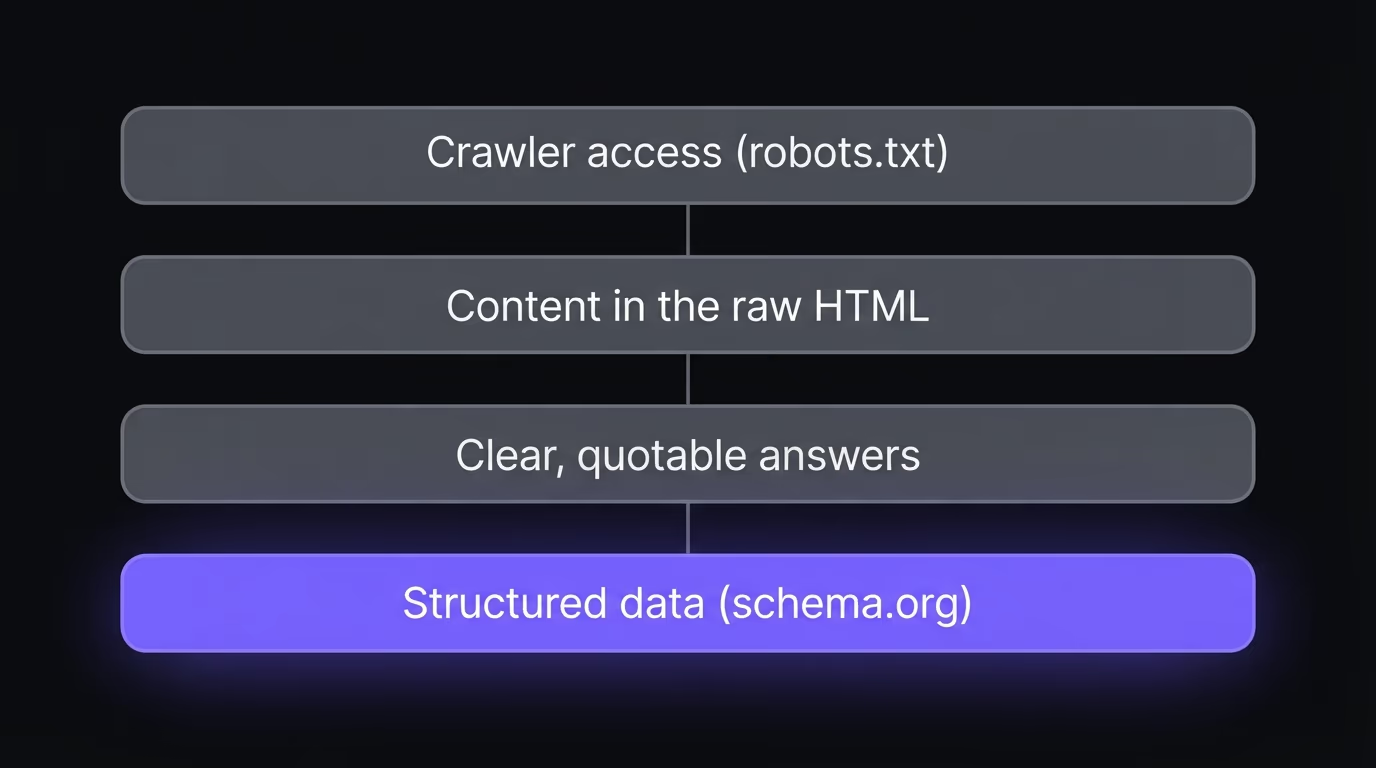
So treat schema as one layer in a plan, not the plan. The groundwork is writing pages that answer real questions plainly and getting your brand mentioned across the web, since an engine leans toward sources it already recognizes. The technical layer is crawler access, content in the raw HTML, clean headings and, yes, structured data. If you want the wider view of how classic search and answer engines pull apart, the breakdown of SEO versus AEO sets the frame, and the walkthrough on getting cited by ChatGPT puts the layers in the order that moves results. Schema slots in once those are handled, and then it does its quiet, real job of making sure the engine attributes the answer to you.
Where schema markup fits in your AI visibility plan
Schema markup for AI is worth the hour it takes, as long as you do it in the right order and get the mechanics right. Add entity schema first so an engine knows who you are, then Article and FAQPage where they honestly describe the page, and render all of it on the server so an AI crawler actually reads it. Skip the invented facts, keep the markup true to the page, and check the raw HTML rather than trusting a tester that runs after JavaScript. Done that way, structured data turns your content from something an engine has to interpret into something it can quote with your name on it.
The fastest way to see where you stand is to look at your own pages through an AI crawler’s eyes. Run the SEO and AEO scan to get your AI visibility score, see which pages are missing schema or hiding their content behind JavaScript, and get a fix prompt for each gap. It is free to start, no signup, and it tells you in a couple of minutes whether ChatGPT and Perplexity can read the pages you have already written.
Yes. AI engines read the same schema.org structured data Google has used for years, and Google's own documentation says structured data helps it understand the content of a page and gather facts about the people, books or companies in your markup. No AI provider requires schema to cite you, and plenty of pages with no markup get quoted, but clean structured data makes your entities and answers easier for an engine to extract with confidence.
Start with Organization plus sameAs, which tells an engine exactly who you are and links you to your official profiles so it can resolve your identity without guessing. Then add Article or BlogPosting for authorship and dates, FAQPage and HowTo for answer blocks an engine can lift, and Product for typed price and rating facts. BreadcrumbList gives site structure context. Entity schema does the most work, because ambiguity about who published a claim is what stops an engine from quoting it.
The markup itself is identical. You add the same JSON-LD you would add for Google rich results, and there is no separate schema type built for AI. What differs is the downstream use: for classic SEO the payoff is a richer search result, while for AI the payoff is an engine that can read your facts and attribute them cleanly inside an answer. So schema markup for AI is the same code with a second reason to get it right.
No, it is not required. The bigger blockers are usually content that only appears after JavaScript runs (which the AI crawler never sees), a robots.txt that blocks GPTBot or OAI-SearchBot, and an answer buried deep in the page. Fix those first, then add schema so the facts you do surface are unambiguous and easy to quote.
Use JSON-LD. Google recommends it, it sits in a single script block instead of being tangled through your HTML, and it is the easiest format to render on the server so an AI crawler sees it in the raw page. Microdata and RDFa still validate, but they are harder to maintain and easier to break, so there is no reason to pick them for a new build.
Look at the raw HTML, not the rendered page. View source in your browser or fetch the URL with curl, then search for application/ld+json. If the block is there, an AI crawler can read it. If it only appears when you inspect the live DOM, a script is injecting it after load and AI crawlers miss it. An AEO scan checks this across your whole site and flags the pages where schema is missing or invisible.