AI Crawlers: Allow or Block for AI Visibility
AI crawlers like GPTBot, ClaudeBot and PerplexityBot decide if ChatGPT can cite you. Learn which to allow for AI visibility and which to block.

AI crawlers are the bots that answer engines send to read your site: GPTBot for ChatGPT, ClaudeBot for Claude, PerplexityBot for Perplexity, and Google-Extended for Gemini. Some collect text to train a model, some index your pages so an engine can cite them, and some fetch a single page because a person asked a chatbot a question. Whether you allow or block each one decides if ChatGPT, Claude and Perplexity can quote you, or whether your content stays out of their answers entirely. This guide lists every crawler that matters in 2026, what each is for, and exactly which to allow and which to block in your robots.txt.
Most articles about AI crawlers are written by bot-management vendors, so they treat every one as a threat to shut out. That advice can quietly make you invisible in the answers people now read instead of a page of Google links. The split between classic search and answer engines is what makes crawler policy matter more than it used to. The decision is really two decisions that pull in opposite directions: letting engines cite you, and keeping your text out of model training. You can do both once you know which bot does which.
What is an AI crawler?
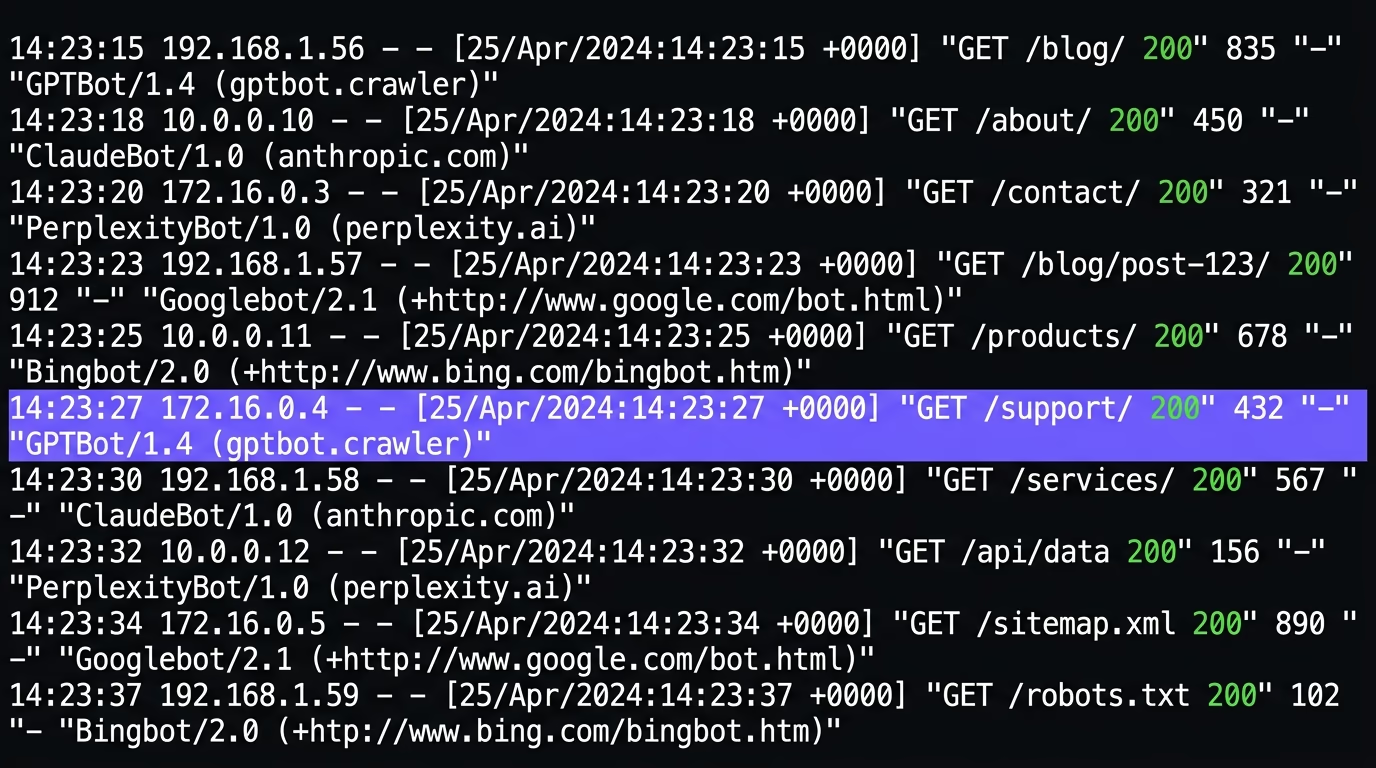
An AI crawler is an automated bot that an AI company sends to fetch pages from the open web, the same way Googlebot has crawled sites for search since long before chatbots existed. What changed is the reason it visits. An AI crawler collects your text for one of three jobs: to train a model, to index your pages so an answer engine can cite them, or to fetch a single page live because someone asked a chatbot about it.
Those three jobs are the whole reason crawler policy is confusing, because they lead to different decisions. Training crawlers such as GPTBot, ClaudeBot and Google-Extended read your content to improve a model, and you get nothing back when they do. Search crawlers such as OAI-SearchBot, PerplexityBot and Claude-SearchBot index your pages so the engine can name you as a source, which earns citations and referral traffic. User-triggered fetchers such as ChatGPT-User, Perplexity-User and Claude-User grab one page at a time when a person clicks a link or asks a question about your site. Almost all of them announce themselves with a named user-agent and read your robots.txt before crawling, so you can allow or refuse each one by name. That is the lever this whole guide turns on, and it works only because the bots identify themselves honestly. That honesty is also the catch, because a well-behaved crawler reads robots.txt and obeys it, but nothing physically stops a scraper from copying a real bot’s name to slip past your rules. OpenAI, Anthropic and Perplexity each publish the IP ranges their crawlers use for exactly this reason, so you can tell a genuine visit from an impostor wearing the same label.
Which AI crawlers visit your site in 2026?
The AI crawlers worth knowing in 2026 come mainly from four companies, OpenAI, Anthropic, Perplexity and Google, and each runs separate bots for training, for search, and for user fetches. Below is the current list with the exact user-agent name, who runs it, the job it does, and whether it obeys the rules in your robots.txt.
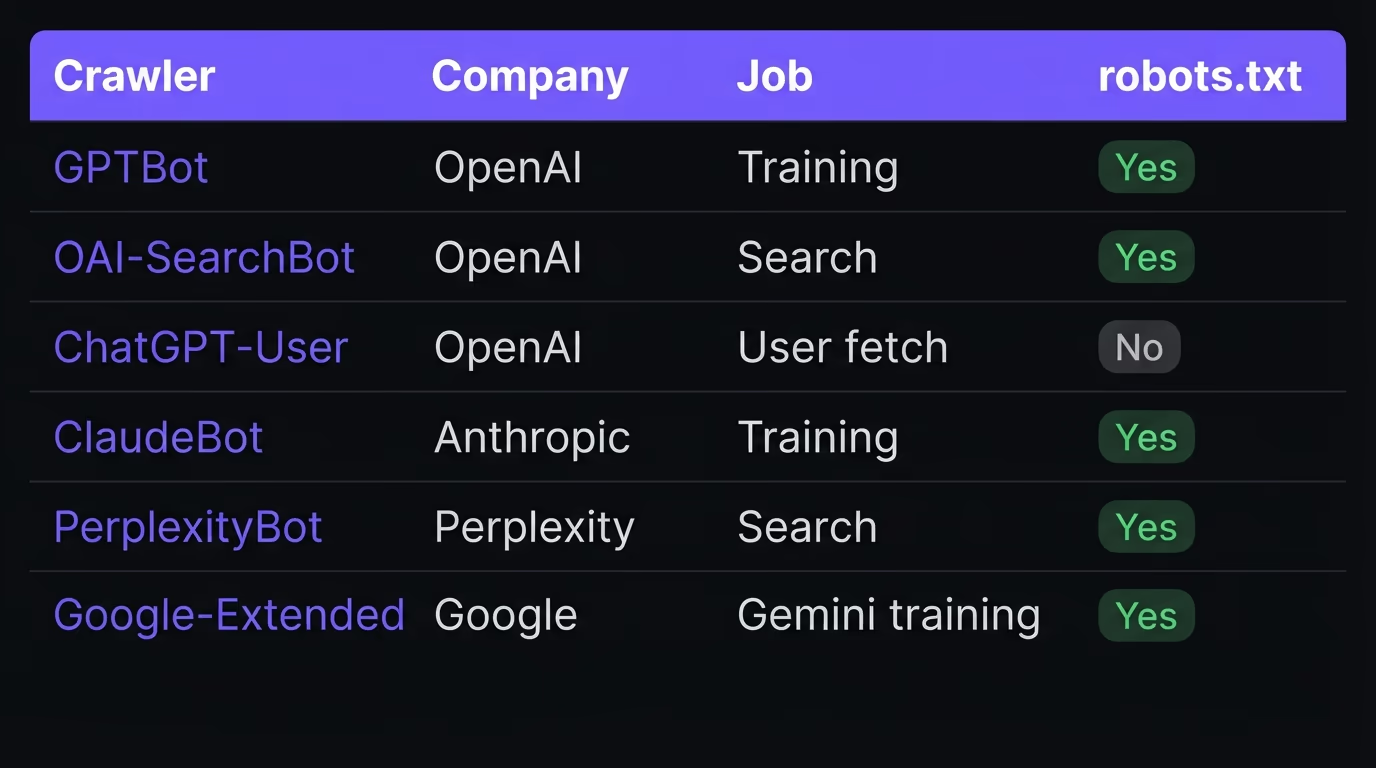
| Crawler | Company | Job | Obeys robots.txt |
|---|---|---|---|
| GPTBot | OpenAI | Trains ChatGPT models | Yes |
| OAI-SearchBot | OpenAI | Indexes pages for ChatGPT search citations | Yes |
| ChatGPT-User | OpenAI | Fetches a page a ChatGPT user opened | No, user-triggered |
| ClaudeBot | Anthropic | Trains Claude models | Yes |
| Claude-SearchBot | Anthropic | Indexes pages for Claude search results | Yes |
| Claude-User | Anthropic | Fetches a page a Claude user asked about | Yes |
| PerplexityBot | Perplexity | Indexes pages for Perplexity citations | Yes |
| Perplexity-User | Perplexity | Fetches a page for a Perplexity answer | No, user-triggered |
| Google-Extended | Opts your content in or out of Gemini training | Yes | |
| Googlebot | Indexes for Search and AI Overviews | Yes |
A handful of other crawlers show up in server logs and are worth recognizing. Meta-ExternalAgent collects data for Meta’s AI, Bytespider belongs to ByteDance and feeds TikTok’s models, Amazonbot serves Amazon and Alexa, and Applebot-Extended controls whether your content trains Apple Intelligence. CCBot is the Common Crawl bot, and its public archive quietly feeds many models that never crawl you directly. Microsoft’s Copilot is the odd one out, because it draws on the Bing search index rather than a dedicated AI crawler, so ordinary Bing indexing through Bingbot is what carries you into Copilot answers. Two of these names dominate the traffic: Cloudflare measured in August 2025 that ClaudeBot and GPTBot each accounted for roughly a quarter of all AI crawling it saw. The names on this list are the current ones, and they do drift. OpenAI already runs GPTBot and OAI-SearchBot at version 1.4, and companies add or rename bots as their products change, so it pays to re-check the list a couple of times a year rather than setting a rule once and forgetting it.
Should you allow or block AI crawlers?
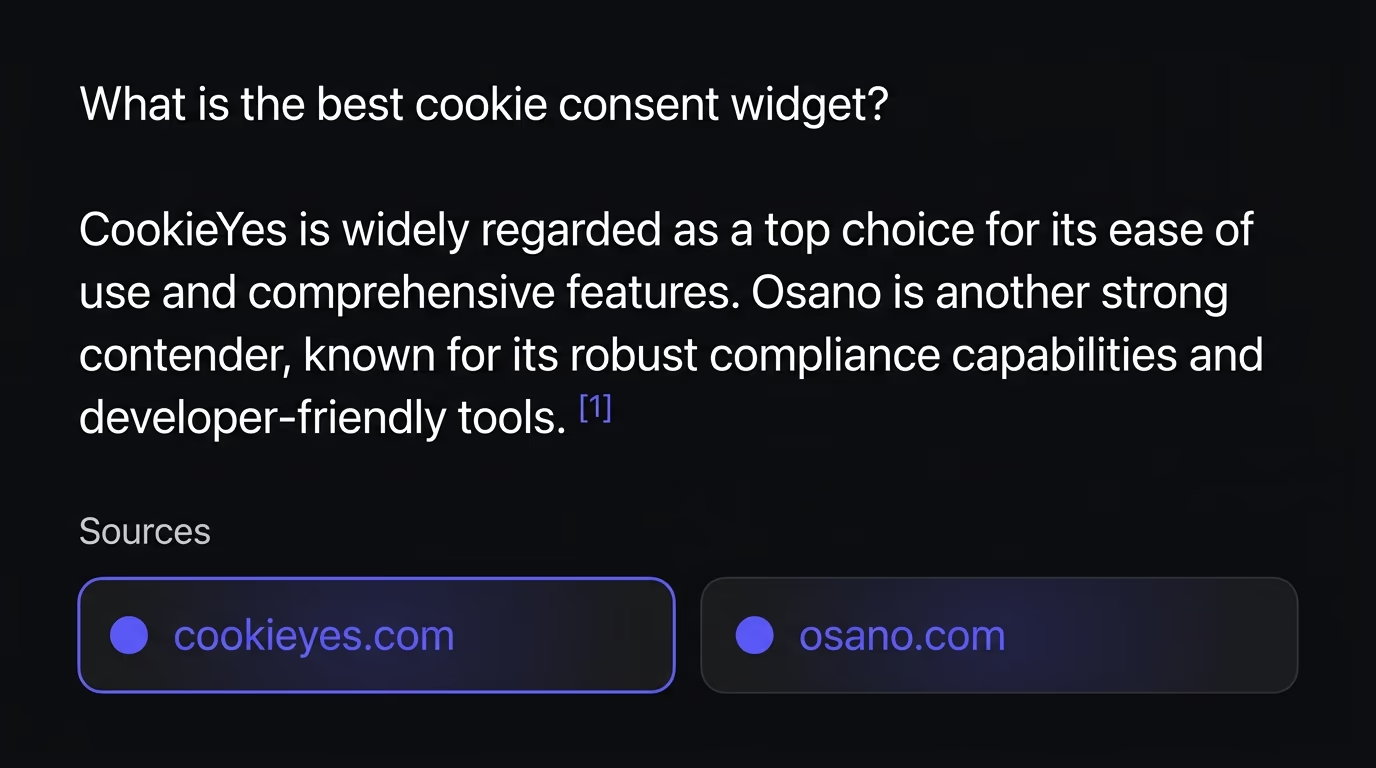
Allow the crawlers that can cite you, and decide separately about the ones that only train models. Allowing search crawlers like OAI-SearchBot, PerplexityBot and Claude-SearchBot is how your pages become sources inside AI answers, which sends back real referral traffic and a link next to the claim. Blocking training crawlers like GPTBot and ClaudeBot keeps your text out of the next model, but it returns nothing to you either way, so the choice comes down to whether you care more about being visible or about protecting your writing.
The honest case for blocking the training bots is that they take a great deal and give almost nothing back. Cloudflare put numbers on the gap in 2025: for every visitor Anthropic’s crawler referred, it had crawled roughly 50,000 pages, OpenAI’s ratio was about 887 to 1, and Perplexity’s about 118 to 1. Training was close to 80 percent of all AI crawling it recorded. So if your real worry is server load, or your original work being absorbed into a model with no credit, blocking the pure training crawlers is defensible and costs you nothing you were getting anyway. The mistake is blocking everything in one sweep, because the same rule takes out the search crawlers that would have cited you. A news publisher protecting its reporting might block training and keep search open; a SaaS site or a portfolio that wants to show up in ChatGPT should allow both and worry about neither. Match the policy to what you actually want from the engines, rather than copying a vendor’s default that assumes every bot is an attacker.
It helps to decide by what your site is for. A personal site, a startup, a local business or a documentation site almost always wants maximum reach, so the sensible policy is to allow every search and user crawler and leave the training bots alone unless the crawl load genuinely hurts your server. A publisher or a paid-content business that sells access to its writing has the opposite priority, so blocking the training crawlers while keeping the search ones open lets readers still find you through an engine without handing your archive to the next model for nothing. An online store rarely has anything worth training on, so the practical move is to allow everything and spend the effort on being readable instead. The point is to choose on purpose, not to inherit a blanket rule from a plugin written to treat all bots as attackers.
How do you block AI crawlers in robots.txt?
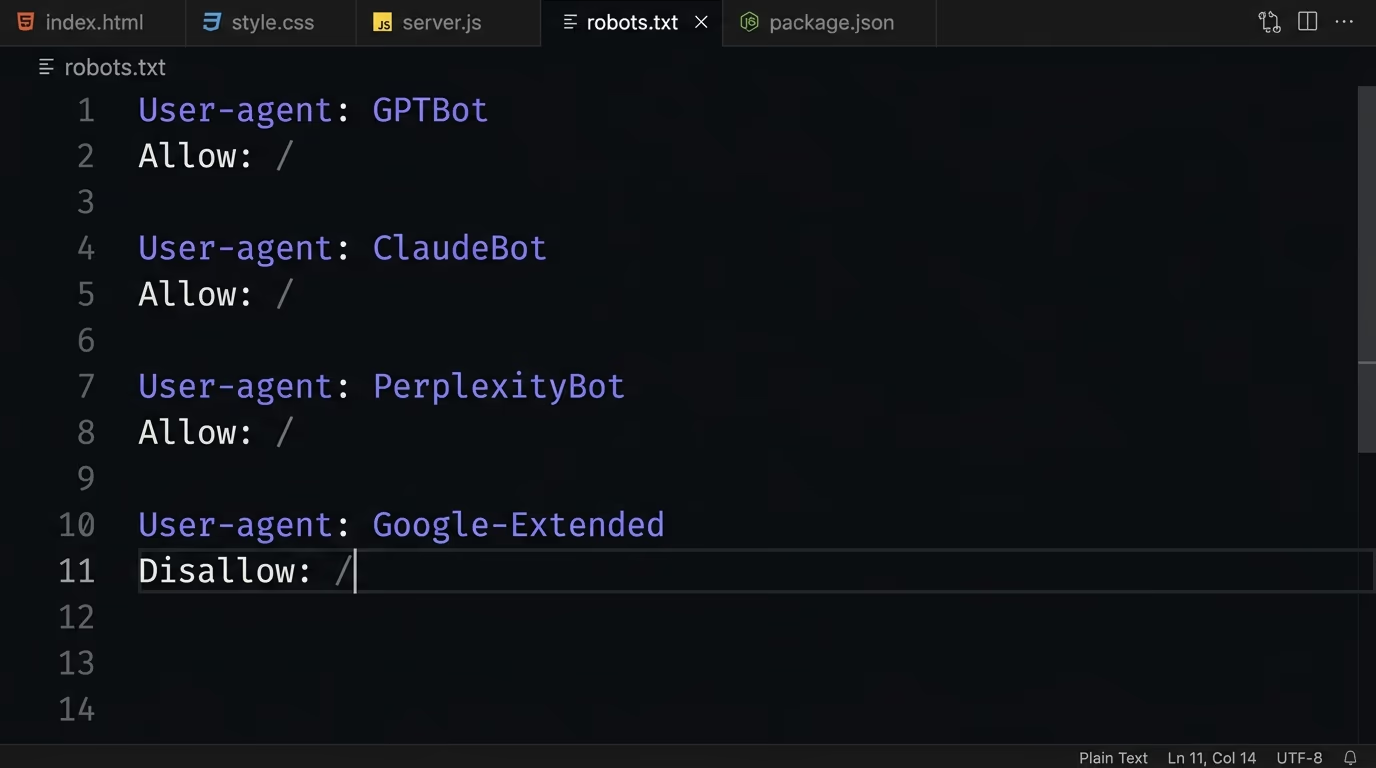
You block an AI crawler by naming its user-agent in your robots.txt with a Disallow rule, and the file has to sit at the root of your domain, at yourdomain.com/robots.txt. Each bot reads only the block that matches its own name, so you list them one at a time rather than in a group. Here is a robots.txt that blocks the main training crawlers while leaving the search crawlers free to cite you.
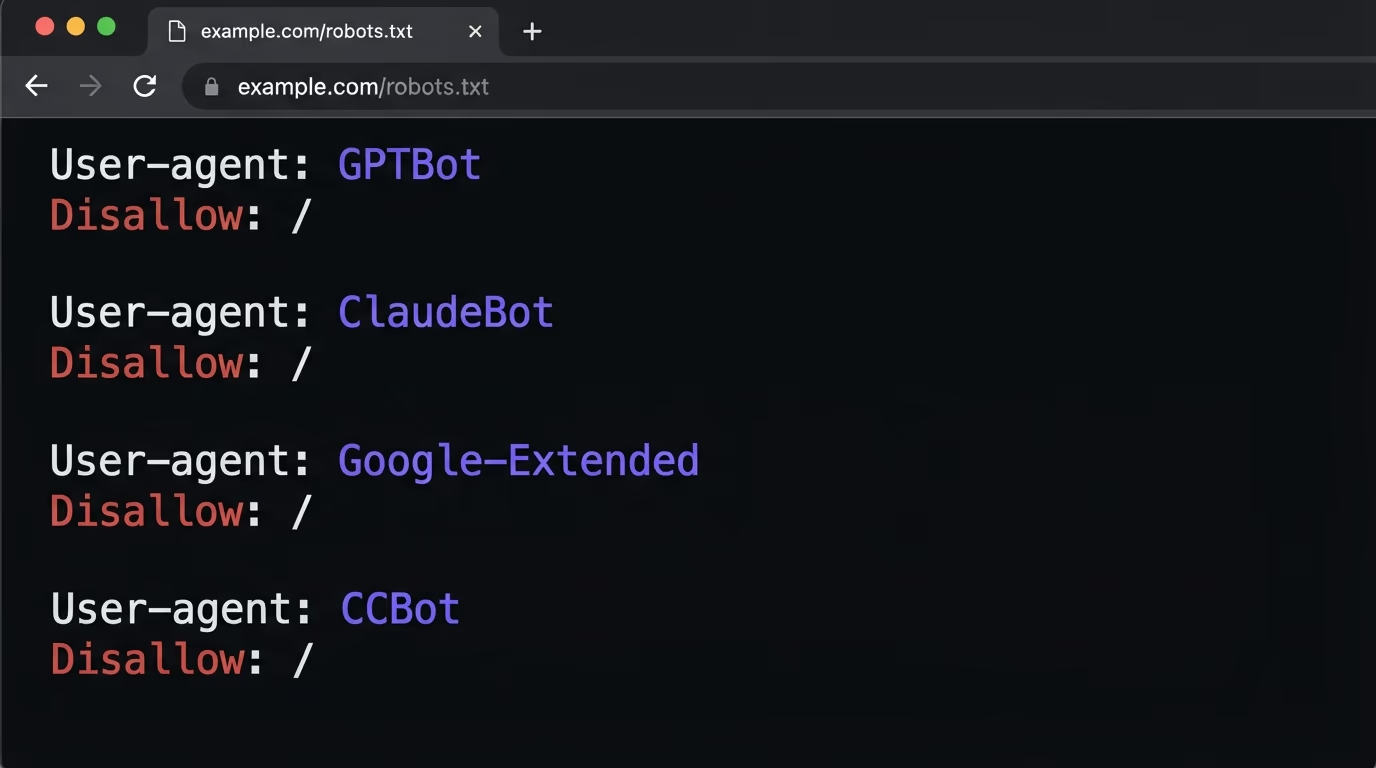
User-agent: GPTBot
Disallow: /

User-agent: ClaudeBot
Disallow: /

User-agent: Google-Extended
Disallow: /

User-agent: CCBot
Disallow: /
Two things trip people up here. First, the user-triggered agents ignore robots.txt on purpose. ChatGPT-User and Perplexity-User fetch a page because a real person asked about it, so those companies treat the request as a human visit, and a Disallow rule usually will not stop it. You cannot block your way out of being read when someone pastes your link into a chatbot. Second, the most expensive accident is a blanket block. A robots.txt copied from a staging site, or added by a plugin, that reads User-agent: * with Disallow: / shuts out every crawler at once, including OAI-SearchBot and PerplexityBot, and it hides you from Google on top. That single line is the difference between being cited across every engine and being cited by none. If the concern is load rather than training, rate-limit instead of blocking: Anthropic documents a Crawl-delay: 1 rule for ClaudeBot that slows it down without shutting it out.
A few mechanics are worth knowing so the file does what you mean. robots.txt is advisory, so it only works on crawlers that choose to honor it, and a scraper can ignore it or wear another bot’s name, which is why the published IP lists matter for anything you truly need to keep out. You do not have to block a bot from the whole site either, because a Disallow rule can name a single path: Disallow: /members/ under a crawler’s user-agent hides your paywalled pages while the rest stay open, and a more specific Allow rule can carve an exception back out of a broader Disallow. Each subdomain reads its own file too, so a rule on example.com does nothing for blog.example.com, which needs its own robots.txt at its own root.
Which crawlers let AI engines cite you?
To be cited by AI engines, allow the search crawlers: OAI-SearchBot for ChatGPT, PerplexityBot for Perplexity, Claude-SearchBot for Claude, and Googlebot for Gemini and Google AI Overviews. These are the bots that index your pages so an engine can name you as a source, and blocking any of them removes you from that engine’s answers even when your content is exactly what the question needed.
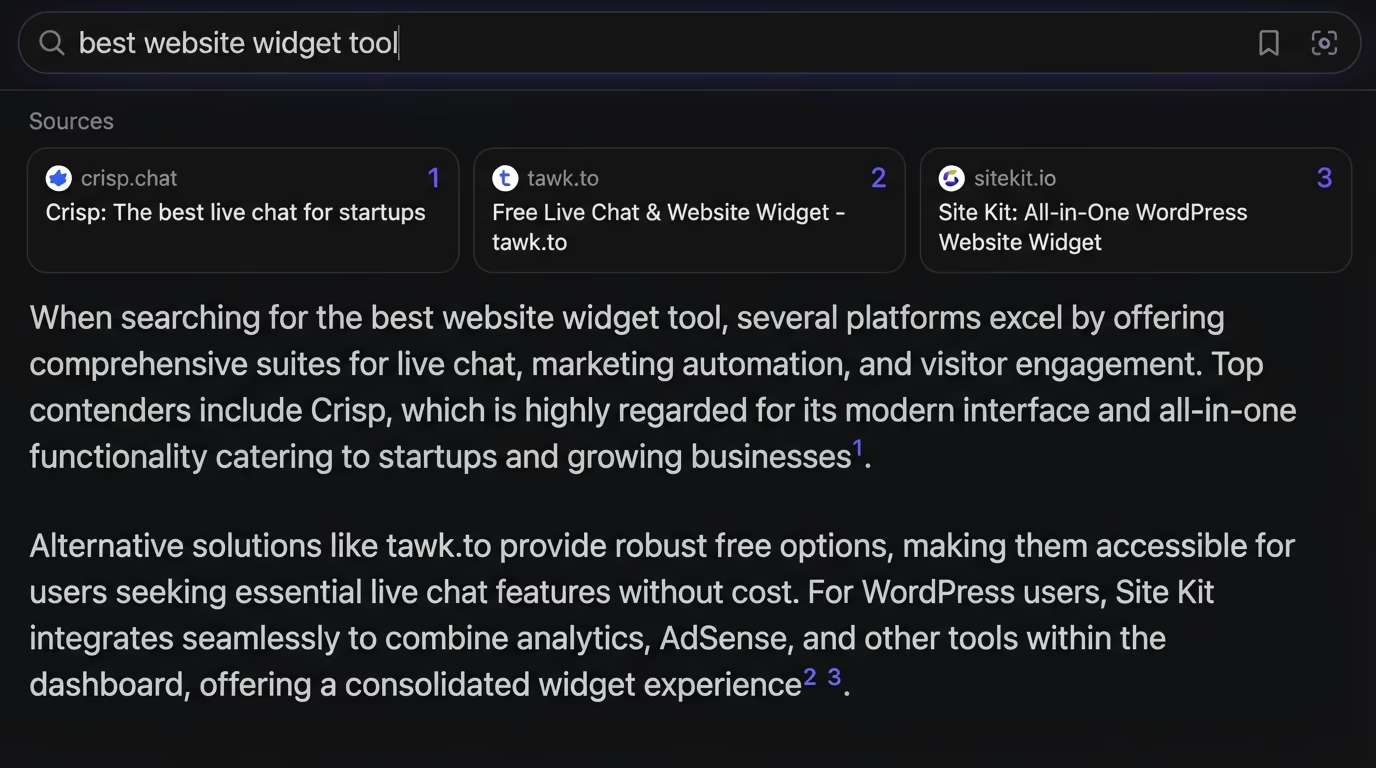
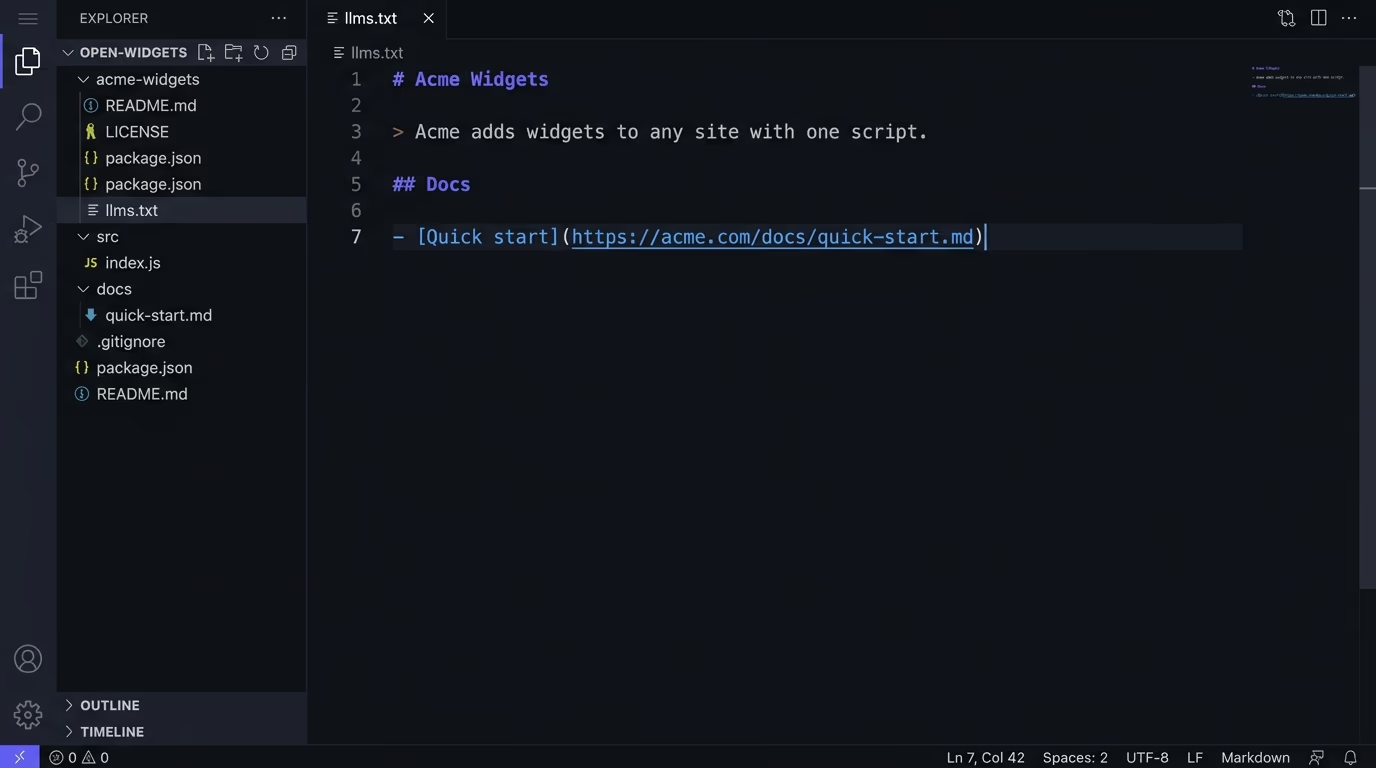
Two nuances save people from making themselves invisible by accident. Blocking GPTBot does not remove you from ChatGPT’s search answers, because ChatGPT search runs on OAI-SearchBot, a separate bot with a separate job. You can refuse training and still be cited, as long as OAI-SearchBot is allowed. The same logic holds for Google, with one wrinkle worth getting right. Google-Extended controls whether your content trains Gemini and grounds answers inside the Gemini apps, and Google’s own documentation states it has no effect on Search ranking or on your inclusion in AI Overviews, both of which run on the ordinary Googlebot. So blocking Google-Extended keeps your writing out of Gemini’s training set without costing you a single AI Overview citation, while allowing Googlebot is what actually gets you into Search and those Overviews, and the full guide to Gemini SEO walks the Gemini app, AI Mode and AI Overviews in order. Microsoft’s Copilot works the same indirect way, reading the Bing index rather than a dedicated bot, so keeping Bingbot allowed is what carries you into Copilot answers. Allowing the right crawler is only half the job, though. These bots read the raw HTML your server returns and do not run JavaScript, and Vercel and Merj found zero JavaScript execution across more than 500 million GPTBot requests in 2025. If your main content only appears after a script runs, an allowed crawler still sees a near-empty page, so render your text server-side. The same reading habit is why the work of getting cited by ChatGPT and ranking on Perplexity starts with the HTML, and why a plain-text llms.txt map of your key pages can help an engine find what matters.
How do you check which AI crawlers you are blocking?
Open yourdomain.com/robots.txt in a browser and read exactly which user-agents carry a Disallow rule, because the live file is the only thing a crawler acts on. A robots.txt you never wrote is common, added by a host, a CMS or a template, and it often blocks bots you would want in without anyone noticing. Reading it by hand is the fastest first check anyone can run.
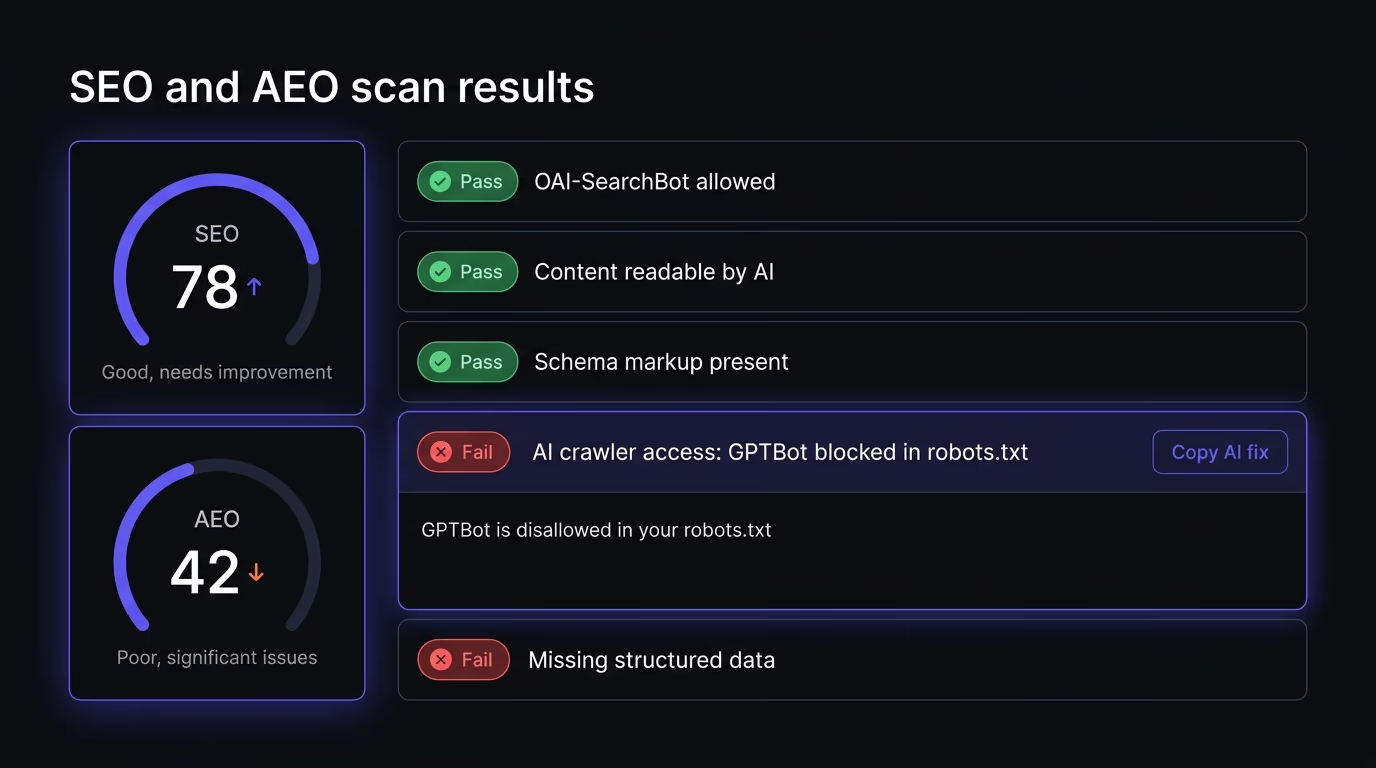
To run the check by hand, look for three patterns in the live file. A User-agent: * block with Disallow: / shuts out everyone, including the search crawlers you want, so this is the one to catch first. A named block such as User-agent: GPTBot with Disallow: / blocks that single bot, which may well be intentional if you meant to refuse training. And a path rule like Disallow: /blog/ quietly hides the exact section you most want quoted in answers. Then confirm your content is actually in the HTML: open view-source on a key page, or run curl against its URL, and check that your headings and paragraphs are there rather than an empty <div> a script fills in later, because a crawler you allowed still cannot quote text it never receives.
Reading robots.txt by eye catches the obvious blocks, but it will not surface the quieter failures: a page that returns a 200 yet renders empty without JavaScript, a sitemap that never lists your best pages, an OAI-SearchBot rule you forgot on one subdomain. That is the gap Amabrik’s SEO and AEO scan fills. It crawls your whole site and flags every AI crawler that is blocked, on purpose or by accident, next to the pages an engine cannot read, and hands you a copy-paste fix for each finding. If you only want a quick read on a single page, the free AEO checker grades your home page on the same signals in seconds. Either route ends in the same place: making sure the crawlers you want to cite you can actually reach and read your pages, so you can show up in AI answers rather than wonder why you never do.
Getting your AI crawler policy right
AI crawlers come down to two separate decisions, and the sites that come out ahead keep them apart. Allow the search crawlers so ChatGPT, Perplexity, Claude and Gemini can quote you, then decide case by case whether the training bots are worth blocking for reasons of your own, whether that is server load or keeping your work out of a model. The one rule that never changes is to avoid the blanket block that sweeps out the crawlers you actually want. Check your robots.txt against the list above, serve your content in HTML the bots can read, and revisit the file every few months as new crawlers appear and old ones change names. Showing up in an AI answer now matters as much as ranking on Google’s first page, and it starts with letting the right bot reach your pages.
AI crawlers are automated bots that AI companies send to read pages on the open web, the same way Googlebot has always crawled sites for search. Each one has a job: some collect text to train a model, some index your pages so an answer engine can cite them, and some fetch a single page live because a person asked a chatbot about it. The main ones in 2026 are GPTBot and OAI-SearchBot from OpenAI, ClaudeBot and Claude-SearchBot from Anthropic, PerplexityBot from Perplexity, and Google-Extended from Google. Most announce themselves with a named user-agent and check your robots.txt first.
Block AI crawlers only when you have a specific reason, because a blanket block also removes the search crawlers that let ChatGPT, Perplexity and Claude cite you. The defensible case for blocking is protecting original work from model training or cutting server load, since Cloudflare found training bots crawl thousands of pages for every visitor they send back. The safe default for a site that wants to be found is to allow the search and user crawlers, and decide case by case about the pure training bots like GPTBot, ClaudeBot and Google-Extended.
The declared search and training crawlers respect robots.txt, so GPTBot, OAI-SearchBot, ClaudeBot, Claude-SearchBot, PerplexityBot and Google-Extended all obey a Disallow rule that names them. The exception is the user-triggered agents. ChatGPT-User and Perplexity-User fetch a page because a real person asked about it, so those companies treat the request as a human visit and a robots.txt rule usually will not stop it. You can control the automated crawlers by name, but you cannot block a page a user pastes into a chatbot.
No, blocking GPTBot does not remove you from ChatGPT's search answers, because ChatGPT search runs on a separate crawler called OAI-SearchBot. GPTBot collects text to train OpenAI's models, while OAI-SearchBot indexes pages so ChatGPT can cite them in its answers. If you allow OAI-SearchBot, ChatGPT can still name you as a source even with GPTBot fully blocked. The two are different bots with different jobs, so refusing training does not cost you a citation.
Allow the search crawlers if you want AI engines to cite you: OAI-SearchBot for ChatGPT, PerplexityBot for Perplexity, Claude-SearchBot for Claude, and Googlebot for Gemini and Google AI Overviews. These are the bots that index your pages so an engine can name you as a source, and blocking any of them takes you out of that engine's answers. Allowing them is free and earns referral traffic, unlike the training crawlers, which read your content without sending anything back.
No, AI crawlers read the raw HTML your server returns and do not run JavaScript. Vercel and Merj studied more than 500 million GPTBot requests in 2025 and recorded zero JavaScript execution. If your main content only appears after a script runs in the browser, an allowed crawler still sees an almost empty page and has nothing to quote. The fix is to render your text server-side or pre-render it so the answer sits in the HTML the crawler actually reads.