Cookie Consent Examples That Get Compliance Right
Real cookie consent examples broken down by law. See what GDPR, CCPA, ePrivacy, and LGPD banners look like, what makes them compliant, and what to avoid.


A cookie consent banner is the first thing many visitors interact with on your site, and getting it wrong costs more than a bad impression. Fines under GDPR can reach 4% of global annual revenue or 20 million euros, whichever is higher. Under California’s CPRA, violations carry penalties of $2,500 per incident and $7,500 for intentional ones. But the banner itself isn’t hard to get right once you see what a compliant one actually looks like, broken down by the law it needs to satisfy.
This article walks through real cookie consent examples organized by regulation, explains what makes each one compliant (or not), covers the technical enforcement that needs to happen behind the banner, and shows the mistakes that turn a good-looking banner into a legal liability.
What makes a cookie consent banner compliant?
The rules differ by jurisdiction, but every privacy law with a cookie provision cares about the same core obligation: telling visitors what you’re doing, giving them a genuine choice, actually respecting that choice in code, and proving you did all of the above if a regulator asks.
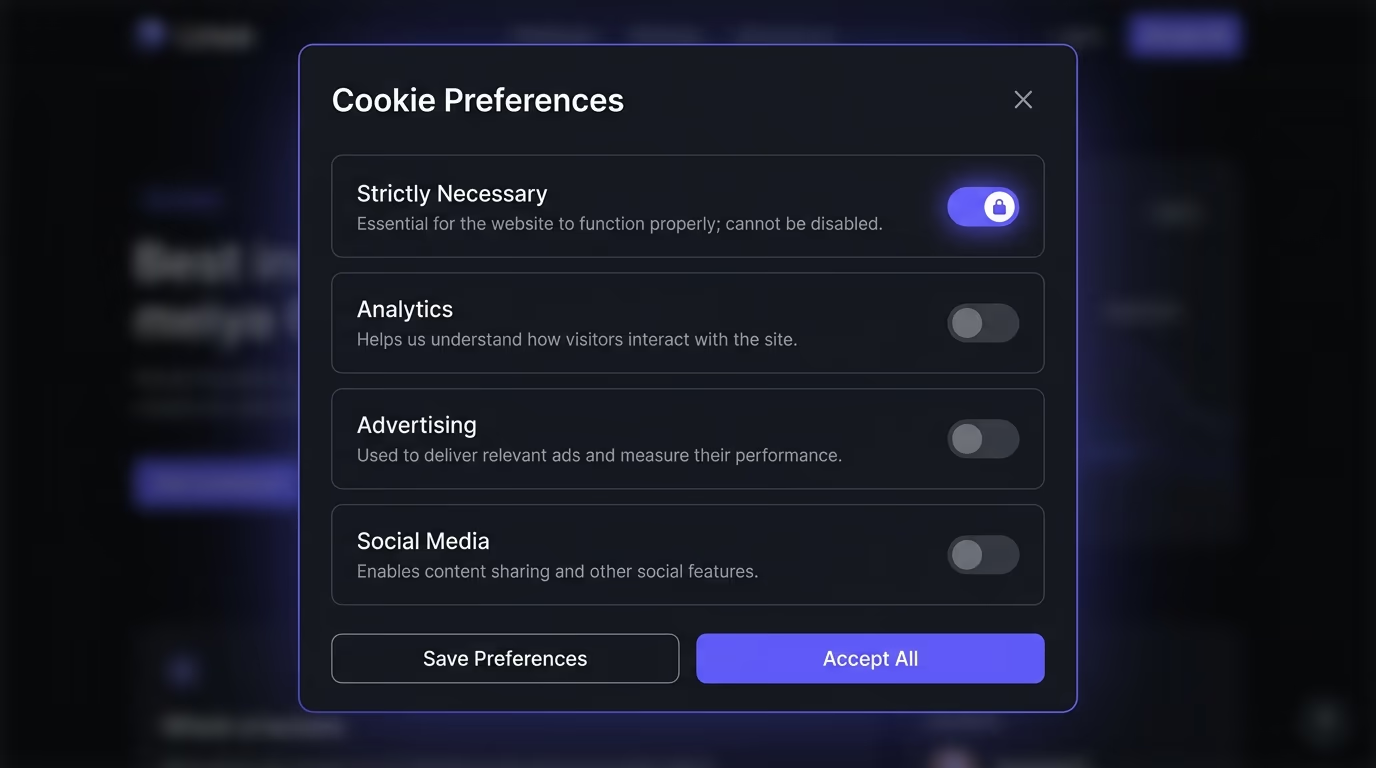
Under GDPR and the ePrivacy Directive, valid consent has to be freely given, specific, informed, and unambiguous. That translates to four practical requirements: a plain-language explanation of what each cookie category does, an Accept button and a Reject button with equal visual weight, granular controls so visitors can allow analytics but block advertising (or the reverse), and no non-essential cookies firing until the visitor has made a choice. The burden is on the site operator to prove consent was given, which means logging each decision with a timestamp.
CCPA takes a fundamentally different approach. It doesn’t require opt-in consent for cookies themselves, but it does require a “Do Not Sell or Share My Personal Information” link on every page where personal data is sold or shared. If a visitor clicks that link, you have to stop selling or sharing their data within 15 business days. For visitors under 16, CCPA does require opt-in consent before any sale.
Brazil’s LGPD, South Africa’s POPIA, and Canada’s PIPEDA each have their own consent models, but the common thread is the same: tell people what you’re collecting, let them say no, and actually stop collecting when they do. A banner that looks compliant but keeps setting analytics cookies after a visitor hits Reject is worse than no banner at all, because it creates a false record of consent.
How does consent enforcement work behind the scenes?
A cookie consent banner is only the visible part. The real compliance happens in the enforcement layer underneath, where third-party scripts are held back until the visitor has consented. Without this enforcement, the banner is decorative and the site is non-compliant.
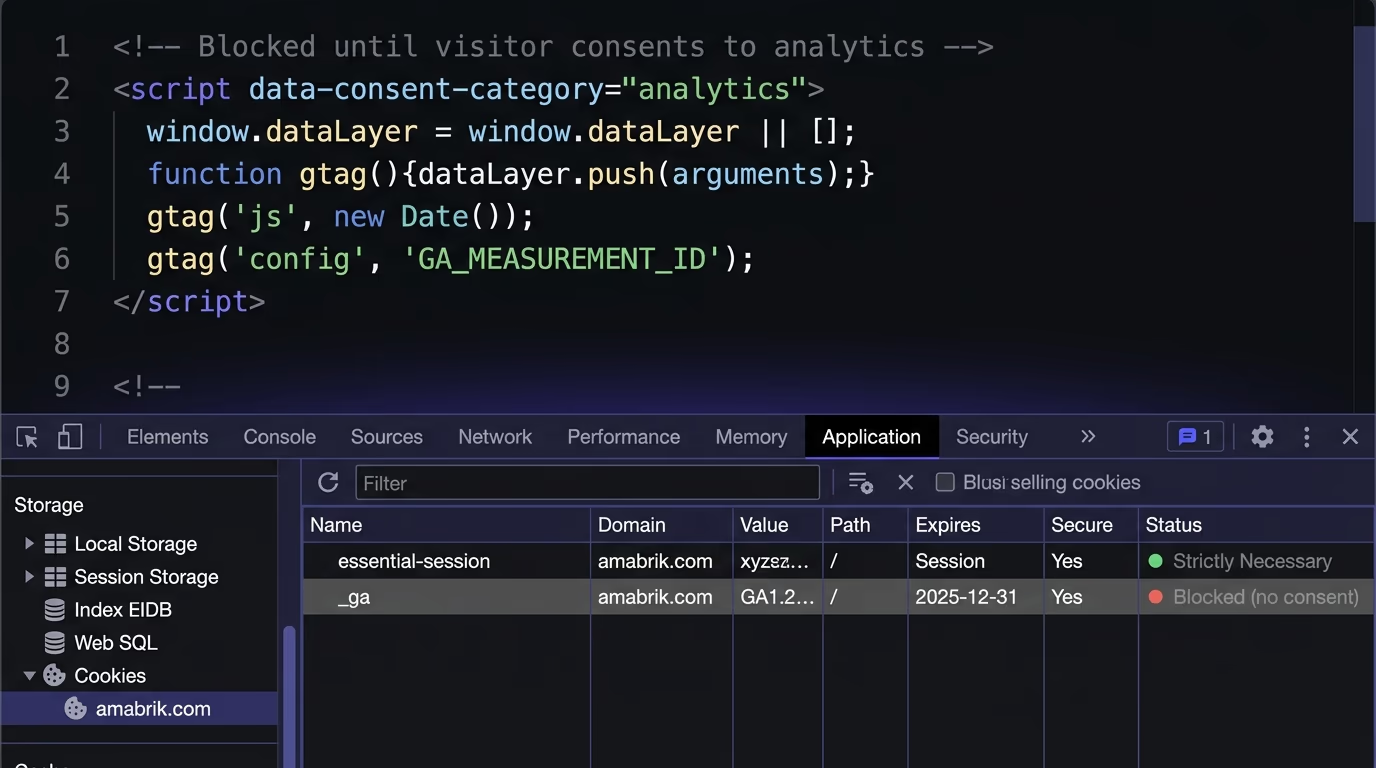
The most reliable approach is declared-script gating. Instead of hardcoding Google Analytics, Meta Pixel, or any other tracker directly into your pages, you declare each script inside the consent tool and assign it to a cookie category (analytics, advertising, social). The consent tool holds every declared script in a queue and only injects them into the page after the visitor accepts that specific category. If the visitor rejects advertising cookies, the advertising scripts never load and no advertising cookies are set. This is the model that Amabrik’s cookie consent widget uses, and it’s the one that regulators expect.
The alternative, sometimes called auto-blocking, tries to detect and suppress third-party scripts automatically by scanning the page. It sounds convenient, but it’s fragile in practice. A new script added to the site might not get caught by the blocker, or a script loaded through a tag manager might slip through the detection layer. Declared gating is explicit: you list what runs and when, so nothing fires by accident.
Tag managers add another layer of complexity. If you use Google Tag Manager, the consent tool needs to communicate with it through the Consent API so that tags inside GTM also respect the visitor’s choice. Without that handshake, a tag you added directly to GTM can fire before consent, even though the banner is showing and the declared scripts outside GTM are properly gated. This is one of the most common enforcement gaps, and it’s invisible unless you test with browser developer tools open.
What do GDPR-compliant cookie consent examples look like?
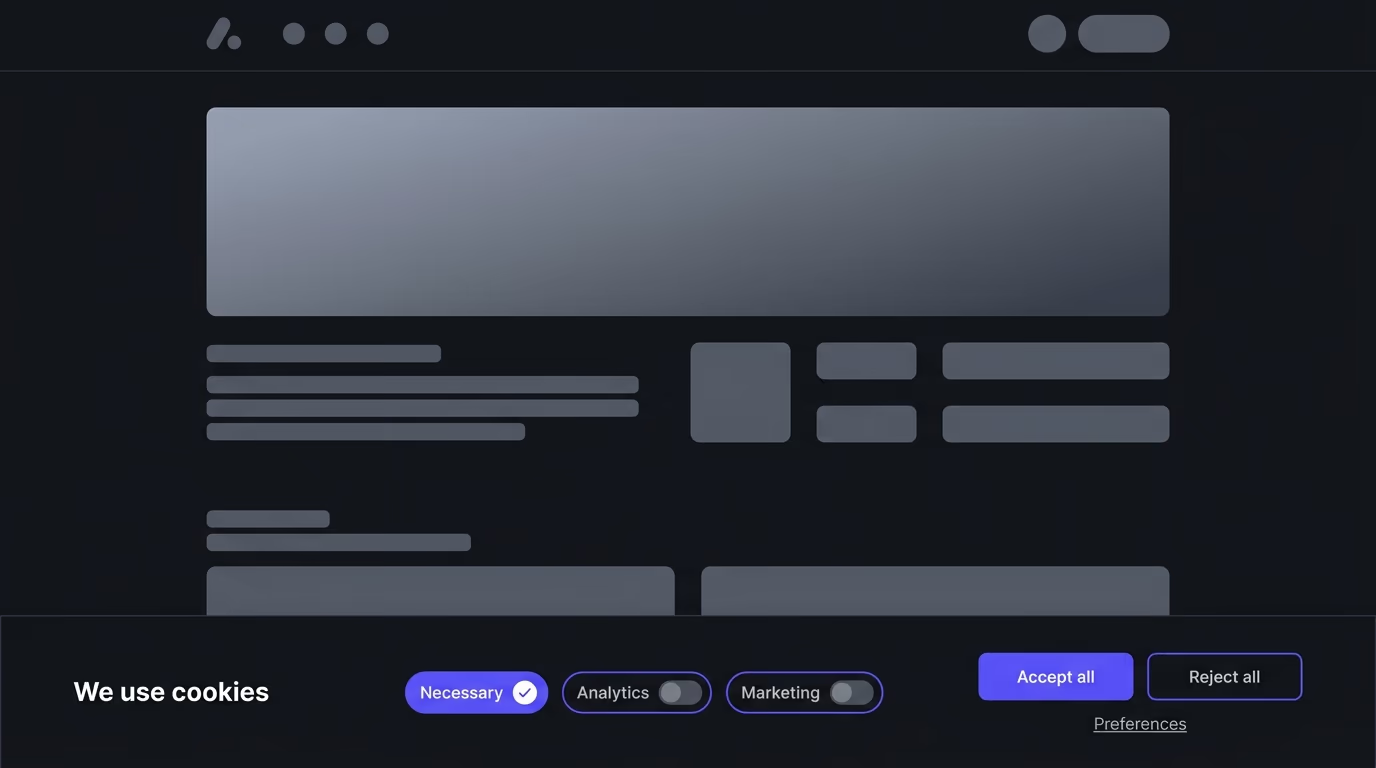
GDPR consent banners follow the strictest model: opt-in by default, with equal-weight Accept and Reject buttons, a link to granular preferences, and a clear explanation of what each cookie category does. No non-essential cookies are set before the visitor makes a choice.
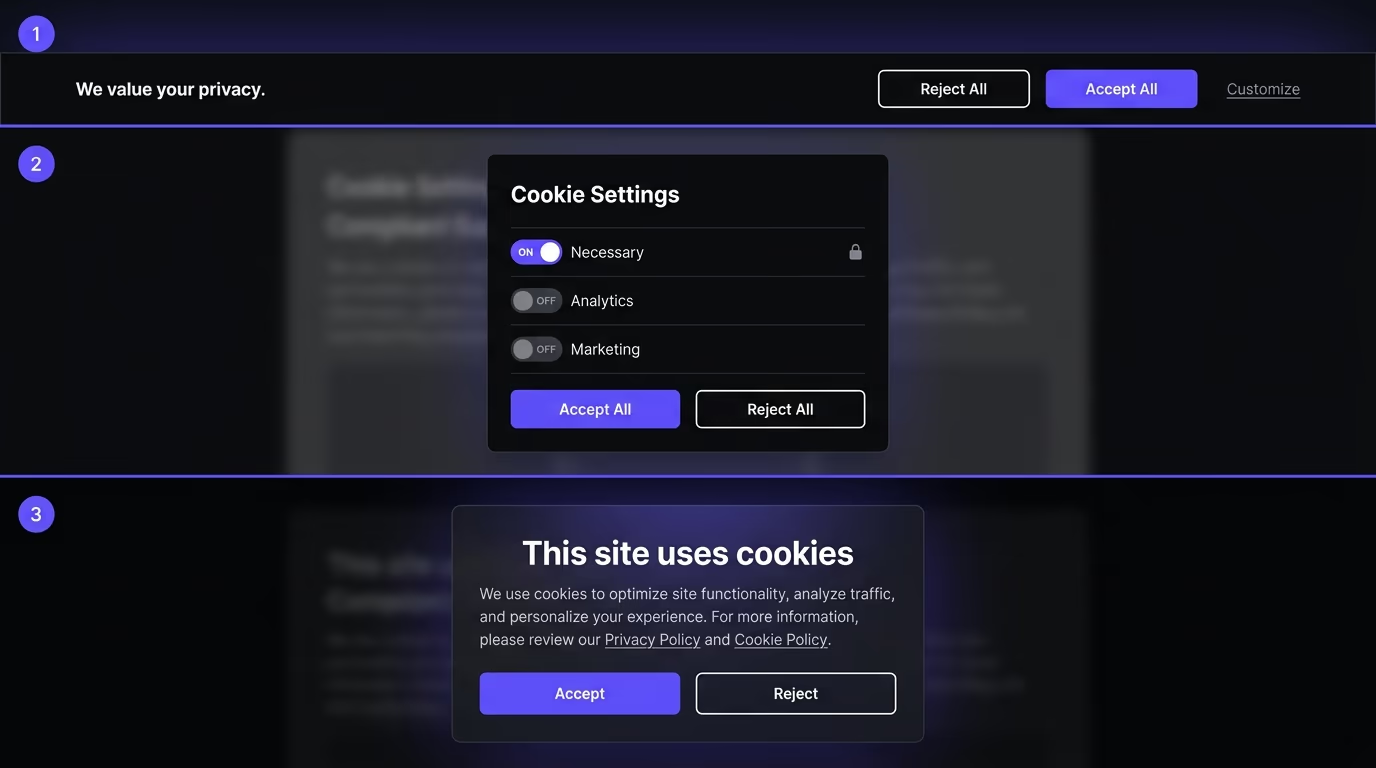
A well-built GDPR banner typically sits at the bottom or center of the page as a modal overlay and includes four elements. The first is a short sentence explaining that the site uses cookies and linking to the full cookie policy. The second is a row of category toggles (Strictly Necessary is locked on, Analytics and Advertising are off by default). The third is a pair of buttons, Accept All and Reject All, styled with the same size, color weight, and placement so neither is visually favored. The fourth is a “Manage Preferences” or “Customize” link that opens the granular controls.
The Guardian’s banner is a commonly cited example. It shows a bottom bar with a brief message, a “Yes, I’m happy” button and an “Manage my cookies” link of equal prominence, and opens into a detailed preference center where each vendor is listed individually. The Financial Times takes a lighter approach with a small tooltip-style prompt, though it still provides the same functional options. The Economist uses a full-screen blocking overlay that prevents interaction with the page until a choice is made, which is more intrusive but leaves no ambiguity about whether the visitor saw the prompt.
What these examples have in common is that they treat rejection as a first-class option. The Reject button isn’t hidden in a sub-menu or styled as a text link while Accept gets a bright colored button. Under GDPR, if one option is harder to find or use than the other, consent isn’t freely given. The French CNIL fined Google 150 million euros in 2022 partly because its cookie banner required multiple clicks to reject cookies but only one click to accept them.
What does CCPA require from a cookie consent banner?
California’s approach to cookie consent is fundamentally different from Europe’s. CCPA and the CPRA amendment that expanded it don’t require opt-in consent for most adults. Instead, they require transparency and a clear opt-out mechanism.

A CCPA-compliant site needs a “Do Not Sell or Share My Personal Information” link on every page, usually in the footer. When a visitor clicks it, the site must stop selling or sharing that visitor’s personal information within 15 business days and not ask them to re-consent for at least 12 months. The site can’t require the visitor to create an account to exercise this right, though it can ask for enough information to verify the request.
Most sites that serve both EU and US visitors combine the two models. The banner shows up for everyone, but the default state differs by region. EU visitors see an opt-in banner where nothing fires until they accept. California visitors see a notice that the site uses cookies plus a prominent link to opt out of sale or sharing. Visitors from other US states might see a simple notice with a dismiss button, since most US states outside California don’t yet have comparable requirements (though Colorado, Connecticut, Virginia, Oregon, Texas, and Montana all have privacy laws that took effect between 2023 and 2025, and several include opt-out rights).
The practical difference shows up in how the banner handles scripts. Under GDPR, analytics and advertising scripts are blocked until consent. Under CCPA, those scripts can load by default because the obligation is to stop on request rather than to ask first. A combined banner that serves both regions has to know where the visitor is and apply the correct default. This is where geolocation detection becomes part of the consent tool, and it’s one reason a one-size-fits-all cookie banner doesn’t work for sites with international traffic.
What do cookie consent banners look like outside the EU and California?
Privacy laws with cookie provisions exist in dozens of countries, and each one has its own version of what consent means. A site that serves visitors globally needs to know which laws apply and what each one requires.

Brazil’s LGPD, which took effect in 2020, requires consent for processing personal data and treats cookies that collect personal information as covered. Unlike GDPR, LGPD allows several legal bases beyond consent (like legitimate interest), so the consent model is somewhat more flexible. On the ground, most Brazilian sites display a banner similar to the GDPR model: a notice with Accept and Reject options and a link to a privacy policy. The enforcement authority, the ANPD, has been actively issuing guidance and fining companies since 2023.
South Africa’s POPIA requires consent for processing personal information and has been enforceable since July 2021. POPIA banners tend to follow the GDPR pattern because South African data protection guidance explicitly references European standards. Canada’s PIPEDA requires “meaningful consent” and the Office of the Privacy Commissioner has said this means telling people what you’re collecting and why in plain language before or at the time of collection.
Switzerland’s revised Federal Act on Data Protection (revFADP), which took effect on 1 September 2023, doesn’t explicitly require cookie banners the way GDPR does, but it does require informed consent for profiling and data processing. Most Swiss sites that handle EU traffic implement a GDPR-style banner and extend it to Swiss visitors as well, because the compliance overhead of treating them differently outweighs the effort.
The common thread across all of these is that the direction of travel is toward stricter consent. Countries that didn’t have cookie laws five years ago have them now, and countries that had weaker versions are tightening them. Building a consent banner that only handles one jurisdiction is building something you’ll have to rebuild within a year or two.
What does a bad cookie consent banner look like?
Most non-compliant banners don’t look obviously broken. They show up, they mention cookies, they have a button. But they fail on enforcement, on fairness, or on both.

The most common failure is the accept-only banner. It shows a notice saying “we use cookies to improve your experience” with a single “OK” or “Got it” button and no way to reject. Under GDPR, this doesn’t count as consent because the visitor has no real alternative. Under CCPA, it might pass for a general notice, but it still needs the “Do Not Sell” link somewhere on the page.
Close behind is the dark-pattern banner, where Accept is a bright, prominent button and Reject is a pale text link buried in a sub-menu or a settings page that requires three clicks to reach. The French CNIL, the Italian Garante, and the Spanish AEPD have all issued fines for exactly this pattern. The rule is clear: both options must be equally easy to use. If Accept takes one click, Reject should take one click too.
Then there’s the pre-ticked banner, where categories like Analytics and Advertising are already toggled on and the visitor has to actively untick them. This was explicitly banned by the EU Court of Justice in the Planet49 case (2019), which held that pre-ticked boxes don’t constitute valid consent.
A subtler failure is the banner that looks right but doesn’t enforce anything. The visitor clicks Reject, the banner disappears, and analytics and advertising cookies are set anyway because the scripts were loaded directly in the page source rather than through a consent tool. This is the worst kind of non-compliance because it creates a false audit trail: the consent log shows the visitor rejected, but the cookies are on their device regardless. Testing with browser developer tools (Application tab, Cookies section) after clicking Reject is the fastest way to catch this.
Cookie walls, which block all page content until the visitor accepts cookies, fail the GDPR test for freely given consent in most cases. The European Data Protection Board confirmed this in its 2020 guidelines. The narrow exception is when the site offers an equivalent cookie-free alternative (like a paid version), though several national authorities have challenged even that exception.
How does Google Consent Mode v2 connect to cookie consent?
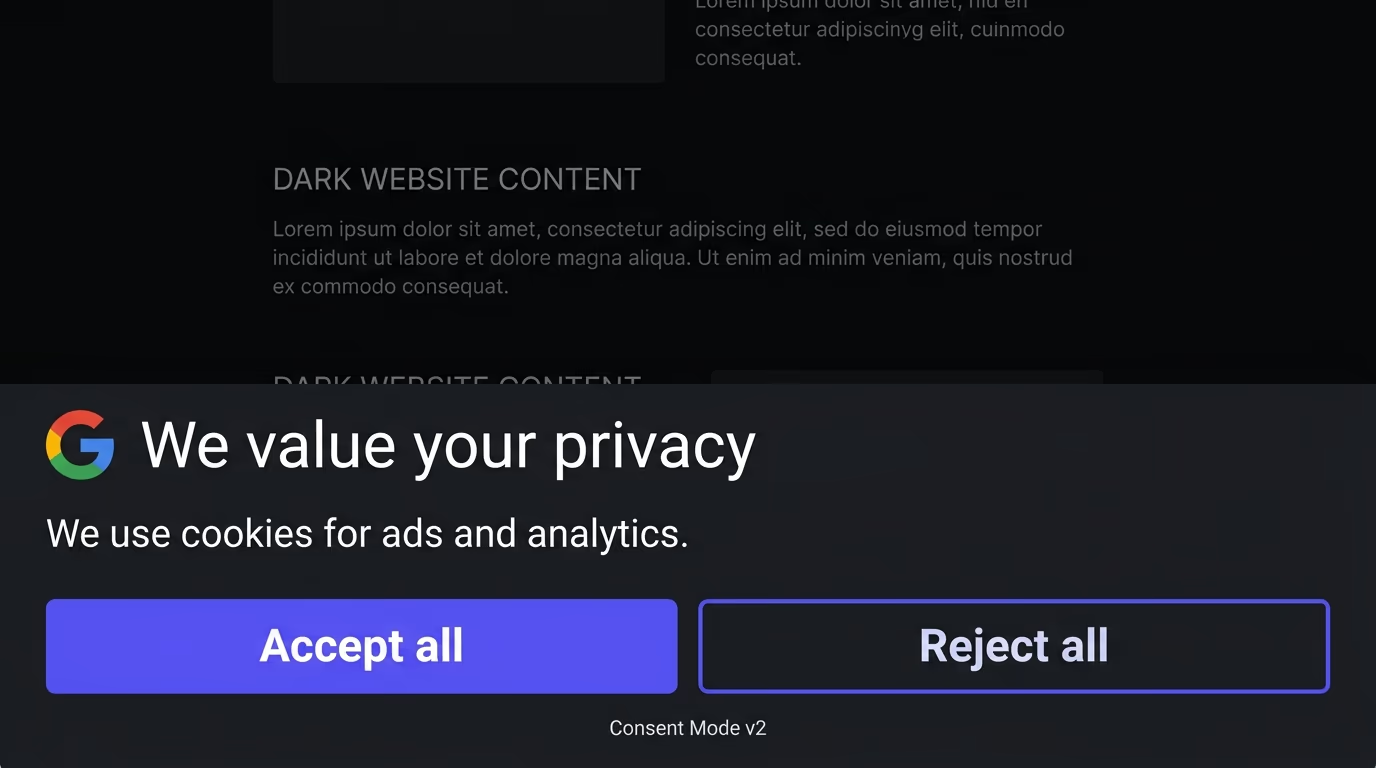
If your site runs Google Ads or Google Analytics, your cookie consent banner and Google’s tags need to talk to each other through Consent Mode. Without this connection, your banner and your tags operate independently, and one of two things happens: either the tags fire before consent (a compliance problem) or the tags stay blocked permanently (a measurement problem).
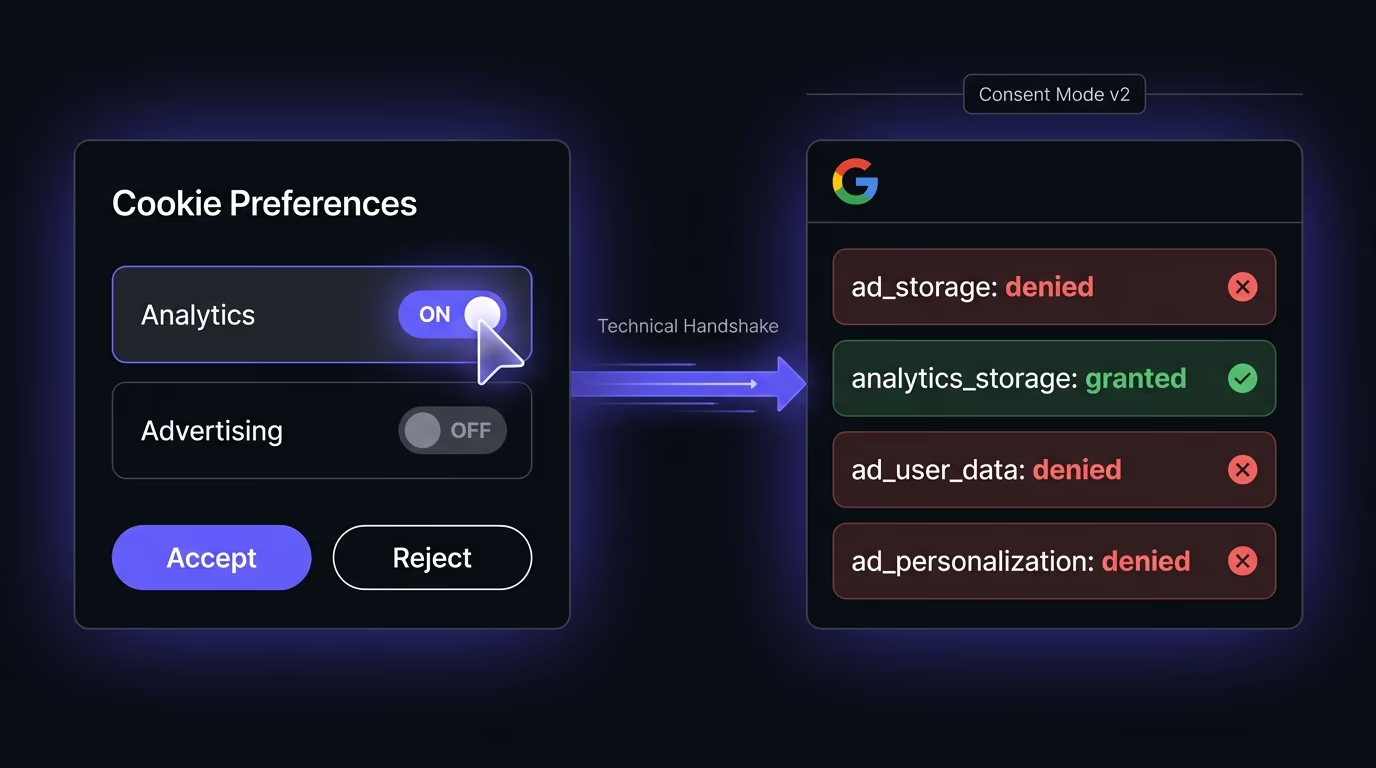
Google Consent Mode v2 is a protocol that lets your consent tool send four signals to Google’s tags: ad_storage, analytics_storage, ad_user_data, and ad_personalization. By default, all four are set to denied. When the visitor accepts a category through your banner, the consent tool updates the relevant signals to granted, and Google’s tags switch from their restricted mode to full measurement. Since March 2024, Google requires the v2 signals (ad_user_data and ad_personalization specifically) for any site using Google Ads features with EEA or UK visitors. Without them, remarketing audiences and conversion data degrade.
The implementation works in two modes. Basic mode blocks Google tags entirely until consent is granted, which is simpler but means zero data from visitors who never interact with the banner. Advanced mode loads Google tags immediately in a restricted state that sends anonymous, cookieless pings, then upgrades to full measurement when consent comes through. Google uses statistical modeling to fill in the gaps, which typically recovers more conversion data than basic mode, though both are compliant.
Amabrik’s cookie consent widget sends these Consent Mode v2 signals automatically when it detects Google tags, so there’s no manual wiring. It also supports the Global Privacy Control (GPC) signal, which is a browser-level opt-out that California’s CPRA recognizes as a valid “Do Not Sell” request. When a visitor’s browser sends a GPC signal, the widget treats it as a rejection of advertising and sale categories without the visitor needing to interact with the banner at all.
How to add a cookie consent banner to your website
The fastest path is to use a consent tool that handles the legal logic, script gating, and regional detection for you. Amabrik’s cookie consent widget covers GDPR, CCPA, LGPD, ePrivacy, and GPC in a single script, blocks declared third-party scripts until the visitor consents, logs decisions for your compliance records, and integrates with Google Consent Mode v2 out of the box. You add one script to your site, declare which trackers go into which consent category, and the widget handles everything from the banner display to the enforcement.
If you’re evaluating which cookie consent tool to use, the checklist is short: it needs to support the consent models for every jurisdiction your visitors come from, it needs to actually block scripts before consent rather than just showing a notice, it needs to log consent with timestamps for your records, and it shouldn’t slow your site down. Most compliance failures come from banners that look right but don’t enforce, so testing with browser developer tools after rejecting is the single most important step before going live.
A compliant cookie consent banner tells visitors which categories of cookies the site uses, what each category does in plain terms, and gives them a real choice before any non-essential cookies are set. Under GDPR, that means a clear Accept and Reject button with equal weight, plus a link to granular category controls. Under CCPA, it means a Do Not Sell or Share My Personal Information link that opts the visitor out of sale or sharing without requiring an account.
If your website sets non-essential cookies and you have visitors from the EU, the UK, Brazil, or any jurisdiction with an active cookie or privacy law, then yes. GDPR and the ePrivacy Directive require opt-in consent before analytics and advertising cookies fire. California's CCPA requires a Do Not Sell link if you sell or share personal data, and the CPRA extended that to sharing. Even if you think your audience is local, a single visitor from a covered region triggers the obligation.
Opt-in means no non-essential cookies are set until the visitor actively agrees. This is what GDPR and the ePrivacy Directive require. Opt-out means cookies are set by default, and the visitor has to take action to stop them. CCPA uses the opt-out model for most adults, requiring a Do Not Sell or Share link rather than prior consent. The practical difference is that opt-in blocks tracking scripts until the banner gets a yes, while opt-out lets scripts run and gives visitors a way to say no after the fact.
In most cases, no. A cookie wall that blocks all content until the visitor accepts cookies doesn't give freely given consent, because the visitor has no real choice. The European Data Protection Board confirmed this in its 2020 guidance. The only narrow exception is when the site offers an equivalent alternative that doesn't require consent, like a paid ad-free version, and even that is contested by some data protection authorities.
GDPR doesn't specify an exact duration, but most data protection authorities recommend renewing consent every 6 to 13 months. The French CNIL set 13 months as its guideline. In practice, storing consent for 12 months and re-prompting after that period is the standard most consent tools follow. If you change which cookies your site uses or add a new tracking category, you should re-prompt all visitors regardless of when they last consented.
No. Strictly necessary cookies, like session cookies for login, cart persistence, or load balancing, are exempt from consent requirements under both GDPR and the ePrivacy Directive. You don't need to ask permission to set them, and they should keep working even when a visitor rejects everything else. The catch is that the definition of strictly necessary is narrow: analytics cookies, advertising pixels, and social media trackers never qualify, even if you consider them important for running your business.