Directory Traversal Attack: Examples and Fixes
A directory traversal attack reads files outside your web root by changing a path. See real CVEs, how the exploit works, and the code that stops it.

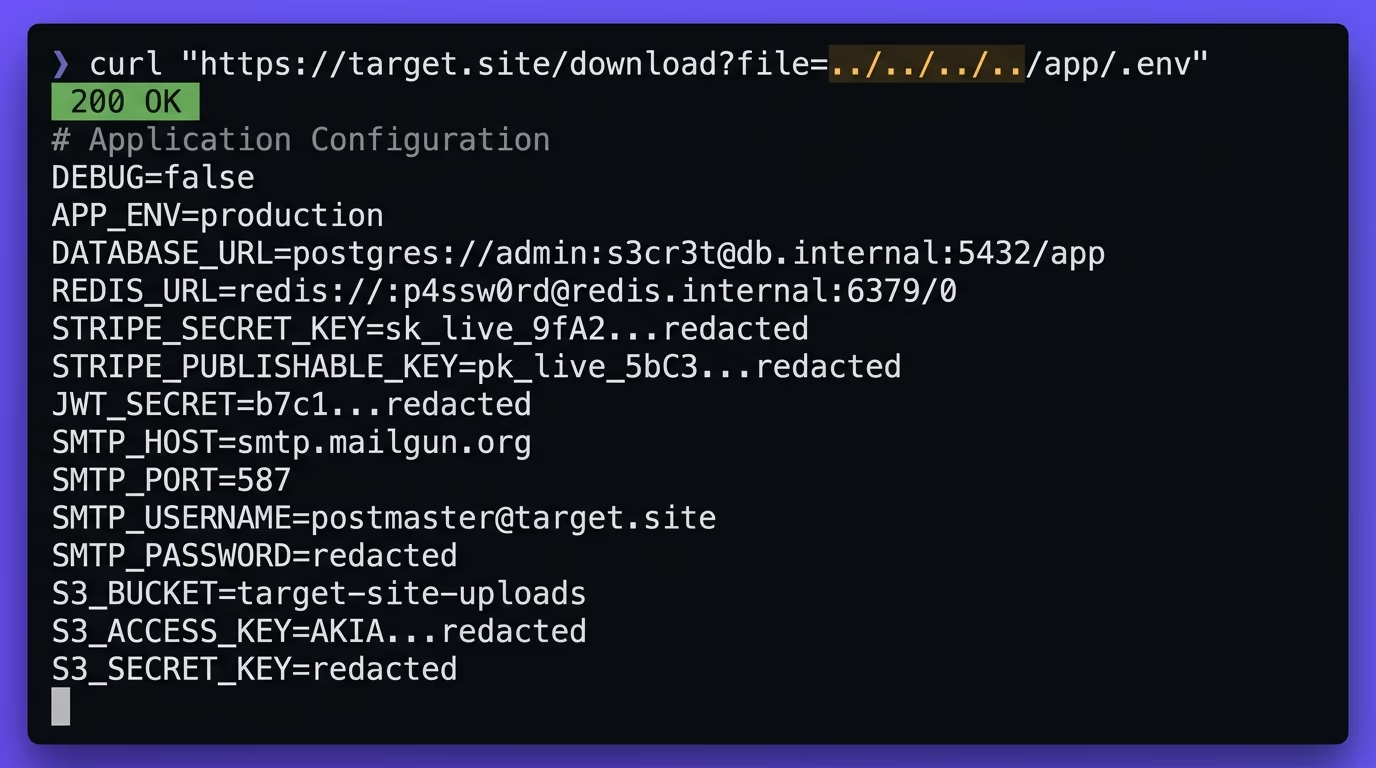
A directory traversal attack tricks a web application into reading files outside the folder it is supposed to serve. The attacker finds a parameter that names a file, something like ?page=home.html, and feeds it ../../../etc/passwd instead. The ../ sequences walk up the directory tree until the path lands on a file you never meant to expose, and the server returns it. This is one of the oldest web vulnerabilities still in daily use, and CISA counted 55 directory traversal flaws in its Known Exploited Vulnerabilities catalog when it issued a joint alert with the FBI in May 2024. The rest of this article shows how the attack works, the real CVEs that used it, and the exact code that shuts it down.
What is a directory traversal attack?
A directory traversal attack is a web vulnerability where an attacker manipulates a file path the application trusts to read or write files outside the intended directory. It is also called path traversal, and the two names describe the same flaw. The attack works by injecting ../ sequences, or their encoded forms, into a value the server passes to a file operation, so a path like ../../../etc/passwd resolves and returns a file that has nothing to do with the request.
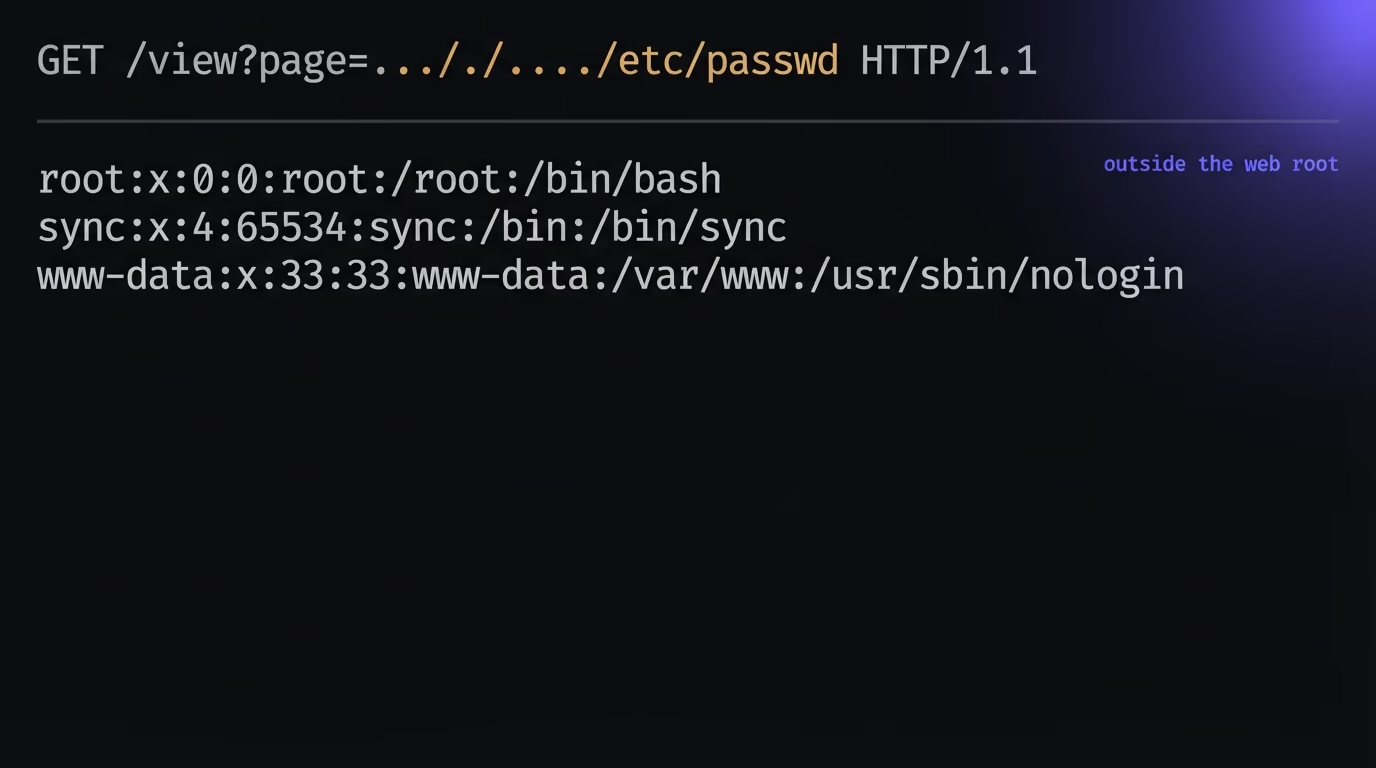
The folder your app is meant to serve from is its web root, or a subdirectory below it. A file server, a template loader, an image resizer, a document download endpoint, a language switcher that loads en.json, all of these build a path out of a name and then open it. The vulnerability shows up when that name comes from the user and the code assumes it will be well behaved. On Linux the prize is usually /etc/passwd to list accounts, /etc/shadow for password hashes, or a .env file sitting a few directories up with your database password and API keys inside it. On Windows the equivalents are win.ini and web.config.
Directory traversal is closely related to two other terms you will see. Local file inclusion, or LFI, is what happens when the traversed file is then executed or included by the app rather than just read back, which upgrades a file disclosure into code execution. Remote file inclusion pulls in a file from an attacker controlled URL. Both usually begin with the same traversal trick, so fixing the traversal removes the entry point for the rest.
The reason this bug is worth taking seriously is what a single successful read unlocks. Reading /etc/passwd on its own leaks usernames, which feels minor, but the same primitive reads your .env and now the attacker has your database credentials and API keys. From there they connect directly to your database, call paid services on your bill, or read the source of your app to find the next hole. A file read is rarely the end of the story. It is the reconnaissance step that makes everything after it cheaper, which is why a flaw that only discloses files still earns a critical rating on most reports.
How does a directory traversal attack work?
A directory traversal attack works because the application builds a file path out of user input and never checks where that path lands. A route that reads a filename from the query string and joins it to a base folder looks correct when the input is report.pdf, but the same code reads any file on disk the moment the input becomes ../../../../etc/passwd. Here is the pattern in Node and Express, and it is almost identical in every language:
app.get("/download", (req, res) => {
  const name = req.query.name;                    // "report.pdf" ... or "../../../etc/passwd"
  res.sendFile(path.join("/var/www/files", name)); // path.join collapses the ../ sequences
});
When name is ../../../etc/passwd, path.join resolves /var/www/files/../../../etc/passwd down to /etc/passwd before the file is opened. The three ../ sequences cancel the three levels of /var/www/files, and the server reads a system file it had no business touching. Nothing throws an error, because from the code’s point of view this is a perfectly valid path. The request succeeds, the file streams back, and there is no log line that looks unusual unless you were already watching for it.
A write endpoint is worse than a read endpoint. The same missing check on a file upload or a save handler lets an attacker place a file where they choose instead of read one, and dropping a script into a directory the web server executes, or overwriting a config the app reloads, turns the traversal straight into remote code execution. That is the route several of the CVEs below took. Whether the flaw reads or writes, the root cause is the same trusted string reaching a file operation, so the same containment fix closes both.
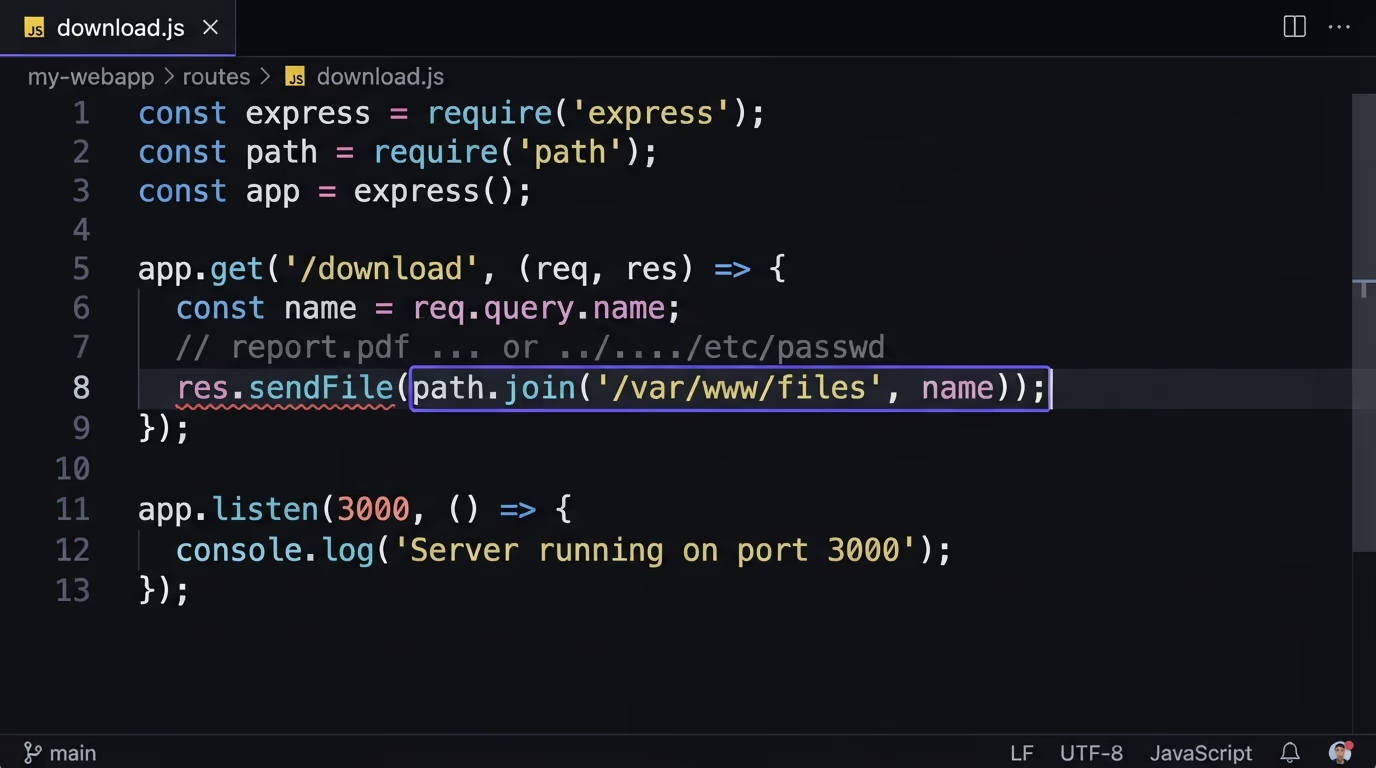
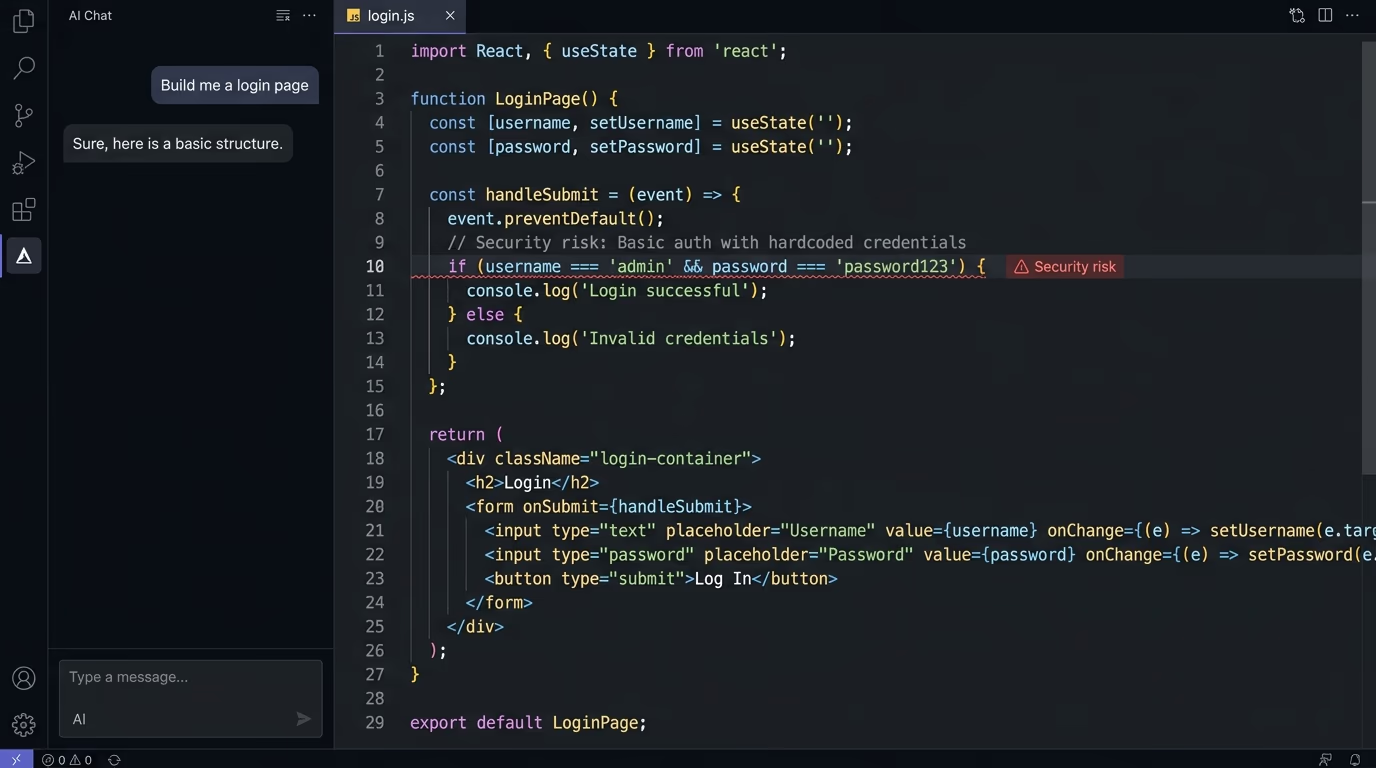
This is exactly the code an AI assistant writes when you ask it for a file download endpoint. Tools like Cursor, Copilot, Lovable and Bolt optimise for output that runs, and joining a user supplied name to a folder runs beautifully for the demo file. The missing containment check produces no error and no failing test, so it ships. That is the same reason vibe coded apps leak data through simple security gaps: the generated code is functionally correct and quietly unsafe. Directory traversal sits right next to SQL injection in that respect, since both come from trusting a string the user controls.
How do attackers bypass input filters?
Blocking the literal text ../ almost never holds, because a path can be encoded several ways that decode back to ../ only after your filter has already inspected it. A developer who strips ../ and calls it done has usually left three or four working bypasses on the table. The common ones are worth knowing, because each one defeats a specific weak defence:
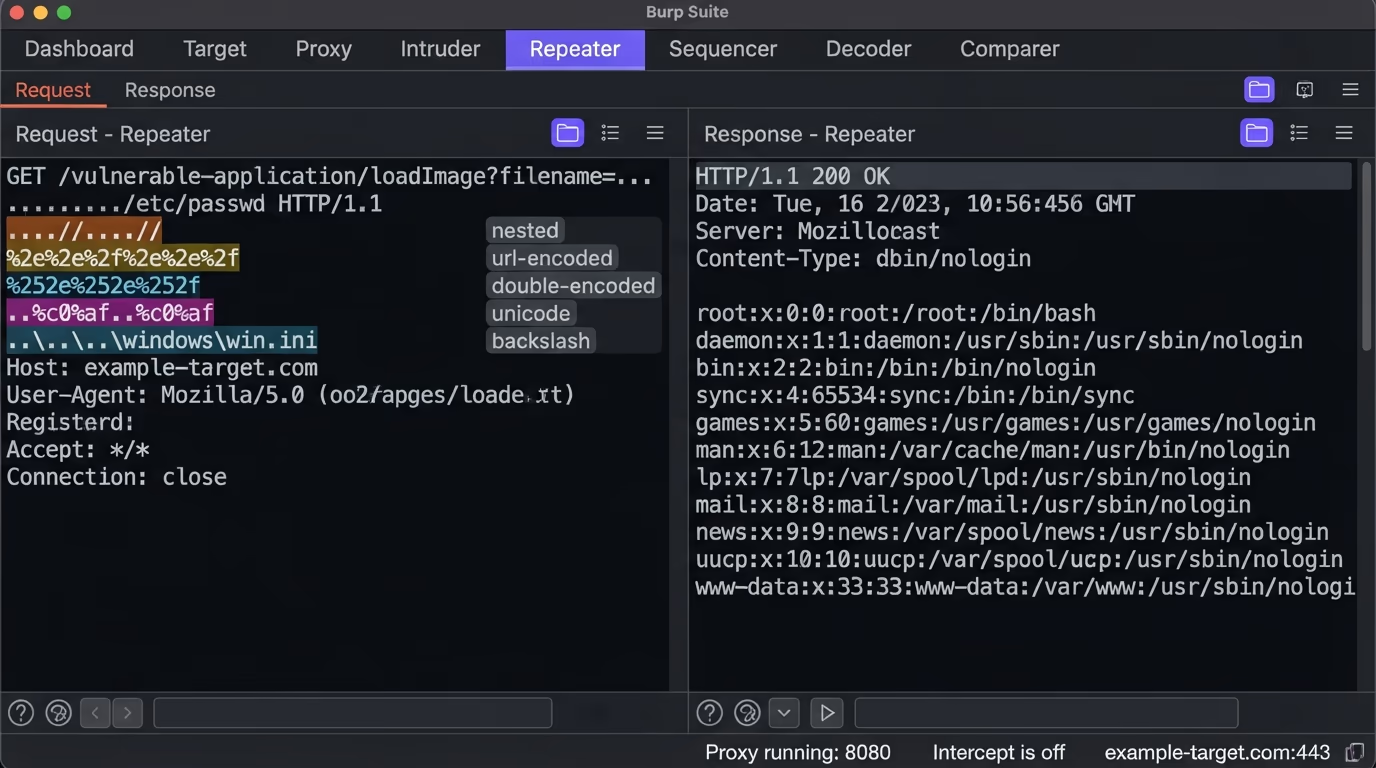
| Technique | Example payload | Why it beats a naive filter |
|---|---|---|
| Absolute path | /etc/passwd | Skips traversal entirely, so a filter looking for ../ sees nothing |
| Nested sequence | ....//....//etc/passwd | Stripping ../ once leaves a clean ../ behind |
| URL encoding | %2e%2e%2f | The filter checks before the web server decodes it back to ../ |
| Double encoding | %252e%252e%252f | Decodes to %2e%2e%2f, then to ../, past two layers |
| Windows backslash | ..\..\..\windows\win.ini | A filter tuned for forward slashes misses the backslash variant |
| Null byte | ../../etc/passwd%00.png | Legacy runtimes cut the string at the null, dropping a forced extension |
The null byte trick is mostly historical, since modern language runtimes stopped truncating strings at a null character years ago, but you still meet it in older PHP and C code, and the rest of the table is current. Unicode adds more variants like ..%c0%af, where an overlong UTF-8 encoding of the slash slips through validators that only normalise the standard form. These payloads all point to the same conclusion: a blocklist of bad characters is the wrong model, because the set of encodings that mean ../ is larger than any list you will maintain by hand. The defence that does work is canonicalisation: resolve the path to its real absolute form first, then decide whether that final path is allowed, which is exactly what the prevention code below does.
What do real directory traversal attacks look like?
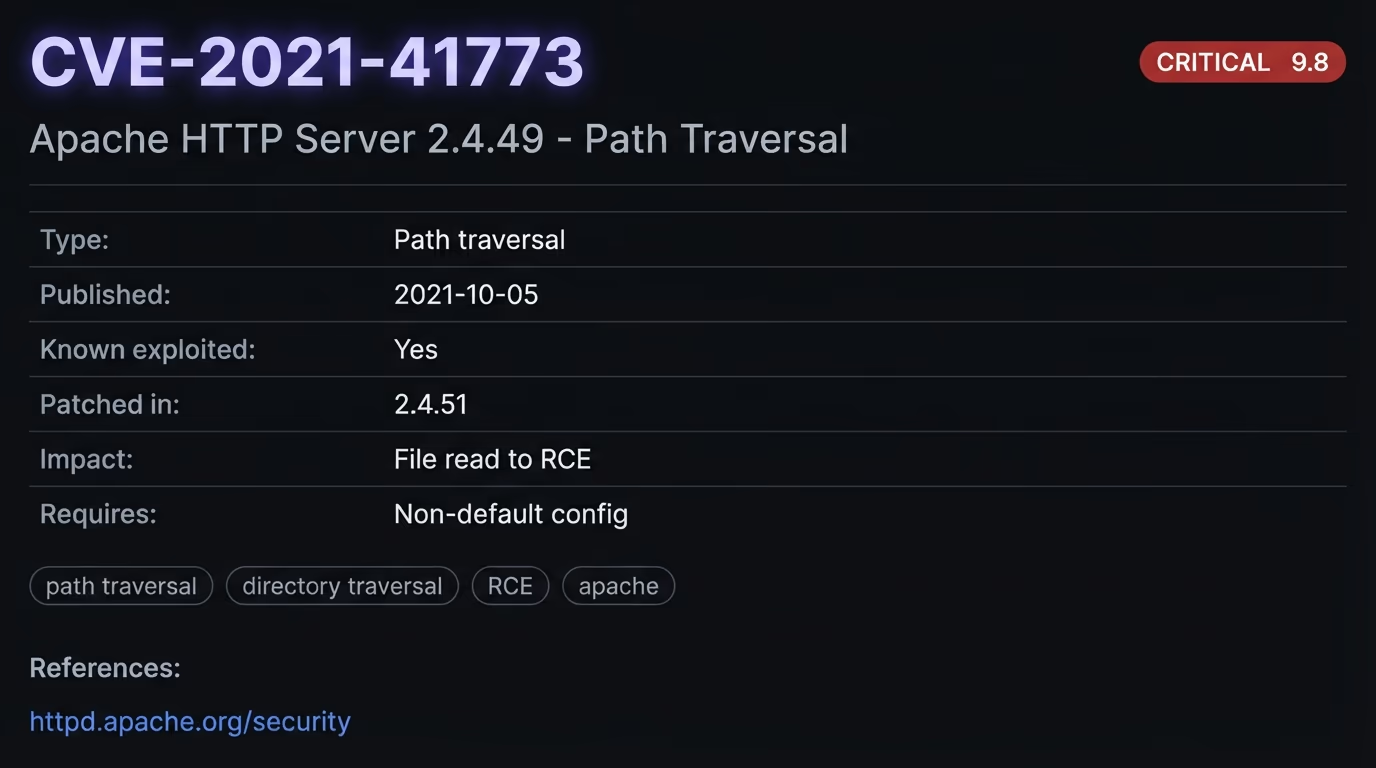
Real directory traversal attacks have hit mainstream software every year, and several reached remote code execution rather than a simple file read. The clearest example is CVE-2021-41773 in Apache HTTP Server 2.4.49, where a change to path normalisation let a crafted request map URLs to files outside the configured directories. Apache confirmed it was exploited in the wild within days, and where CGI scripts were enabled on those paths the flaw escalated from reading files to running commands. The first patch was incomplete, tracked as CVE-2021-42013, and the full fix landed in 2.4.51.
Modern frameworks are not immune either, and CVE-2024-38819 hit the Spring Framework, where applications serving static resources through the functional endpoints WebMvc.fn or WebFlux.fn could be walked with a crafted request to read any file the application process could reach. On the commercial side, CVE-2024-1708 was a path traversal in ConnectWise ScreenConnect, one of the two flaws CISA and the FBI named in their May 2024 Secure by Design alert. That alert reported 55 directory traversal vulnerabilities in the Known Exploited Vulnerabilities catalog and pointed to campaigns that used them to hit critical services, including hospital and school systems.
The AI tooling that vibe coders lean on is now in the same list. CVE-2024-13059 was a path traversal in AnythingLLM, a self hosted AI application, where a file with a non ASCII name containing ../ sequences could be written to an arbitrary location on the server and pushed toward remote code execution. The pattern repeats across newer projects like NiceGUI and lollms-webui, all of them tripping on the same weak filename handling. Directory traversal is not a museum piece. It is a live bug class that keeps appearing in the exact tools this audience ships on.
How do you prevent a directory traversal attack?
The reliable way to prevent a directory traversal attack is to never build a file path from raw user input. Two approaches cover almost every case, and the first is stronger than the second. The best option is to keep the user away from the filesystem entirely: map their input to a fixed set of allowed files through a lookup table, so a request for ?doc=invoice selects a path you defined in code and an unknown value returns a clean error. The user picks from a menu you control, not a path they type.
When you genuinely need to accept a name, resolve the final absolute path and confirm it still sits inside your base directory before you open the file. In Node that check is a few lines:
const base = path.resolve("/var/www/files");
const target = path.resolve(base, req.query.name);
if (target !== base && !target.startsWith(base + path.sep)) {
  return res.status(400).send("Invalid path");
}
res.sendFile(target);
The same shape works in Python with os.path.realpath, which also follows symlinks so an attacker cannot link their way out:
base = os.path.realpath("/var/www/files")
target = os.path.realpath(os.path.join(base, name))
if target != base and not target.startswith(base + os.sep):
    abort(400)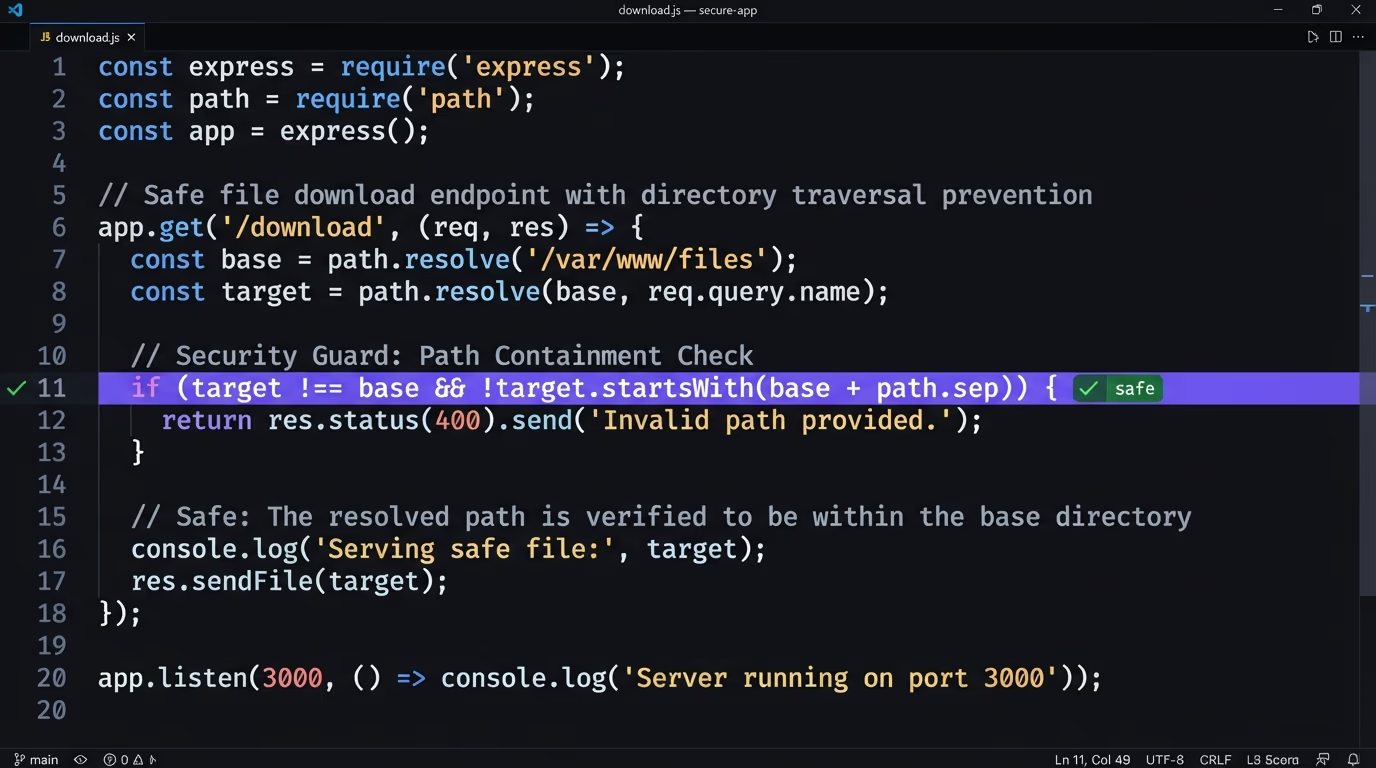
Reach for your framework’s own helper before you write path logic by hand. Express has res.sendFile with a root option that rejects any name resolving outside it, and Next.js route handlers should read from a whitelist rather than the request path. These built ins already do the containment check, so the safest code is often the code you do not write. When you do write it, keep the check on the resolved absolute path and never on the raw input, because validating the string before resolution is the mistake every bypass in the table depends on.
Two more layers back this up. Run the app under a user account with least privilege, so even a successful traversal cannot read /etc/shadow or another tenant’s files, and store user uploads outside the web root or in object storage behind signed URLs rather than on the local disk your server browses. A web application firewall can block the obvious payloads and buys time, but treat it as a second line and not the fix, because the encoding variants above are built to slip past pattern matching. If you are on a Next.js and Supabase stack, the same containment discipline applies to your storage rules and API routes, which is covered in the guide on securing a Next.js and Supabase app.
How do you check your site for path traversal?
You test for path traversal the way an attacker would, by finding every place your app takes a filename, a template name, a path or a language code from a URL or a form, then trying to walk out of the folder. Send ../ a handful of levels deep against a known target like etc/passwd, then repeat with the encoded and nested variants from the table above. A response that returns file contents, a different error for a valid versus invalid path, or a change in timing all tell you the parameter reaches the filesystem.
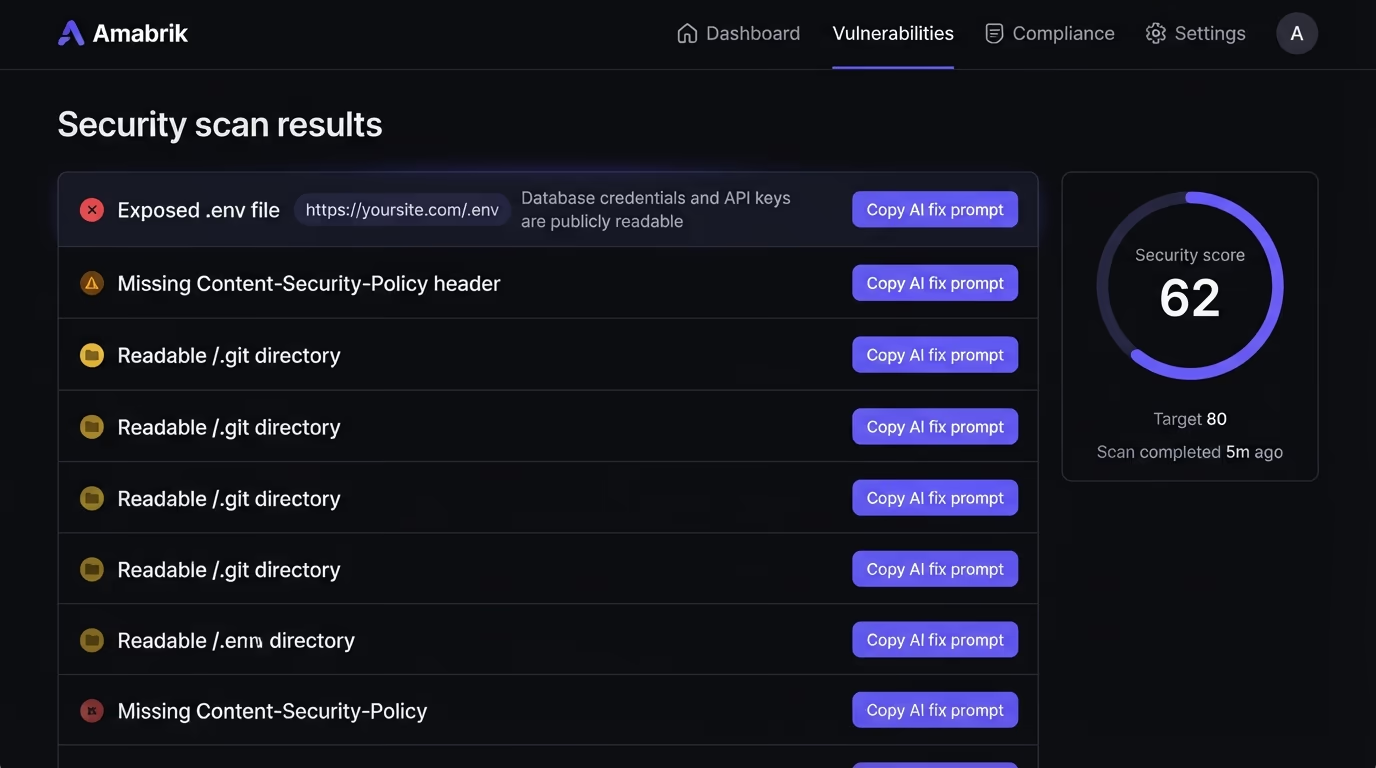
Automated coverage catches what manual testing misses, because a real site has more file touching endpoints than anyone remembers. A scanner probes each parameter with traversal payloads at a scale you will not match by hand, and the exposure it looks for is the same one the attack aims at. Amabrik’s website security scan crawls your pages for files that should never be public, an exposed .env, a readable /.git directory, config left in the open, plus the missing security headers and other gaps that make an app easier to walk through. Every finding comes with a plain explanation of the risk and a fix prompt you can paste straight into your AI assistant, so a result turns into a patch in one step. Pair that with the broader website security checklist and the IDOR checks for access control, and you cover the file and permission gaps that AI generated code leaves behind most often.
Keep file access inside its lane
Directory traversal survives because the vulnerable code is invisible: a route that joins a name to a folder looks like the most ordinary line in the file, and it works perfectly until someone types ../ into it. The fix is a habit you apply every time a request names a file. Decide which files that request is allowed to reach, express it as a lookup or a containment check, and never let a user supplied string decide a path on its own. Do that, add least privilege underneath, and the walk out of your web root simply stops resolving.
The attack has outlived Apache patches, framework rewrites and a decade of tooling, and it is now landing in the AI apps this crowd builds on, so it is worth a few minutes to confirm your own endpoints hold. Run a scan against your site, read the findings, and close the ones that let a path wander where it should not go.
A directory traversal attack is a web vulnerability where an attacker reads or writes files outside the folder your application is meant to serve. They take a parameter that names a file, like a download or a page template, and feed it a path such as ../../../etc/passwd. The server resolves the path, climbs out of its base directory, and returns a file it should never have exposed.
There is no difference. Directory traversal and path traversal are two names for the same flaw: user input that names a file gets used in a file operation without a check that the resolved path stays inside the intended directory. OWASP and most security tools use path traversal, while CVE descriptions and older references tend to say directory traversal. Both describe the ../ climb out of the web root.
Attackers go for files that hand them credentials or code. On Linux that means /etc/passwd to enumerate accounts, /etc/shadow for password hashes, and application config like a .env file holding database passwords and API keys. On Windows they read win.ini or web.config. Source files and SSH private keys are also common targets, because reading your code exposes more bugs to chain.
Stop building file paths from raw user input. The strongest fix maps the input to a fixed set of allowed files through a lookup table, so the user never controls the path at all. When you must accept a name, resolve the final absolute path and confirm it still starts with your base directory before opening the file. Add least privilege so the app process cannot read files it does not own, and keep uploads out of the web root.
A scan catches the exposure that directory traversal aims at, even though it cannot brute force every parameter. Amabrik's security scan crawls your site for files that should never be public, like an exposed .env or a readable /.git directory, and for the missing headers and misconfigurations that make an app easier to walk through. Each finding comes with a plain explanation and a fix prompt you can paste into Claude, ChatGPT or Cursor.
They overlap but are not identical. Directory traversal is reading or writing a file outside the intended folder. Local file inclusion, or LFI, is when the traversed file then gets executed or included by the application, which turns a file read into code execution. A PHP page that includes a user supplied filename is the classic LFI case, and it usually starts with a directory traversal to reach the file.