SQL Injection Prevention: What AI Code Gets Wrong
SQL injection prevention starts with the patterns AI coding tools get wrong. See real vulnerable examples, the fixes that work, and how to scan your app.

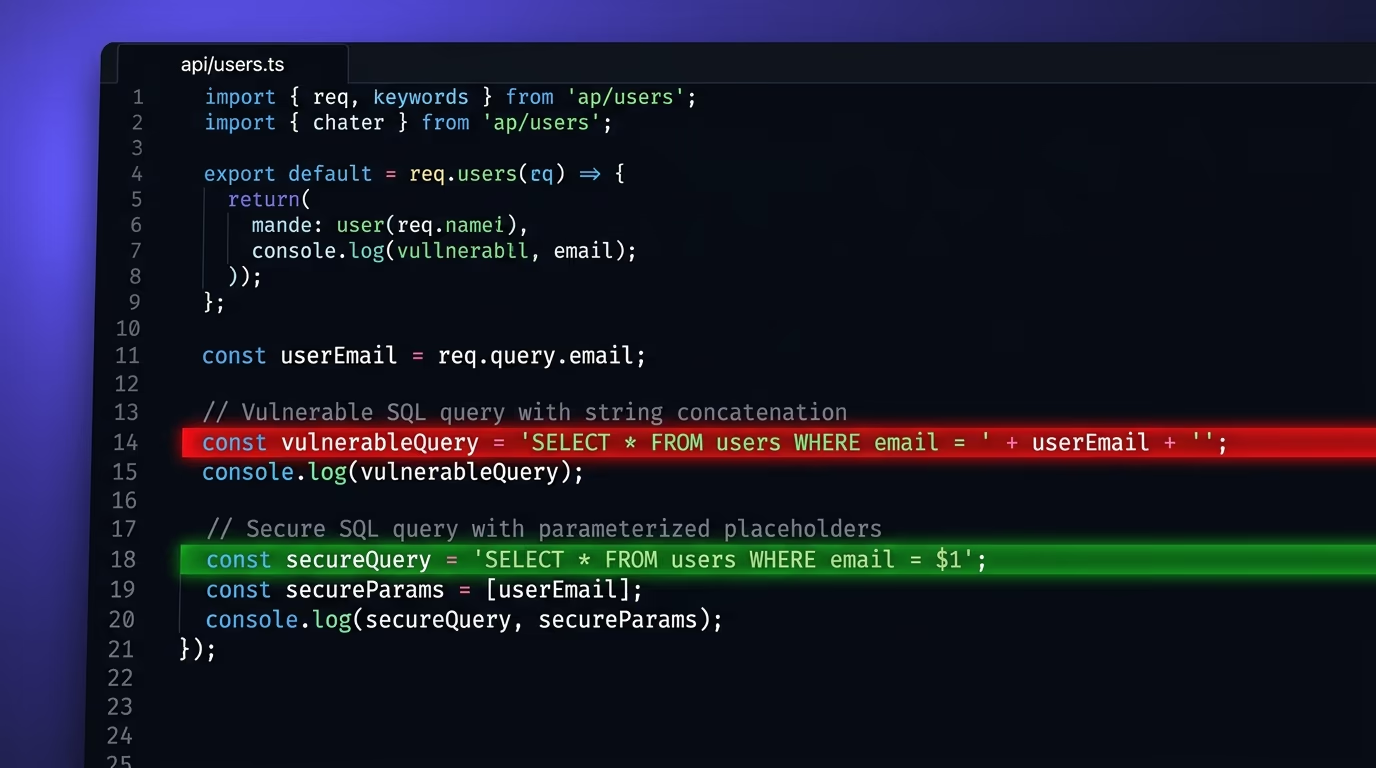
SQL injection is a type of attack where someone passes database commands through a form field, URL parameter, or API input, and your application runs those commands as if they were its own. It has been the most common web vulnerability for over two decades, and it remains in the OWASP Top 10 in 2026. The core fix is simple: never build a query by gluing user input into a string. Use parameterized queries instead, and the database treats every input as data, not as executable code.
The reason this article exists in 2026, and not just as another copy of the OWASP cheat sheet, is that AI coding tools have reintroduced a generation of injection-prone code. Tools like Cursor, Lovable, Bolt, and v0 produce working apps fast, but they routinely generate queries that concatenate user input straight into SQL strings. If you’ve shipped a vibe-coded app without reviewing every database query, the odds are high that at least one endpoint is injectable. This guide covers the patterns AI tools get wrong and the fixes that actually work across modern frameworks, with a section on scanning your app before an attacker does.
What is SQL injection and why does it still work?
SQL injection works because a database can’t tell the difference between a command you wrote and a command someone typed into your search bar, when both arrive as a single string. If your code builds a query like SELECT * FROM users WHERE email = ' + the user’s input + ', then anyone who types ' OR 1=1 -- into the email field rewrites the query into one that returns every row in the table. The database runs it without hesitation because, from its perspective, it received a valid SQL statement.
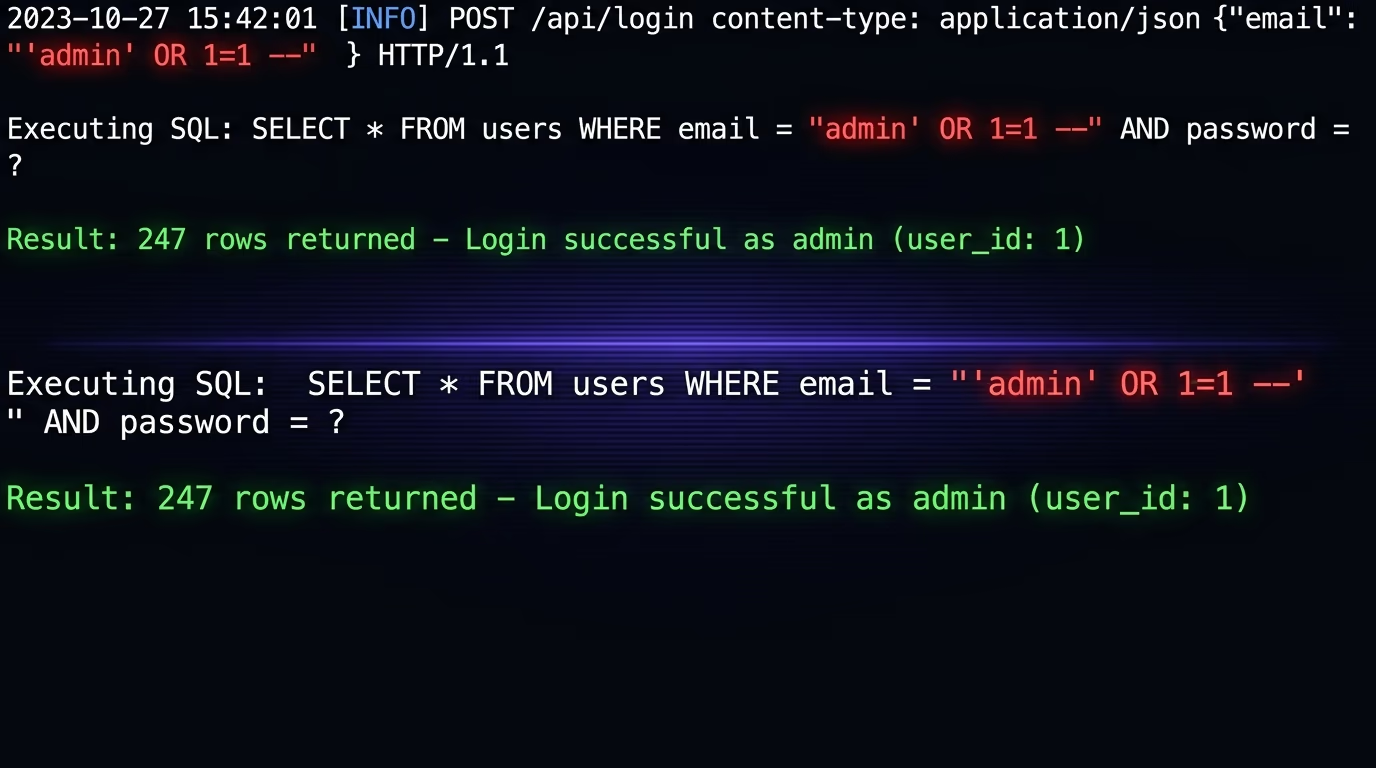
This has been understood since the late 1990s, yet injection still accounts for a large share of breaches reported each year. The reason is not that developers don’t know about it. The reason is that the default path in many codebases, and especially in AI-generated code, is string concatenation. Writing "SELECT * FROM products WHERE id = " + req.params.id is the simplest way to build a query on the fly, and it works fine during development because nothing breaks and the tests pass. The vulnerability only shows up when someone sends input that was never anticipated, and by that point the code has been live for weeks or months.
The types of SQL injection go beyond the textbook example. Union-based injection uses UNION SELECT to pull data from other tables. Blind injection extracts data one character at a time by asking true-or-false questions and watching how the server responds. Error-based injection reads database internals from error messages the server leaks. Time-based blind injection uses SLEEP() or WAITFOR DELAY to infer answers from response timing. Each variant has a different signature, but they all start the same way: user input that gets executed as SQL because the query was built with string concatenation instead of parameterization.
Why does AI-generated code get SQL injection wrong?
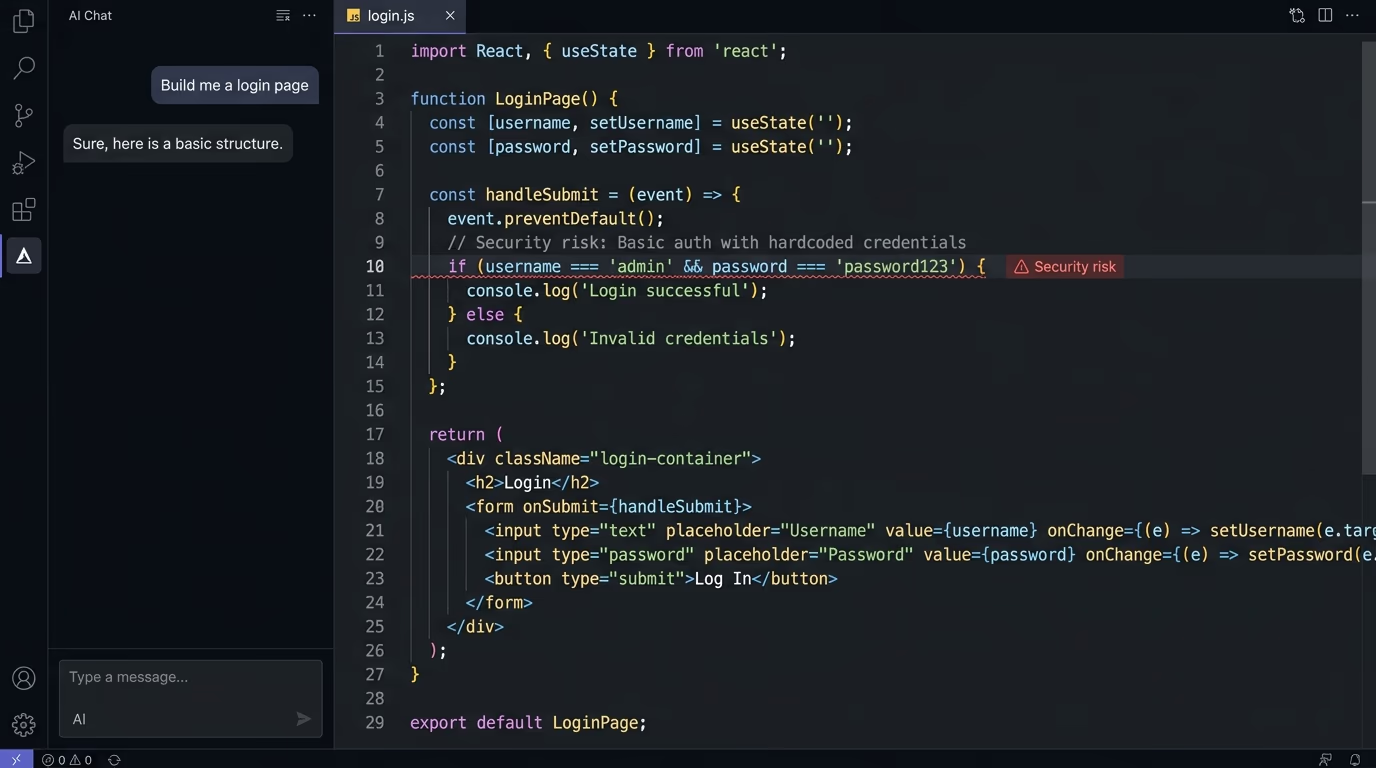
AI coding tools generate injection-vulnerable code because they optimize for readability and working demos, not for security. When you ask Cursor or Lovable to build a user search feature, the tool produces the most straightforward implementation, which is almost always a template literal or string concatenation with the user’s input placed directly inside the SQL string. The generated code compiles, runs, and returns the right results in testing. It just happens to accept arbitrary SQL from anyone who uses the form.
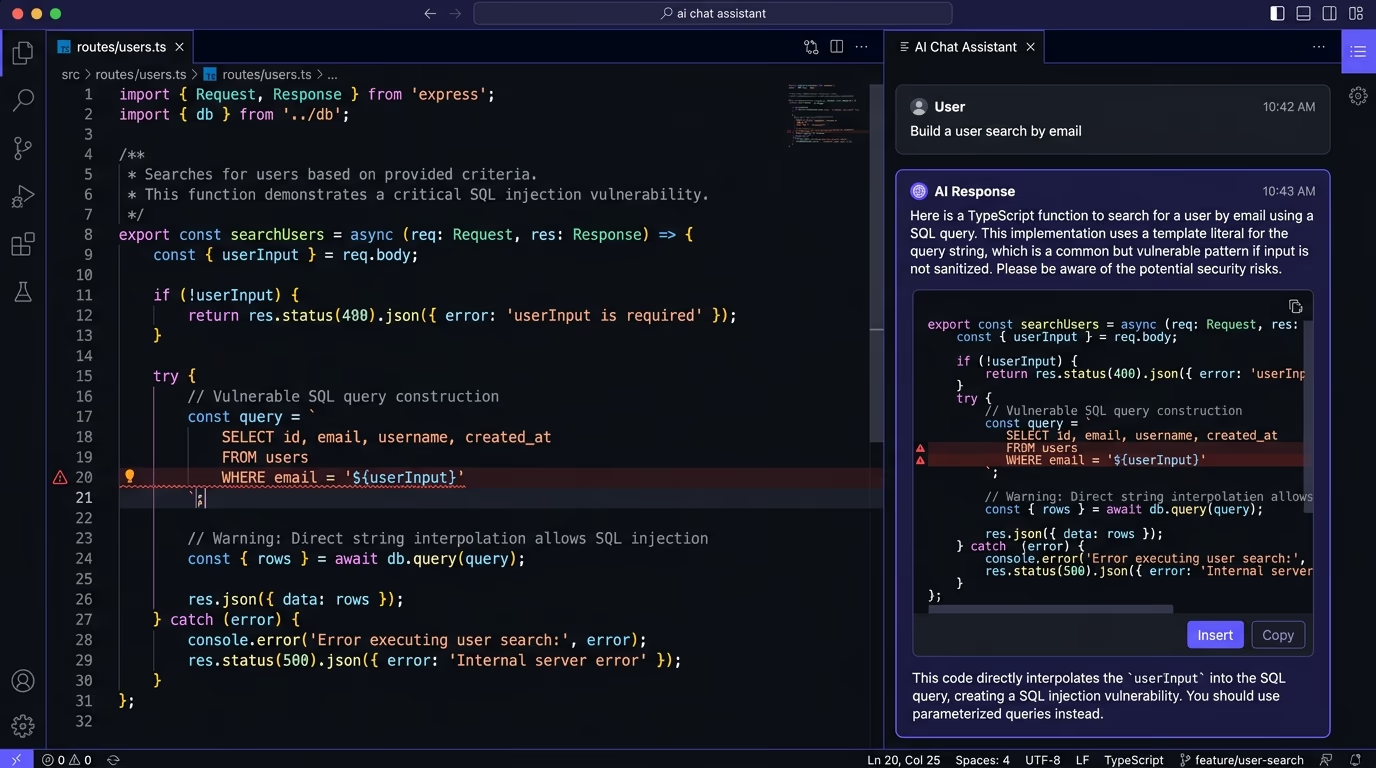
Security researchers at firms like Snyk and Veracode have documented this pattern across every major AI coding assistant. The problem is structural, not a bug in any one tool. Large language models learn from millions of code samples, and the vast majority of simple database examples on Stack Overflow, in tutorials, and in documentation use string concatenation for clarity. The model learns that pattern as the “normal” way to write a query, so it generates the same thing by default. Parameterized queries appear less often in training data because they look more complex and are harder to fit in a quick tutorial example.
The practical result is that vibe-coded applications, apps built primarily through AI prompts with minimal manual code review, carry a higher density of injection vulnerabilities than apps written from scratch by experienced developers. This isn’t a reason to stop using AI coding tools, but it does mean that every query touching a database needs a manual review before the app goes live. If you’re building with these tools, our deep dive on vibe-coding security risks covers the full picture beyond just SQL injection, and the website security checklist gives you a pre-launch scan list.
How do parameterized queries stop SQL injection?
Parameterized queries work by separating the SQL command from the data. Instead of building one long string that mixes your code and the user’s input, you write the query with placeholder markers and pass the input values separately. The database receives the structure of the query first, compiles it, and then plugs in the data values, which means the input can never be interpreted as SQL commands regardless of what it contains.
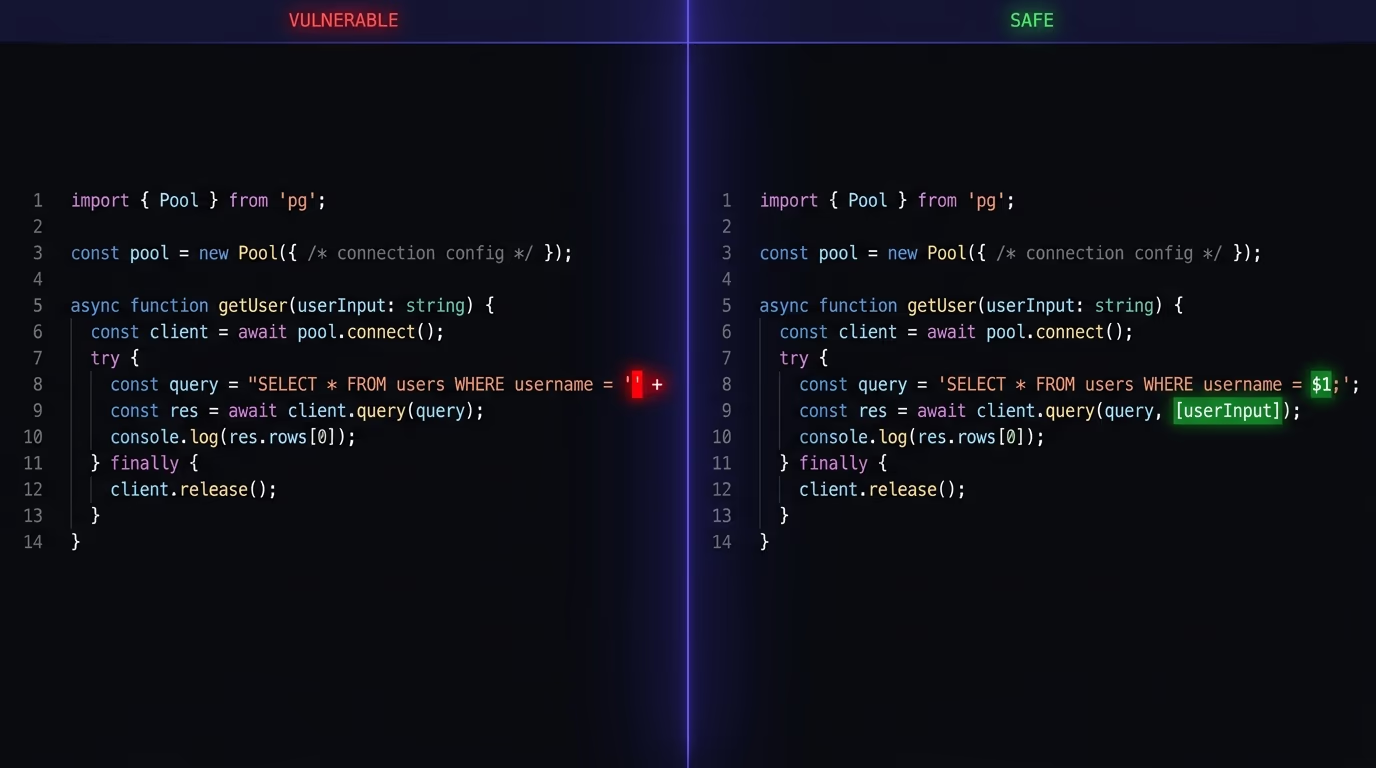
In Node.js with the pg library, the vulnerable version looks like this: db.query("SELECT * FROM users WHERE id = " + userId). The parameterized version looks like this: db.query("SELECT * FROM users WHERE id = $1", [userId]). The difference is one line, but the security gap between them is absolute. In the parameterized version, even if userId contains 1; DROP TABLE users, the database treats the entire string as a value for the id column and returns zero rows. It never executes the DROP TABLE because it was never parsed as part of the query structure.
Python works the same way, and with psycopg2 you write cursor.execute("SELECT * FROM users WHERE email = %s", (email,)) instead of using an f-string. In PHP with PDO, you use $stmt = $pdo->prepare("SELECT * FROM users WHERE id = ?"); $stmt->execute([$id]); instead of interpolating $id into the string. Java uses PreparedStatement with setString(), and every major language has this mechanism, and the pattern is always the same: write the query with placeholders, pass the values as a separate array or parameter list. The database engine handles the escaping and quoting internally, which removes the entire class of injection vulnerabilities from that query.
The places where parameterized queries can’t help are table names, column names, and sort directions, because those are structural parts of the query that databases don’t allow as parameters. For those cases, you need an allow-list: a fixed set of valid values that you check the input against before inserting it into the query. If someone sends a table name that isn’t in your list, you reject the request entirely instead of trying to sanitize the input.
Which ORM patterns are actually safe?
ORMs like Prisma, SQLAlchemy, Django ORM, and Drizzle parameterize your queries automatically when you use their query builders. Calling prisma.user.findMany({ where: { email: userInput } }) in Prisma, or User.objects.filter(email=user_input) in Django, generates a parameterized query behind the scenes. The ORM constructs the SQL, sets the placeholders, and binds the values, so your application code never touches a raw SQL string. This is the main security benefit of using an ORM, and for the standard CRUD operations that make up most of an application, it works perfectly.
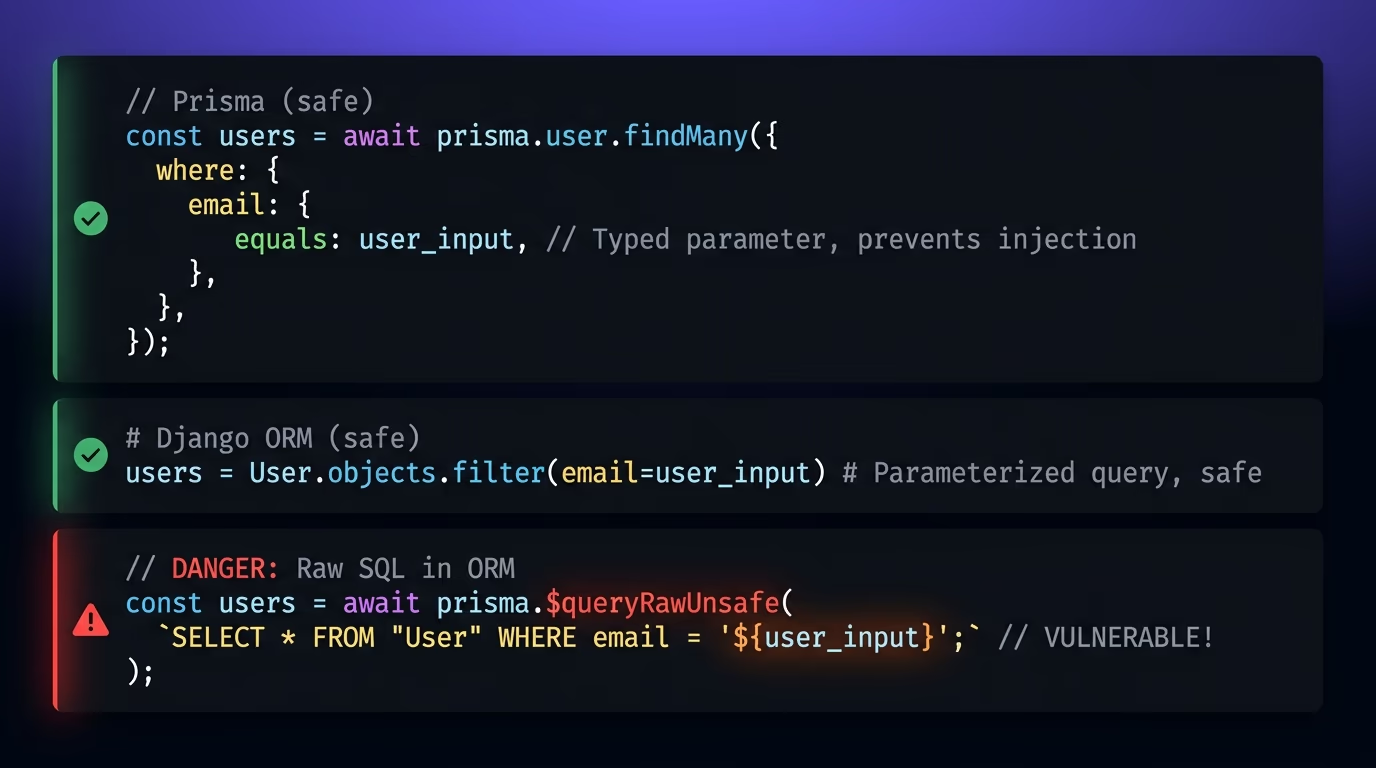
The danger comes from the escape hatches. Every ORM provides a way to write raw SQL when the query builder can’t express what you need, and that raw SQL path skips parameterization unless you explicitly use placeholders. Prisma has $queryRaw (safe, with tagged template parameterization) and $queryRawUnsafe (the name says it all). SQLAlchemy’s text() function is safe when you use :param placeholders, but dangerous when developers use f-strings inside it. Django’s .raw() method accepts parameterized queries, but .extra() was so commonly misused that it was deprecated and removed. Drizzle ORM’s sql tagged template is safe, but building a string and passing it through sql.raw() is not.
AI coding tools produce ORM code that looks correct on the surface but reaches for these raw methods more often than a human developer would. When the prompt asks for something the standard query builder can’t do, like a complex join with a subquery or a full-text search across multiple columns, the AI tool generates raw SQL inside the ORM’s escape hatch. That code works, returns the right data, and passes every functional test, but it’s injectable because the raw SQL was built with string concatenation.
The rule is simple: any time you see raw SQL inside an ORM method, treat it exactly like a standalone query. Use the ORM’s parameterization syntax for the raw fragment. If the ORM doesn’t support parameterized identifiers (table names, column names), use an allow-list. If you’re working with code that an AI tool generated and it uses .extra(), $queryRawUnsafe, or any method with “unsafe” or “raw” in the name, stop and rewrite that query before deploying.
What about NoSQL and GraphQL injection?
SQL injection is the most documented form, but the same principle applies to any system that builds commands from user input. MongoDB, the most widely used NoSQL database, is vulnerable to operator injection when queries are built from unvalidated objects. If your Express.js API parses the request body as JSON and passes it straight to collection.find(req.body), an attacker can send {"$gt": ""} as the value for a field and match every document in the collection. The fix is the same idea: validate and constrain the input before it reaches the query. Injection is one entry in the broader set of API security best practices that AI-generated backends tend to skip.
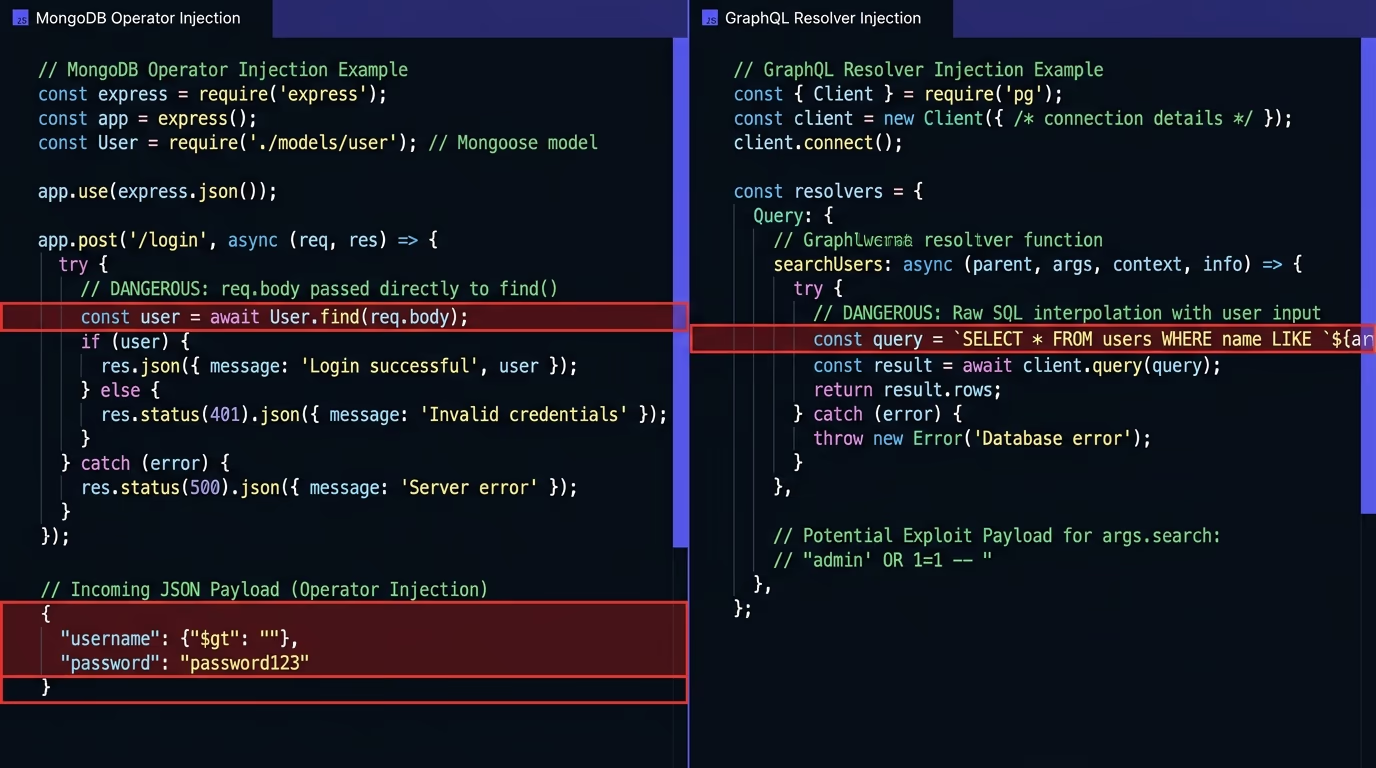
MongoDB’s own documentation now recommends using $eq explicitly when comparing values and rejecting any query object that contains operators you didn’t expect. Libraries like mongo-sanitize strip out keys starting with $ from user input, which prevents the most common operator injection patterns. Mongoose schemas also help by enforcing field types, so a field defined as a String won’t accept an object with $gt operators. These are all forms of input validation, applied to the query layer, which is the same principle behind parameterized queries in SQL databases.
GraphQL introduces its own injection surface. While GraphQL queries are structured and typed, the resolvers that handle those queries can still build raw database queries from the arguments. A resolver that takes a search argument and interpolates it into a SQL LIKE clause is just as injectable as a REST endpoint doing the same thing. GraphQL also has unique attack surfaces around deeply nested queries that can exhaust server resources, batch queries that amplify injection attempts, and introspection queries that expose your entire schema to an attacker. Disable introspection in production, set query depth limits, and apply the same parameterization rules inside every resolver that touches a database.
The broader lesson is that injection isn’t limited to SQL. Any time your application takes input from a user and uses it to construct a command, query, or operation, and the underlying system interprets that input as code instead of data, you have an injection vulnerability. LDAP injection, XML injection, command injection, template injection: they all follow the same pattern and the same fix applies in each case. Separate the structure from the data and validate the data before it gets anywhere near the structure.
How do you test your site for SQL injection?
The simplest manual test is to enter a single quote ' into every input field on your site and check whether the server returns a database error. A well-protected application returns a validation error or ignores the character. A vulnerable application returns a stack trace, a SQL syntax error, or a different set of results than expected, any of which confirms that user input is reaching the query engine unparameterized. You can also try classic payloads like ' OR '1'='1 in login forms, or 1; SELECT pg_sleep(5) in numeric fields to see whether the response is delayed by five seconds.
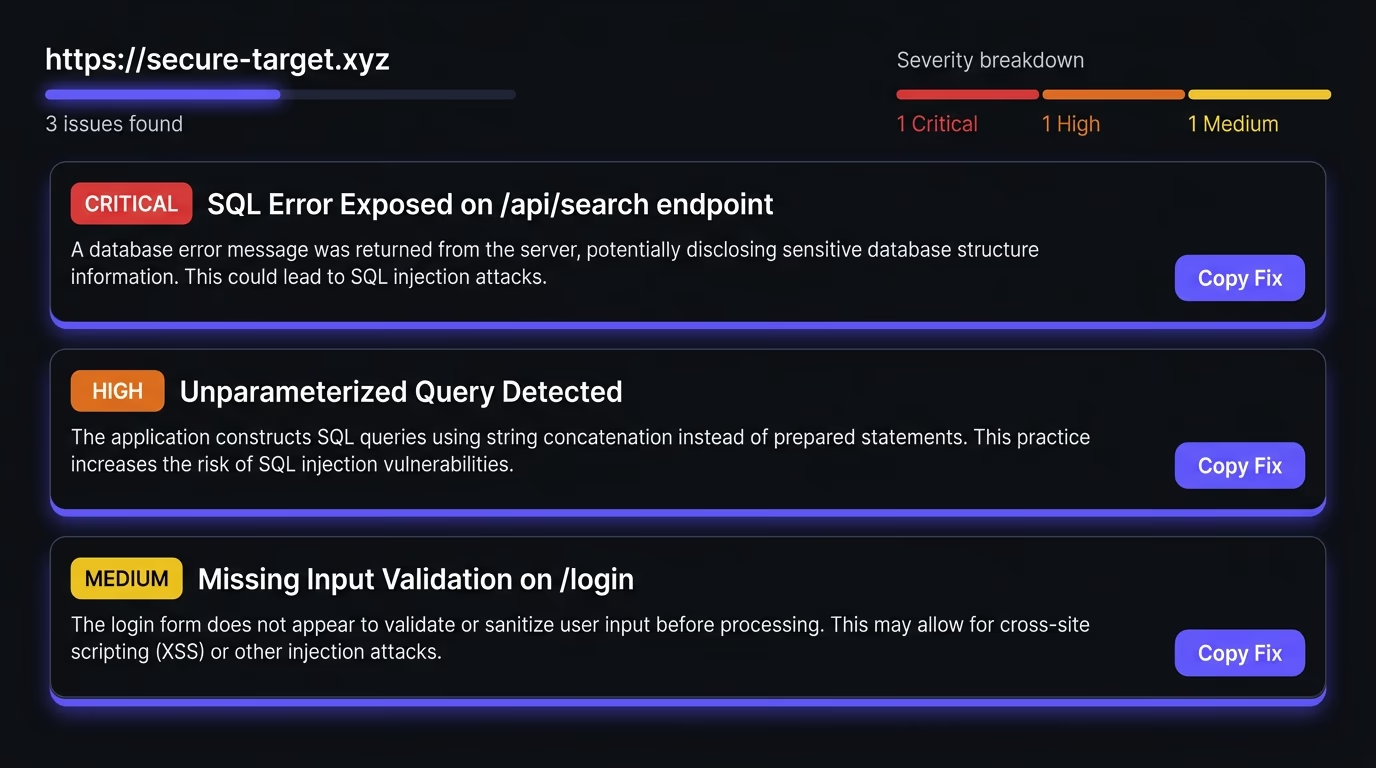
Manual testing catches the obvious cases, but real applications have dozens of endpoints, API routes, query parameters, and form fields that all need checking, which is where automated scanners come in. Open-source tools like SQLMap can probe an endpoint with hundreds of injection variants and report what it finds. Commercial DAST (dynamic application security testing) tools scan your entire application while it runs and flag every injectable parameter they discover. The advantage of automated scanning is coverage: it finds the endpoints you forgot about, the admin routes you never tested, and the API parameters that accept more than you expected.
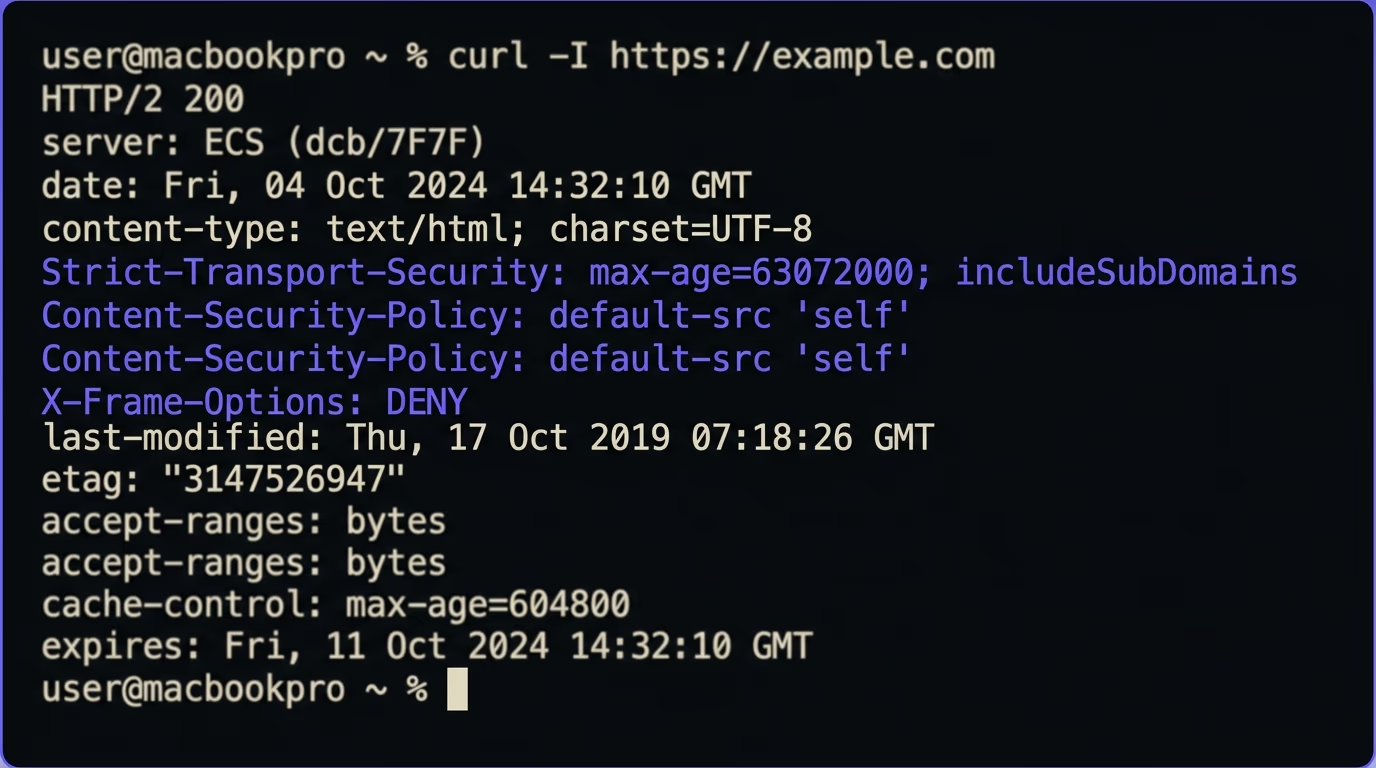
For a quick first check on a live site, Amabrik’s security scanner tests your pages and headers for common vulnerabilities, including patterns that indicate injectable endpoints, exposed error messages, and missing protections. It gives you a plain-English explanation of each finding and a copy-paste prompt you can hand to your AI coding tool (Claude, ChatGPT, or Cursor) to generate the fix. That workflow, scan then fix with AI, catches the majority of injection issues before they become a real problem. If you’ve already gone through the security headers setup and the Next.js and Supabase security guide, this scan is the next step to verify nothing slipped through.
Static analysis tools complement runtime testing by scanning your source code for vulnerable query patterns without running the application. ESLint plugins can flag string concatenation inside database calls. Semgrep has rules that detect $queryRawUnsafe usage in Prisma, raw SQL in Django views, and unparameterized queries in Node.js. Running these in your CI pipeline means that vulnerable code gets flagged before it merges, which is cheaper to fix than finding it in production.
What should you do when you find a vulnerability?
The first step is to determine whether the vulnerability has been exploited. Check your server logs for unusual queries, unexpected data access patterns, or requests with SQL syntax in the URL or request body. If you find evidence of exploitation, treat it as a data breach: notify affected users as required by your jurisdiction’s data protection laws, rotate all database credentials, and preserve the logs for analysis before you start fixing the code.
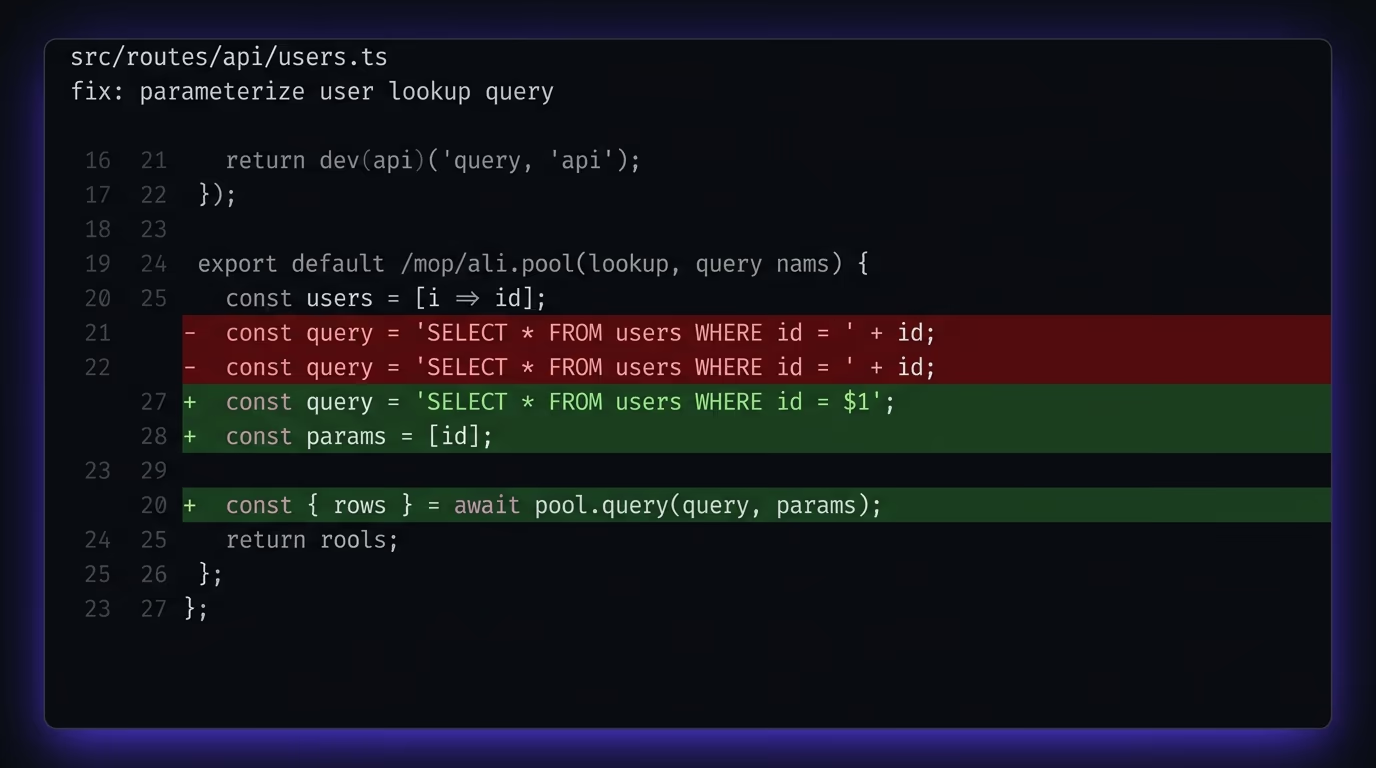
If there’s no evidence of exploitation, move straight to the fix. Replace the string concatenation with a parameterized query, as described in the earlier sections, and deploy the fix as quickly as your process allows. This is a security patch, not a feature, so it should go through an expedited review and ship the same day if possible. After deploying, re-run your test to confirm the same payload that triggered the vulnerability now returns a safe response.
For applications built with AI tools, the fix is often broader than a single query. If one endpoint was vulnerable because the AI generated concatenated SQL, it’s likely that other endpoints have the same pattern. Search your entire codebase for common injection indicators: string concatenation inside database calls (look for +, template literals with ${}, or f-strings near SQL keywords like SELECT, INSERT, UPDATE, DELETE), any use of “unsafe” or “raw” ORM methods, and any query that takes user input without going through the ORM’s query builder. Fix every instance you find, not just the one that was reported.
Going forward, add static analysis rules to your CI pipeline so that new injection patterns get flagged before they merge. Require parameterized queries in your team’s coding standards, and if you’re a solo developer using AI tools, add a review step between “the AI wrote the code” and “the code goes live” where you specifically check every database query for parameterization. A two-minute review of the database layer is faster and cheaper than dealing with a breach.
Run a free security scan on your app today
SQL injection hasn’t changed fundamentally since 1998, but the tools that produce vulnerable code have. If you’re building with AI coding assistants, the odds of shipping at least one injectable query are high unless you’re reviewing every database call manually. Parameterized queries are the fix for SQL itself, ORM query builders handle it automatically for standard operations, and input validation covers everything else.
The fastest way to check whether your site has gaps right now is to run a security scan that tests your live pages for injection patterns, missing headers, exposed credentials, and the other common vulnerabilities that AI-generated code introduces. Each finding comes with a plain-English explanation and a fix prompt you can paste into your coding tool.
SQL injection remains one of the most exploited web vulnerabilities in 2026. The OWASP Top 10 still lists injection attacks in its top positions, and the rise of AI-generated code has introduced new code that concatenates user input straight into queries. Most successful breaches still start with simple injection, not with exotic zero-days.
An ORM protects against injection as long as you use its query builder the way it was designed. The moment you write a raw SQL fragment inside an ORM method, you bypass its parameterization and open the same hole as writing raw queries. Prisma's $queryRawUnsafe, Django's .extra(), and SQLAlchemy's text() with f-strings are all real examples where ORM users introduce injection by switching to raw SQL inside otherwise safe code.
Studies from security firms consistently find that AI-generated code produces more injection-vulnerable patterns than code written by experienced developers. AI tools tend to reach for string concatenation because it produces code that looks clean and readable, and they rarely add parameterization unless the prompt specifically asks for it. The fix is straightforward: review every database query your AI tool writes and convert any concatenated input to parameterized queries.
Run a security scan that tests your live pages and API endpoints for common injection patterns. Amabrik's security scanner checks your site for exposed vulnerabilities, including query errors that reveal injectable endpoints, and gives you a copy-paste fix prompt for each issue it finds. You can also test manually by entering a single quote into every input field and checking whether the server returns a database error.
Parameterized queries prevent the most common form of injection, where user input lands directly in a WHERE clause or value position. They don't cover table names, column names, or ORDER BY clauses, because those can't be parameterized in most databases. For variable identifiers you need an allow-list, where you check the input against a fixed set of valid table or column names before putting it into the query.
Second-order injection happens when an application stores user input safely, then later retrieves it and puts it into a new query without parameterizing it. The initial insert might be parameterized, but the second query that reads the stored value and builds a new statement from it is where the injection fires. It is harder to detect because the attack payload and the vulnerable code are in different parts of the application.