CCPA Compliance Checklist for Websites (2026)
CCPA compliance checklist for websites. Who must comply, 2026 CPRA amendments, fines up to $7,988 per violation, opt-out rules, and GPC.

The CCPA gives California residents the right to know what data businesses collect about them, to delete it, and to stop its sale, and it backs those rights with fines that start at $2,663 per violation and scale per affected consumer. If your website collects data from anyone in California, and your business crosses any of the three applicability thresholds, you need a plan that covers every requirement the law actually asks for. Most checklists online stop at the legal theory, listing obligations without telling you what to change on your site, and this guide fills that gap.
Below is a practical, step-by-step CCPA compliance checklist built for website owners, covering who the law applies to, what the 2026 CPRA amendments changed, and exactly what your site needs to do, from privacy policies and opt-out links to cookie consent banners and Global Privacy Control support.
Who does the CCPA apply to?
The CCPA applies to any for-profit business that collects personal information from California residents and meets at least one of three thresholds. You don’t need to be based in California or even in the United States for the law to reach you, because it follows the data, not the company’s address.
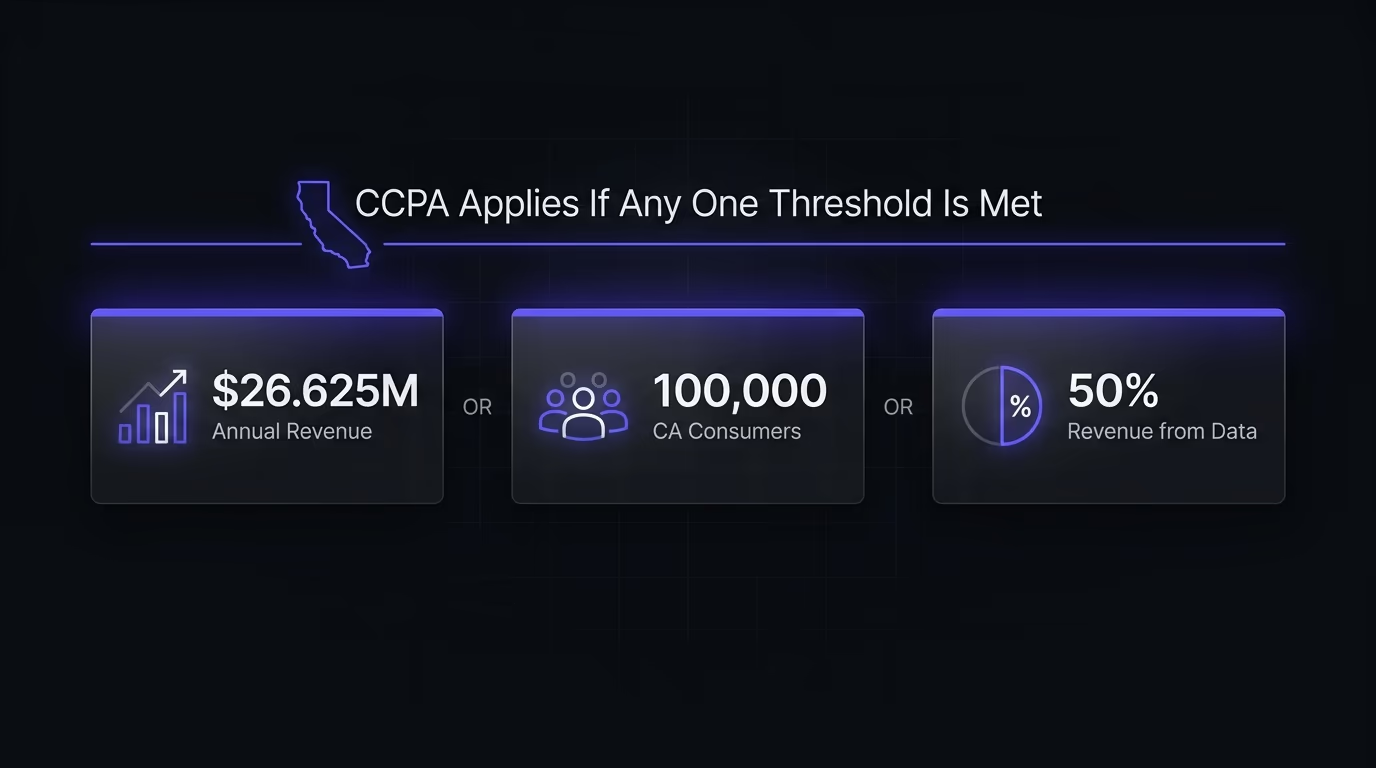
The three thresholds, as of 2026, are: annual gross revenue exceeding $26.625 million worldwide, buying, selling, or sharing the personal information of more than 100,000 California consumers or households per year, or deriving more than 50% of annual revenue from selling or sharing personal data. Meeting just one of these three triggers the full set of CCPA obligations.
“Personal information” under the CCPA is broad. It covers names and emails, but also IP addresses, browsing history, geolocation data, cookies, device identifiers, and purchasing records. If your website sets analytics cookies, runs retargeting pixels, or uses any third-party script that collects data about California visitors, that data likely counts. The law doesn’t care whether you consider it sensitive or not, because the definition is based on whether the information identifies, relates to, or could reasonably be linked to a consumer or household.
One point that trips up international businesses: the revenue threshold applies to global gross revenue, not California revenue. A company doing $30 million worldwide with only a handful of California customers still qualifies. And since the threshold is adjusted periodically, the exact dollar figure can change between compliance cycles. The same follow-the-data logic drives privacy laws elsewhere, so a business caught by the CCPA often falls under Canada’s PIPEDA at the same time.
What changed with the CPRA in 2026?
The CPRA (California Privacy Rights Act) is a 2020 ballot measure that amended the CCPA, and it landed its latest round of regulatory changes on January 1, 2026. If you built your compliance around the original 2018 CCPA, you’re working with an outdated playbook.
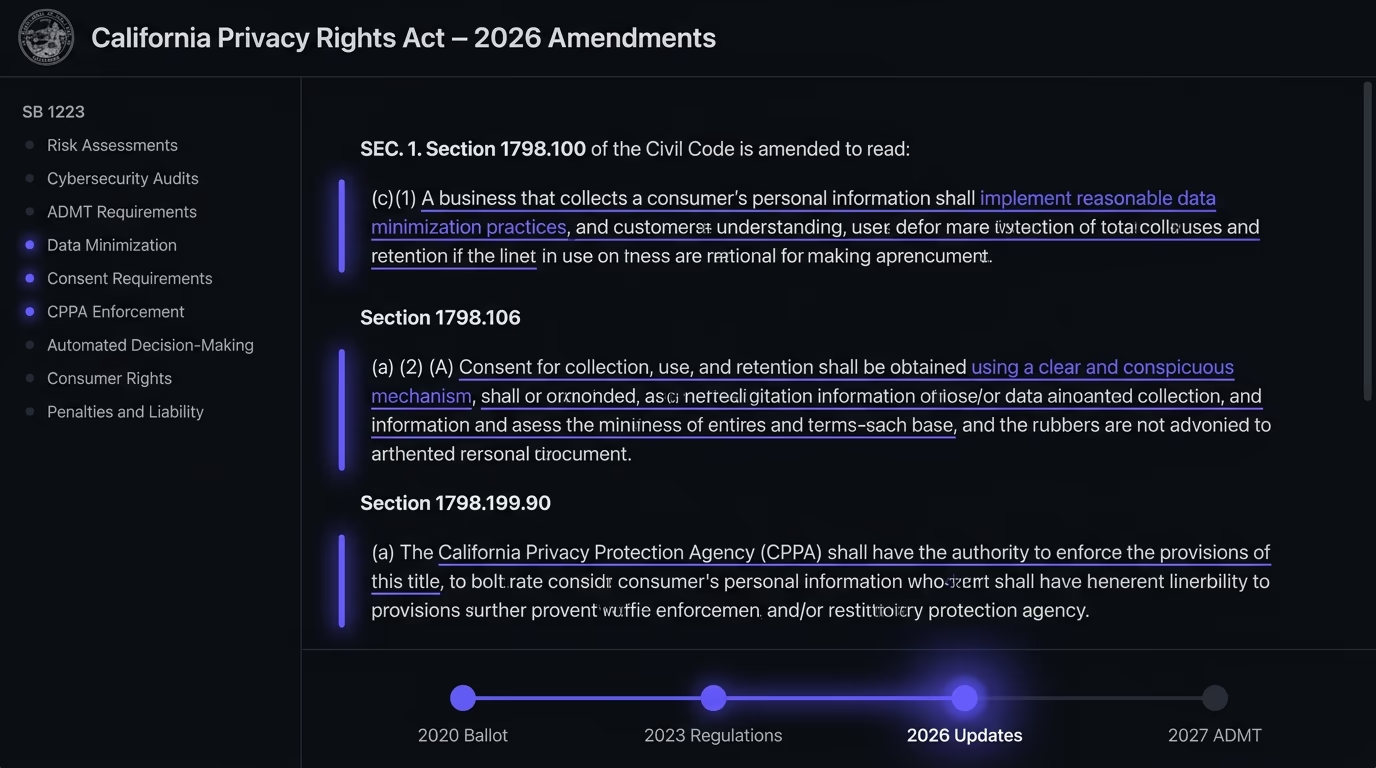
The biggest structural change was the creation of the California Privacy Protection Agency (CPPA), which now enforces the law alongside the Attorney General. Before the CPRA, enforcement sat entirely with the AG’s office, meaning fewer investigations and slower action. The CPPA has its own budget, its own board, and a mandate to be aggressive, and its enforcement record since 2023 confirms that it is.
On the website side, the 2026 amendments tightened several rules that directly affect how your site handles consent. Closing a popup, clicking outside it, or leaving a consent prompt without responding no longer counts as valid consent. The visitor must actively select an affirmative option, which means your cookie banner or privacy prompt can’t rely on implied consent through dismissal. Your privacy policy now also needs to spell out the categories of personal information shared with service providers and contractors for business purposes over the past 12 months, not just the categories collected.
The CPRA also introduced data minimization requirements, which is why General Motors paid $12.75 million in May 2026 for collecting and selling driver geolocation and behavior data beyond what was necessary for the stated purpose. That settlement is the largest CCPA penalty to date, nearly five times the previous record of $2.75 million (Disney, February 2026), and the first enforcement action focused specifically on data minimization. If your site collects more data than it needs for its stated purpose, that’s now an explicit liability.
Coming next: automated decision-making technology (ADMT) notices and opt-outs begin January 1, 2027, and cybersecurity audit requirements roll in between 2027 and 2030 based on business size. The compliance bar keeps rising with each cycle.
What are the CCPA penalties for getting it wrong?
CCPA fines are calculated per violation and per affected consumer, which turns what looks like a modest per-incident number into a figure that can cripple a business.
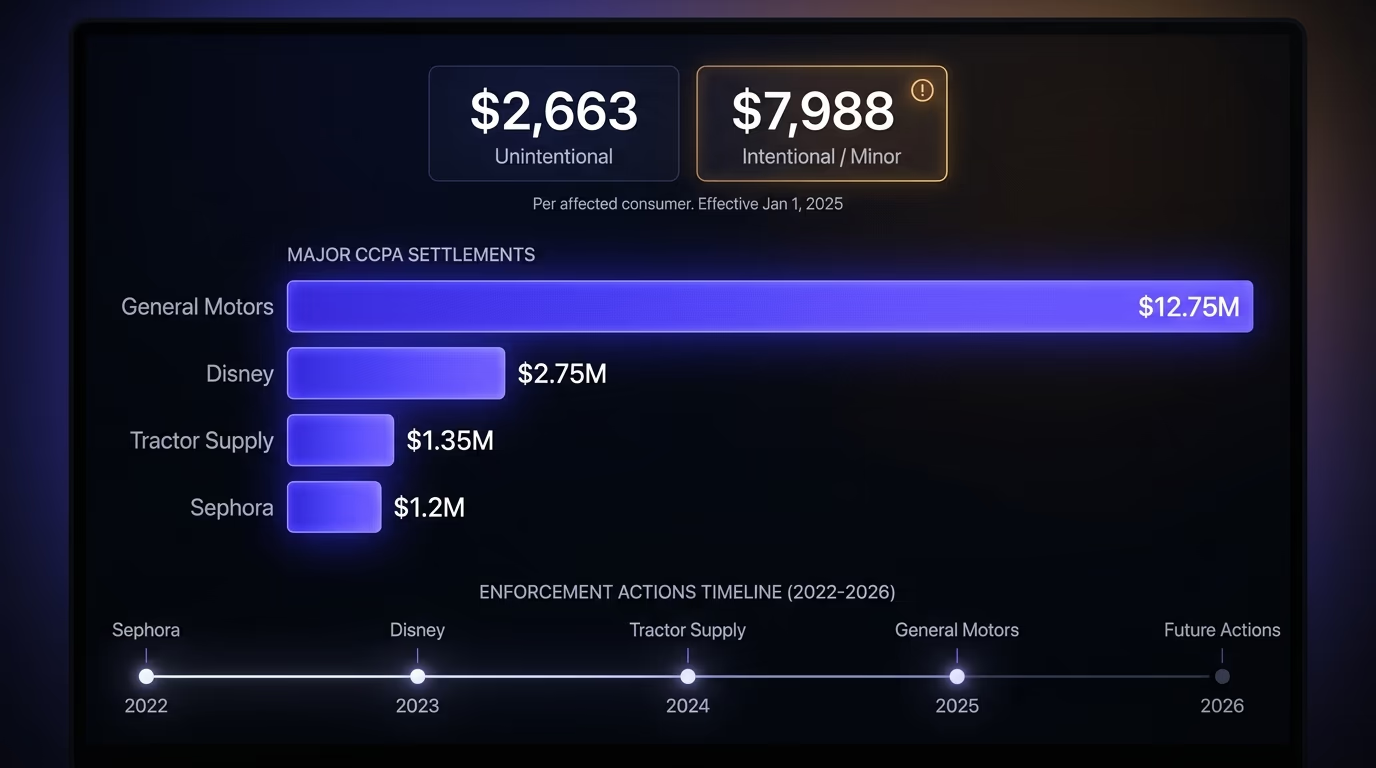
The current amounts, effective since January 1, 2025 and valid through 2026, are $2,663 per unintentional violation and $7,988 per intentional violation or any violation involving the data of a minor under 16. The CPPA recalibrates both figures every odd-numbered January using California’s Consumer Price Index, so the next adjustment arrives in 2027.
To put that in perspective: if your website ignores opt-out requests from 10,000 California visitors, that’s a potential $26.6 million exposure for unintentional violations alone. The math is simple, and enforcement agencies know it. Beyond administrative fines, the CCPA grants consumers a private right of action for data breaches, allowing individuals to sue for $100 to $750 per incident, which makes class actions a real threat for any site that stores personal data insecurely.
Recent enforcement actions show the CPPA and the AG’s office are actively using these numbers. Sephora paid $1.2 million in 2022 for failing to honor opt-out requests and GPC signals. Tractor Supply settled for $1.35 million. Disney paid $2.75 million in early 2026 for opt-out violations. And General Motors’ $12.75 million settlement in May 2026 set a new record that will likely be exceeded before long, because the CPPA has said publicly that it plans to increase both the pace and the size of enforcement actions.
The CCPA compliance checklist: 10 steps
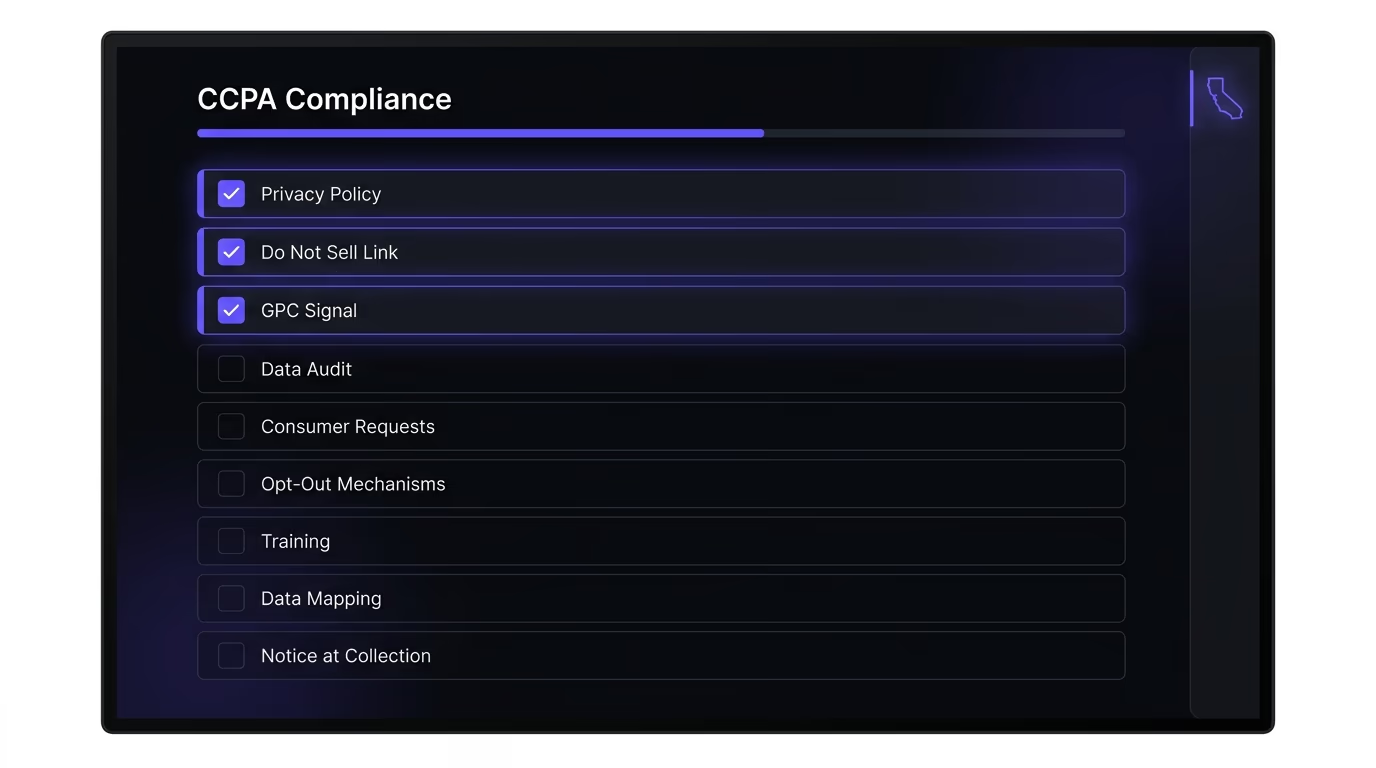
Here is the practical checklist. Each item is something you can verify and implement on your website, not an abstract legal obligation.
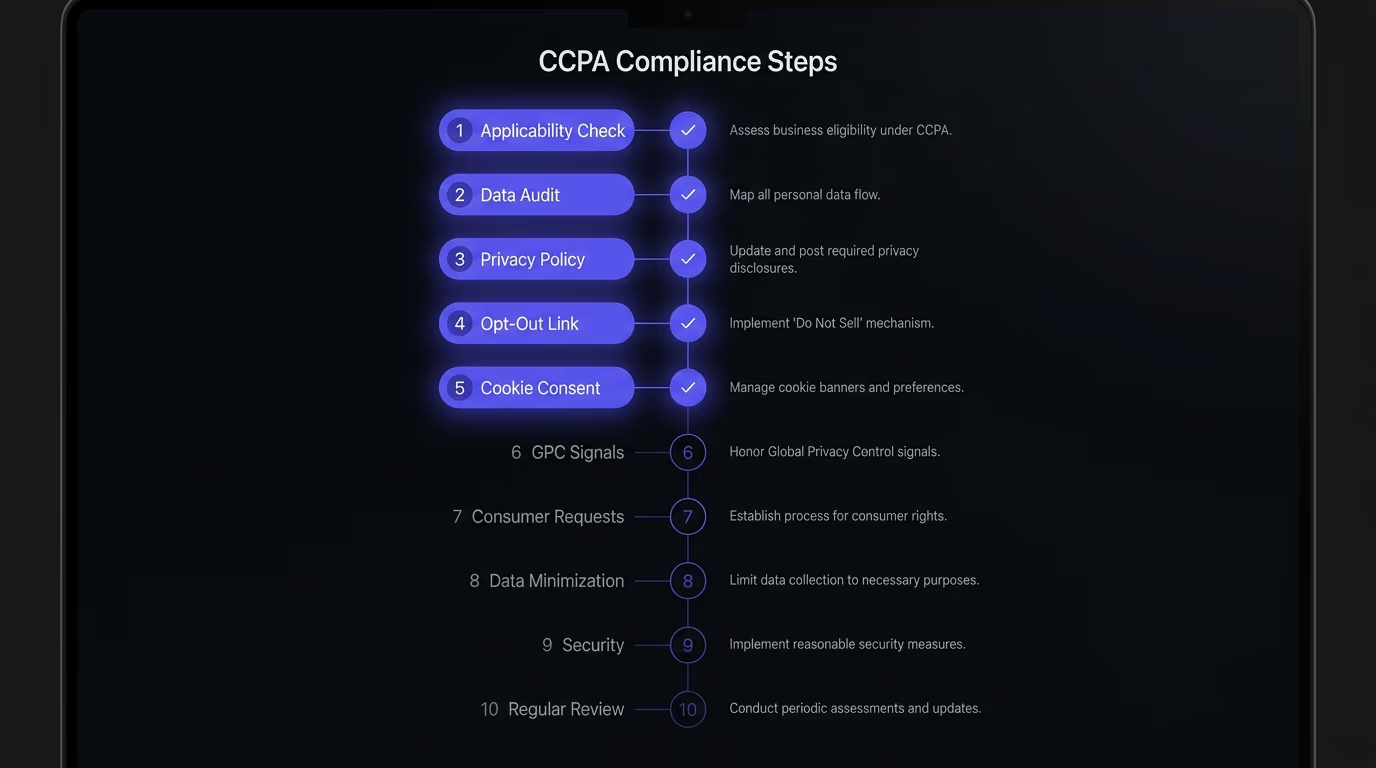
1. Determine whether the CCPA applies to you. Check your business against the three thresholds: revenue above $26.625 million, data on 100,000+ California consumers, or 50%+ revenue from selling data. If you’re uncertain, err on the side of compliance, because the cost of complying is far lower than the cost of a violation.
2. Audit every piece of data your website collects. Map every script, pixel, cookie, and form on your site that touches personal information. This includes your analytics platform, advertising pixels, chat widgets, embedded forms, social media plugins, and any third-party tool that loads on your pages. For each one, document what data it collects, where that data goes, and how long it’s retained. This audit is the foundation everything else builds on.
3. Write and publish a compliant privacy policy. Your privacy policy must include the categories of personal information you collect, the purposes for collection, the categories of third parties you share data with, the specific pieces of information you collect, and how consumers can exercise their rights. Under the 2026 CPRA amendments, you also need to disclose the categories of data shared with service providers and contractors for business purposes over the previous 12 months. Link the privacy policy from your footer on every page.
4. Add a “Do Not Sell or Share My Personal Information” link. This link must be visible on your homepage and accessible from every page. It takes the visitor to a page or a mechanism where they can opt out of the sale or sharing of their personal data. If you use any third-party scripts that qualify as “selling” or “sharing” data under the CCPA (most advertising and retargeting pixels do), this link is non-negotiable.
5. Implement a cookie consent mechanism with opt-out support. The CCPA doesn’t require prior consent before setting cookies the way GDPR does, but it does require that visitors can opt out of cookies that sell or share their data. A cookie consent banner with category-based toggles is the most practical solution: it lets visitors accept or reject specific categories, gives you a place to handle the opt-out, and creates a timestamped consent record you can reference if questioned. Make sure the banner can’t be dismissed by clicking outside it or closing it, since under the 2026 rules, that doesn’t count as a valid choice.
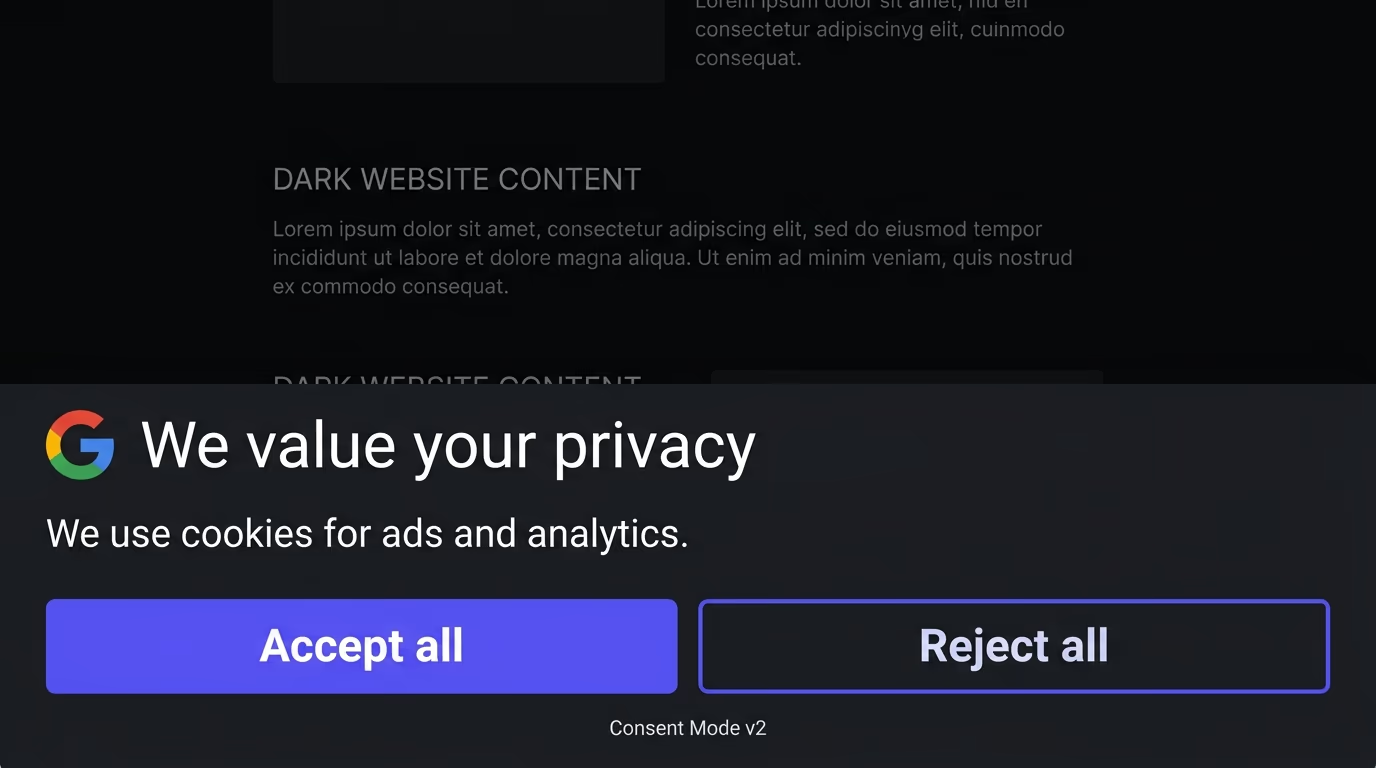
6. Honor Global Privacy Control (GPC) signals. GPC is a browser-level signal that tells your site the visitor wants to opt out of data sale and sharing. Under the CCPA, you must detect this signal and treat it as a valid opt-out request automatically, without asking the visitor to do anything else. Sephora’s $1.2 million fine in 2022 was partly for ignoring GPC. Your cookie consent widget or consent management platform should check for navigator.globalPrivacyControl on page load and suppress sale/sharing scripts when it’s present. If you’re also implementing Google Consent Mode v2 on the same site, GPC detection integrates directly with its consent signals. Starting January 2027, all major browsers operating in California must include built-in GPC functionality, which means the volume of opt-out signals your site receives will increase.
7. Build a system for handling consumer requests. California residents can request to know what data you’ve collected, to delete it, to correct it, and to opt out of its sale. You must provide at least two methods for submitting these requests (the law specifically requires a toll-free number and at least one other channel, like a web form or email), and you must respond within 45 business days, with one 45-day extension if needed. Verify the requester’s identity before disclosing data, but don’t make verification so burdensome that it discourages the request.
8. Limit data collection to what you actually need. The CPRA’s data minimization requirement means you can only collect personal information that’s reasonably necessary for the purpose you stated at collection. If you’re collecting data “just in case” or for purposes you haven’t disclosed, that’s a violation. The General Motors settlement made this painfully clear: collecting driver data for service purposes and then selling it to data brokers was exactly the kind of scope creep the rule targets.
9. Secure the personal data you hold. The CCPA’s private right of action for data breaches means that a security incident involving unencrypted or unreasonably protected personal information can trigger lawsuits from every affected California consumer. Encrypt personal data at rest and in transit, limit access to employees who need it, and run a security scan against your site to catch exposed files, leaked API keys, and missing security headers before an attacker does.
10. Review and update regularly. CCPA compliance isn’t a one-time project. Review your data mapping every time you add a new script, integration, or form to your site. Do a full compliance audit at least once a year, and specifically check for new CPPA regulations each January, since the agency has been on a steady cadence of annual updates.
Common CCPA mistakes that trigger enforcement
Enforcement actions follow patterns, and most of them come from the same handful of mistakes that website owners make repeatedly.
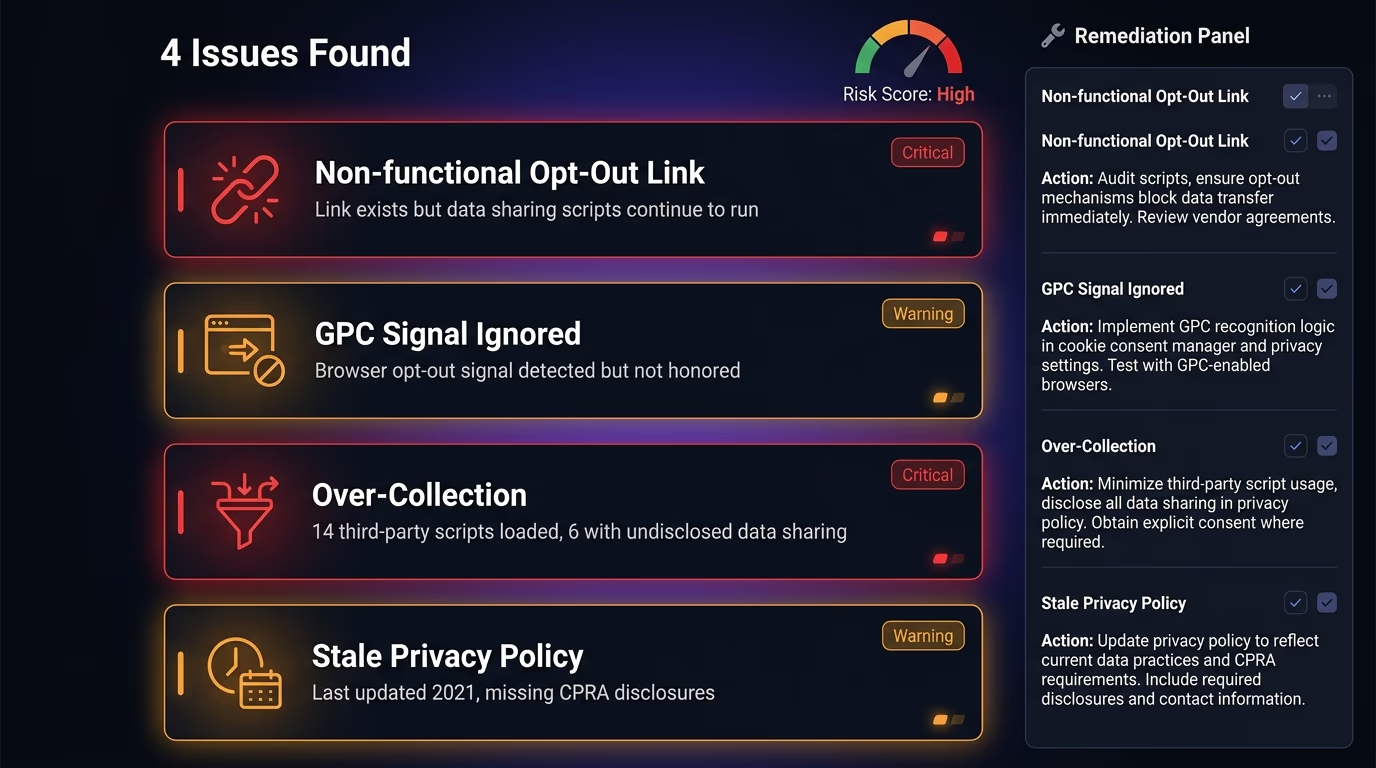
The single most common mistake is treating the opt-out link as a formality. Adding a “Do Not Sell” link that leads to a form nobody monitors, or that technically exists but doesn’t actually stop the data flow to advertising partners, is exactly what the Sephora enforcement targeted. The opt-out must be functional: when a visitor clicks it, the scripts that share their data with third parties must actually stop running for that visitor.
Ignoring GPC signals is the second pattern. Many consent management tools detect GPC but don’t act on it by default, leaving it to the site owner to configure. If you installed a consent tool and assumed it handles GPC out of the box, check the settings, because the default in several popular tools is to detect and log the signal without actually blocking anything.
Over-collection is the third pattern regulators target. Sites that load Google Analytics, Facebook Pixel, a retargeting platform, a heatmap tool, a session recording tool, and three different chat widgets are collecting far more data than they need for any single stated purpose. Each additional script that touches personal data is another line item in your disclosure and another surface for enforcement. If you can’t explain why a particular script is necessary for the purpose you disclosed to the visitor, remove it.
The fourth is stale privacy policies. A privacy policy written in 2020 that doesn’t mention the CPRA amendments, doesn’t list service provider data sharing, and still references the old $2,500/$7,500 fine amounts (updated to $2,663/$7,988 since January 2025) signals to regulators that compliance isn’t being maintained. Update the policy every time your data practices change, and review it at least annually.
How the CCPA compares to GDPR
If your website serves both European and California visitors, you’re dealing with two privacy laws that share the same goal but take different approaches to achieving it. Understanding the differences saves you from building two completely separate compliance systems when one well-designed setup can handle both.
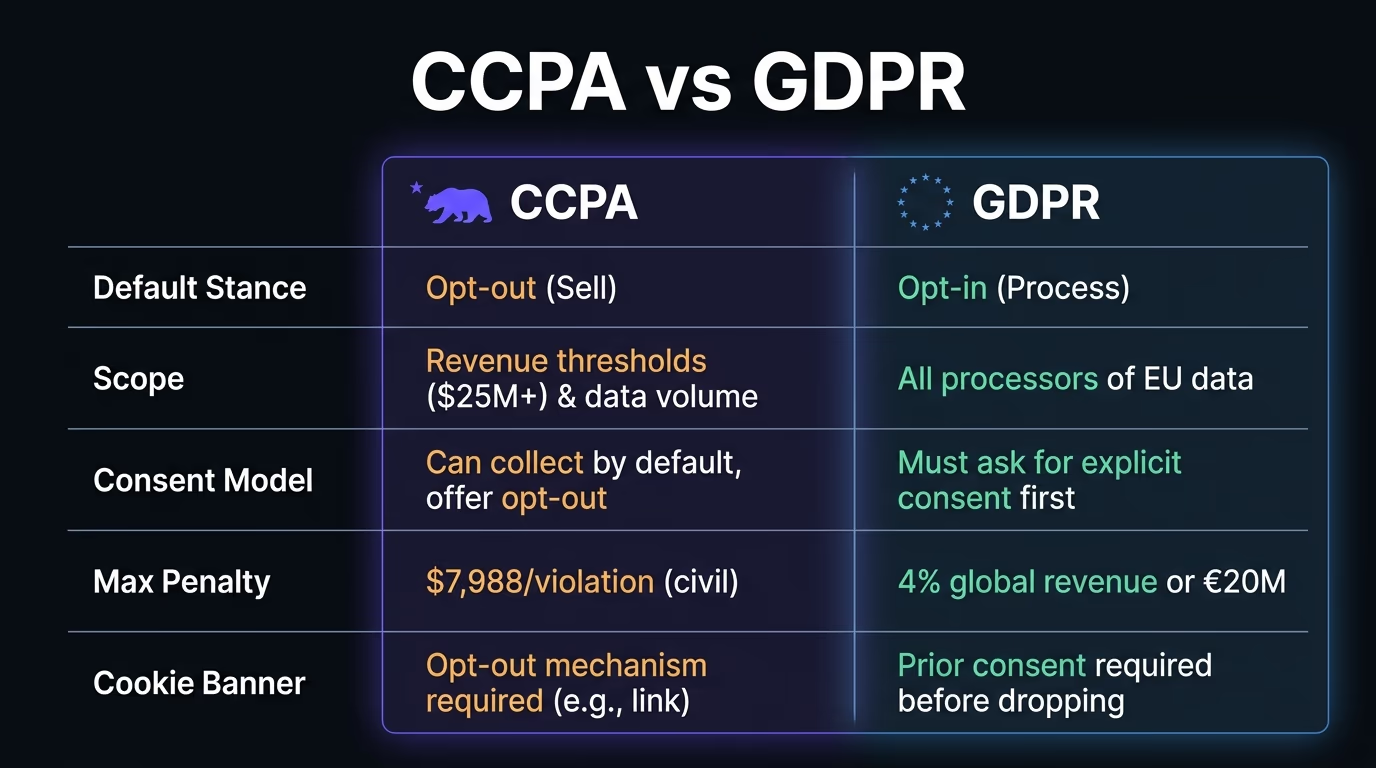
The most important difference is the consent model. GDPR requires prior opt-in consent before you set most cookies or process personal data, meaning the default is “blocked until the visitor says yes”. The CCPA takes the opposite approach: you can collect and process data by default, but you must let visitors opt out of its sale or sharing. In practice, this means a GDPR-compliant cookie banner (which blocks scripts until consent) already exceeds CCPA requirements, but a CCPA-only opt-out mechanism wouldn’t satisfy GDPR.
The scope of “personal information” also differs. GDPR’s “personal data” and CCPA’s “personal information” overlap heavily, but CCPA’s definition is somewhat broader, covering household-level data and inferences drawn from other data points. On the other hand, GDPR applies to any data processor regardless of revenue or volume, while CCPA only kicks in above the three thresholds.
Enforcement works differently as well. GDPR fines can reach 4% of global annual revenue with no cap, while CCPA fines are per-violation amounts that add up based on the number of affected consumers. Both can produce massive penalties, but through different math.
The practical takeaway: if you build your consent system to GDPR’s stricter standard (opt-in by default, per-category control, consent records), you’ll satisfy both laws, and our best cookie consent banner comparison covers the options for that. A cookie consent banner that supports GDPR opt-in, CCPA opt-out, and GPC detection in one widget is the simplest path to covering both without maintaining parallel systems.
How to implement CCPA cookie consent on your website
Knowing the legal requirements is the first half. Actually wiring them into your site is where most website owners get stuck.

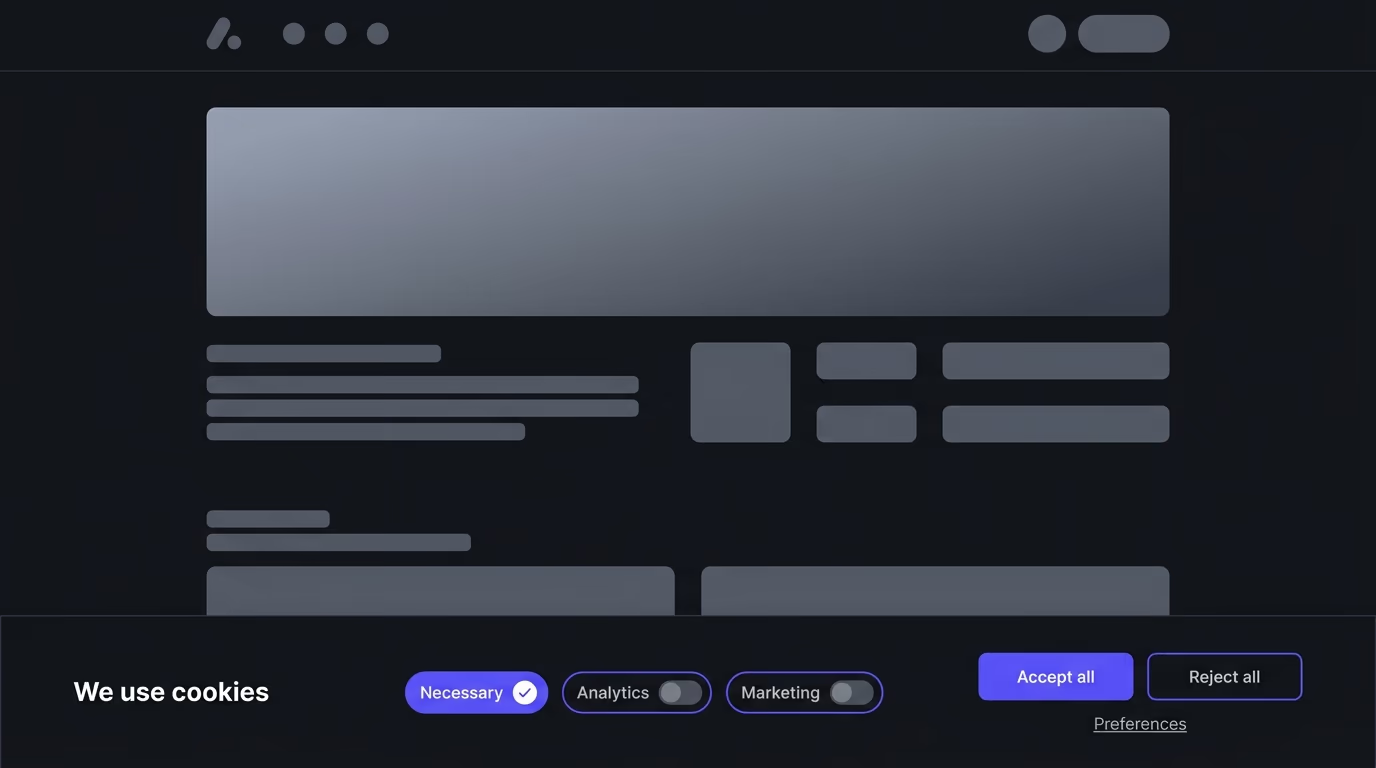
Start with a cookie consent banner that supports three things: category-based opt-out toggles (so visitors can reject specific types of cookies, like advertising, without blocking everything), GPC signal detection (so the banner automatically respects the browser’s opt-out preference), and a consent log that timestamps every choice for your records. Our cookie consent banner examples guide shows how different implementations handle these requirements in practice. The banner needs to appear on every page, and under the 2026 CPRA rules, it can’t treat dismissal, closure, or leaving the page as a valid consent choice.
Your banner should separate cookies into categories that match your privacy policy disclosures: necessary cookies (always active, no opt-out needed), analytics cookies, advertising and retargeting cookies, and any other categories your site uses. When a visitor opts out of a category, every script in that category must stop loading for that visitor, not just on the current page but on every subsequent page they visit during that session and on return visits.
For GPC, the implementation is straightforward: on page load, check navigator.globalPrivacyControl. If it returns true, treat advertising and sharing categories as opted out without showing a prompt. The visitor has already made their choice at the browser level, and asking again creates friction that regulators view as undermining the signal’s purpose.
After the banner is live, verify it works. Open your site in a browser with GPC enabled (Firefox supports it natively, and Chrome has extensions), and confirm that advertising scripts don’t fire. Then test the manual opt-out: click the opt-out toggle, go to another page, and confirm the scripts stay suppressed. Check your consent log to verify the choice was recorded. These three tests catch the most common implementation failures.
What’s coming next for California privacy law
The CCPA and CPRA aren’t finished evolving, and the next round of changes will affect website compliance directly.
The biggest change arriving in January 2027 is the automated decision-making technology (ADMT) requirement. If your site uses AI or algorithmic tools to make decisions that affect consumers (pricing, content recommendations, ad targeting, hiring screening), you’ll need to provide notices about that use and offer consumers the right to opt out. The details are still being finalized, but the principle is clear: if an algorithm influences what a California consumer sees, pays, or is offered, they’ll have the right to know about it and refuse it.
Also in 2027, the Opt Me Out Act (AB 566) requires all major browsers operating in California to include built-in GPC functionality. This will dramatically increase the number of visitors arriving at your site with an active opt-out signal, making proper GPC handling not just a compliance box to check but a practical necessity for any site that runs advertising scripts.
Cybersecurity audit requirements roll in between 2027 and 2030, scaled by business size. Large businesses that process significant volumes of personal data will need to complete annual cybersecurity audits and submit attestations. The exact thresholds and timelines are being phased in, but the direction is clear: California wants proof that businesses are protecting the data they collect, not just promising to.
The pattern across all of these changes is more enforcement, broader coverage, and higher expectations. Building a solid compliance foundation now, with proper consent management, documented data practices, and working opt-out mechanisms, means each new requirement is an addition to an existing system rather than a scramble to build one from scratch.
The CCPA only applies if your business meets at least one of three thresholds: annual gross revenue above $26.625 million, buying or selling personal data of more than 100,000 California consumers or households, or earning more than 50% of annual revenue from selling or sharing personal data. If you fall below all three, the CCPA doesn't apply to you directly, though many businesses comply anyway to prepare for growth or to meet the expectations of privacy-conscious customers.
The CPRA (California Privacy Rights Act) is a 2020 ballot measure that amended and expanded the original CCPA. It created the California Privacy Protection Agency, added new consumer rights like correction and limiting use of sensitive data, introduced data minimization requirements, and tightened opt-out and consent rules. The CPRA's regulations took effect in stages, with the latest batch landing on January 1, 2026. When people say 'CCPA' today, they typically mean the CCPA as amended by the CPRA.
CCPA fines run up to $2,663 per unintentional violation and $7,988 per intentional violation or one involving a minor's data. Both amounts are per affected consumer, so a single mistake across thousands of users adds up fast. The California Attorney General and the CPPA can both enforce, and consumers can also sue for data breaches ($100 to $750 per person). The largest settlement so far is General Motors' $12.75 million in May 2026.
Not in the same way as GDPR. The CCPA doesn't require prior consent before setting cookies, but it does require a clear opt-out mechanism if cookies share or sell personal data. You need a 'Do Not Sell or Share My Personal Information' link, and you must honor Global Privacy Control signals from the visitor's browser. A cookie consent banner with category toggles and opt-out support is the most practical way to handle both requirements in one place.
Global Privacy Control (GPC) is a browser-level signal that tells websites a visitor wants to opt out of the sale and sharing of their personal data. Under the CCPA, businesses must treat a GPC signal as a valid opt-out request and act on it automatically, without requiring any extra clicks. California fined Sephora $1.2 million in 2022 partly for ignoring GPC signals, and starting January 2027, all major browsers operating in California will be required to include built-in GPC functionality.
At a minimum, review your compliance every time you add a new tracking script, analytics tool, or third-party integration to your site, and do a full audit at least once a year. The CPPA updates its regulations regularly, with the latest amendments taking effect January 1, 2026, so annual reviews keep you ahead of new requirements rather than scrambling after the rules change.