Cookie Security Flags: HttpOnly, Secure, SameSite
Cookie security comes down to three flags: HttpOnly, Secure, SameSite. See what each does, the config for every framework, and how to test your cookies.

Cookie security is the practice of setting the right attributes on your cookies so a browser refuses to leak them, expose them to scripts, or send them to the wrong site. Three flags carry most of the weight. HttpOnly keeps JavaScript from reading a cookie, Secure stops it from traveling over plain HTTP, and SameSite controls whether it rides along on cross-site requests. Get those three right on your session cookie and you close off the most common ways a logged-in session gets stolen.
The reason this needs its own guide in 2026 is that a lot of new code sets cookies with none of these flags. AI coding tools write a working login in seconds, but they reach for the shortest Set-Cookie that authenticates a user, which usually means no HttpOnly, no Secure, and no SameSite. This article covers what each attribute does, the config for every common framework, the __Host- prefix and Partitioned cookies, and how to check your live site in a minute.
What is cookie security and why do cookies get attacked?
Cookie security matters because a cookie usually holds the one thing an attacker wants most, which is your logged-in session. When you sign in, the server hands your browser a session cookie that proves who you are on every request that follows, so anyone who copies that cookie becomes you without ever needing your password. The attributes on that cookie aren’t a nice-to-have, they are the lock on the door.
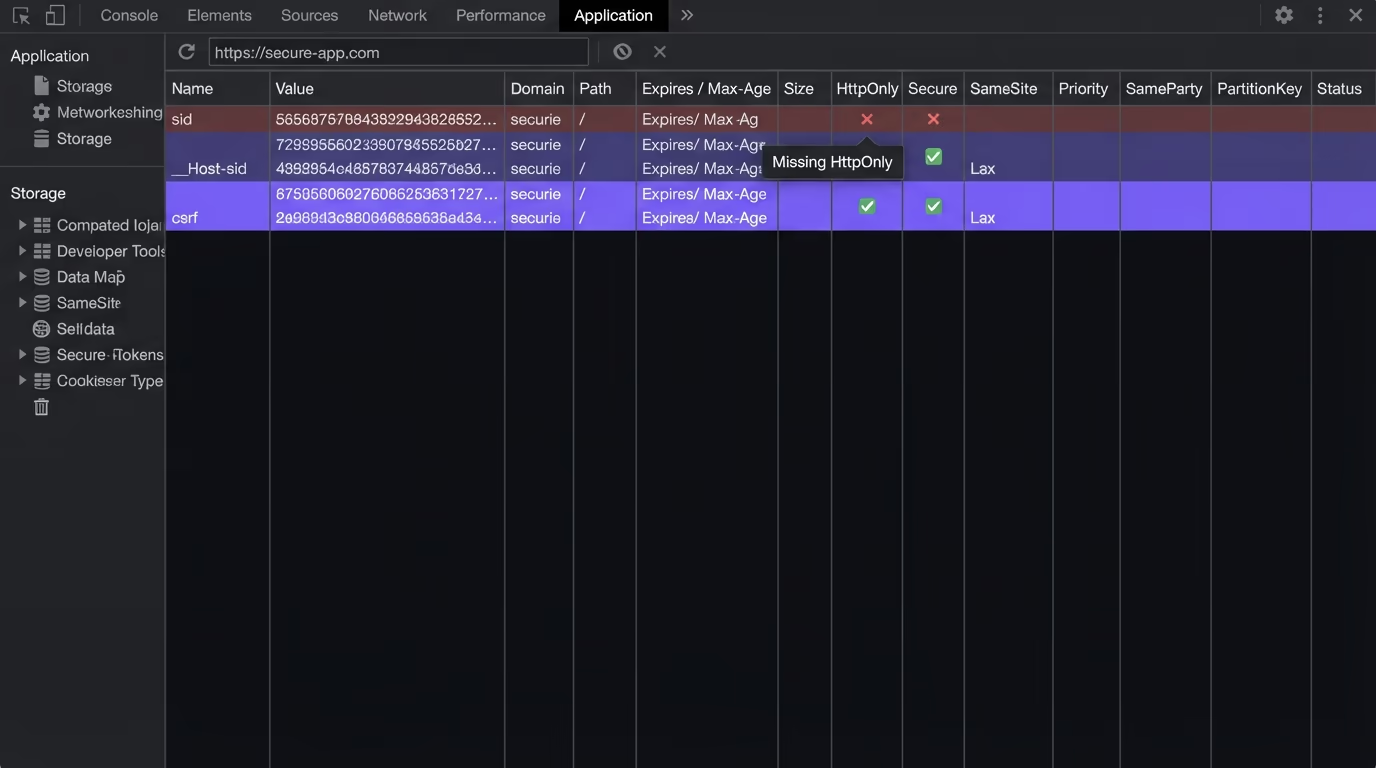
There are three main ways a session cookie gets stolen, and each attribute below defends against one of them. A cross-site scripting bug lets an attacker’s JavaScript run on your page and read document.cookie, which hands over every cookie that scripts can see. An unencrypted connection lets someone on the same network read a cookie as it travels in plain text, the classic coffee-shop Wi-Fi attack. And a cross-site request forgery tricks a victim’s browser into sending a request to your site with their existing cookie attached, so the server treats a forged action as genuine. Once an attacker holds a valid session cookie, the takeover is complete, and our guide to session hijacking walks through how that plays out end to end.
The fix for all three isn’t one silver bullet, it’s a small set of flags on the Set-Cookie header. The browser enforces them for you, so a correctly configured cookie is protected without any extra code on your side. That’s why cookie security is a configuration problem more than a coding one, and why it’s so easy to get wrong when a tool sets the cookie for you and skips the flags.
What do the HttpOnly, Secure, and SameSite flags do?
The HttpOnly, Secure, and SameSite flags each block a different attack, and a session cookie should carry all three. HttpOnly tells the browser that scripts can’t read the cookie, so document.cookie returns nothing for it. Secure tells the browser to send the cookie only over an HTTPS connection. SameSite tells the browser whether the cookie may travel on requests that start from another website.
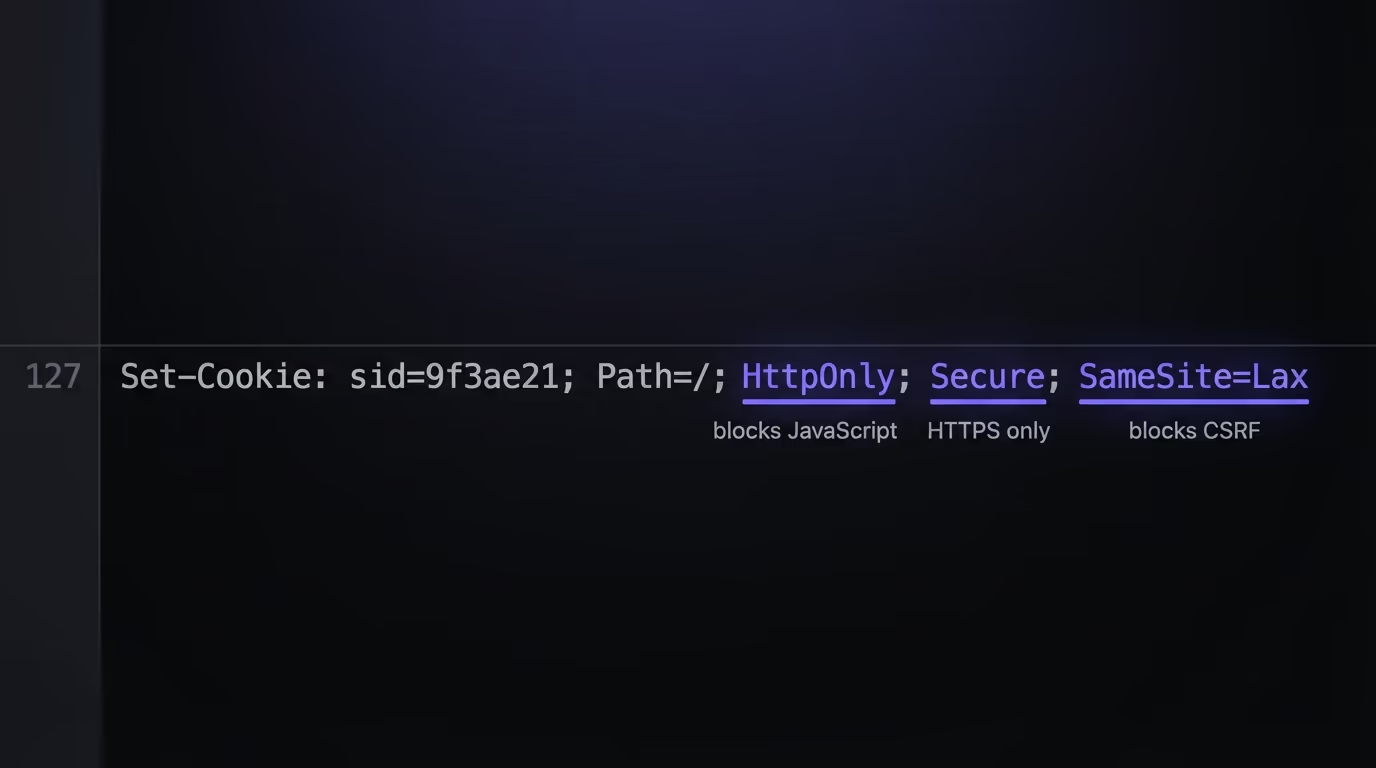
HttpOnly is the one that limits the damage of an XSS bug. If an attacker injects a script into your page, HttpOnly means that script still can’t read the session cookie, so it can’t copy the token and log in as the victim from another machine. The XSS is still a problem you need to fix, but HttpOnly keeps it from becoming a full account takeover. Any cookie your front-end JavaScript doesn’t need to read should have HttpOnly set, and a session token always qualifies.
Secure is the simplest of the three and the easiest to forget. With it set, the browser refuses to attach the cookie to any plain http:// request, so it can never be sniffed off an unencrypted connection. The catch is local development: browsers treat http://localhost as a secure context, so a Secure cookie works fine on your machine without HTTPS, and the missing flag only bites once real traffic hits production. A raw Set-Cookie for a fully protected session cookie looks like this:
Set-Cookie: sid=9f3a...e21; Path=/; HttpOnly; Secure; SameSite=LaxSameSite is the CSRF defense, and modern browsers now treat a cookie with no SameSite attribute as Lax by default, a change Chrome shipped in 2020 and other browsers followed. That default blocks most cross-site POST attacks, but a value you set yourself is clearer than one you inherit, and each of the three values fits a different kind of cookie, so it’s worth picking one on purpose.
SameSite Strict vs Lax vs None: which one should you use?
Use Lax for most session cookies, Strict for the most sensitive ones, and None only when a cookie genuinely needs to work inside a third-party context. The three values control one thing: whether the browser attaches the cookie to a request that started from a different site. The stricter the value, the fewer cross-site situations the cookie shows up in, which is safer but occasionally breaks a real user flow.
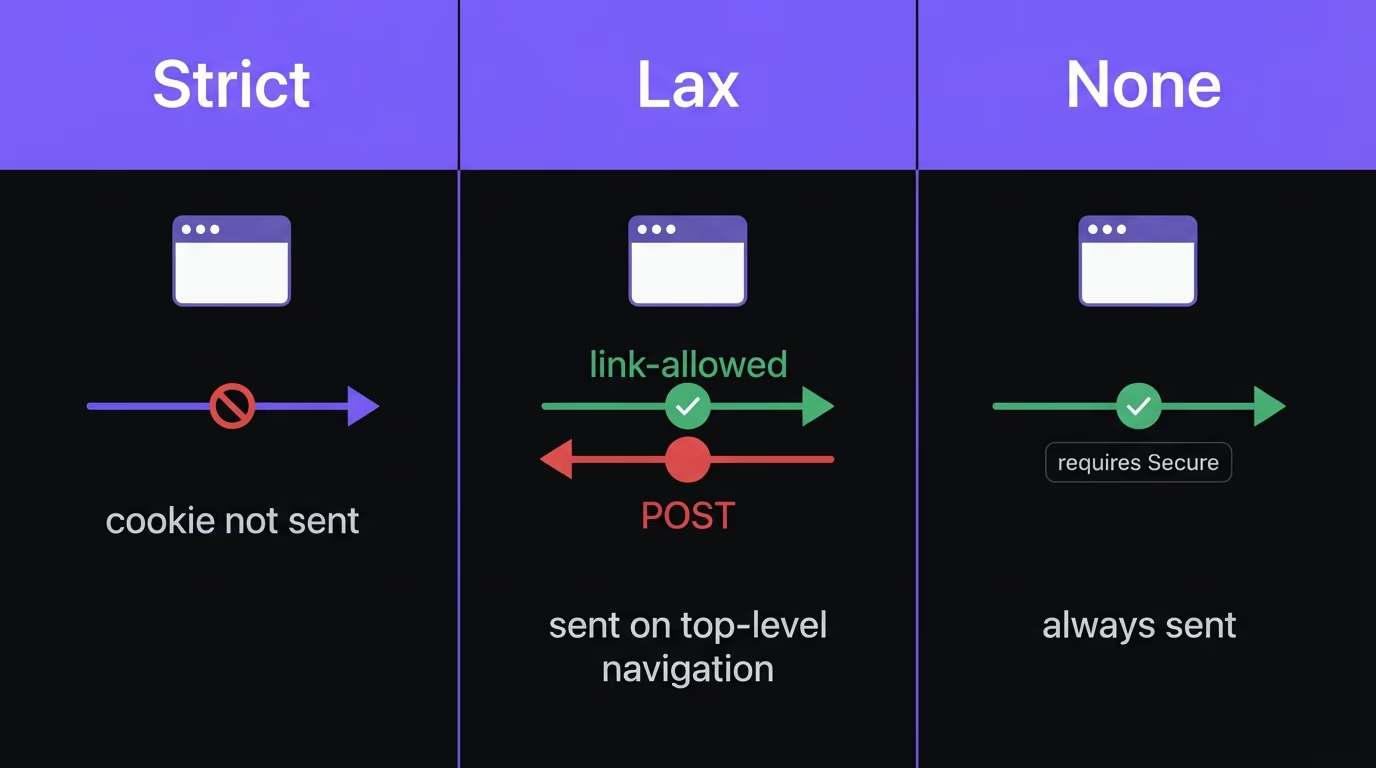
Here is how the three values behave and where each one fits:
| SameSite value | Sent on cross-site requests | Best for |
|---|---|---|
| Strict | Never, not even on a link click from another site | High-value cookies where no cross-site entry is ever needed |
| Lax | Only on top-level navigation, like clicking a link | Most session and auth cookies, the safe default |
| None | Always, but the browser requires Secure to be set too | Cookies a legitimate third-party embed needs across sites |
The trap with Strict is that it feels like the obvious choice until you watch a user click a password-reset link in their email and land on your site logged out, because the cookie refused to travel from the email client’s domain. That’s correct behavior for Strict, and it’s why Lax is the practical default for authentication: it blocks the silent cross-site POST that CSRF relies on while still letting a normal top-level navigation carry the cookie. The trap with None is that the browser will reject it outright unless you also set Secure, so SameSite=None without Secure produces a cookie that simply doesn’t get stored. If you set None, you’re opting a cookie into cross-site use on purpose, so only do it for something like an embedded widget that has a real reason to work on other domains.
Why do browsers say cookies without SameSite must be Secure?
“Cookies without SameSite must be Secure” is a browser rule: any cookie sent with SameSite=None is rejected unless it also carries the Secure attribute. The phrase is the name of a Chrome flag, cookies-without-same-site-must-be-secure, that Google used to roll the change out in 2020, and it still shows up in console warnings and security scanner reports when a cookie asks for cross-site use without being marked Secure.
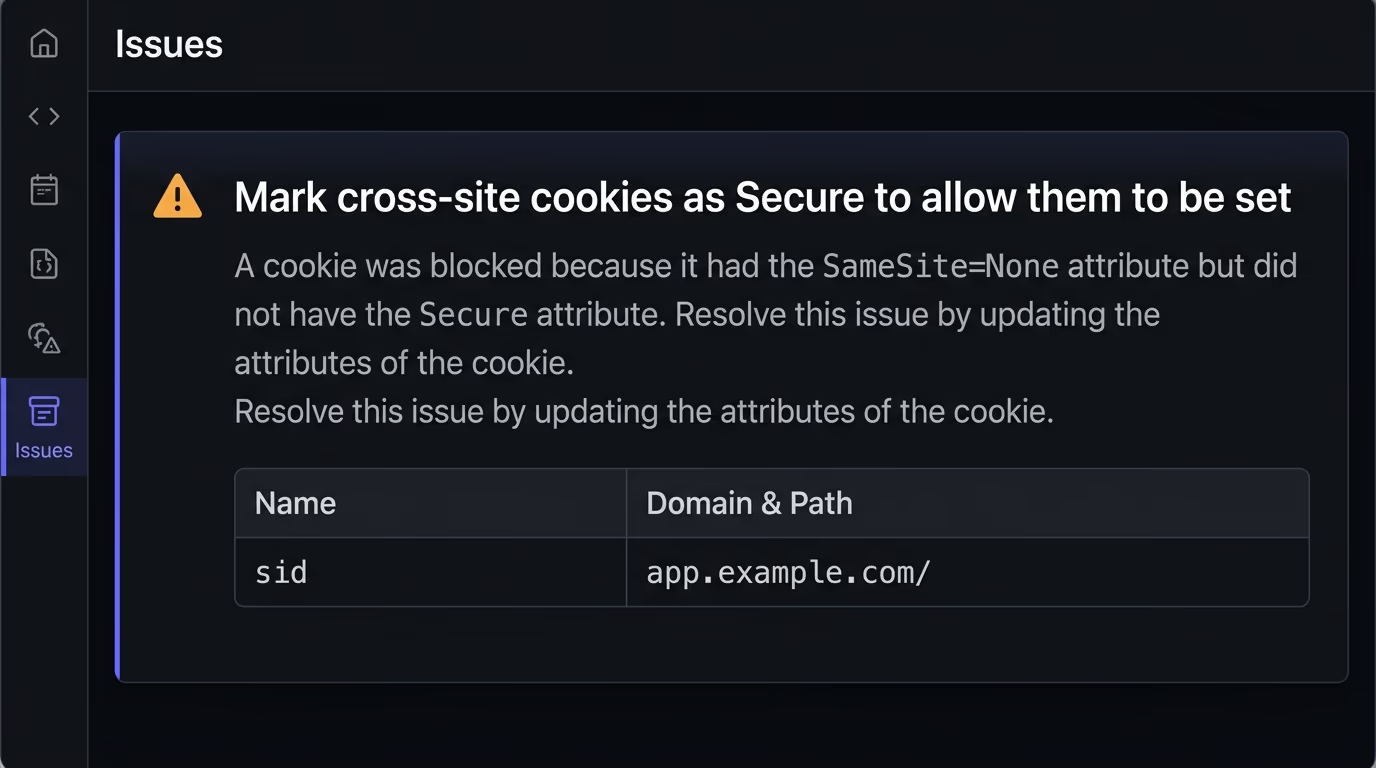
The wording throws people off, because a cookie with no SameSite attribute at all is fine: browsers default a missing SameSite to Lax, so a first-party session cookie keeps working either way. The rule bites one case, a cookie that opts into cross-site use with SameSite=None and forgets Secure, and the browser then refuses to store it over plain HTTP, so the login or embed that relies on it breaks in production while it worked locally.
The fix depends on the cookie. If it genuinely needs to travel between sites, set both attributes together as SameSite=None; Secure over HTTPS. If it’s a normal first-party session or CSRF cookie, you don’t need None at all: let it default to Lax or set SameSite=Lax yourself, add Secure, and the warning clears with a safer cookie. A scan that reads each Set-Cookie header catches every SameSite=None missing Secure across the pages a manual check would skip.
What are the __Host- and __Secure- cookie prefixes?
The __Host- and __Secure- prefixes are special cookie name prefixes that tell the browser to enforce a stricter set of rules, and they close a gap the three flags leave open. A prefix isn’t an attribute you add, it’s built into the cookie’s name, and the browser refuses to accept the cookie at all unless it meets the prefix’s requirements. That refusal is the point: it stops a weaker cookie from silently overwriting a strong one.
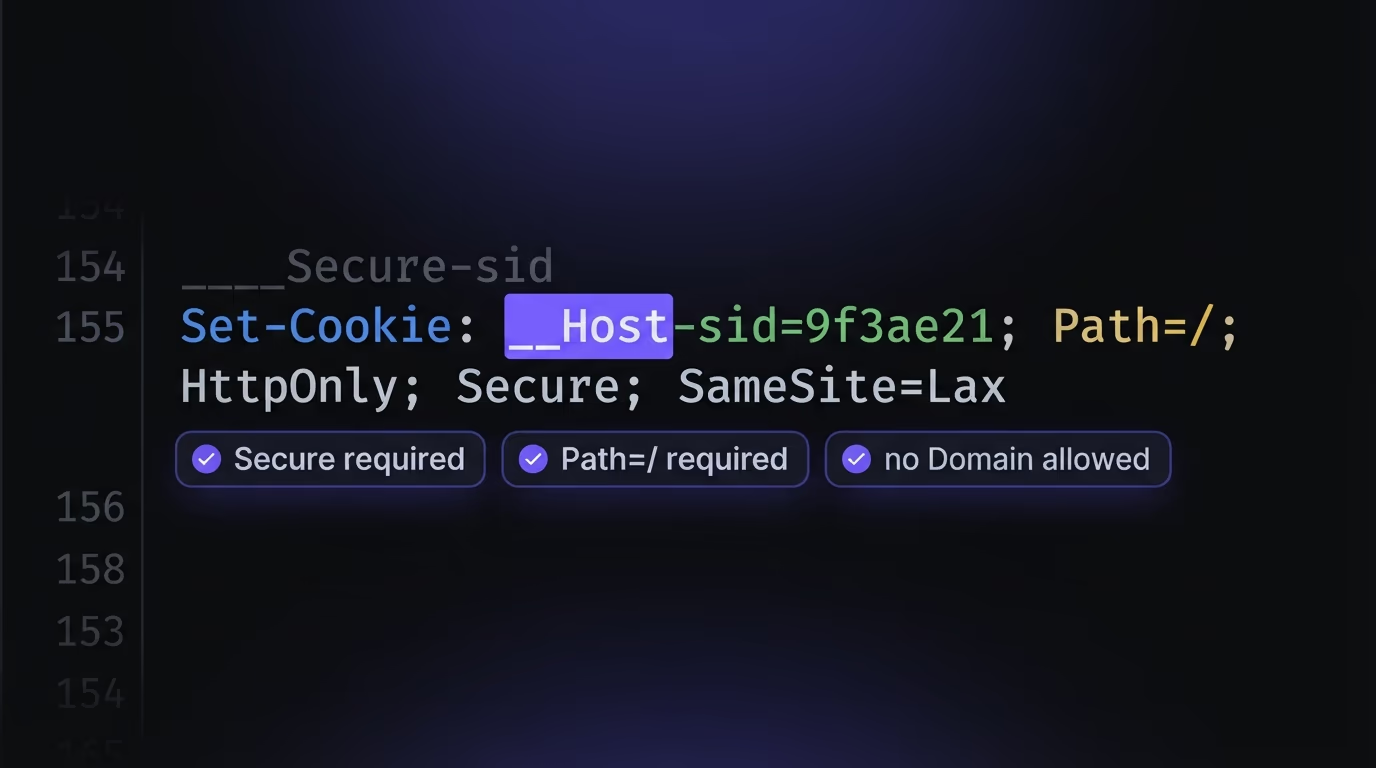
The __Secure- prefix requires that the cookie is set with the Secure flag and over an HTTPS connection. The __Host- prefix is stricter still: it requires Secure, requires Path=/, and forbids the Domain attribute entirely, which locks the cookie to the exact host that set it and blocks any subdomain from writing it. That last rule matters more than it sounds. Without it, a compromised or attacker-controlled subdomain can set a cookie that your main domain then reads, an attack called cookie tossing or session fixation through subdomains. A __Host- cookie can’t be planted that way. A hardened session cookie using the prefix looks like this:
Set-Cookie: __Host-sid=9f3a...e21; Path=/; HttpOnly; Secure; SameSite=LaxThe reason so few sites use prefixes is that almost no tutorial shows them, and AI coding tools never add them on their own. They cost nothing and need no library, yet they turn a naming convention into a browser-enforced guarantee. For any first-party session or CSRF cookie that doesn’t need sharing across subdomains, __Host- is close to free security, and a clear signal that whoever set the cookie thought about it rather than copying the first snippet that worked.
How do you set secure cookies in Express, Next.js, Django and PHP?
Every major framework lets you set HttpOnly, Secure, and SameSite in one place, usually a config object or a settings file, and the safest move is to set them globally rather than per cookie. The syntax differs, but the attributes are the same everywhere, so mapping a hardened cookie to your stack takes a minute.
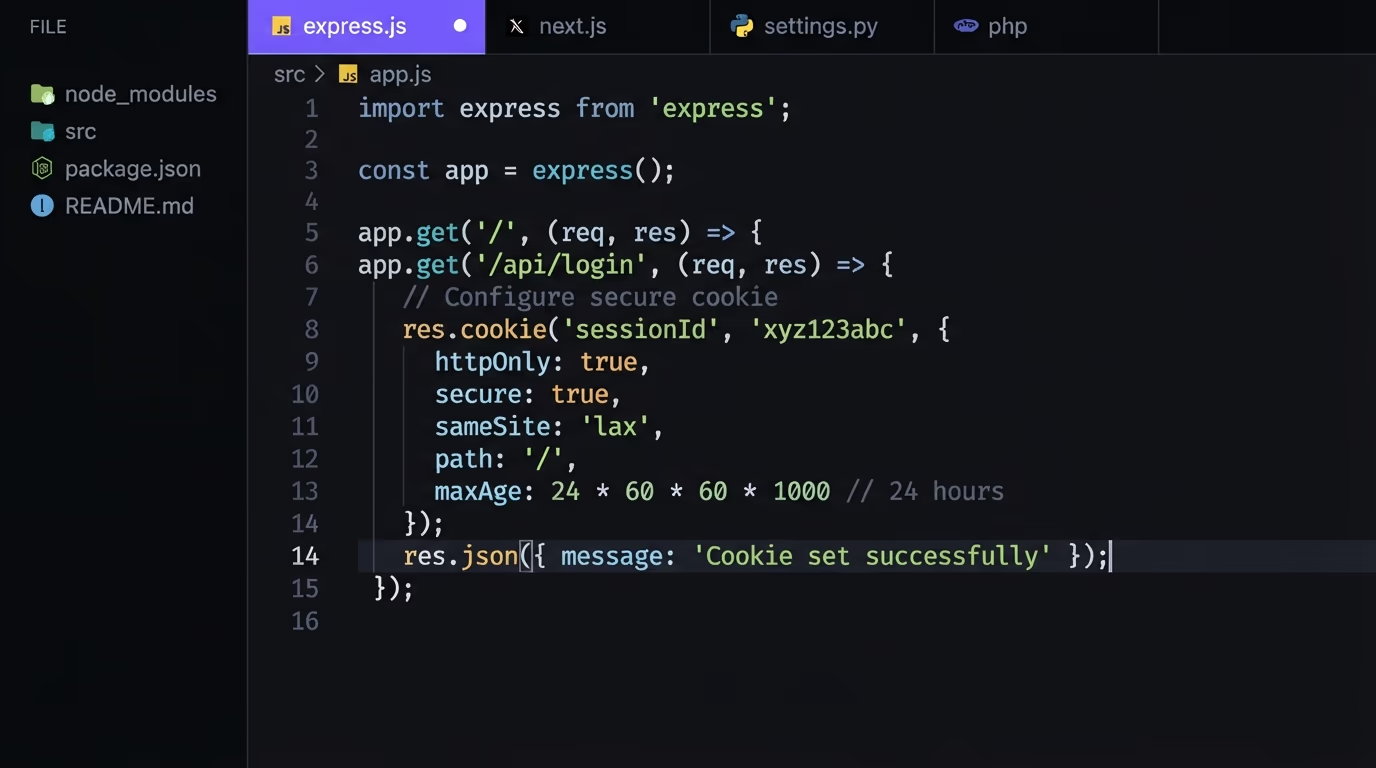
In Express, pass the options object to res.cookie, or set them on the session middleware so every session cookie inherits them:
res.cookie("sid", token, {
  httpOnly: true,
  secure: true,
  sameSite: "lax",
  path: "/",
  maxAge: 1000 * 60 * 60 * 8,
});
In Next.js with the App Router, the cookies() helper from next/headers takes the same options, so a server action or route handler can set a protected cookie directly:
import { cookies } from "next/headers";

cookies().set("__Host-sid", token, {
  httpOnly: true,
  secure: true,
  sameSite: "lax",
  path: "/",
});
Django sets cookie security in settings.py, and it already defaults SESSION_COOKIE_HTTPONLY to True, so the ones you need to turn on are SESSION_COOKIE_SECURE = True, SESSION_COOKIE_SAMESITE = "Lax", and the matching CSRF_COOKIE_SECURE = True. Flask uses the same names on app.config. PHP takes an options array on setcookie, and you can enforce it for the session cookie in php.ini with session.cookie_secure = 1, session.cookie_httponly = 1, and session.cookie_samesite = "Lax":
setcookie("sid", $token, [
  "expires" => time() + 28800,
  "path" => "/",
  "secure" => true,
  "httponly" => true,
  "samesite" => "Lax",
]);
Laravel handles all of this in config/session.php through the secure, http_only, and same_site keys, and it reads secure from an environment variable so you can force HTTPS cookies in production without touching code. The pattern across every framework is the same: find the one config surface that owns cookies and set the three flags there once.
What cookie mistakes does AI-generated code make?
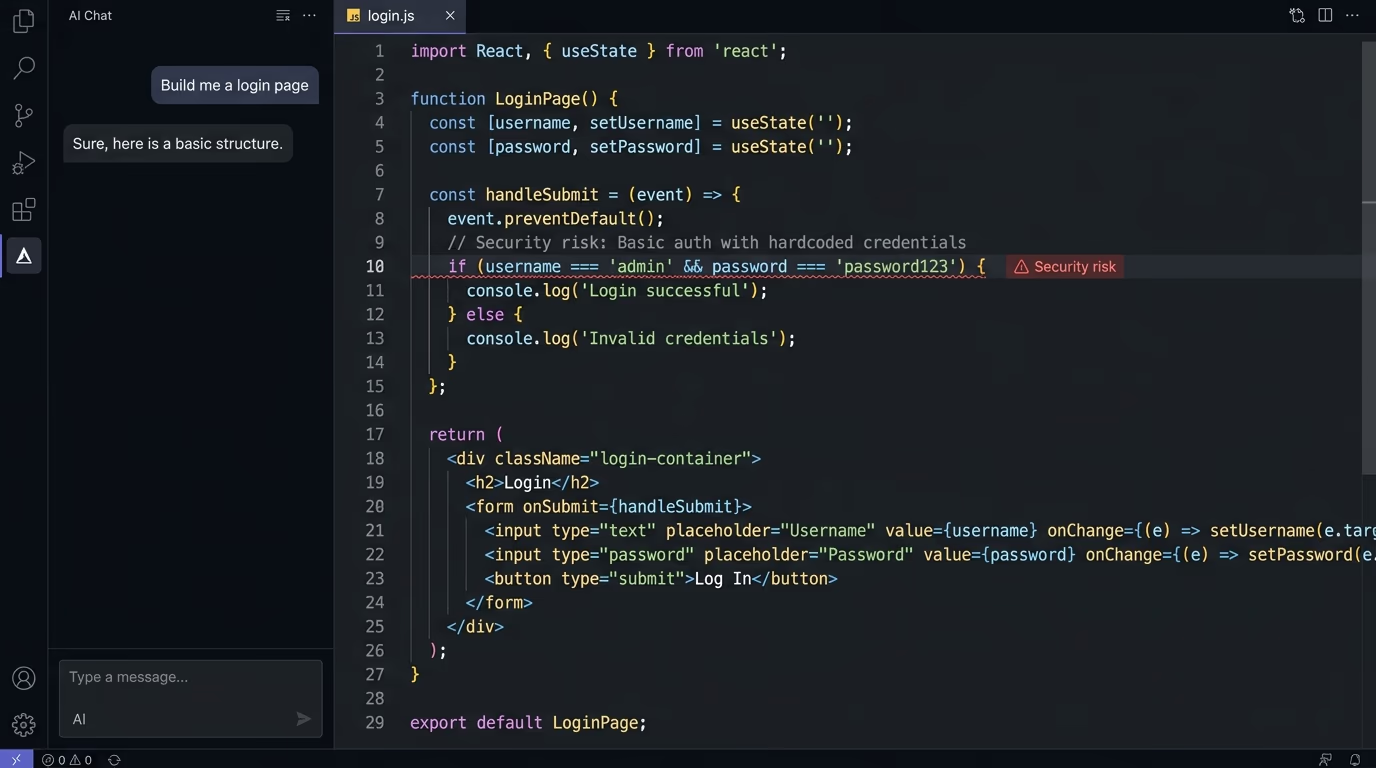
AI coding tools set cookies that work but skip almost every security attribute, because the shortest code that logs a user in is a bare Set-Cookie with no flags. When you ask a tool to build authentication, it stores a token, reads it back, passes the demo, and ships. The flags that protect that token rarely appear unless your prompt asks for them by name, which is why vibe-coded apps carry insecure cookies far more often than apps written by someone who’s been burned once.
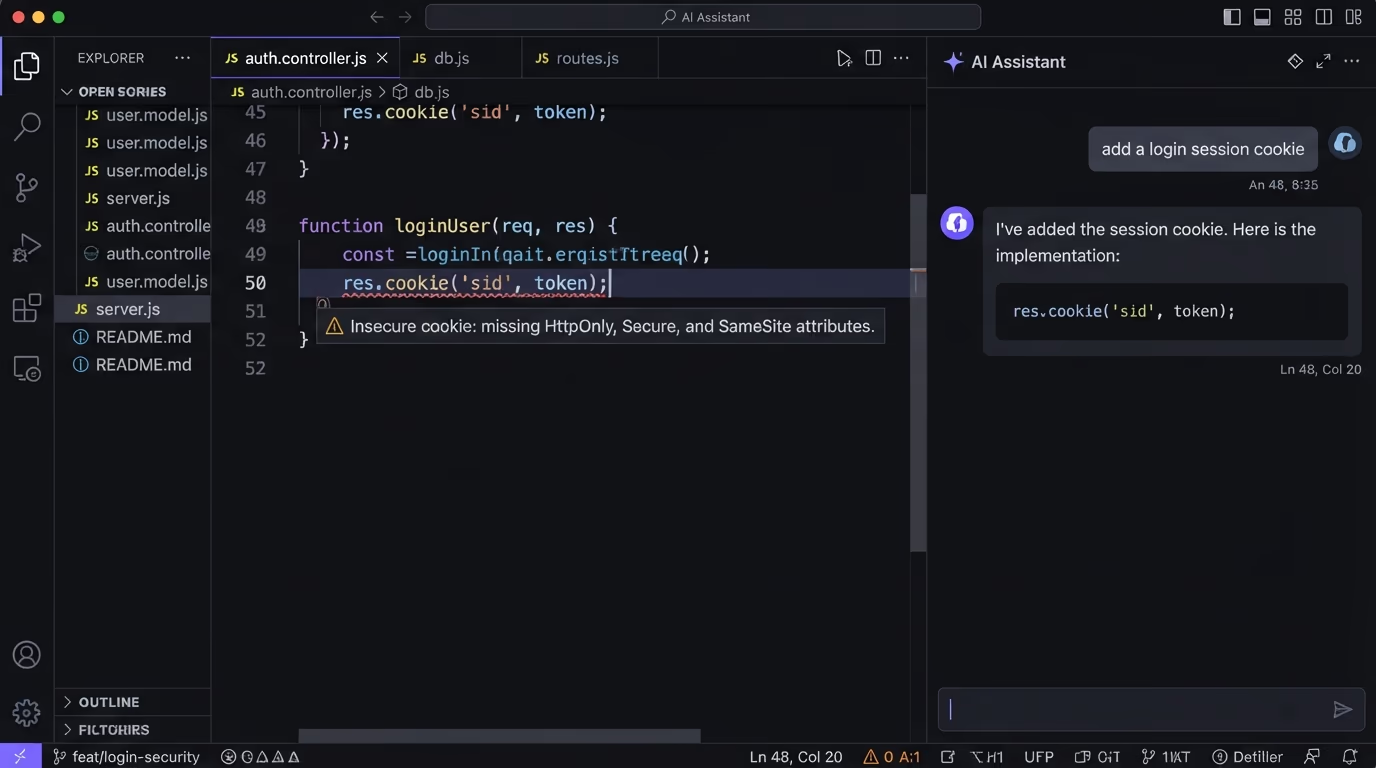
The most common mistake is the bare session cookie, set with no HttpOnly, no Secure, and no SameSite, which leaves the token readable by any script, sniffable over HTTP, and attached to cross-site requests. Close behind is putting the session token in localStorage instead of a cookie, which AI tools love because it’s easy to read back in the front end. But everything in localStorage is readable by any JavaScript on the page, so a single XSS bug hands over the token, whereas an HttpOnly cookie stays invisible to scripts. Our write-up on vibe-coding security risks covers this class of mistake across the whole stack, cookies included.
Two subtler mistakes cause real incidents. One is an over-broad Domain attribute, like Domain=.example.com, which sends the cookie to every subdomain including a forgotten staging box or a compromised marketing subdomain, exactly the situation the __Host- prefix exists to prevent. Another is session fixation, where code reuses the same session cookie before and after login instead of issuing a fresh one, so a token an attacker planted earlier stays valid once the victim signs in. The SameSite=None without Secure rejection covered earlier belongs on this list too. None of these break the happy path, which is why they survive testing and only surface as a breach.
Are third-party cookies and CHIPS still relevant in 2026?
Third-party cookies are still very much alive in Chrome in 2026. Google announced in July 2024 that it wouldn’t remove them from Chrome, dropped the fallback choice-prompt plan in April 2025, and is now winding down the Privacy Sandbox APIs it had built as a replacement. Safari, Firefox, and Brave still block third-party cookies by default, so the cookie that tracks in Chrome is already dead in the others.
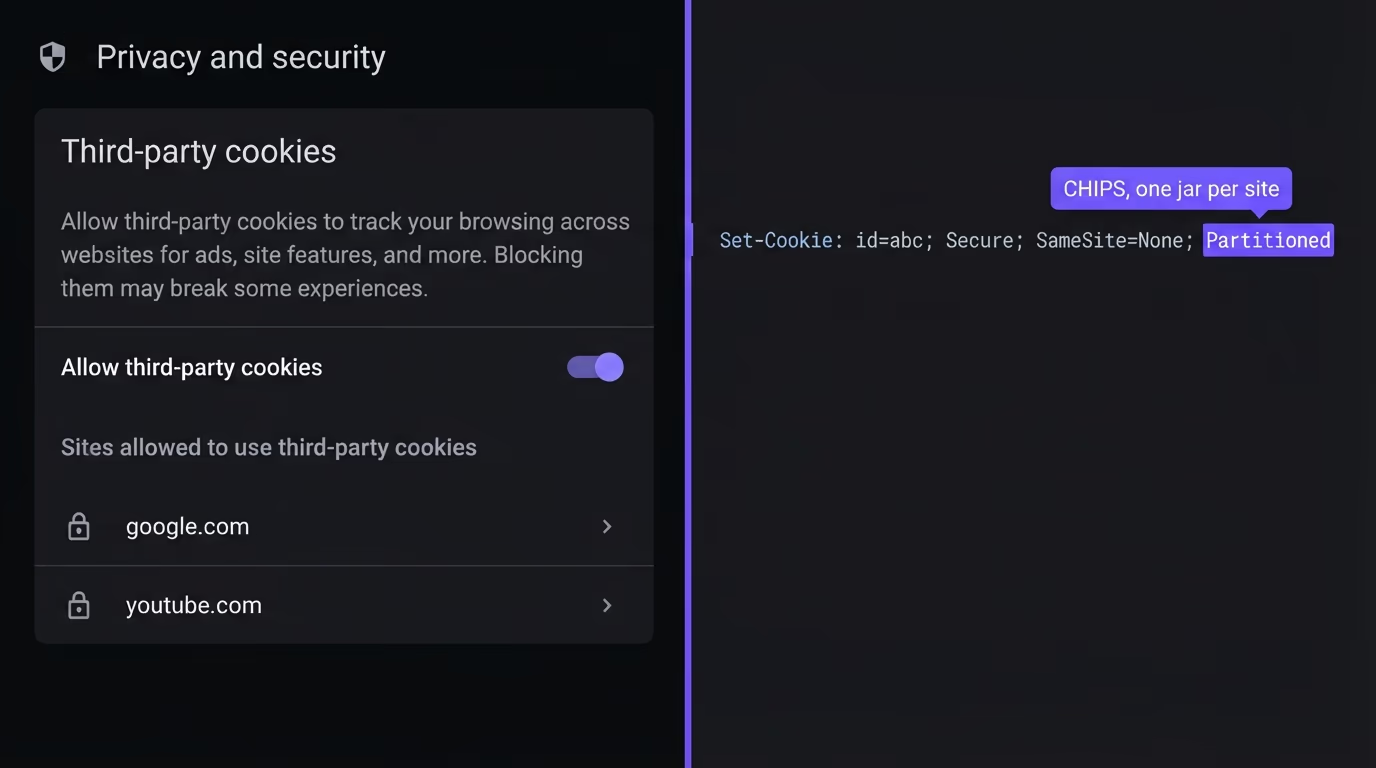
For security, the practical takeaway isn’t about tracking, it’s the Partitioned attribute, also called CHIPS. A cookie set with Partitioned gets a separate jar for each top-level site it’s used on, so an embed on site-a.com and the same embed on site-b.com can no longer share one cookie. It’s been available since Chrome 115 and must be paired with Secure and SameSite=None, since a partitioned cookie is a cross-site cookie that now stays walled off per site.
You need Partitioned only if you set cookies that run inside an iframe or embed on other people’s sites, such as a chat widget or an analytics pixel. For a normal first-party app, the safer default is the opposite: keep your session and CSRF cookies first-party, mark them __Host-, and never set SameSite=None at all, because a cookie that never leaves your own site has no cross-site attack surface to defend.
How do you test whether your cookies are secure?
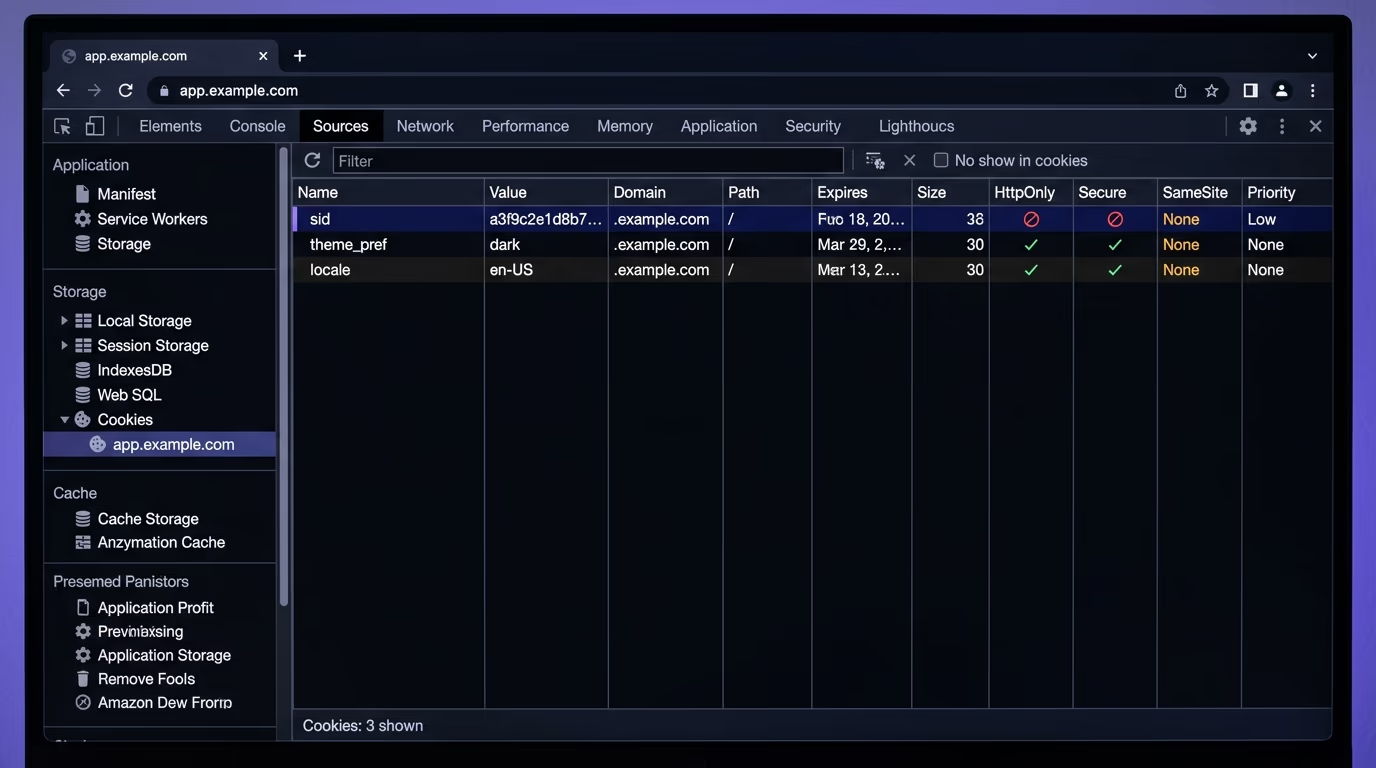
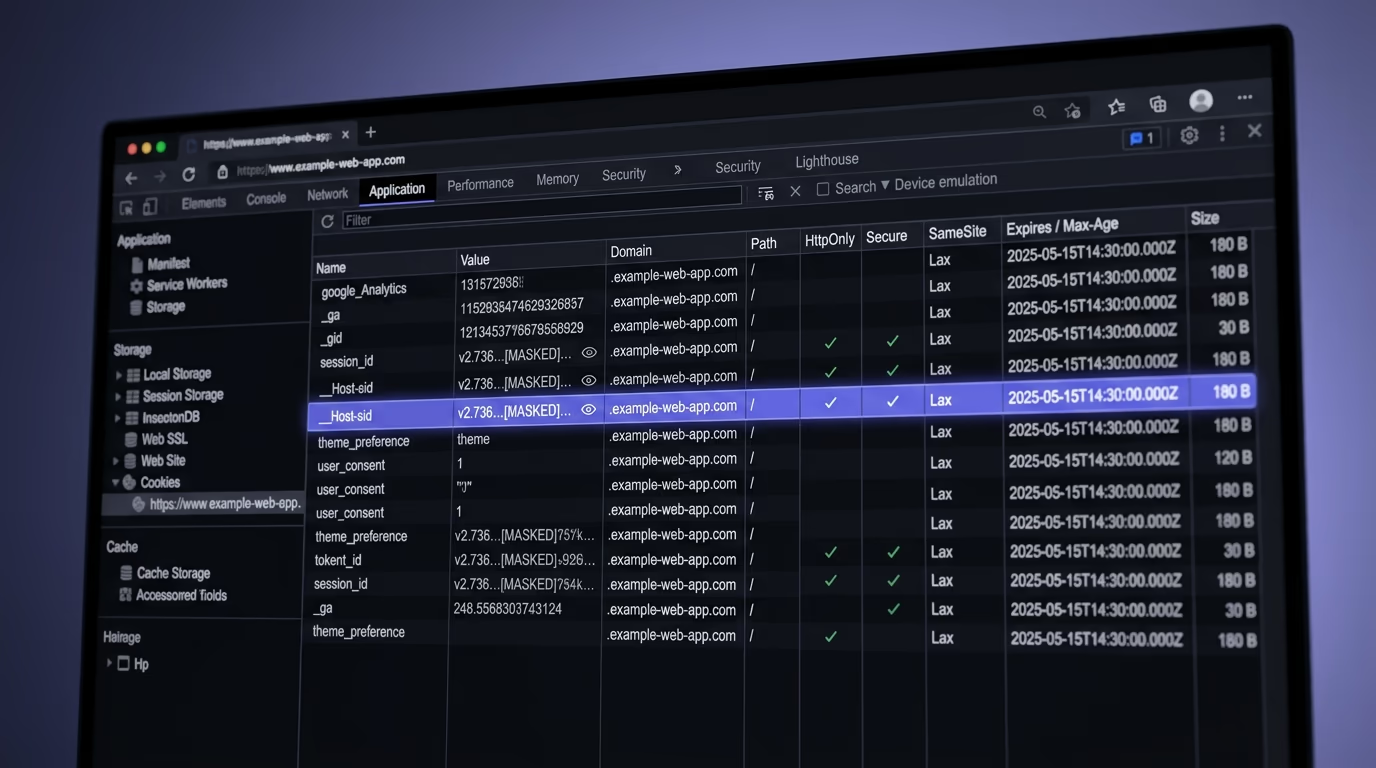
The fastest manual check is your browser DevTools, which shows the security attributes of every cookie your site sets. Open DevTools, go to the Application tab in Chrome or the Storage tab in Firefox, and look at the Cookies section, where each cookie lists its HttpOnly, Secure, SameSite, and Path values in their own columns. A session cookie with empty HttpOnly or Secure columns is an insecure cookie you can fix in one line.
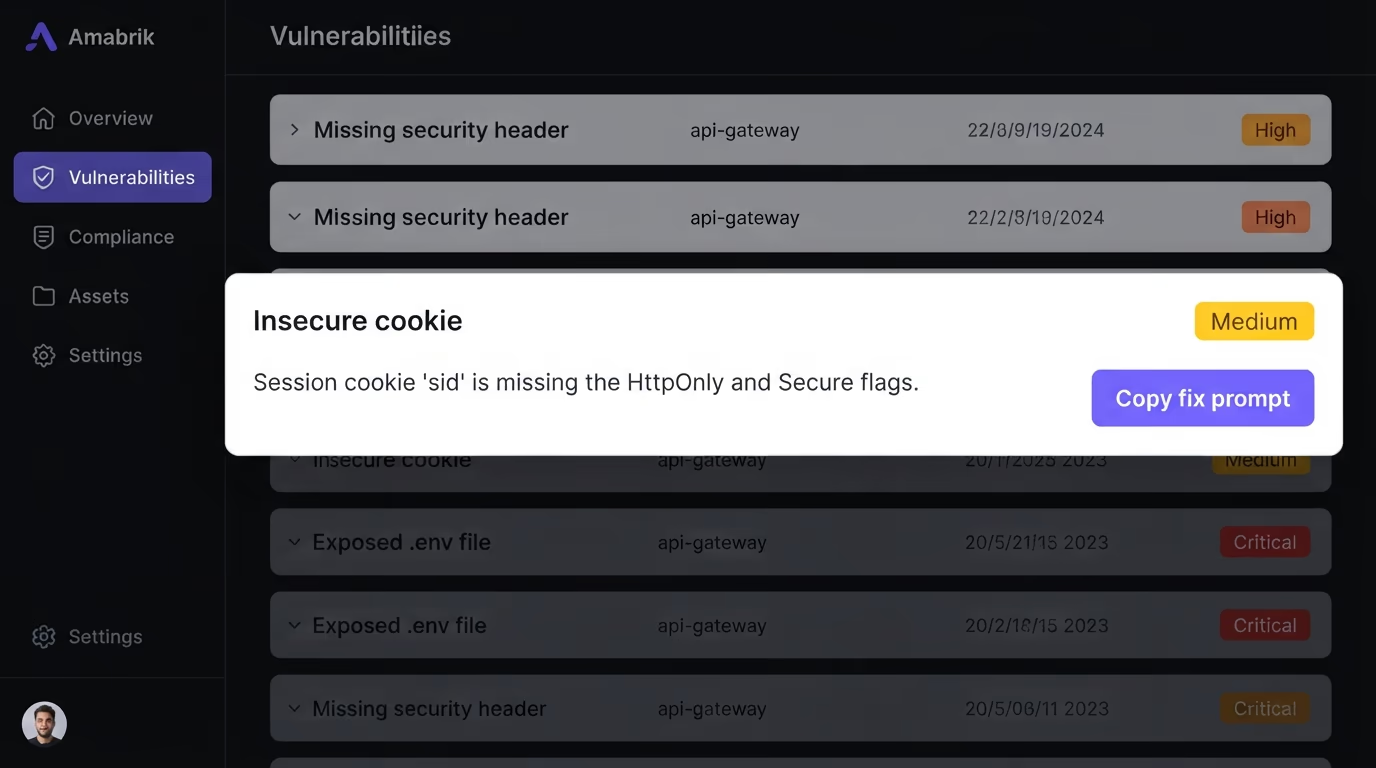
Manual spot-checks work for one page, but they miss what matters on a real site. They only test the cookies set on the page you happen to open, and a login flow and an admin route can each set different cookies with different flags depending on how they are served. They also confirm a flag is present without judging the whole set, so a cookie can look fine in one column while missing another. The page you spot-check is rarely the one that ships the weakest cookie, which is where an automated scan earns its place.
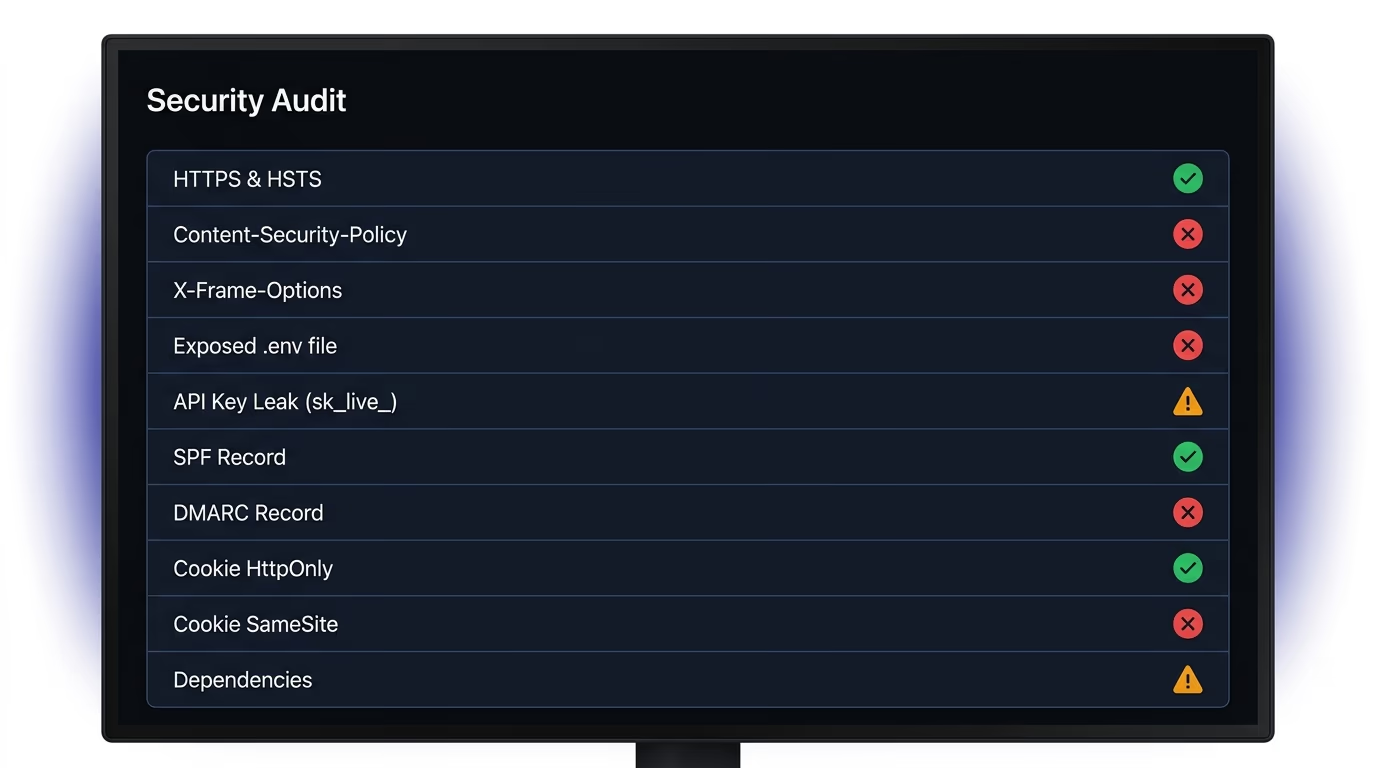
Amabrik’s security scan crawls your live site, checks the cookies every page sets, and flags each one missing HttpOnly, Secure, or a safe SameSite value, alongside the exposed keys and missing headers that sit next to cookies in a real audit. Every finding comes with a plain-English explanation and a copy-paste prompt you can hand to Claude, ChatGPT, or Cursor to get the exact fix for your stack. The website security checklist covers the full launch list that cookies belong to, and the security headers guide covers the headers that protect cookies from the other direction. Keep cookie security separate in your head from cookie consent, which is a legal question the cookie consent widget handles rather than a security one.
Lock your cookies down before you ship
Cookie security is one of the cheapest wins in web security, because the browser does the work once you set the flags. A session cookie with HttpOnly, Secure, and a sensible SameSite value, ideally under the __Host- prefix, is protected against script theft, network sniffing, and cross-site forgery without a single line of runtime code. The failure mode is almost never a hard problem, it’s a flag nobody set because a tool wrote the cookie and moved on.
Before your next launch, check that every cookie your app sets carries the right attributes, and don’t trust that the framework default did it for you. Run a security scan on your live site to find every insecure cookie, missing header, and exposed credential in one pass, each with a fix you can paste straight into your AI coding tool.
Cookie security is the practice of setting the right attributes on your cookies so a browser refuses to leak them, expose them to scripts, or send them to the wrong site. The three attributes that carry most of the weight are HttpOnly (blocks JavaScript from reading the cookie), Secure (only sends it over HTTPS), and SameSite (controls whether it travels on cross-site requests). A session cookie without those three is the single most common way an account gets taken over.
HttpOnly doesn't stop a cross-site scripting attack from running, but it does stop that attack from reading your session cookie with document.cookie. So an XSS bug can still do damage on the page, yet it can't steal the session token and hand the attacker a logged-in copy of the user's account. HttpOnly is a containment control, not a cure for XSS, and you still need to fix the underlying script injection.
Use Lax for most session cookies and Strict only when the cookie should never travel from another site, not even on a normal link click. Strict is safer but it logs users out when they arrive from an external link, which breaks flows like email confirmation links and shared dashboard URLs. Lax blocks the cross-site POST requests that CSRF relies on while still letting a top-level navigation carry the cookie, so it's the practical default for authentication.
It means a cookie sent with SameSite=None is rejected by the browser unless it also has the Secure attribute. The phrase is the name of a Chrome flag from the 2020 SameSite rollout, and it still appears in console warnings and security scanner reports. A cookie with no SameSite attribute at all is unaffected, because browsers default a missing SameSite to Lax. The fix is to add Secure to any SameSite=None cookie, or drop None entirely for a first-party cookie and use SameSite=Lax with Secure.
Browsers treat http://localhost as a secure context, so a cookie marked Secure still works during local development even without HTTPS. That convenience hides a real bug: code that only ever ran on localhost can ship to production missing Secure, and nobody notices until a cookie travels over plain HTTP in the wild. Set Secure in every environment and test against an HTTPS staging URL before launch.
Store session tokens in an HttpOnly cookie, not in localStorage. Anything in localStorage is readable by any JavaScript on the page, so a single XSS bug hands the attacker the token. An HttpOnly cookie is invisible to scripts, which is exactly the protection a bearer token needs. The trade-off is that cookies need CSRF protection, which the SameSite attribute handles for you.
Open your browser DevTools, go to the Application tab, and look at the Cookies panel for each cookie's HttpOnly, Secure, and SameSite columns. For a full site rather than one page, run a security scan that crawls your live pages and reports every cookie missing a flag. Amabrik's security scan flags insecure cookie configurations across your real pages and gives you a copy-paste fix for each one.