Firebase Security Rules: Lock Down Your Data
Firebase security rules keep your data private, but new projects ship open in test mode. Here's how to lock down Firestore, Realtime Database and Storage.

Firebase security rules are the server-side gate that decides who can read or write each piece of data in your Firestore database, Realtime Database and Cloud Storage. They matter because Firebase turns your project into an instant API that any visitor can reach with the config baked into your page, so the rules are the only thing between a working app and a database anyone can download. Many projects start in test mode, which leaves everything open for 30 days, and that choice sits behind a long run of leaks from fast-built apps.
This guide is for the person who built an app with Cursor, Lovable, Bolt or v0, connected Firebase, and only later heard that “rules” are something you’re supposed to configure. It covers what the rules are, why test mode is dangerous, how to write real rules for Firestore, Realtime Database and Storage, the mistakes that keep leaking data, and how to confirm from the outside that your database actually refuses an anonymous request. You need no security background to follow it.
What are Firebase security rules?
Firebase security rules are conditions that Firebase servers check on every request before any data moves. A rule matches a path in your database, then applies a condition that decides whether the request is allowed. The check runs on Google’s side, not in your app, so it holds even when a request arrives from a script that never touched your interface. That’s the whole point, because the browser can be edited by anyone and the server can’t.
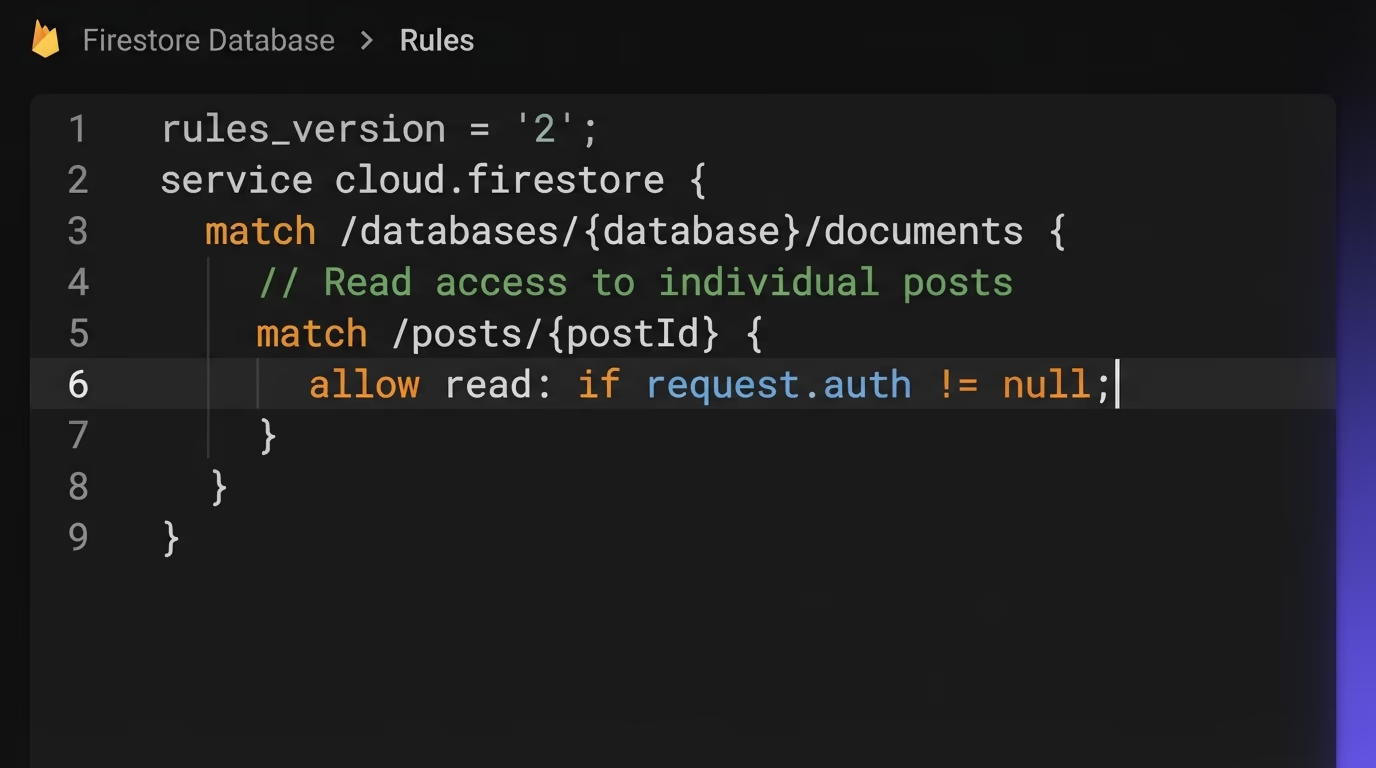
The reason rules exist is the way Firebase works. It gives your app a direct line to the database from the client, so the moment you have a posts collection there’s an endpoint that can query it. There’s no backend of yours in the middle to check permissions, which means the rules are that backend. They read a variable called request.auth, which Firebase fills with the signed-in user’s id and token claims, and they use it to answer one question per request: is this user allowed to touch this data? You write the answer as a condition, and Firebase enforces it for every read and write.
It helps to keep two ideas apart. Authentication is Firebase knowing who the user is, handled by the login system. Authorization is deciding what that known user may do, and that’s what rules handle. You can wire up perfect login and still leak everything, because logging in proves identity but says nothing about which documents a person may read. Rules draw those lines, and they draw them in a place the user can’t reach.
Why do test mode rules leave your database open?
Test mode leaves your database open because it grants every read and write to everyone for 30 days. When you create a Firestore or Realtime Database, Firebase asks you to start in test mode or locked mode. Test mode gets you building without friction, and it does that by shipping a rule that allows all access until a date one month out. Locked mode does the opposite and denies every client request until you write rules. Most quick tutorials and AI builders pick test mode, then move on and forget it exists.
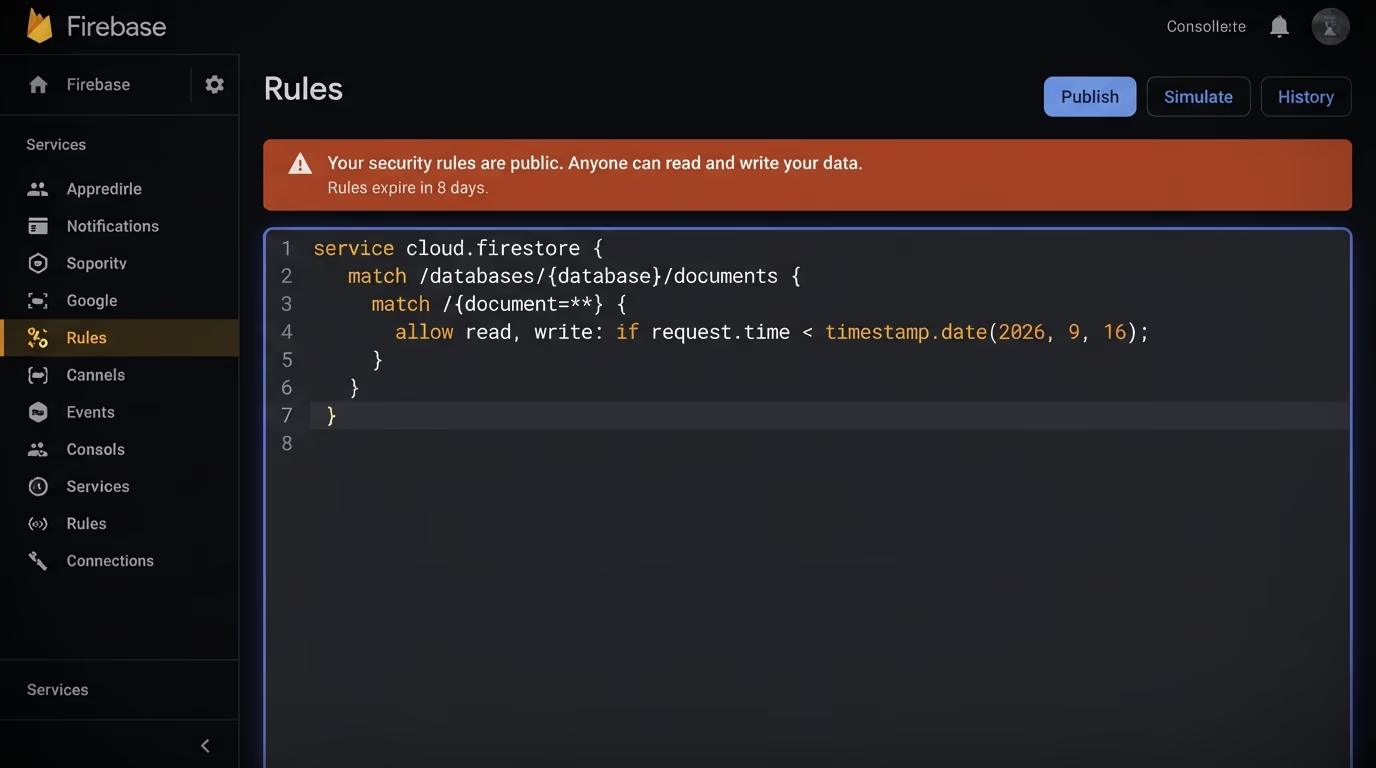
Here is what test mode actually writes into your Firestore rules:
rules_version = '2';
service cloud.firestore {
  match /databases/{database}/documents {
    match /{document=**} {
      allow read, write: if request.time < timestamp.date(2026, 9, 16);
    }
  }
}
That single rule allows any request, from anyone, as long as the current time is before the date shown. For a month, a visitor who opens the network tab, copies your project config and points a request at your database can read every document and write new ones. Nothing errors and nothing logs a warning, so the app looks fine to you the whole time the door is open. This is the same default-open trap that catches Supabase users, covered in the Supabase row level security guide, and it’s one of the most common serious mistakes in AI-built apps.
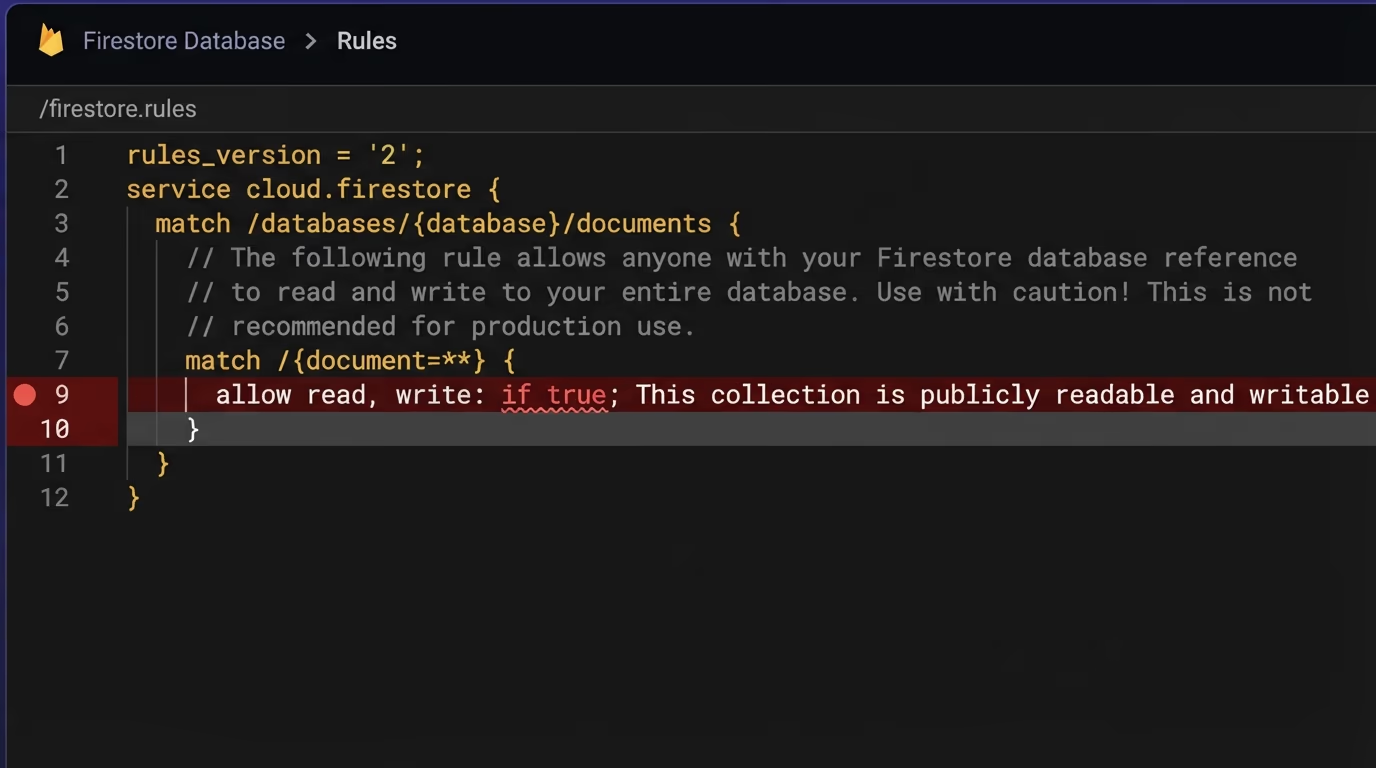
The second failure mode is quieter still. When the date arrives, test mode flips every request to denied, so an app that worked yesterday shows empty lists and failed writes today with no code change. People often react by pushing the expiry date out another month, which keeps the data public instead of fixing it. To see where you stand, open the Firebase console, pick Firestore or Realtime Database, and read the Rules tab. It shows your live rules and warns you when test mode is close to expiring. If you see allow read, write: if true or a request.time comparison, your database is open right now.
How do you write Firestore security rules?
You write Firestore rules with match blocks that select documents and allow statements that set the condition for each operation. Every ruleset starts with a version line and a service block, and your rules go inside the documents match:
rules_version = '2';
service cloud.firestore {
  match /databases/{database}/documents {
    // your rules go here
  }
}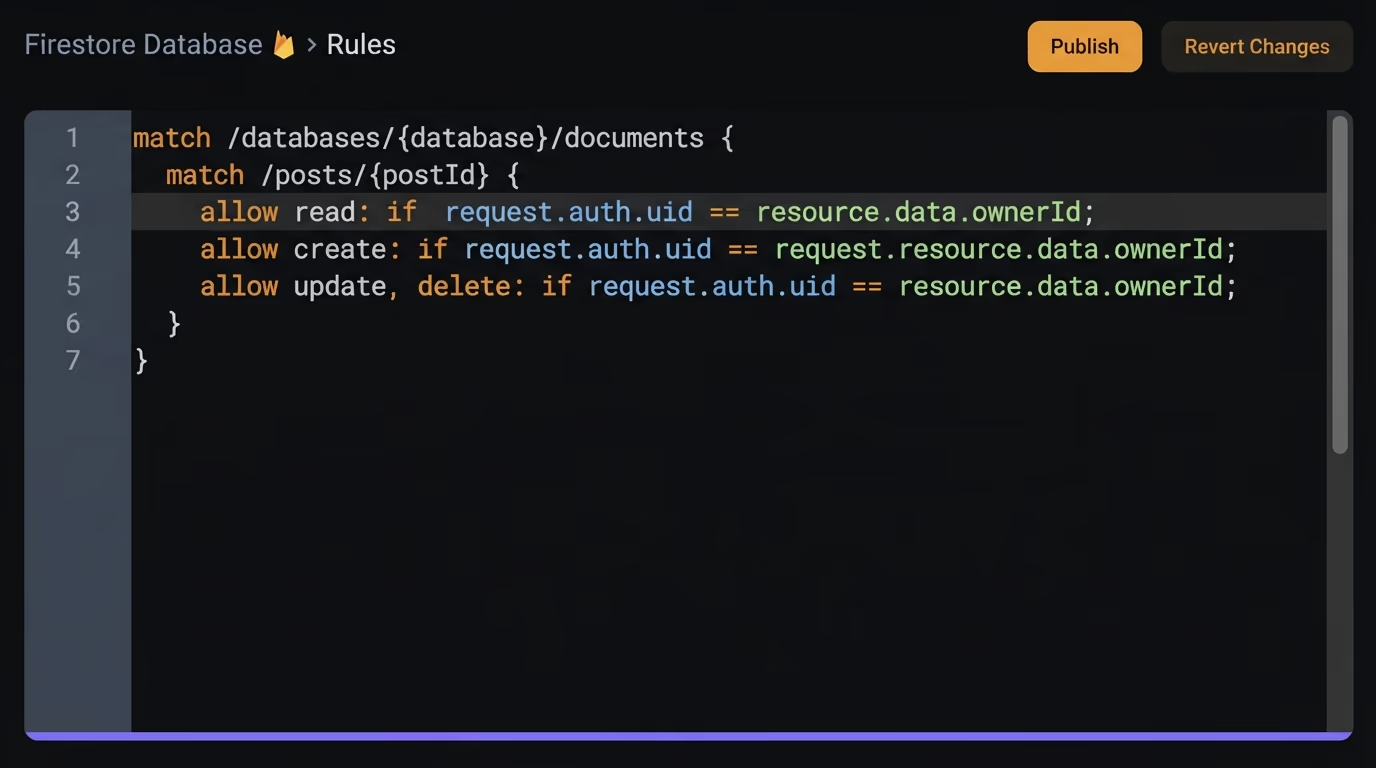
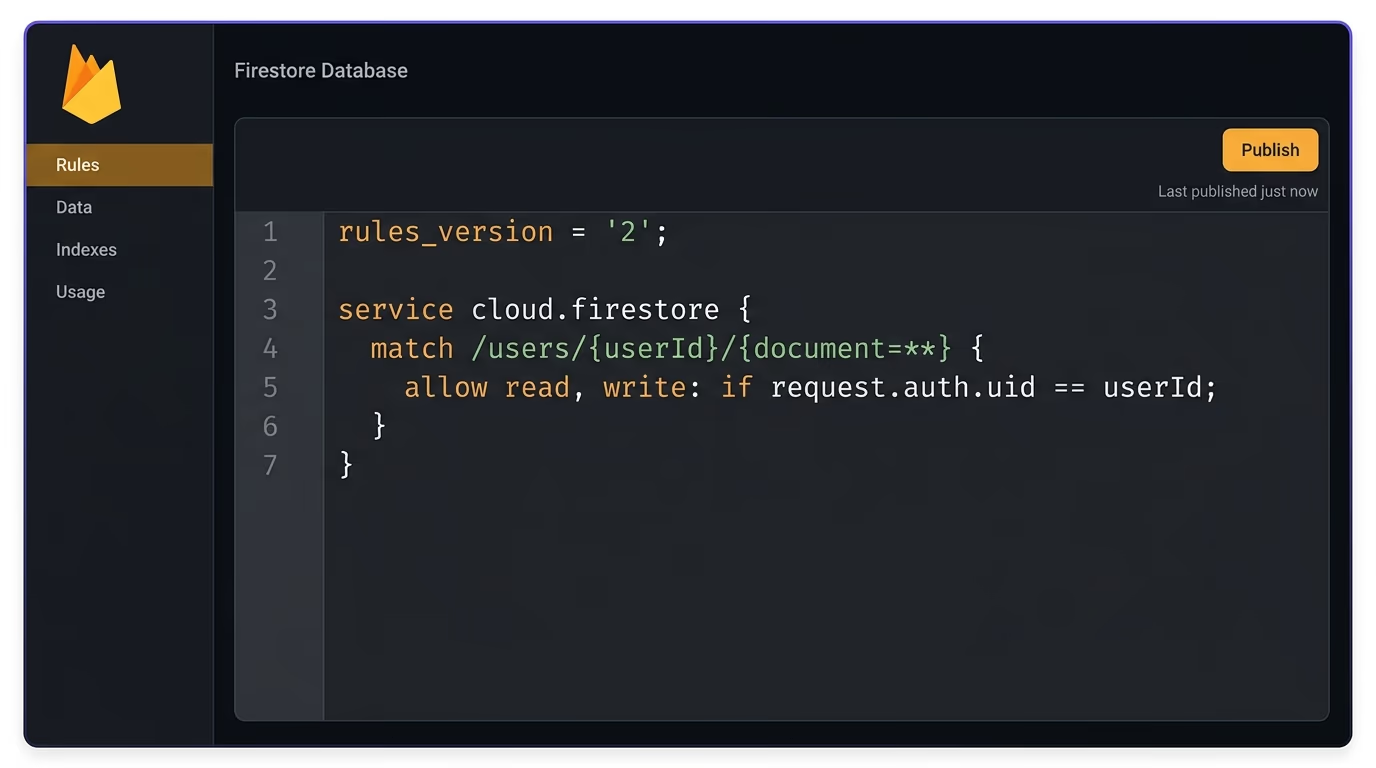
The simplest real rule requires a login. Writing allow read, write: if request.auth != null; on a collection means only signed-in users get through, which already beats test mode by a wide margin. But a login alone still lets any user read every other user’s data, so the pattern you want most of the time is owner-only access. You match a path that carries the owner’s id and check it against the caller:
match /users/{userId}/{document=**} {
  allow read, write: if request.auth.uid == userId;
}
When the owner id lives in a field instead of the path, compare against the stored document with resource.data, as in allow read: if request.auth.uid == resource.data.ownerId;. For roles, don’t trust anything the user can edit. Read the role from a custom claim on their token with request.auth.token.admin == true, or look it up in a document you control using get(): allow write: if get(/databases/$(database)/documents/users/$(request.auth.uid)).data.role == 'admin';. You can also validate the incoming data so a logged-in user can’t write junk. On a create, allow create: if request.resource.data.title is string && request.resource.data.keys().hasAll(['title', 'author']); checks the shape before the write lands. One habit pays off here: split allow read, write into allow read and allow write when the two need different conditions, and reach for the granular get, list, create, update and delete when a collection needs finer control.
How do Realtime Database security rules work?
Realtime Database uses a different language: a JSON tree of .read and .write conditions that sit next to your data. There are no match blocks here. Instead you mirror your database structure and attach conditions at each level, using auth for the signed-in user and $ variables to capture a key from the path. Like Firestore, it starts from a locked default, so an empty ruleset denies everything.
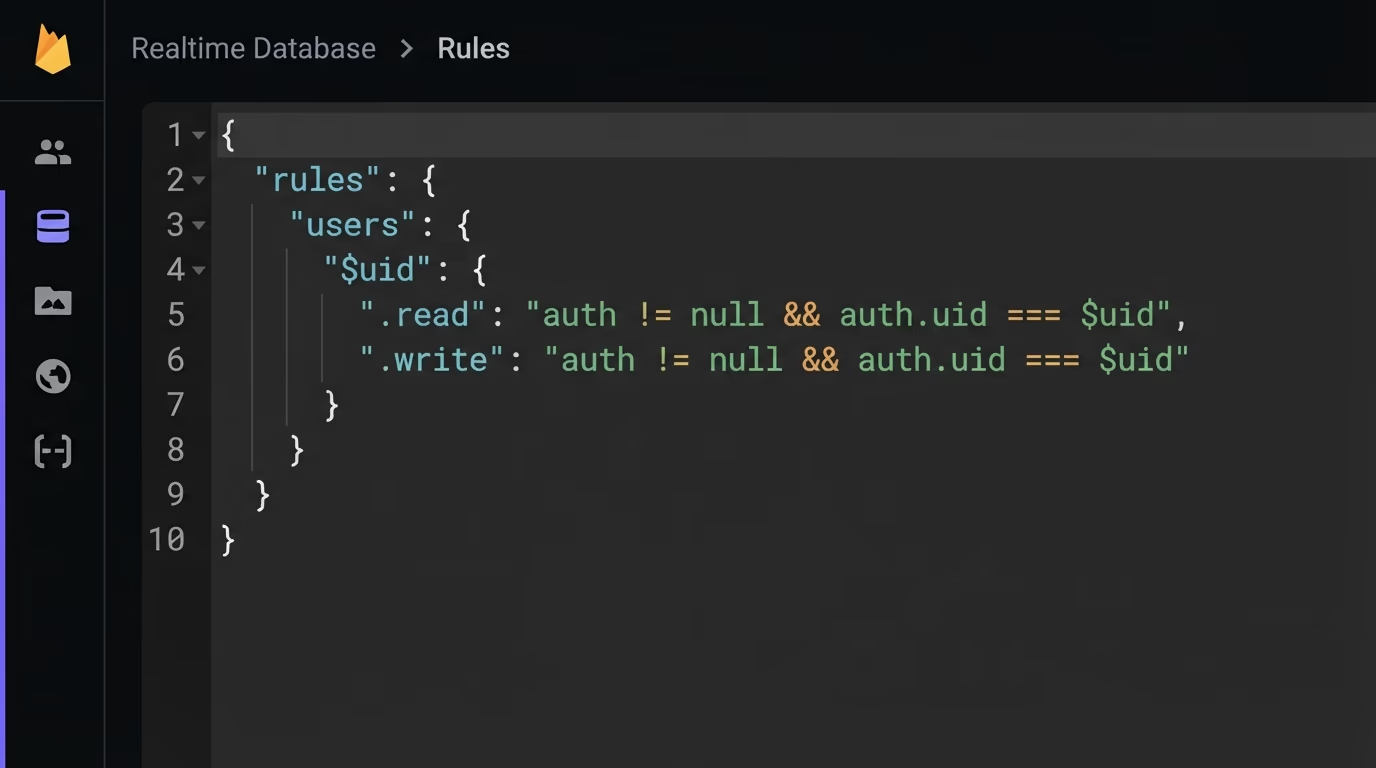
Owner-only access reads almost like the Firestore version, written as JSON:
{
  "rules": {
    "users": {
      "$uid": {
        ".read": "auth != null && auth.uid === $uid",
        ".write": "auth != null && auth.uid === $uid"
      }
    }
  }
}
The $uid captures whatever key sits at that spot in the path, and the condition lets a user reach only the node that matches their own id. Two behaviors in this model catch people out. Rules cascade downward, so once a .read or .write grants access to a parent node, no rule deeper in the tree can take it back. That means you put your restrictions at the right level and never assume a child rule will tighten a loose parent. The second is validation, handled by a separate .validate rule that checks the shape of incoming data. For roles, read from a spot you control rather than user-editable data, with something like "root.child('admins').child(auth.uid).val() === true". Keep the tree shallow where you can, because deep, repeated conditions get hard to reason about and are where mistakes hide.
How do you secure Cloud Storage files?
Cloud Storage rules share Firestore’s match and allow syntax, wrapped in a storage service block. Files get left open just as often as database documents, usually because people secure Firestore and forget that uploads live somewhere else. The structure matches your storage paths inside a bucket wildcard:
rules_version = '2';
service firebase.storage {
  match /b/{bucket}/o {
    match /users/{userId}/{fileName} {
      allow read, write: if request.auth.uid == userId;
    }
  }
}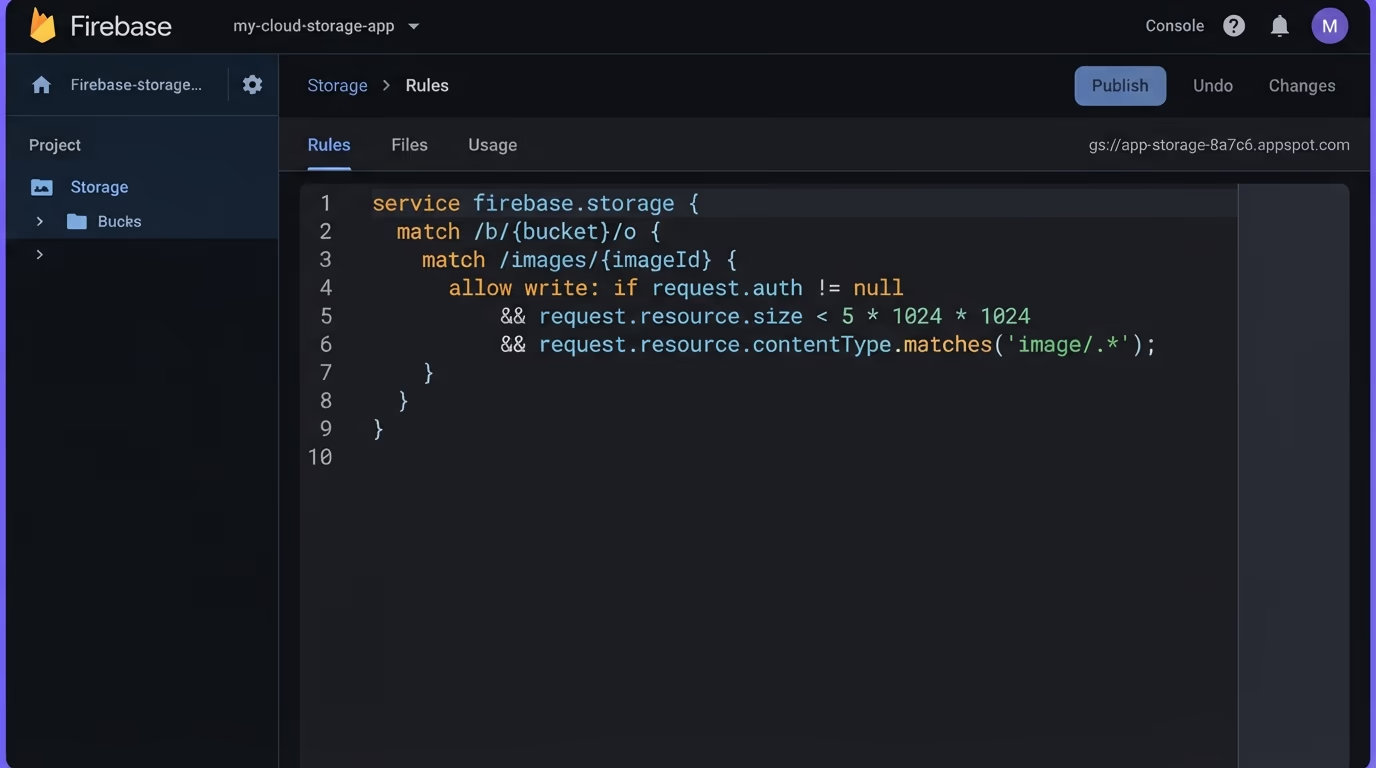
That rule scopes each user’s folder to that user. Storage rules earn their keep on validation, because an open upload path is an invitation to fill your bucket with anything. On a write, request.resource describes the incoming file, so you can cap the size and pin the type before it lands:
match /images/{imageId} {
  allow write: if request.auth != null
               && request.resource.size < 5 * 1024 * 1024
               && request.resource.contentType.matches('image/.*');
}
Now a write has to come from a signed-in user, stay under five megabytes, and be an image, which stops a stranger from uploading a hundred-megabyte file or an executable. The same request.auth and request.auth.token claims you use in Firestore work here too, so request.auth.token.groupId == groupId gates a shared folder by a custom claim. Read access deserves a thought of its own. Profile pictures can be public with allow read;, but private documents should carry the same owner check as writes, because a public read rule means anyone with the file’s URL can fetch it.
What are the most common Firebase security rules mistakes?
The most common mistake is shipping test mode rules to production, and everything else is a variation on trusting the client too much. These are the ones that leak data again and again:
- Leaving test mode on, or writing
allow read, write: if true. Both make the whole database public. This is the single biggest cause of Firebase leaks. - Putting a broad
allowon the recursive{document=**}wildcard. It matches every document under a path, so one loose rule there overrides the careful rules below it. - Basing roles on data the user can edit. If an admin check reads a field the user can write, they can promote themselves. Roles belong in custom claims or a document only your server writes.
- Requiring only
request.auth != nulland stopping there. A login check lets every signed-in user read and overwrite every other user’s rows. Add an owner condition and validation. - Securing Firestore and forgetting Realtime Database or Storage. Each product has its own ruleset, and an open bucket leaks just as badly as an open collection.
One more trips up people who read their config in the page and panic. The Firebase apiKey and project ids in your client are identifiers, not secrets, so they’re meant to be visible. Real secrets like service account keys are a different matter and must stay server-side, which the storing API keys securely guide covers. Your rules are what protect the data, not the visibility of the config.
How do you test and deploy your rules?
You edit and publish rules in two places: the Firebase console for quick changes, and the CLI for anything you want in version control. In the console, each product has a Rules tab where you edit the ruleset and click Publish, and Firestore changes can take up to a minute to affect new queries. The console also has a Rules Playground that simulates a read or write against your rules without touching real data, which is the fastest way to sanity-check a single condition.
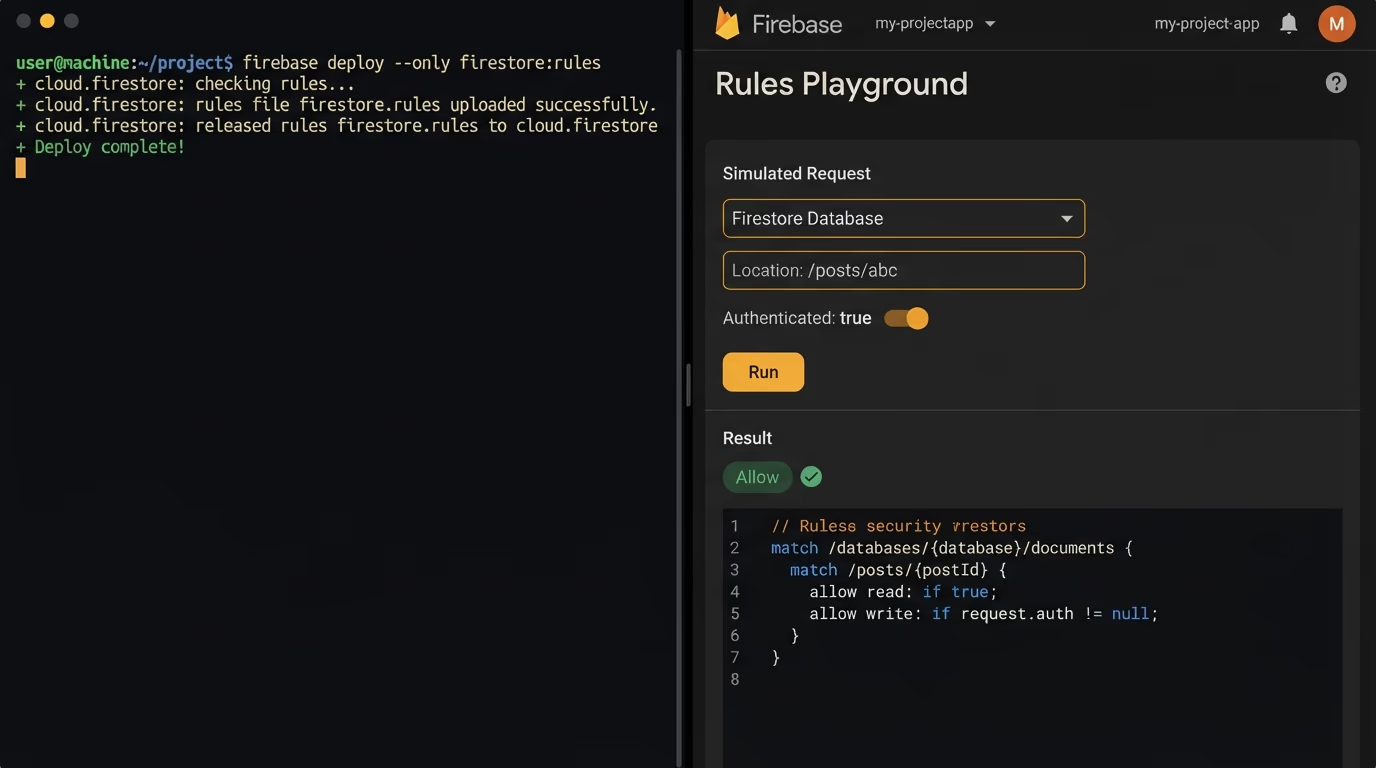
For real coverage, test rules the way you test code. The Firebase Emulator Suite runs your rules locally, and the @firebase/rules-unit-testing library lets you write automated tests that assert a logged-out request is denied and an owner request is allowed. Writing a few of these per collection catches a broken rule before it reaches users, and it means a future edit can’t quietly reopen a path you thought was closed. Once you trust a ruleset, keep it in your repo as a .rules file and deploy it with the CLI: firebase deploy --only firestore:rules for Firestore, --only storage for Storage, and --only database for Realtime Database. Version-controlled rules give you a history of who changed access and when, and they let you roll back a bad change in seconds instead of retyping it into the console.
How do you confirm your rules actually block open reads?
The console and the emulator tell you what rules you wrote, but they can’t prove your live database refuses a real anonymous request. That gap is where leaks survive. A rule that looks right can still be defeated by a broad wildcard above it, a role read from the wrong place, or a Storage bucket nobody remembered to lock. The only way to know for sure is to check from the outside, the way an attacker would: send a request to your database with no login and see whether data comes back.
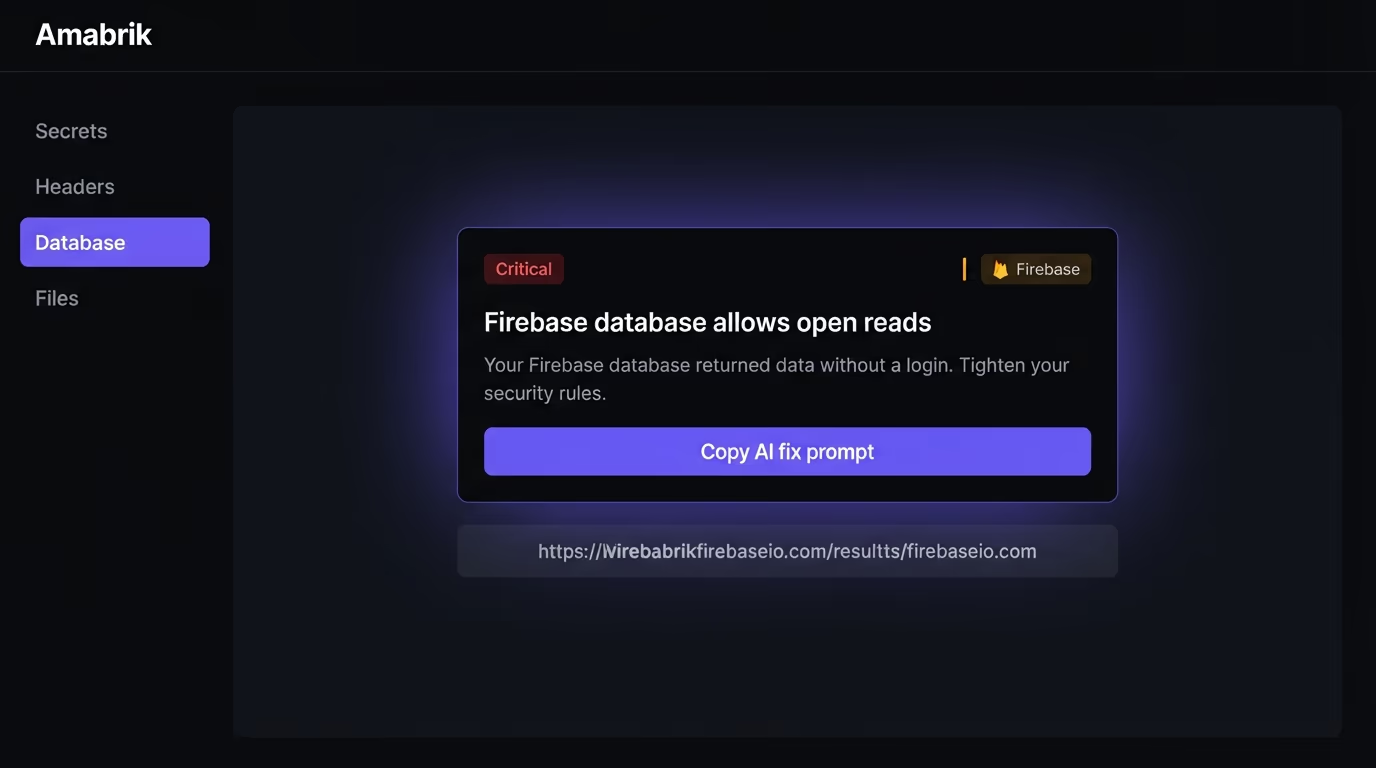
Amabrik’s security scan does this automatically. It reads your live site, finds the Firebase database URL sitting in your bundle, and tests whether its rules allow open reads, which is exactly what a test mode or misconfigured database does. Rather than only noting that you use Firebase, it checks whether the data actually comes back without a login, so a real exposure gets flagged while a normal public config is left alone. Every finding comes with a plain-English explanation and a copy-paste prompt you hand to your AI assistant to tighten your Firestore, Realtime Database and Storage rules. It’s the difference between believing your database is locked and confirming it. Pair that with the full website security checklist and you cover the doors around the database too, from security headers to exposed secrets.
Lock down your Firebase app before it leaks
Firebase security rules are the one layer that separates a private app from a public one, and the default leaves them either wide open in test mode or fully shut in locked mode. Replace the starter rules with real conditions: require a login, scope each document and file to its owner, read roles from custom claims instead of editable data, validate what gets written, and do it for Firestore, Realtime Database and Storage alike. None of it takes long, and each rule is a few lines you write once and keep in your repo.
The rules protect the data inside Firebase, but a leak can come from other directions too, like a service account key shipped to the browser or missing security headers. When you want to know for certain rather than hope, run a security scan on your live site and let it tell you whether your database still answers a stranger, then fix it before someone else finds the opening first.
No, and the default is the problem. When you create a database Firebase asks you to pick test mode or locked mode, and most tutorials and AI builders pick test mode to get moving. Test mode opens every read and write to anyone for 30 days, then locks the database completely. Locked mode denies all client access until you write rules. Until you replace the starter rules with real conditions, your data is either wide open or fully shut, never actually secured.
The 30-day timer in the test mode ruleset passes and every client read and write is denied, so your app looks broken. Lists come back empty, writes fail, and nothing in your code changed. The starter rule allows access only while request.time is before a fixed date, so the day that date arrives the database locks. The fix is to write proper rules before the timer runs out, not to extend the date, because extending it just keeps your data public for longer.
No. Rules are the right place to enforce who can read or write which documents, and they run on Firebase servers so a tampered client can't skip them. But they can't do everything a server can. Logic that needs secrets, calls another service, or must stay hidden from the user belongs in a Cloud Function or your own backend. Use rules for access control and shape checks, and use server code for anything sensitive.
The apiKey and project config in your page are identifiers, not secrets, so seeing them is expected and harmless on its own. They tell Firebase which project a request is for. What actually protects your data is your security rules. A leaked config with strict rules is fine, and a hidden config with test mode rules is still a wide-open database, so the config is never the thing to worry about.
Start in the Firebase console under each product's Rules tab, which shows your live rules and warns when test mode is about to expire. Then test them with the Rules Playground or the local emulator so you know a logged-out request gets denied. The last step is an outside check: point a request at your database with no login and confirm nothing comes back. A security scan does this for you and flags a Firebase database whose rules still allow open reads.
No, they use two different rule languages. Firestore and Cloud Storage share a syntax built from match blocks and allow statements. Realtime Database uses a JSON tree of .read and .write conditions with $ path variables. The ideas are the same, so both start from a locked default and grant access by condition, but the code doesn't carry over. If you use more than one product, you write and deploy a separate ruleset for each.