Supabase Row Level Security (RLS) Explained
Supabase Row Level Security is off by default, so your tables are open to anyone with the anon key. Here's how to turn RLS on and write policies right.

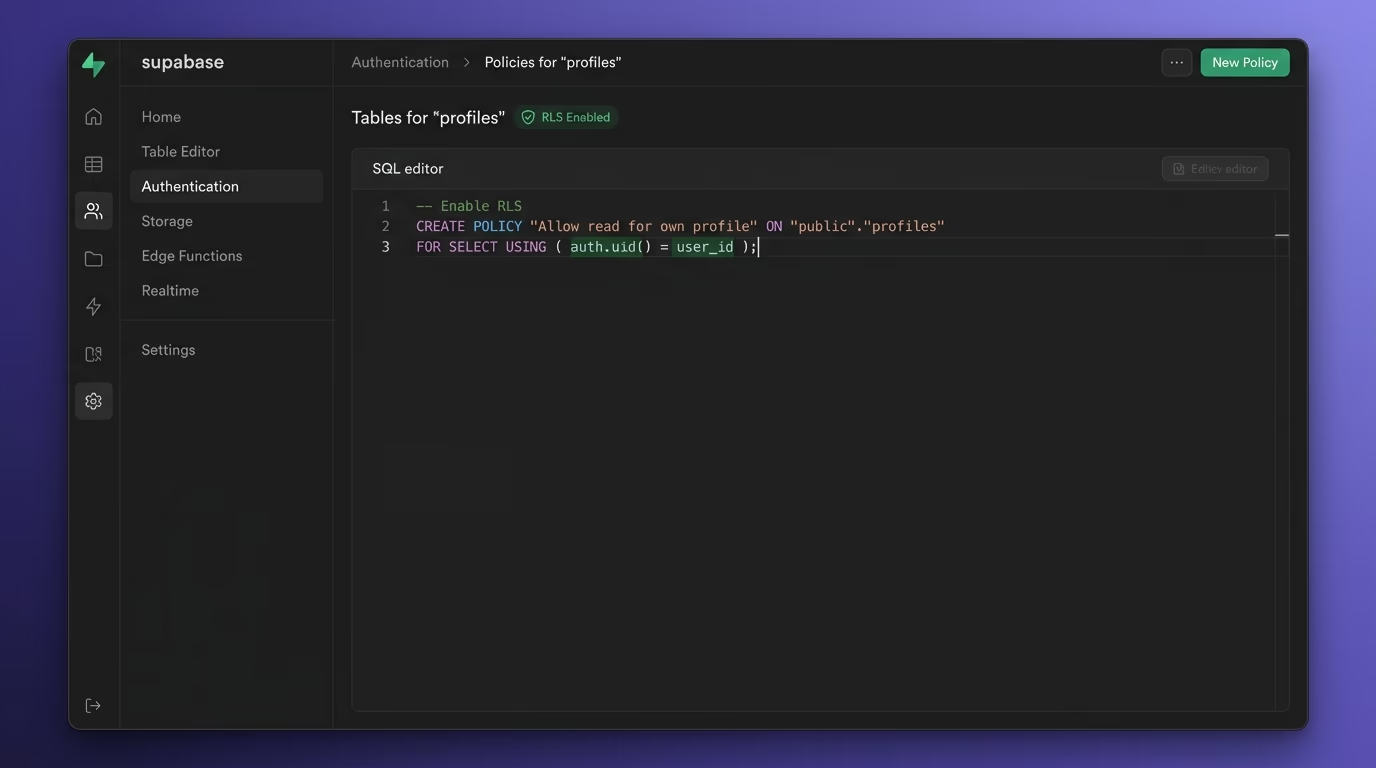
Supabase Row Level Security is a Postgres feature that decides, row by row, which data each user is allowed to read or change. It matters because Supabase turns your database into an instant API, and that API is reachable by anyone holding your public anon key, which ships inside every page you serve. With Row Level Security off, that key can pull every row in a table: users, orders, private messages. Turning RLS on and writing a few policies is what stands between a working app and a database anyone can download.
This guide is written for the person who built an app with Cursor, Lovable, Bolt or v0, connected Supabase, and only later heard that “RLS” is a thing you’re supposed to configure. It covers what Row Level Security is, why the default leaves you exposed, how to write policies for the common cases, how to fix the error everyone hits, and how to confirm it’s actually on across every table. You need no security background to follow any of it.
What is Supabase Row Level Security?
Row Level Security is the Postgres rule layer that filters which rows a given user can see or touch, enforced by the database itself rather than by your app. Every request Supabase receives runs through these rules before a single row comes back, so the decision doesn’t depend on your frontend behaving. That’s the whole point: the browser can be tampered with, the database can’t.
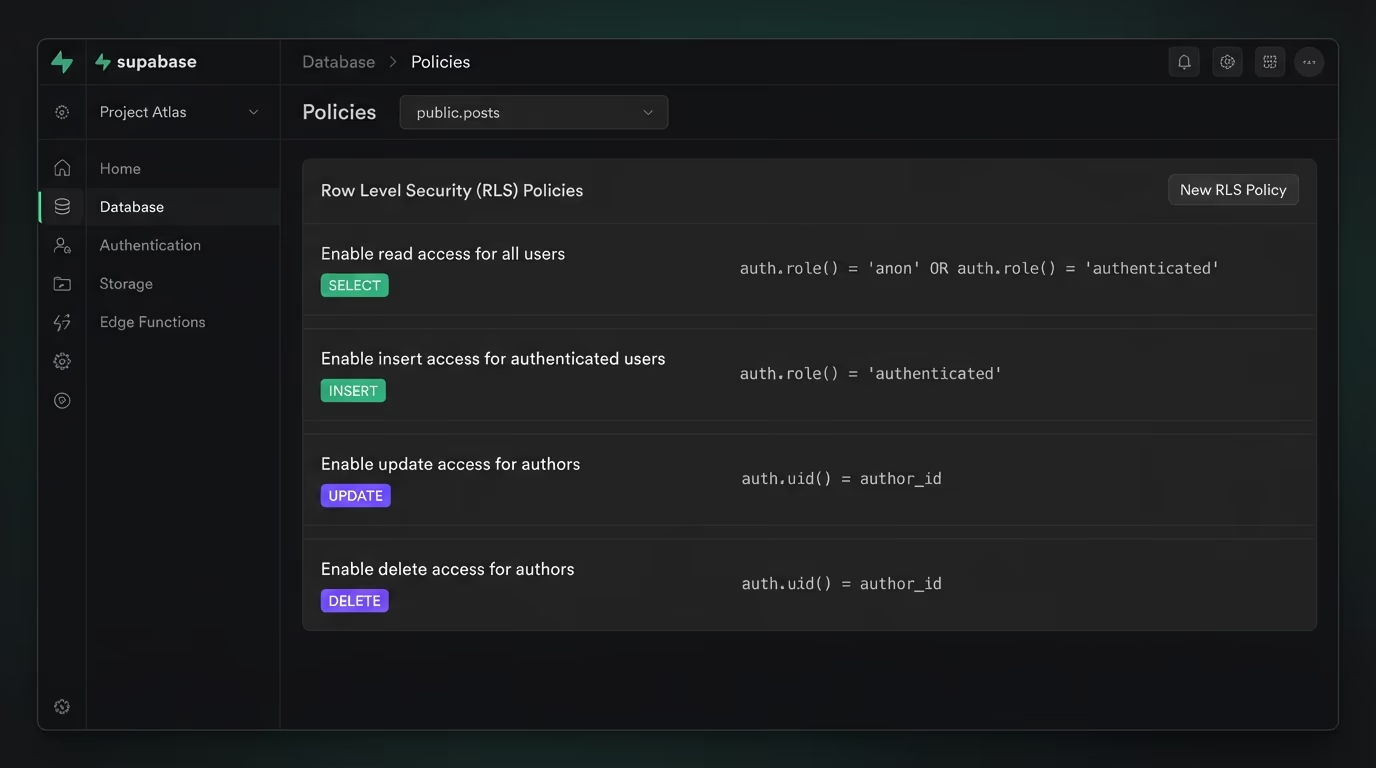
The reason it exists is the way Supabase works. It takes your Postgres database and exposes it over an instant REST and realtime API, so the moment you create a posts table, there’s an endpoint that can query posts. Row Level Security is the layer that sits on that endpoint and asks, for each row, “is this requester allowed to have this?” You answer that question by writing policies, which are small SQL rules attached to a table. A policy might say a user can read a row only when the row’s user_id equals their own id. With that policy in place, the same query returns different rows for different people, and nobody sees data that isn’t theirs.
It helps to separate two ideas that beginners often merge. Authentication is Supabase knowing who the user is, handled by the login system. Authorization is deciding what that known user is allowed to do, and that’s what RLS handles at the data level. You can have perfect login and still leak everything, because logging in tells the database your identity but says nothing about which rows you may touch. RLS is the half that draws those lines, and it holds even when a request arrives from outside your app entirely.
Why is RLS off by default a real risk?
Because a table with RLS off is a public table, no matter how private the data looks in your app. Supabase gives you two API keys, and the anon key is public by design: it’s meant to run in the browser, so it ships in your JavaScript where anyone can read it with “view source.” That’s fine when RLS is on, because policies decide what the key can actually reach. With RLS off, there’s nothing between that public key and your rows, so a script pointed at your API pulls the whole table.
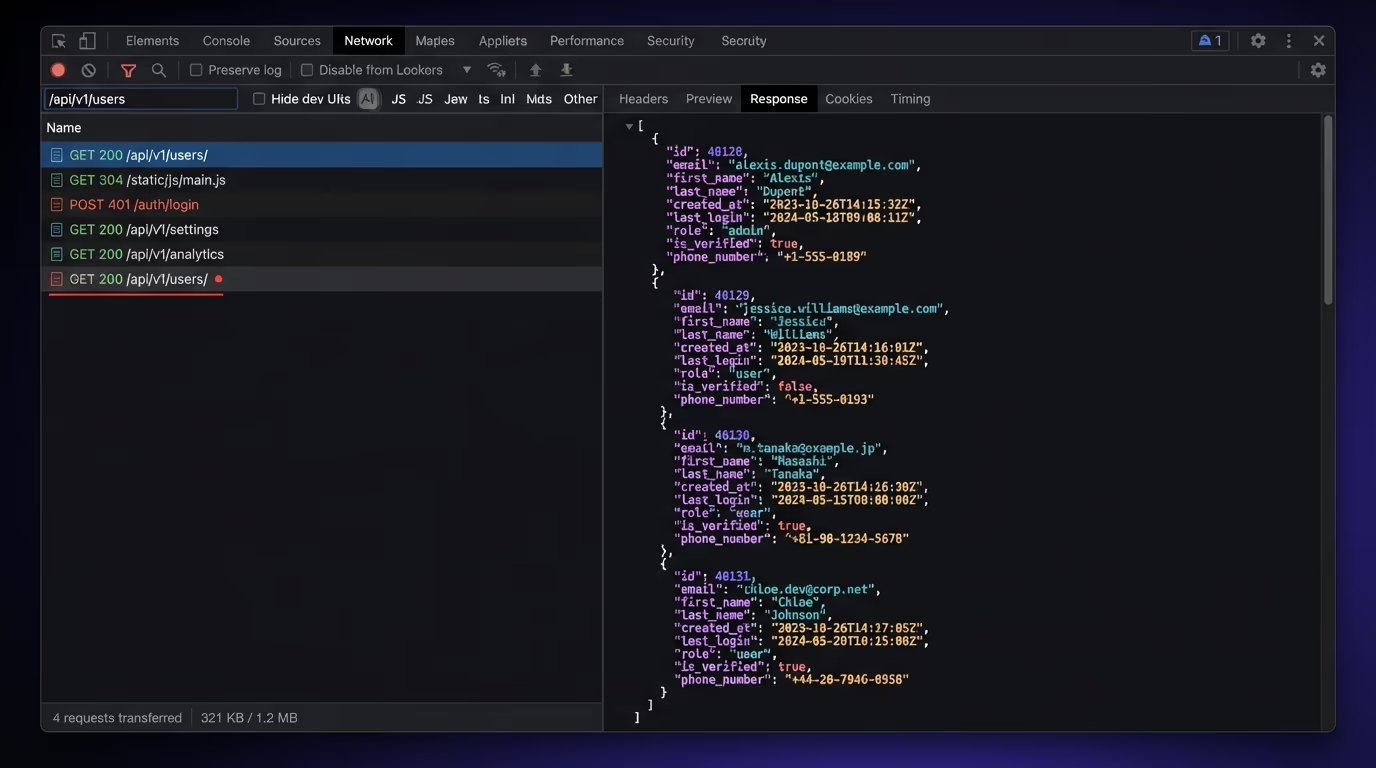
This is the exact pattern behind a long run of leaks from fast-built apps. Someone ships a product on Lovable or Bolt, wires up Supabase, and moves on, never told that new tables created directly in the database have Row Level Security switched off. The app looks locked down because the interface only ever shows a user their own data. But the interface isn’t the gate. A curious visitor opens the network tab, copies the anon key and the API URL, and asks the endpoint for every row, and the database hands it over because no policy ever said not to. Emails, password reset tokens, private orders and anything else in the table, all readable by anyone who thought to ask.
What makes it dangerous is how quiet the failure is. Nothing errors, nothing logs a warning, and your app keeps working perfectly for real users the entire time the door is open. You find out when someone posts your user table on a forum, or a researcher emails you, or a competitor quietly scrapes your customer list. This is one of the most common serious mistakes in AI-built apps, and it’s covered in more depth in the vibe coding security risks guide. The fix costs a few minutes; the leak can cost the whole project.
How do you turn on RLS in Supabase?
You turn it on with one line of SQL per table, run in the Supabase SQL editor. For a table called profiles, the command is:
alter table profiles enable row level security;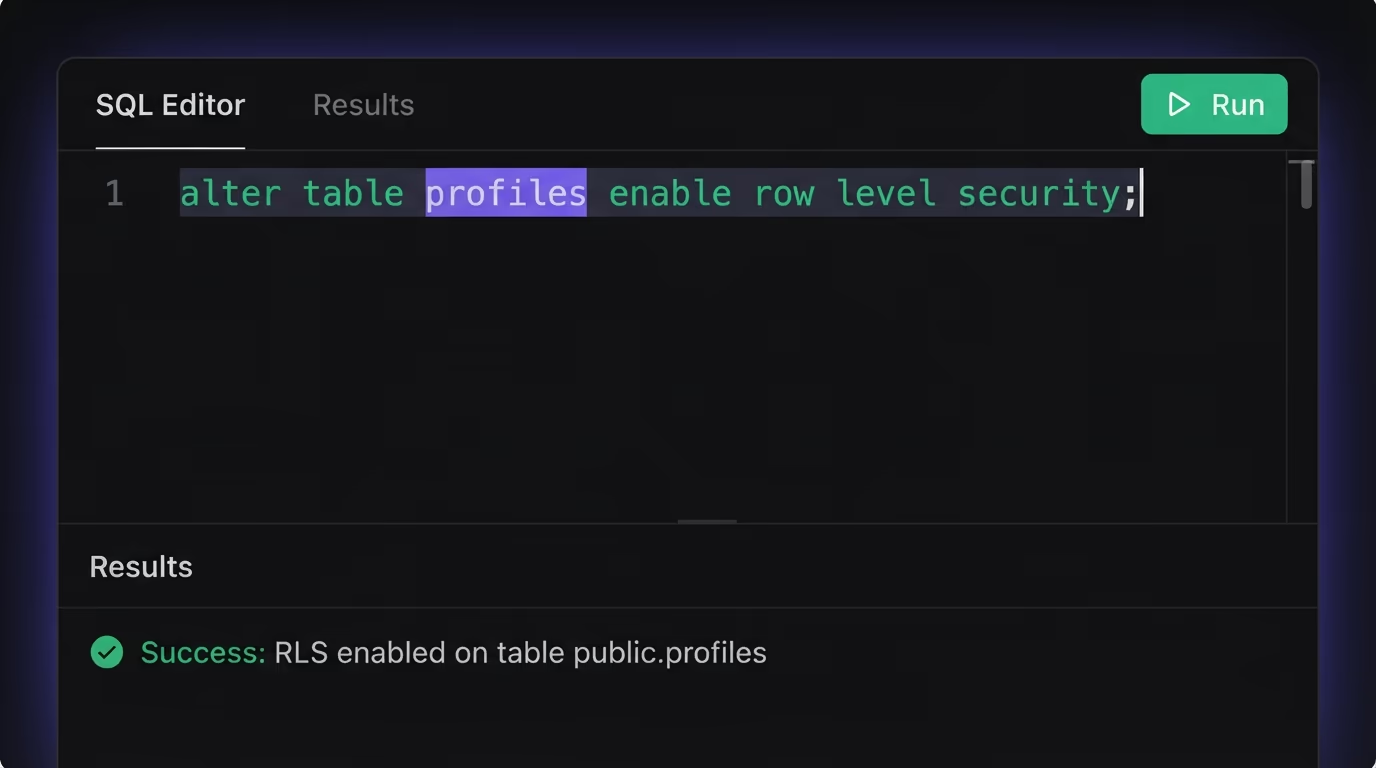
Run that and the table is now protected, which brings the surprise that trips up almost everyone the first time. Enabling RLS with no policies denies everything. A freshly protected table returns nothing at all through the anon key, so your app suddenly shows empty lists and looks broken. That’s not a bug, it’s RLS doing its job: the default answer to “can this user see this row?” is no, and you grant exceptions by writing policies. So enabling RLS is step one of two, and the table stays dark until step two adds the rules that let the right people in.
The Supabase table editor helps you notice tables that still need this. Any table with RLS off carries a visible warning badge in the dashboard, and tables you create through the editor prompt you to enable it on the spot. Tables created directly in SQL don’t get that prompt, which is exactly how the unprotected ones slip through. A good habit is to enable RLS on every table the moment you create it, before you write a single policy, so no table ever sits in the exposed state even briefly. For the broader picture of locking down a Supabase project, the Next.js and Supabase security guide walks through the keys, secrets and headers around the database too.
How do RLS policies actually work?
A policy is a named SQL rule that tells the database which rows a request may touch, and it has four settings you choose each time. The for clause picks the operation: select, insert, update or delete. The to clause picks the roles it applies to, usually authenticated for logged-in users or anon for anonymous ones. Then comes the condition, and this is where the two expression types matter.
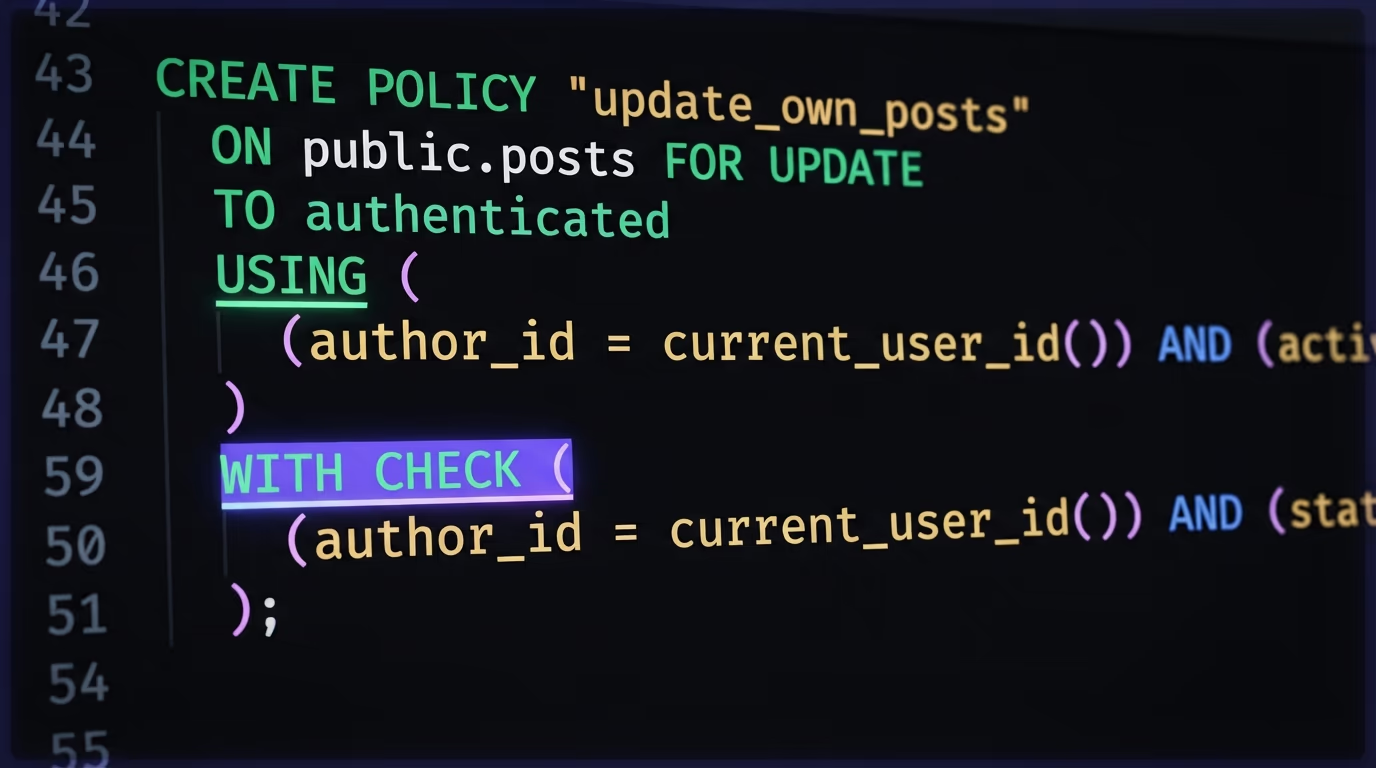
The using expression filters which existing rows a request can see or act on. It runs before the operation, so on a select it decides which rows come back, and on an update or delete it decides which rows are eligible to change. The with check expression validates the new data a request is trying to write, so it applies to inserts and updates and decides whether the resulting row is allowed to exist. A select policy uses only using. An insert policy uses only with check. An update policy usually needs both, because it has to filter which rows you can edit and validate what you’re turning them into. Inside those expressions you use auth.uid(), a helper that returns the id of the user making the request, so you can compare it to a column like user_id.
The most common setup is letting each user own their own rows. Here’s the full set of policies for a posts table where every post belongs to the user who wrote it:
create policy "Users read their own posts"
on posts for select
to authenticated
using ( (select auth.uid()) = user_id );

create policy "Users create their own posts"
on posts for insert
to authenticated
with check ( (select auth.uid()) = user_id );

create policy "Users update their own posts"
on posts for update
to authenticated
using ( (select auth.uid()) = user_id )
with check ( (select auth.uid()) = user_id );

create policy "Users delete their own posts"
on posts for delete
to authenticated
using ( (select auth.uid()) = user_id );
Four small rules, one per operation, and each one scopes access to the row’s owner. After adding them, a logged-in user reads, writes and deletes only their own posts, and the anon key with no matching role gets nothing. Note the (select auth.uid()) wrapping rather than a bare auth.uid(), which looks like a style choice but is a real performance decision covered further down.
How do you fix “new row violates row-level security policy”?
This error means an insert or update was blocked because no policy allowed that specific row through its with check test. It’s the single most common thing people hit right after enabling RLS, and it almost always comes down to one of two causes. Either the table has RLS on but no insert policy at all, so every write is denied by default, or there is a policy but the row you’re inserting doesn’t satisfy it.
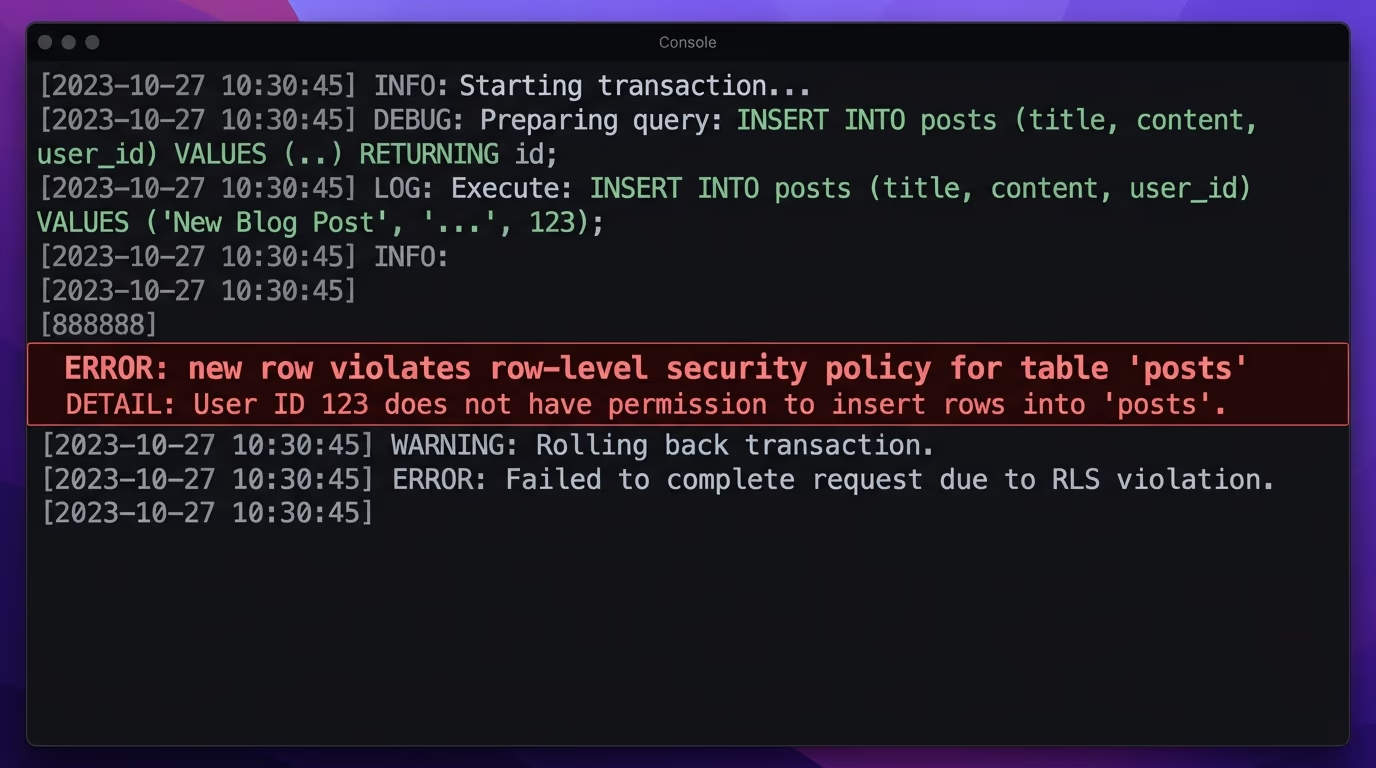
The first cause is the easy one. If you enabled RLS and only wrote a select policy, inserts have nothing permitting them, so Postgres refuses every new row. Add an insert policy with a with check that describes the rows a user may create, like (select auth.uid()) = user_id, and the writes go through. The second cause is subtler and catches people who did add the policy: the row itself breaks the rule. If your policy says user_id must equal the current user but your insert leaves user_id empty or sets it to someone else, the check fails and you get the error. The fix is to make sure the column the policy checks is set to the logged-in user’s id at insert time, either in your code or with a database default of auth.uid() on the column.
This error has a quieter cousin you should know about, because it produces no error at all. Failed selects, updates and deletes don’t throw; they return zero rows. So if an update seems to do nothing, or a list comes back empty when you expected data, the cause is usually a policy filtering everything out rather than a broken query. The way to tell them apart is to check whether the row count changed, not whether an exception fired. When a write silently affects nothing, read your using clause first, because a mismatch there is almost always the reason.
How do you set up team and multi-tenant access?
You handle teams by checking membership in a related table rather than comparing a single owner id. The owner pattern above works when each row belongs to one person, but real apps often need a whole team to share access to the same projects, documents or records. For that, you keep a memberships table linking users to teams, then write a policy that lets a user reach a row when they belong to that row’s team.
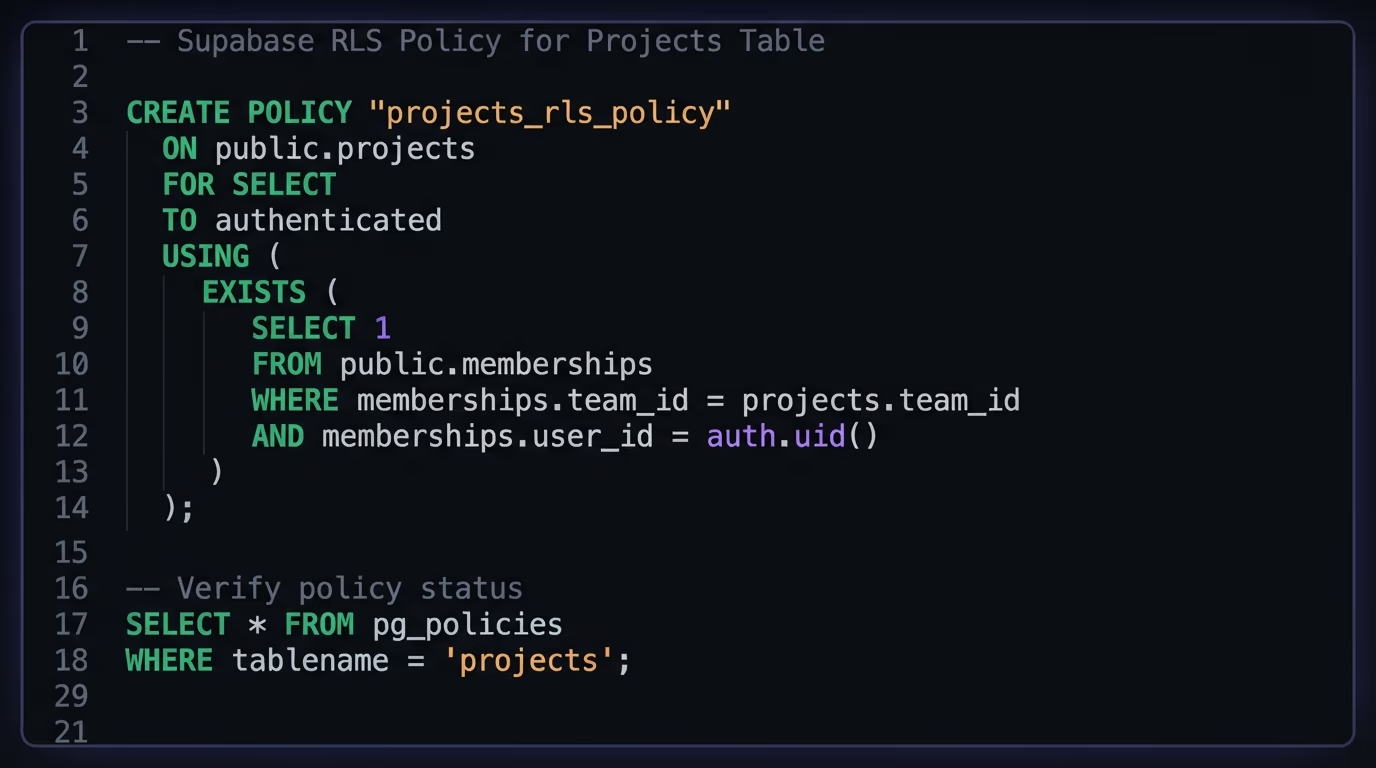
The tool for this is an exists subquery inside the policy condition. A select policy on a projects table can check that the current user has a membership row matching the project’s team:
create policy "Team members read team projects"
on projects for select
to authenticated
using (
  exists (
    select 1 from memberships
    where memberships.team_id = projects.team_id
      and memberships.user_id = (select auth.uid())
  )
);
That reads as “let this user see the project only if there’s a membership row tying them to the project’s team.” You extend the same idea to roles by storing a role on the membership and checking it, so an admin policy tests for role = 'admin' while a member policy doesn’t. One warning matters here, because it’s a real escalation hole. When you decide what a user is allowed to do based on their role, read that role from a table you control or from the JWT’s app_metadata, never from user_metadata. The user_metadata field is editable by the user themselves, so basing a permission on it means a user can promote themselves to admin by editing their own profile. Keep authorization data in app_metadata or a database column, both of which the user can’t touch.
How do you keep RLS policies fast?
You keep them fast mainly by wrapping helper functions in a subquery and indexing the columns your policies compare. RLS runs your condition for every row a query touches, so a policy that does expensive work per row can slow a big table noticeably. The good news is that two small habits handle almost all of it.
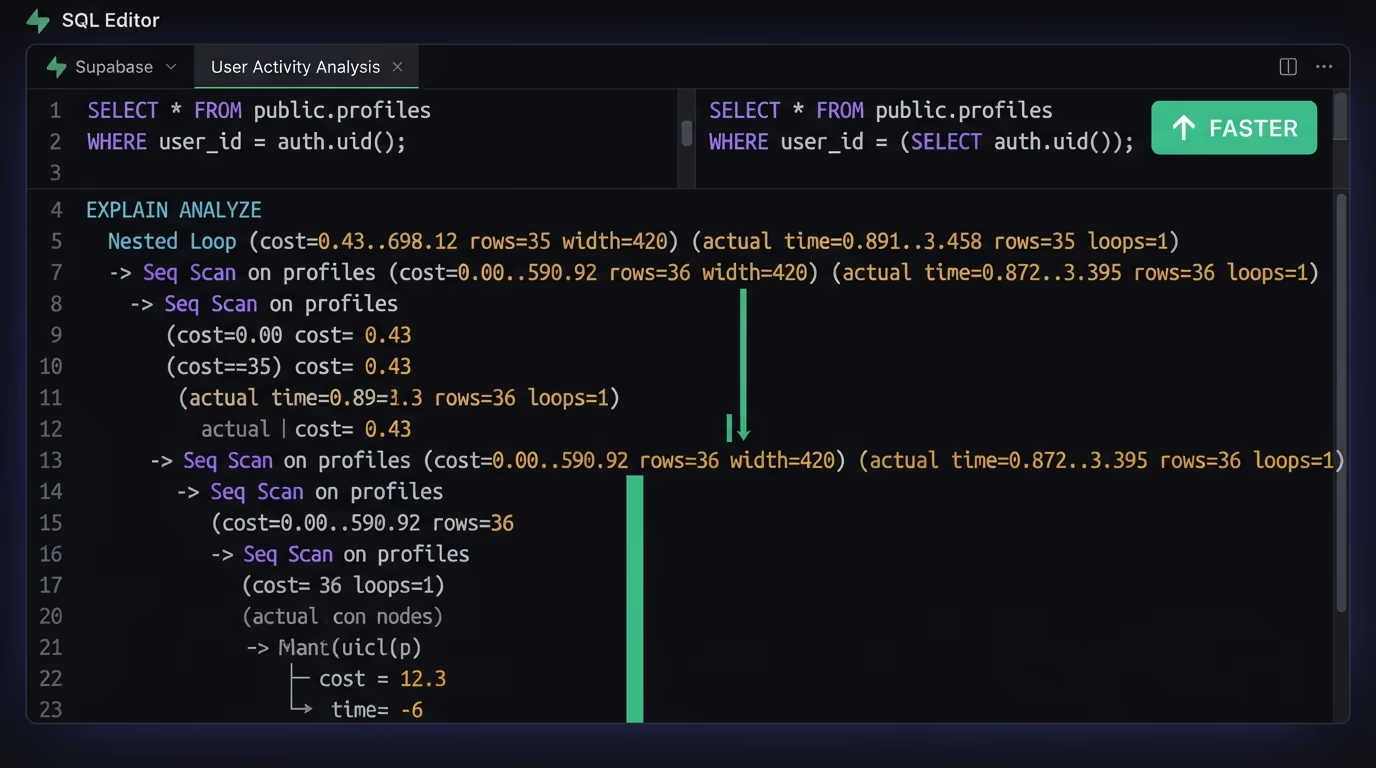
The first habit is that (select auth.uid()) wrapping you saw earlier. Writing the helper as (select auth.uid()) instead of a bare auth.uid() lets Postgres evaluate it once and reuse the result across rows, rather than calling it again for every single row. Supabase’s own testing shows this one change can make a policy query dramatically faster on a large table, and it costs nothing but a pair of parentheses. The second habit is adding an index on the columns your policies compare. If your policy filters on user_id, add an index on that column, because the policy is essentially a where clause that runs constantly, and an index turns a full-table scan into an instant lookup. Beyond those two, it helps to specify the to role on every policy so the database can skip policies that don’t apply to the current request, and to keep policy conditions simple rather than joining across several tables when an exists check or an array membership test would do. Get the wrapping and the indexes right and RLS adds a cost you’ll struggle to measure, even at scale.
How do you check RLS is on across every table?
You confirm it two ways: from the inside with a SQL query, and from the outside the way an attacker would. The inside check is definitive because it reads the database’s own record of which tables have RLS enabled. Run this in the Supabase SQL editor to list every public table still unprotected:
select tablename
from pg_tables
where schemaname = 'public'
  and rowsecurity = false;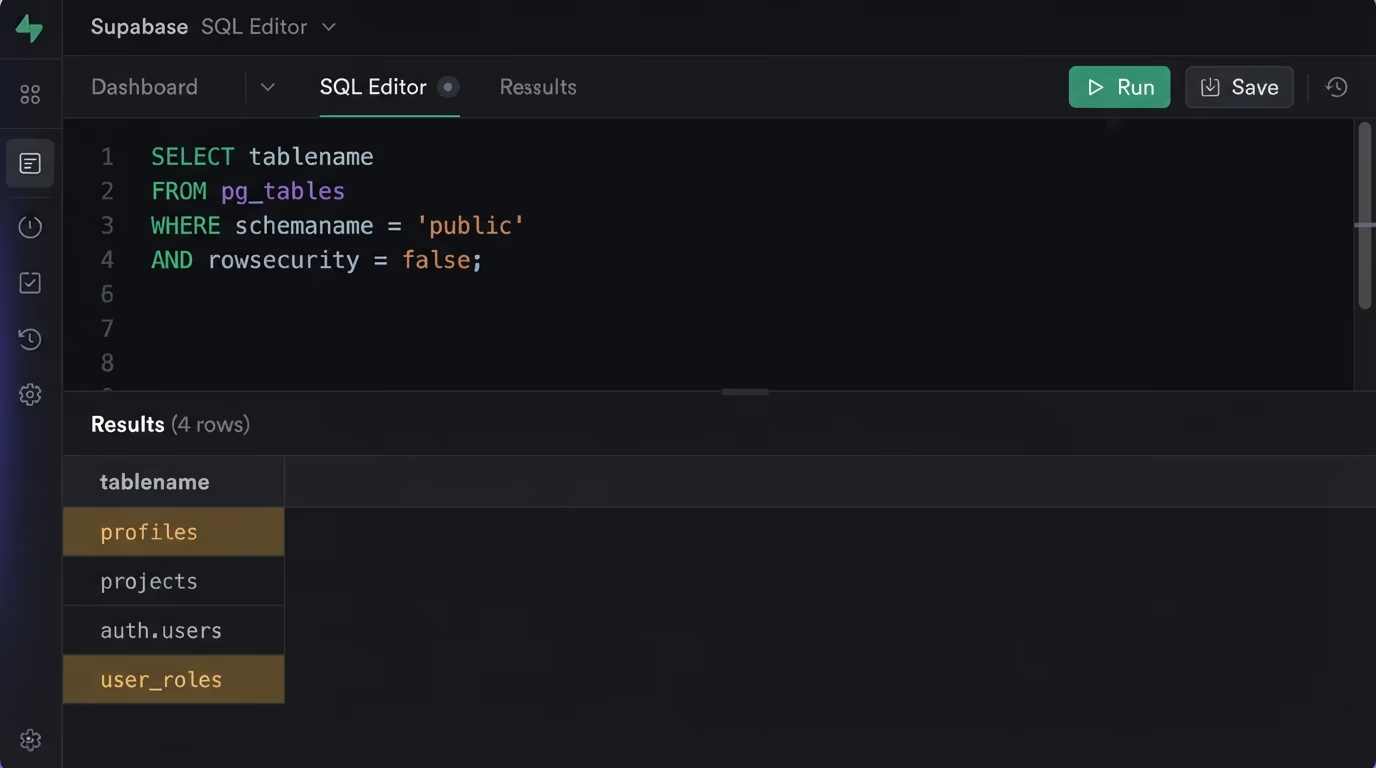
An empty result means every table in the public schema has RLS on, which is the state you want. Any table that shows up in that list is exposed and needs alter table ... enable row level security plus its policies. Make this query a fixed step in your pre-launch routine, because a single forgotten table is all it takes, and the newest tables are the ones most likely to be missed.
Enabling RLS is only half the check, because a table can have RLS on and still hand out the wrong rows if a policy is written loosely. To confirm a policy actually filters correctly, test it as a specific user inside the SQL editor: run set local role authenticated; and set local request.jwt.claim.sub = 'some-user-id';, then run the same query your app runs. You should get back only that user’s rows, and swapping in a different id should swap the rows you see. For a check that runs on every deploy rather than by hand, Supabase supports pgTAP tests under supabase/tests/, created with supabase test new and run with supabase test db.
The inside check tells you RLS is enabled, but it doesn’t tell you your policies are correct, and that’s where an outside check earns its place. Amabrik’s security scan reads your live site the same way any visitor or bot can, then tests whether your public API hands back rows without a login, which is precisely what an RLS-off table or one with a broken policy does. It doesn’t just pattern-match a key; it checks whether the data comes back with no login at all, so a real exposure gets flagged as critical while a public-by-design anon key is left alone. Every finding comes with a plain-English explanation and a copy-paste fix prompt you hand to your AI assistant. It’s the difference between believing your database is locked and confirming it from the outside.
Ship Supabase apps that don’t leak data
Row Level Security is the one switch that separates a private Supabase app from a public one, and it’s off until you turn it on. Enable it on every table, add policies that scope each row to its owner or team, set the owner column to auth.uid() so inserts pass their check, wrap your helper calls and index the columns you filter on, and you’ve closed the hole behind most fast-built app leaks. None of it takes long, and each policy is a few lines of SQL you write once.
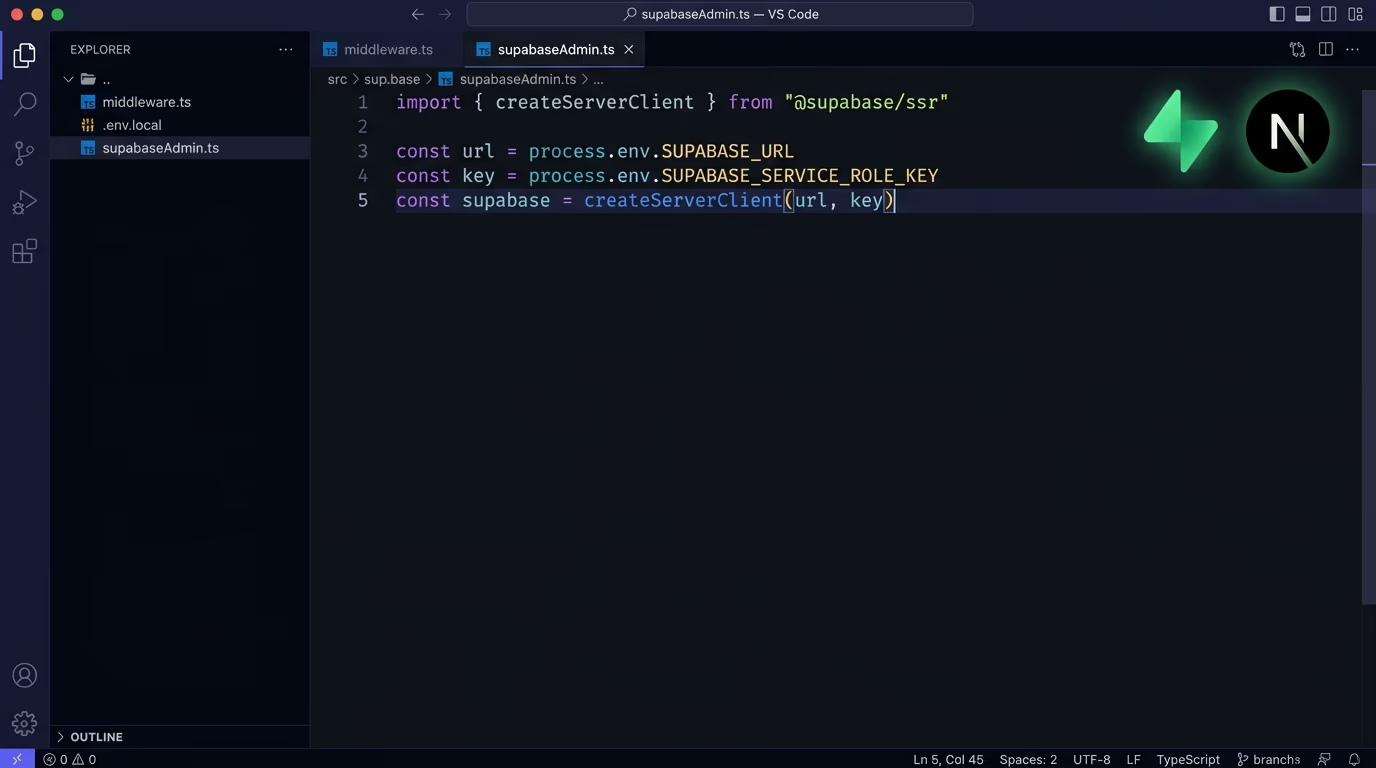
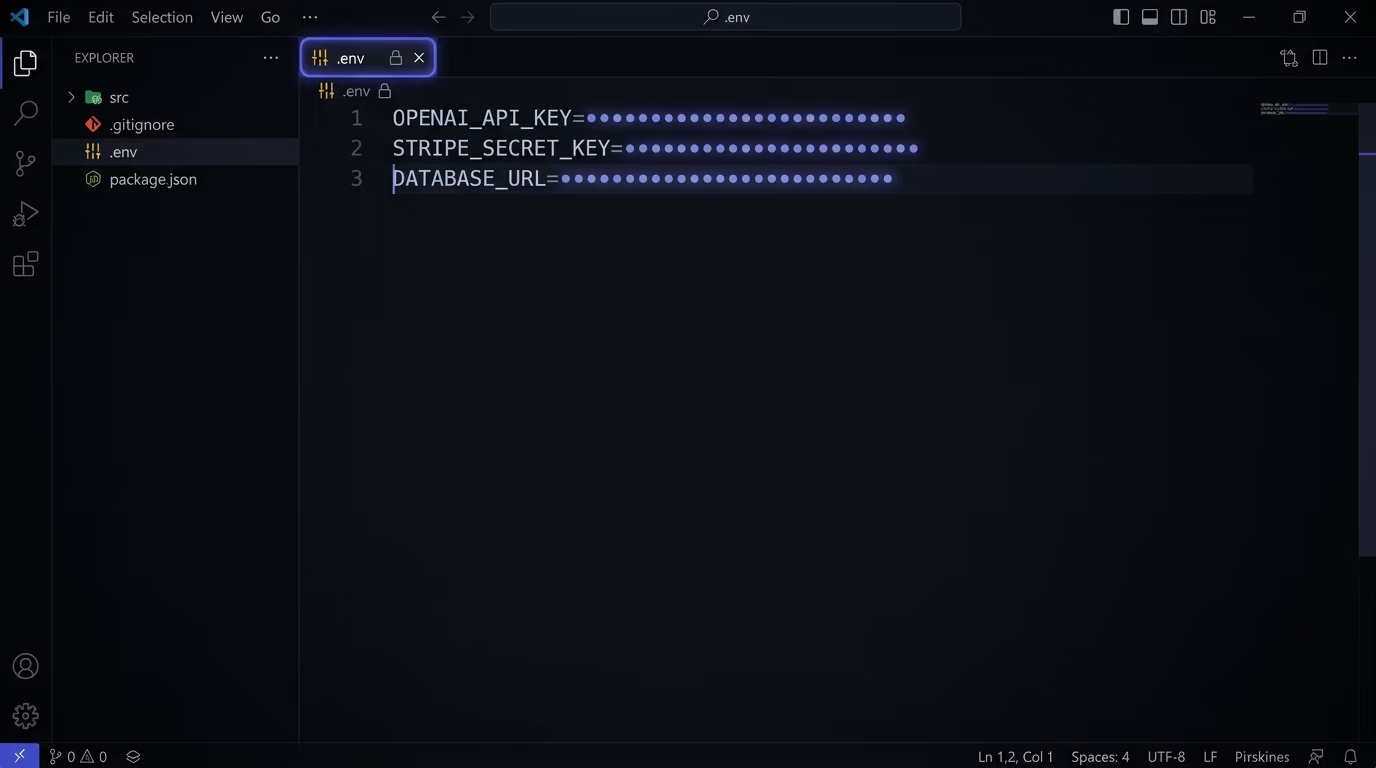
RLS protects the rows in your database, but a leak can come from other directions too: a service_role key shipped to the browser, secrets left in git or NEXT_PUBLIC_ variables, open storage buckets, missing security headers. The full website security checklist walks through the rest. When you’re ready to know for certain rather than hope, run a security scan on your live site and let it tell you which doors are still open, then fix them before your users find them for you.
No, and that catches almost everyone. Any table you create directly in the database has Row Level Security switched off, which means the public anon key can read and write every row through the auto-generated API. Tables you make in the Supabase table editor prompt you to enable it, but the switch is still yours to flip. Until you turn RLS on and add policies, the table is effectively public.
It means an insert or update was blocked because no policy allowed that exact row through the WITH CHECK test. Usually the table has RLS on but no insert policy, or the row's user_id column doesn't match the logged-in user. Add an insert policy with a WITH CHECK that matches auth.uid() to the row's owner column, and set that column to the current user when you insert.
Enabling RLS with no policy denies everything, so a freshly protected table looks empty until you add policies. Reads, updates and deletes fail quietly by returning zero rows instead of an error, which is why it feels like the data vanished. Add a select policy scoped to auth.uid() and the right rows come back.
No, it closes the biggest hole but not all of them. You still have to keep the service_role key server-side, get secrets out of NEXT_PUBLIC_ and git, lock your storage buckets, and add security headers. RLS protects rows in the database; the rest protects everything around it. Run a security scan to see which of these are still open on your live site.
Query pg_tables for public tables where rowsecurity is false, which lists every table still unprotected. Do that inside the SQL editor for a definitive answer. Then confirm from the outside with a security scan, which reads your live API the way an attacker would and flags a table whose anon key still returns data without a login.