reCAPTCHA Alternatives That Won't Slow Your Site
reCAPTCHA alternatives that protect forms without tracking users or slowing your site. Compare proof-of-work, Turnstile, honeypots, and invisible options.

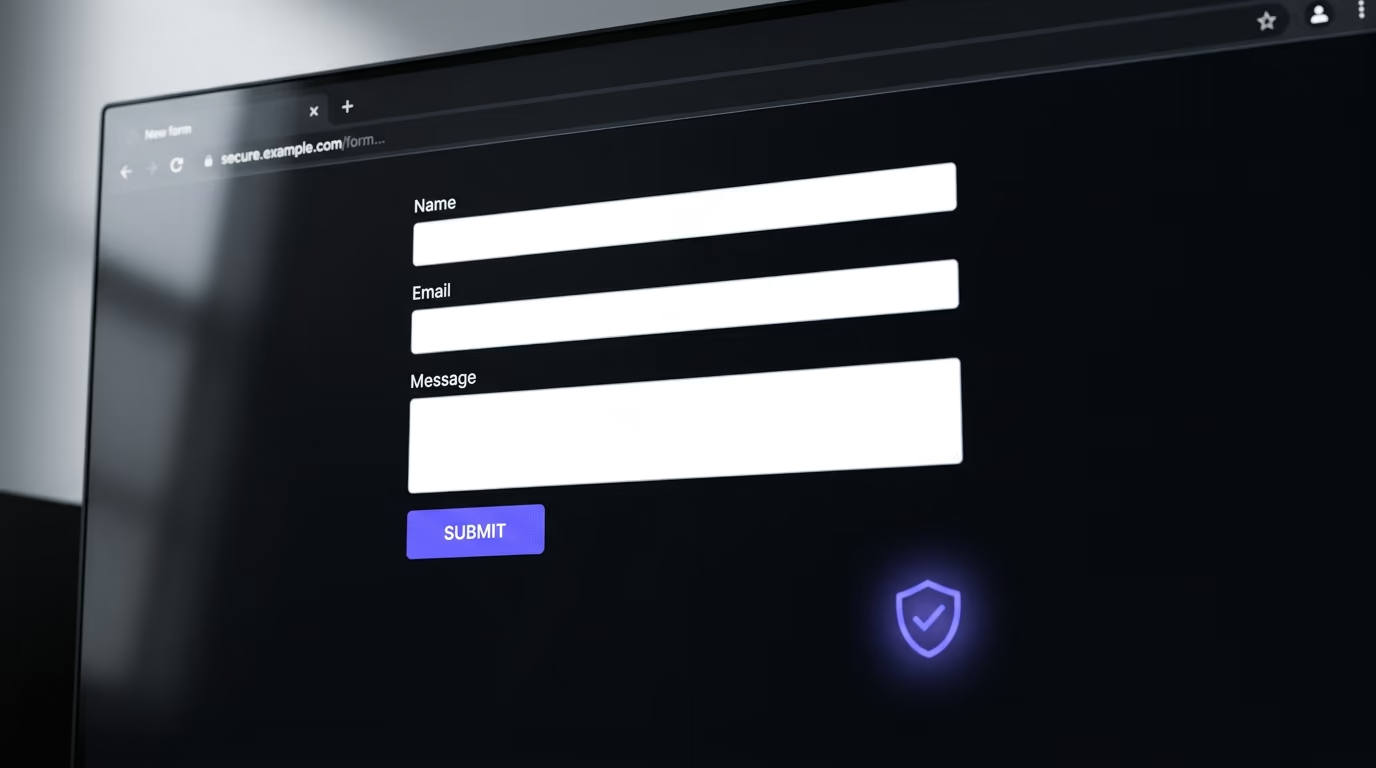
reCAPTCHA alternatives are tools and techniques that protect web forms from spam and bots without relying on Google’s reCAPTCHA service. The main categories are proof-of-work challenges (ALTCHA, Friendly Captcha), managed verification services (Cloudflare Turnstile, hCaptcha), honeypot fields, and server-side rate limiting. You don’t always need a CAPTCHA at all, and picking the right approach depends on your form’s traffic and your privacy requirements.
Google’s reCAPTCHA has been the default spam protection on the web for over a decade, and most developers still reach for it first. But reCAPTCHA ships hundreds of kilobytes of JavaScript, sends behavioral data to Google for risk scoring, and requires consent under GDPR before it can load in Europe. Google also cut reCAPTCHA’s free tier from 1 million assessments a month to 10,000 on April 2, 2026, so the cost math changed for anyone past a small volume. Those problems have turned a growing number of developers toward alternatives that protect forms without the performance cost or the privacy baggage. If you’re doing a broader security review, our website security checklist covers the full surface beyond just forms. This article covers every reCAPTCHA alternative worth considering in 2026, with real pricing, concrete performance trade-offs, and a decision framework so you can pick the right one for your site.
What’s wrong with reCAPTCHA?
reCAPTCHA works by analyzing user behavior (mouse movements, scroll patterns, browsing history) and assigning a risk score. If the score is low enough, the user passes silently. If not, they get image challenges: “click all the traffic lights”, “select the bicycles”. The system is effective against bots, but it comes with three costs that most developers don’t think about until after they’ve shipped it.

The first cost is performance. reCAPTCHA v3 loads recaptcha/api.js, which then pulls more code from gstatic, and real-world tests commonly measure over 200 KB of transferred JavaScript. That script runs on every page where you include it, not just on the form page. On mobile connections, that payload can add a few hundred milliseconds to your LCP and pull your Lighthouse performance score down by double digits. For sites that care about Core Web Vitals, it’s a measurable hit.
The second cost is privacy, and it’s the one that creates legal exposure. reCAPTCHA collects device fingerprints, cookie data, and browsing behavior, then sends it to Google servers in the United States. Under GDPR, that data transfer counts as processing personal data by a third party, and it requires informed consent before the script loads. The French data protection authority (CNIL) fined the scooter company Cityscoot 125,000 euros in 2023, partly because its reCAPTCHA collected device data and sent it to Google without the consent that GDPR and the ePrivacy rules require. The Austrian regulator reached the same conclusion on reCAPTCHA, and the country’s Federal Administrative Court upheld that ruling in September 2024. If your site serves European visitors and you load reCAPTCHA before the user clicks “Accept” on your cookie consent banner, you have a compliance gap.
The third cost is user experience. Image challenges frustrate real people and cost you conversions. Baymard Institute measured an 8% failure rate on CAPTCHAs, rising to 29% when the challenge is case-sensitive, and every failed attempt is a real user who might abandon the form before finishing it. Invisible reCAPTCHA v3 avoids the puzzles for most users, but it still loads the full JavaScript payload and still sends data to Google.
What types of reCAPTCHA alternatives exist?
Not every reCAPTCHA alternative works the same way. They fall into four categories, and understanding the differences matters more than picking a brand name.

Proof-of-work challenges force the user’s browser to solve a computational puzzle before the form submits. The puzzle is trivial for a single submission (under 200 milliseconds on a modern phone) but expensive for a bot submitting thousands of forms, because each submission requires its own puzzle. The user doesn’t interact with it at all, and no data leaves the browser. ALTCHA and Friendly Captcha are the two main options here.
Managed verification services replace reCAPTCHA with a different hosted service that handles bot detection on their servers. Cloudflare Turnstile and hCaptcha are the big ones. They still run JavaScript on the client and make API calls to their infrastructure, but they differ from reCAPTCHA in privacy posture, performance weight, and pricing.
Honeypot fields are the simplest technique: you add a hidden form field that real users never see. Bots that fill every field they encounter will populate the hidden field, and your server rejects those submissions. It adds no JavaScript and makes no external requests. The trade-off is that sophisticated bots and headless browsers can detect and skip hidden fields.
Server-side rate limiting isn’t a CAPTCHA replacement on its own, but it’s a layer that every form should have regardless of what client-side protection you use. You limit how many submissions a single IP or session can make in a time window, so even if a bot bypasses your client-side checks, it can’t flood your inbox.
Most production forms combine two of these approaches. A proof-of-work challenge paired with rate limiting, or a honeypot plus rate limiting, covers the vast majority of spam without any user friction.
Which proof-of-work solutions replace reCAPTCHA?
Proof-of-work is the category that has grown the fastest since 2024, because it avoids behavioral tracking while keeping the JavaScript payload small and the user experience invisible. Two products have taken the lead in this space.
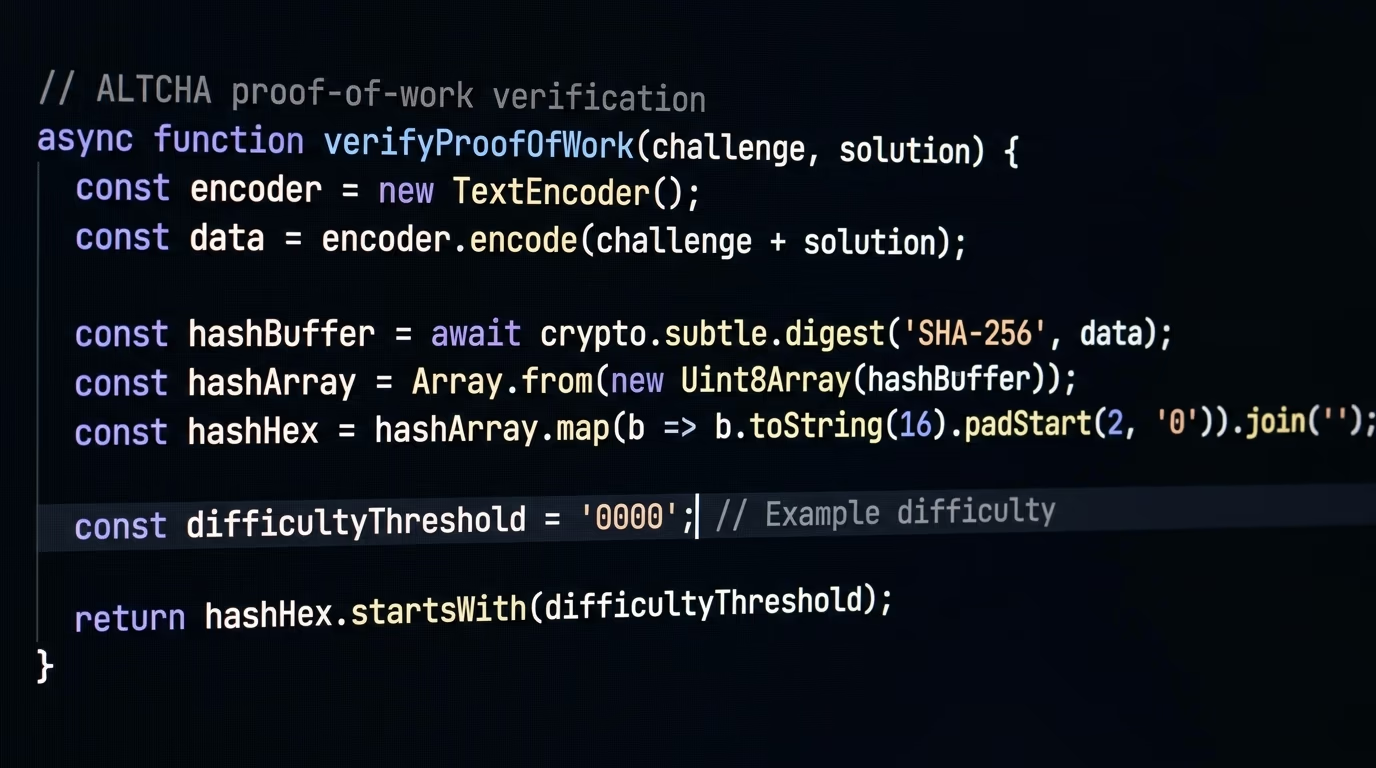
ALTCHA is an open-source (MIT license) proof-of-work widget that runs entirely in the browser. The widget is roughly 34 KB gzipped, it sets no cookies, it makes no external API calls, and it stores no user data. When a user submits a form, the browser solves a SHA-256 hash puzzle, attaches the solution to the form payload, and your server verifies it with a single hash check. No third-party server touches the data at any point. ALTCHA claims compliance with GDPR, CCPA, HIPAA, and LGPD, and it meets WCAG 2.2 for accessibility. There’s also ALTCHA Sentinel, a paid managed layer that adds IP reputation, device fingerprinting, and adaptive difficulty, but the core widget is free forever.
Friendly Captcha takes the same proof-of-work approach but runs as a managed service. Your form sends the puzzle solution to Friendly Captcha’s servers (hosted in the EU) for verification. Plans start at EUR 9 per month for one domain and 1,000 requests, scaling to EUR 39 per month for five domains and 5,000 requests, with enterprise pricing above that. The managed model means you don’t need to run your own verification code, but it also means you’re routing form events through a third party, even if that third party is EU-based and GDPR-friendly.
The practical difference between the two comes down to hosting. ALTCHA is fully self-hosted, so your data never leaves your infrastructure. Friendly Captcha handles verification for you, which is easier to set up but introduces a dependency. If your site already uses a framework that makes it simple to verify a hash on your server (any Node, Python, PHP, or Go backend), ALTCHA is the lighter choice. If you want a drop-in solution with managed analytics, Friendly Captcha is worth the monthly cost.
Which managed CAPTCHA services work better than reCAPTCHA?
If you want a hosted verification service but don’t want to use Google’s, two alternatives have reached production scale.
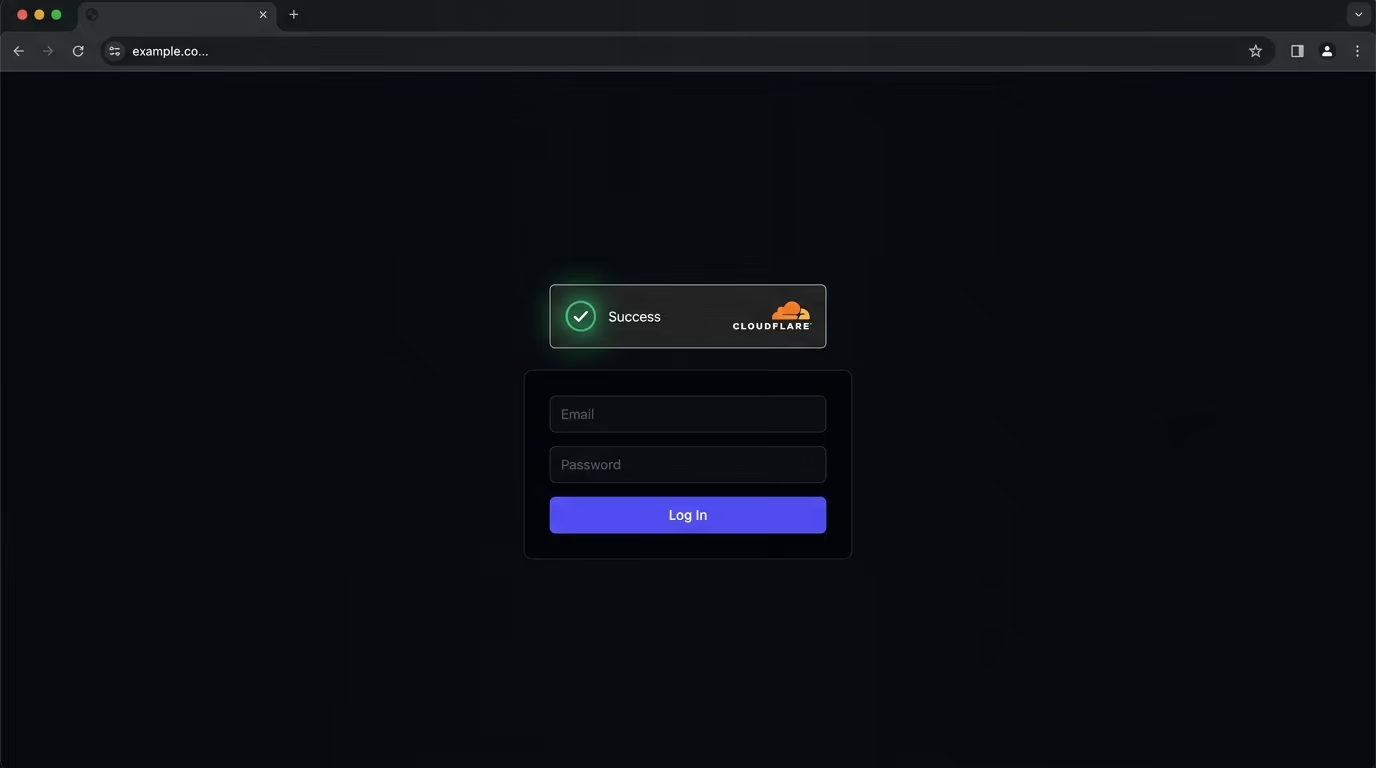
Cloudflare Turnstile is the strongest contender. It’s free with no request cap, works on any site (you don’t need to use Cloudflare for hosting or DNS), and it loads a lighter JavaScript payload than reCAPTCHA. Turnstile uses a mix of browser environment checks, proof-of-work puzzles, and machine learning signals to determine whether a visitor is human. The user never sees a puzzle. Setup takes about ten minutes: create a widget in the Cloudflare dashboard, add the script tag and a div to your form, then verify the token server-side with one API call. The free tier includes up to 20 widgets per account and 7 days of analytics retention. Enterprise features like custom risk thresholds and extended bot scoring require a Cloudflare Enterprise contract.
Turnstile doesn’t share data with advertisers and uses only functional cookies. It’s a significant improvement over reCAPTCHA on privacy, though it still sends challenge results to Cloudflare’s servers for verification.
hCaptcha was originally designed as a privacy-focused reCAPTCHA replacement. The free “Basic” tier lets you use hCaptcha on your site, and the business behind it is still funded by its parent company (Intuition Machines), which runs a data-labeling operation that solved image challenges feed into. So when a challenge appears, your users are doing labeling work in the background. The Pro plan is $139 per month billed monthly, or $99 per month billed annually, and includes 100,000 evaluations. The JavaScript payload is comparable to reCAPTCHA in size, and the image challenges (when triggered) are similar in friction. If your main concern with reCAPTCHA is Google specifically rather than CAPTCHAs in general, hCaptcha fits. If you want to eliminate image puzzles and external data processing entirely, it doesn’t.
Can a honeypot stop spam without a CAPTCHA?
A honeypot is a hidden form field that’s invisible to human users but visible to bots that parse your HTML and fill every input they find. Your server checks whether the hidden field has a value. If it does, the submission came from a bot, and you discard it silently.
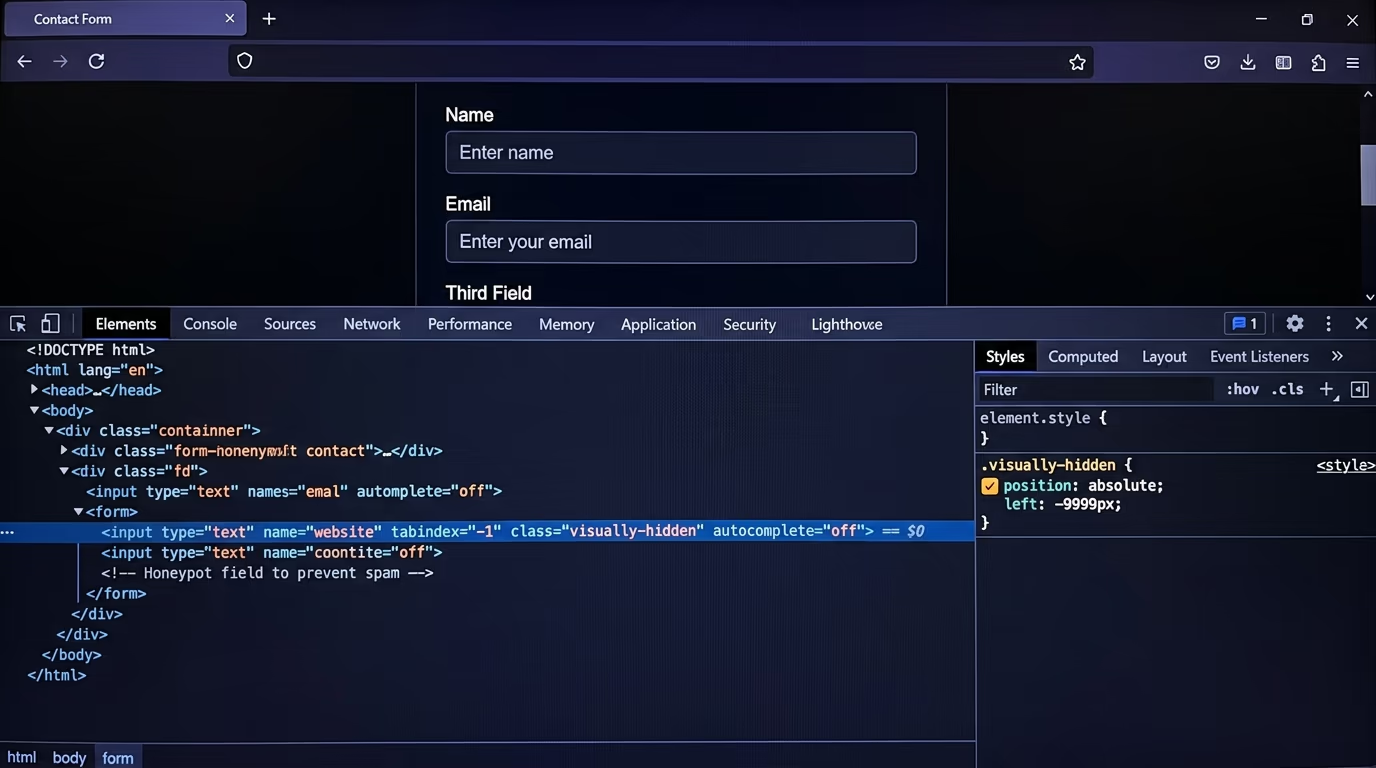
The implementation is dead simple. You add an input with tabindex="-1" and CSS that moves it off-screen or sets its height to zero. You give it a name that looks like a real field (“website”, “company”, “url”) to bait bots into filling it. On the server, you reject any submission where that field isn’t empty. It adds no JavaScript, makes no external requests, and has no measurable impact on page load.
Honeypots work surprisingly well against commodity spam bots, which account for the majority of form spam on small-to-mid-traffic sites. A contact form on a portfolio site, a newsletter signup, or a feedback form will catch 80 to 90 percent of automated spam with just a honeypot.
Where honeypots fail is against targeted attacks and modern headless browsers. A bot running Puppeteer or Playwright can read your CSS, detect the hidden field, and skip it. Manual spammers (humans typing spam by hand) won’t trigger it at all. And bots using AI to analyze form structure are getting better at identifying honeypot fields by name and positioning.
For most sites, a honeypot paired with server-side rate limiting is enough. You only need a CAPTCHA or proof-of-work layer when your form is high-value (login, checkout, lead generation) or high-traffic (thousands of daily submissions where even a 5% false-negative rate means dozens of spam messages).
How do reCAPTCHA alternatives compare on price?
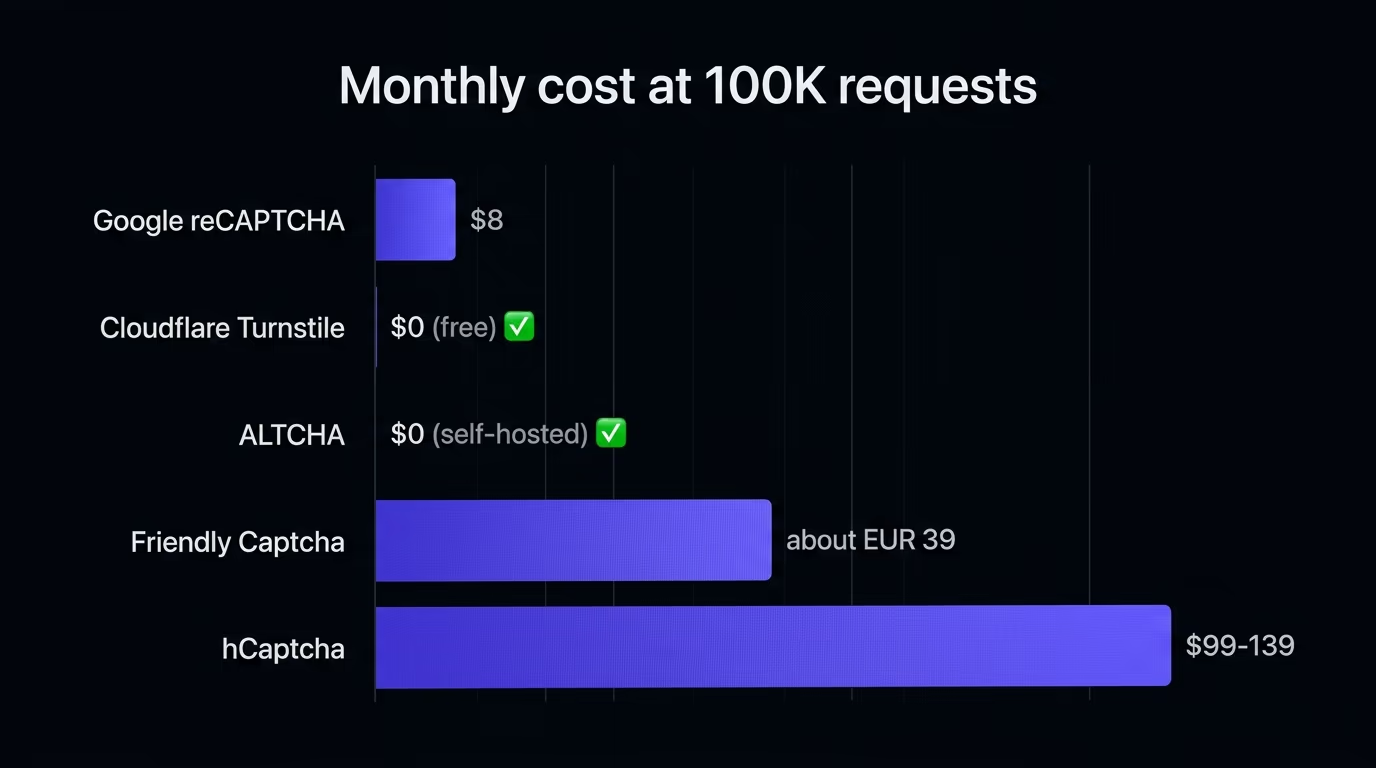
Pricing varies widely across the options, so here are the verified 2026 figures side by side.
| Alternative | Free tier | Paid pricing | Data sent externally |
|---|---|---|---|
| Google reCAPTCHA | 10,000 assessments/month | $8/mo up to 100K, then $1 per 1K | Yes (Google US servers) |
| Cloudflare Turnstile | Unlimited requests, 20 widgets | Enterprise contract for advanced features | Yes (Cloudflare servers) |
| ALTCHA (open source) | Unlimited, self-hosted | ALTCHA Sentinel for managed features | No (fully self-hosted) |
| Friendly Captcha | Free non-commercial (1 domain, 1K) | From EUR 9/mo (1 domain, 1K requests) | Yes (EU servers) |
| hCaptcha | Free Basic tier (10K/mo) | $139/mo, or $99/mo billed yearly (100K evals) | Yes (hCaptcha servers) |
| Honeypot field | Free, no service needed | No cost | No |
The cheapest option with external verification is Turnstile, because it’s free without a request cap. The cheapest option with zero external data transfer is ALTCHA, because it’s open source and self-hosted. reCAPTCHA’s free tier covers most small sites, but the moment you cross 10,000 monthly submissions, you’re paying Google for a service that also collects your users’ behavioral data.
How do you choose the right reCAPTCHA alternative?
The decision depends on two things: how much traffic your form gets and how strict your privacy requirements are.
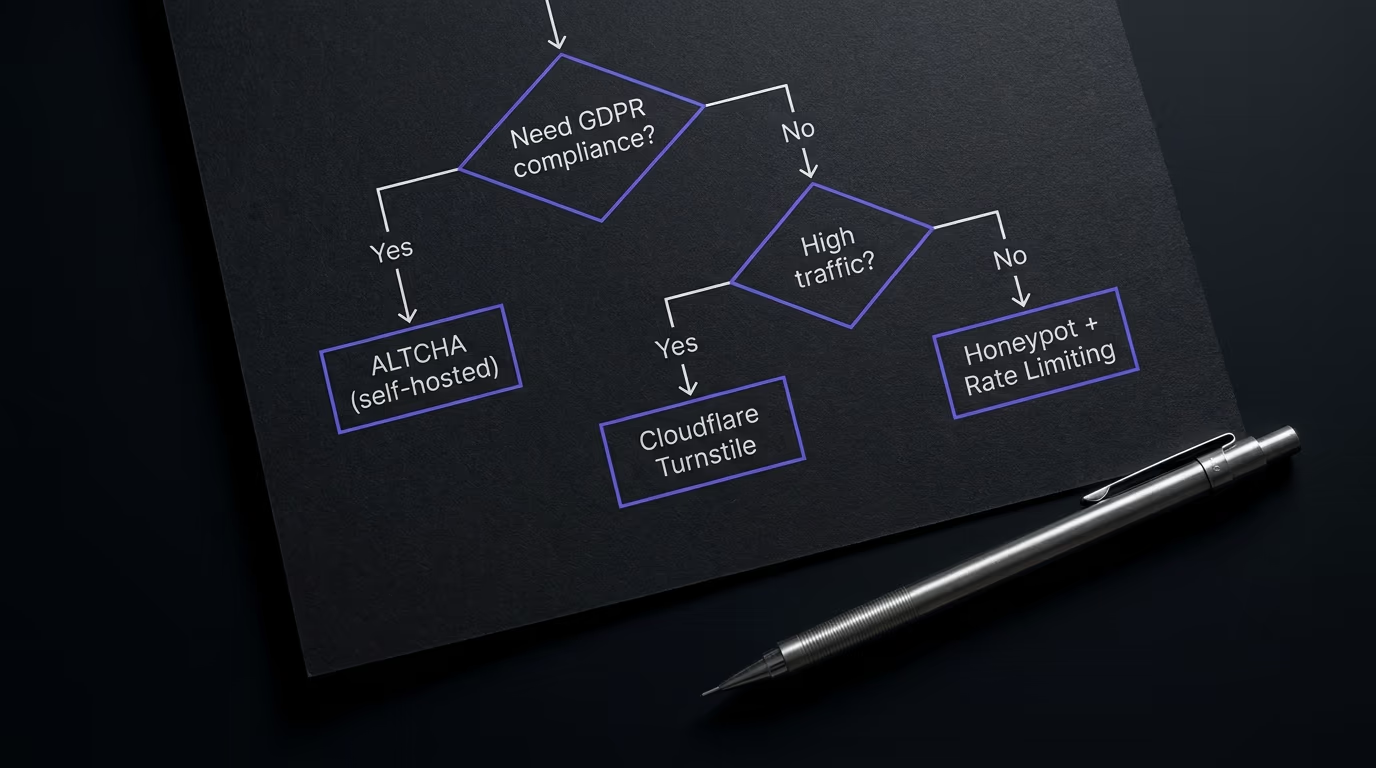
If you need zero external data transfer and full GDPR compliance without a consent banner for the CAPTCHA itself, use ALTCHA (self-hosted proof-of-work) plus server-side rate limiting. It sets no cookies and loads no third-party scripts, so the spam protection layer itself doesn’t require consent. This is the best option for sites in regulated industries or for anyone who wants the simplest possible privacy posture.
If you want a free managed service with minimal setup and you’re comfortable sending challenge data to Cloudflare, use Turnstile. It’s the most practical swap for reCAPTCHA: similar invisible UX, lighter JavaScript, no image puzzles, no request-based pricing on the free tier. It works on any platform and has WordPress, React, and vanilla JS integrations.
If your form is low-traffic and you want zero JavaScript, use a honeypot field plus rate limiting. It’s free, it’s invisible, and it handles commodity bots. You can always add a proof-of-work layer later if spam volume grows.
If you’re building a login or checkout flow that faces credential-stuffing attacks, you need more than any single tool. Combine a managed service (Turnstile or hCaptcha Pro) with rate limiting, account lockout policies, and IP-based throttling. Proof-of-work alone won’t stop a determined attacker replaying stolen credentials.
The one approach to avoid is stacking protections to the point where they slow down real users. A honeypot plus rate limiting, or a proof-of-work challenge plus rate limiting, covers the vast majority of use cases. Adding both a CAPTCHA and a proof-of-work challenge on the same form is overkill and adds unnecessary page weight.
Do vibe-coded apps need a reCAPTCHA alternative?
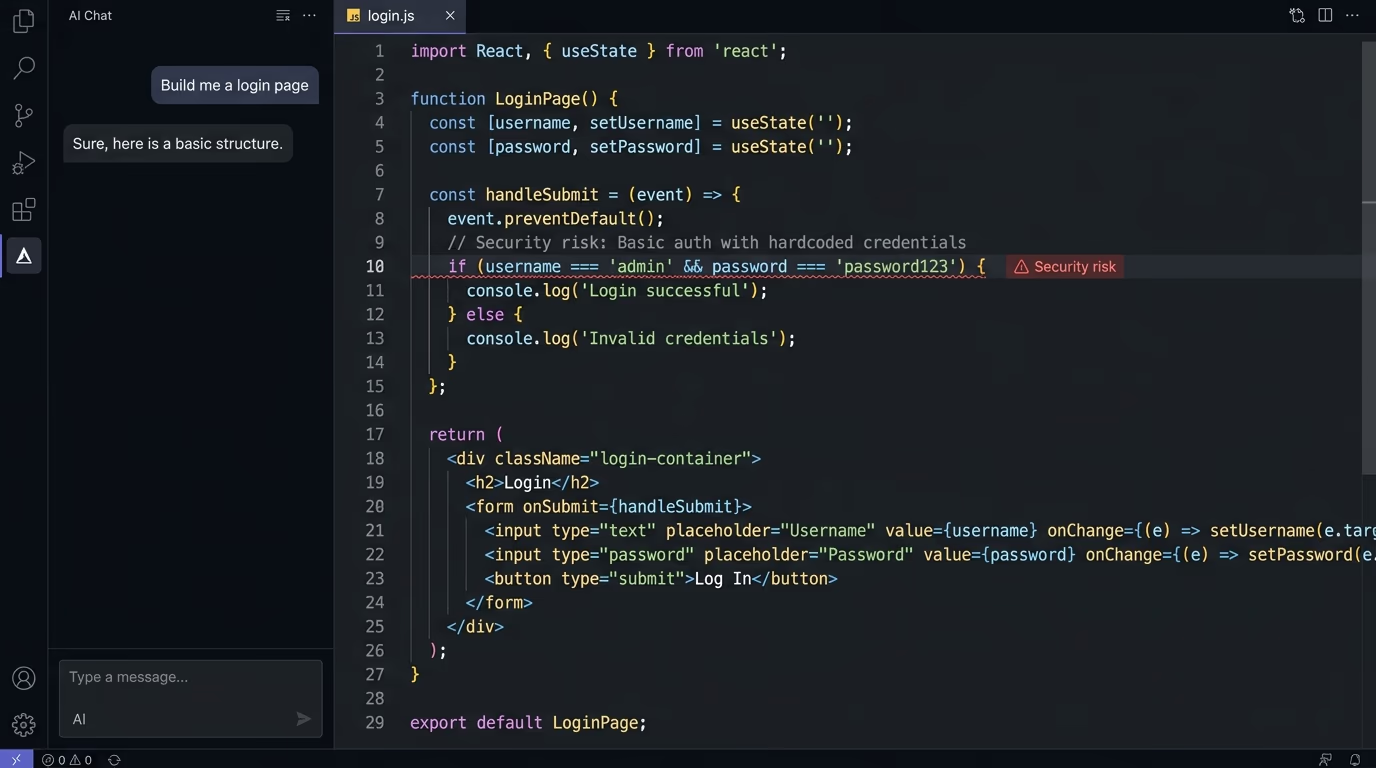
If you’ve built your app with an AI coding tool (Cursor, Bolt, Lovable, v0), there’s a good chance your forms have no spam protection at all. AI-generated code tends to produce working forms that submit data to an API endpoint without any client-side or server-side validation beyond basic field types. No honeypot, no rate limiting, and no CAPTCHA of any kind.
That’s a problem for two reasons. First, an unprotected form is an open relay for spam. Bots will find it within days of deployment and start submitting garbage, phishing links, or SEO spam through your contact form, your feedback widget, or your signup flow. Second, if your form triggers email notifications (and most do), a bot can use it to send thousands of emails through your domain, which damages your sender reputation and can get your transactional email provider suspended.
The fix is straightforward and shouldn’t take more than an hour. Add a honeypot field to every form, add rate limiting on the server (three to five submissions per IP per minute is a reasonable starting point), and if the form handles anything sensitive (logins, payments, lead capture), add a proof-of-work challenge or Turnstile on top.
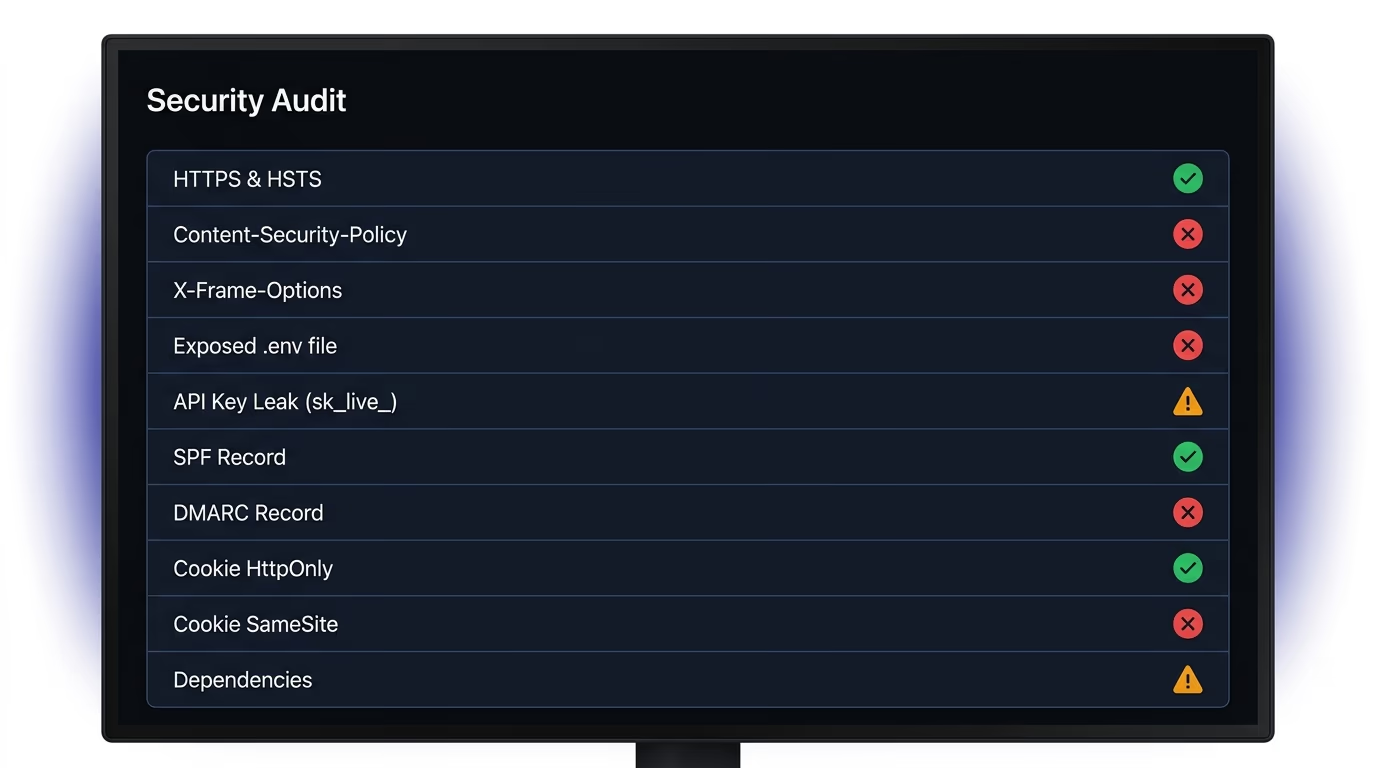
Amabrik’s forms widget handles this by default: every form submission runs through a proof-of-work challenge (ALTCHA) plus a honeypot, with server-side rate limiting on the API. There’s no reCAPTCHA involved, no external tracking, and no consent needed for the spam layer. If you’ve already shipped a site and want to check whether your forms (and the rest of your app) have security gaps that vibe-coded projects commonly miss, you can run Amabrik’s security scanner against your live domain.
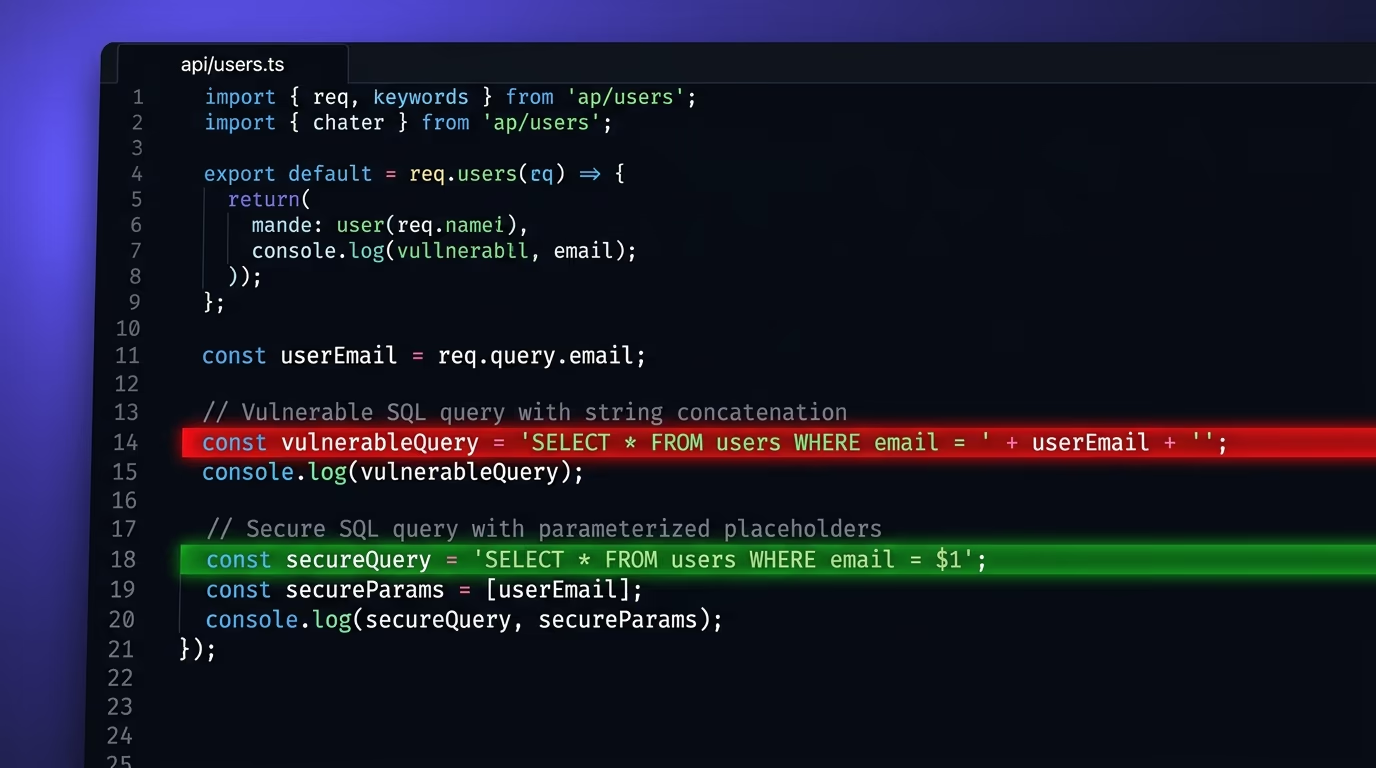
Spam protection isn’t something you add after bots find you, because it’s a baseline on the same level as HTTPS or input validation that prevents SQL injection. If your AI tool didn’t include it, you need to add it yourself, and reCAPTCHA isn’t the only way to do it anymore. For most sites, a lighter, privacy-friendly alternative does the job with less code, less JavaScript, and fewer compliance headaches.
reCAPTCHA is free for the first 10,000 assessments per month, which covers most small sites. Beyond that, Google charges $8 per month for up to 100,000 assessments, then $1 per 1,000 additional assessments. You also need a Google Cloud project with billing enabled, even on the free tier.
reCAPTCHA sends user data to Google servers in the United States for risk analysis. Under GDPR, that transfer requires explicit user consent before reCAPTCHA loads, because it sets cookies and processes behavioral data for a purpose beyond what the site itself needs. Several European data protection authorities have ruled that loading reCAPTCHA without prior consent violates GDPR.
Cloudflare Turnstile is the fastest to deploy. You create a widget in the Cloudflare dashboard, get a site key and secret key, then add a single script tag and a div to your form. Server-side verification is one POST request to Cloudflare's API. The whole process takes under ten minutes, no Cloudflare hosting required.
A honeypot field stops most basic bots that fill every field they find. It won't stop sophisticated bots that parse your HTML and skip hidden fields, and it does nothing against manual spam. For a contact form on a small site, a honeypot alone is often enough. For login pages, checkout flows, or high-traffic forms, pair it with rate limiting or a proof-of-work challenge.
Proof-of-work spam protection forces the browser to solve a small computational puzzle before the form submits. The puzzle takes a fraction of a second for a real user but costs time and CPU for a bot trying to submit thousands of forms. ALTCHA and Friendly Captcha both use this approach, and neither requires sending user data to a third party.
Cloudflare Turnstile has a well-maintained WordPress plugin that integrates with most form builders, including WPForms, Gravity Forms, and Contact Form 7. If you want a privacy-first option with no external requests at all, ALTCHA also has a WordPress plugin. Both are lighter than reCAPTCHA on page weight.