Social Media Aggregator Explained (2026)
A social media aggregator pulls posts from Instagram, TikTok, YouTube, and more into one feed on your website. Here's how they work and what to look for.

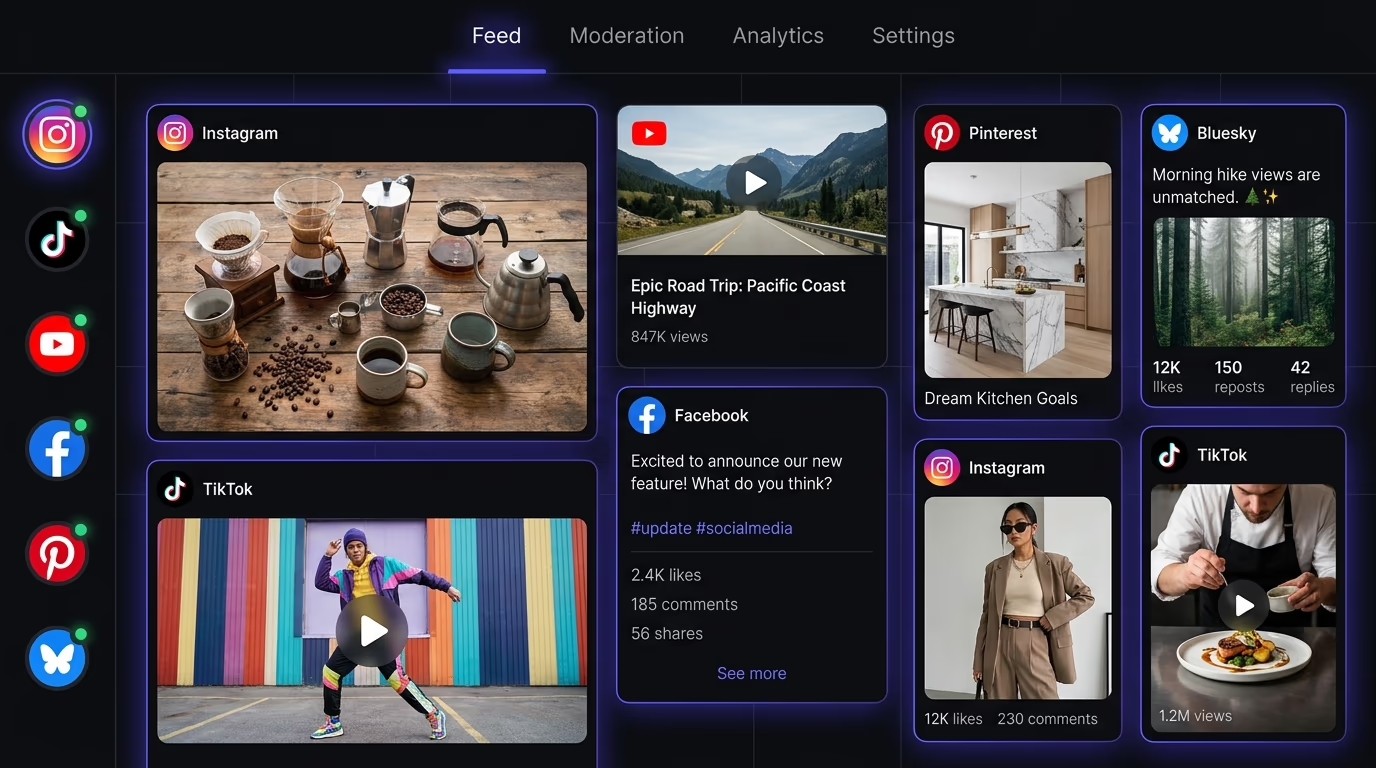
A social media aggregator is a tool that collects your posts from Instagram, TikTok, YouTube, Facebook, and other platforms, then displays them together in a single feed on your website. Instead of asking visitors to follow five different profiles across five different apps, you give them one place to see everything you’re publishing. This guide covers how aggregators actually work under the hood, what each social platform allows you to pull, what the performance and privacy implications are, and how to pick a tool that doesn’t wreck your page speed.
What is a social media aggregator?
A social media aggregator is software that connects to your social accounts, fetches your published content through each platform’s API, and renders it as a unified feed you can embed on any web page.
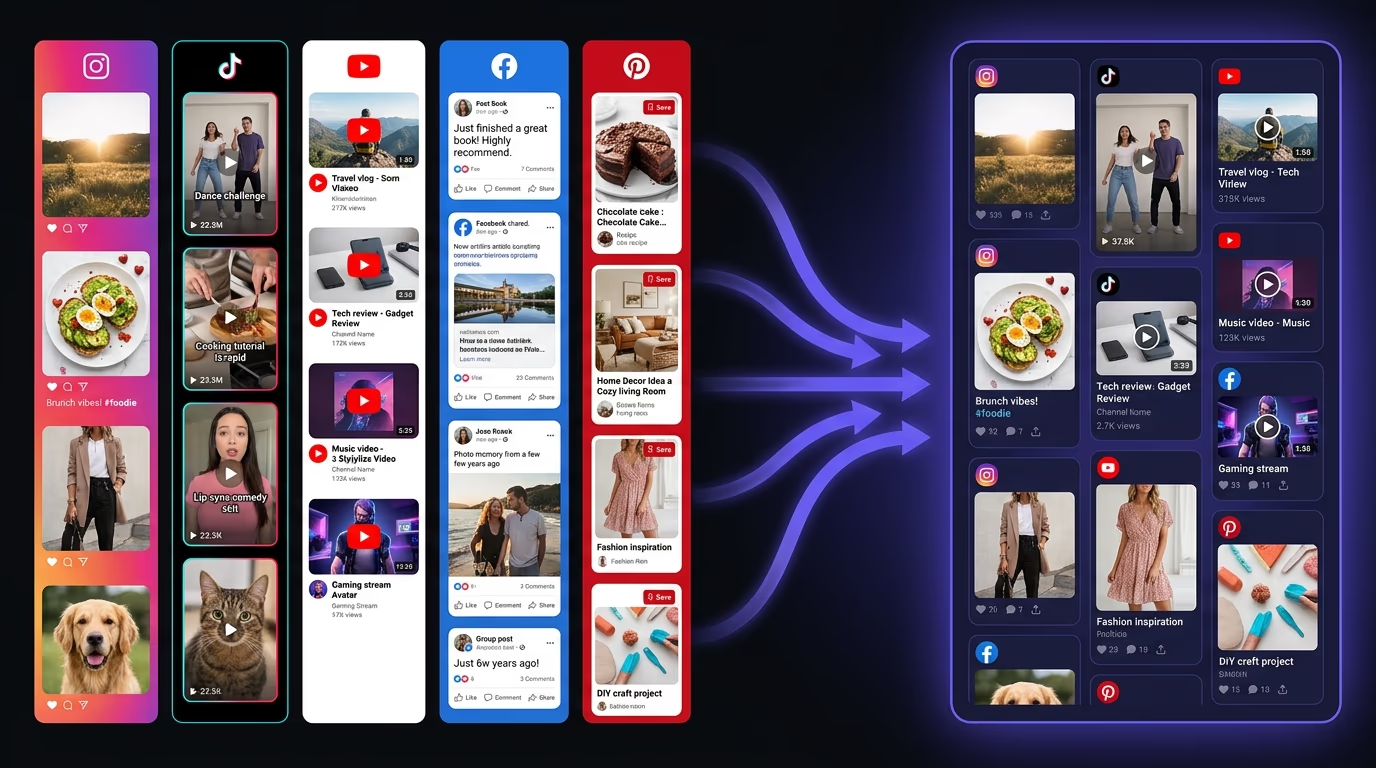
The concept is simple enough: you post a photo on Instagram, a short video on TikTok, and a product announcement on Facebook. Without an aggregator, a visitor to your website would never see any of that content unless they happened to follow you on each individual platform. With an aggregator, all three posts show up together in a feed widget on your homepage, your about page, or wherever you place the embed code.
The terminology varies across the industry. Some tools call themselves “social walls,” others use “social feed widgets,” and a few go with “UGC aggregators” because they can also pull in content that other people post about your brand using a specific hashtag. The underlying mechanic is the same: the tool authenticates with the social platform, requests content through an API, filters it, then renders the result on your page.
What separates an aggregator from simply pasting an Instagram embed code into your site is automation and scope. A manual embed is a snapshot of one specific post that never updates. An aggregator connects to your account once, then keeps pulling your latest content on a schedule, so the feed on your website stays current without you touching it again.
How does a social media aggregator work?
A social media aggregator works through a four-step pipeline: authenticate with each social platform’s API, fetch content on a recurring schedule, filter and moderate what gets displayed, then render the feed inside a widget on your page.

The first step is authenticating with each platform. You connect your Instagram Business account, your YouTube channel, your TikTok profile, and any others you want to aggregate. The tool stores an access token for each, which lets it request your published content on your behalf. Most aggregators use OAuth, so you log in through the platform’s own consent screen rather than handing over a password.
Once connected, the aggregator’s backend fetches your latest posts at regular intervals. The frequency depends on the tool and your pricing tier: some pull every 15 minutes, others every hour, and free tiers sometimes update once or twice a day. Each fetch request hits the platform’s API, retrieves post data (caption, media URL, timestamp, engagement counts), and caches it so the widget renders without making a live API call on every page load.
Before the content reaches your visitors, a moderation layer sits in between. Basic moderation filters posts by keyword; better tools add a manual approval queue so you can review each post before it appears. That matters most when you aggregate hashtag content from customers, which the next section covers in detail.
The final step is the widget itself. The aggregator injects a JavaScript snippet into your page that builds the feed layout (grid, carousel, masonry, list) and populates it with the filtered content. Better implementations render this inside a shadow DOM or isolated container so the widget’s styles don’t conflict with your site’s CSS, and they load the script asynchronously so it doesn’t block your page from rendering.
How does hashtag aggregation work?
Hashtag aggregation pulls every public post tagged with a specific hashtag into one live feed, rather than pulling only from the accounts you own. The pipeline is the same as account aggregation, with one change: the source is a tag, so the feed fills with posts from anyone who used it, including people who have never followed you.
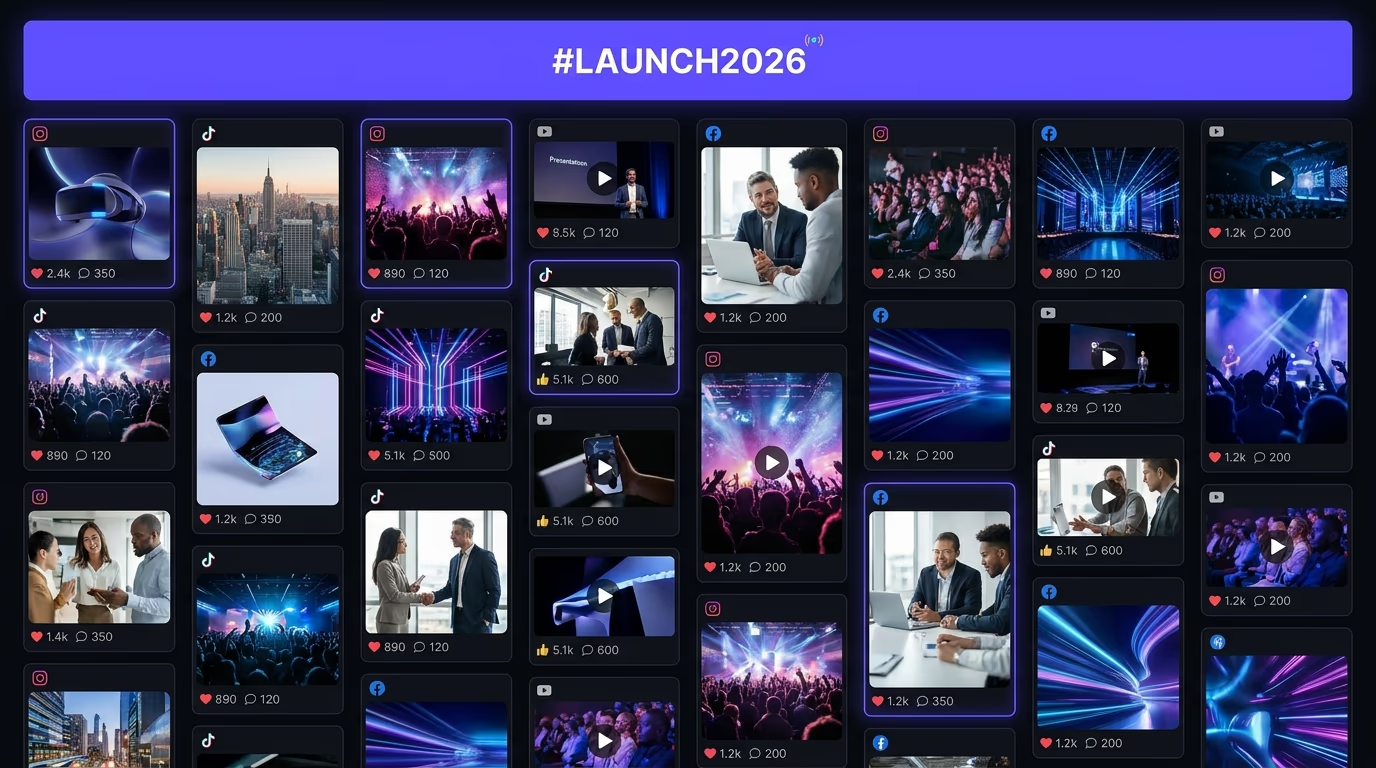
The distinction changes what you can build. Account aggregation shows your own posts, so a visitor sees what your brand publishes. Hashtag aggregation shows a whole campaign: you run a branded tag like #yourbrandsummer, and every customer photo, review, and mention that carries it flows into the same wall. This is why event teams put a hashtag wall on a screen at conferences and product launches. Attendees post with the event tag, the feed updates on the big screen within minutes, and seeing their own post go live pushes more people to post.
The mechanics are stricter than account aggregation, because platforms guard hashtag search far more tightly than they guard your own timeline. Instagram’s Graph API allows hashtag search only for Business and Creator accounts, caps you at 30 unique hashtags in a rolling 7-day window, and returns a limited set of recent public posts rather than the full history. TikTok and YouTube expose your own tagged uploads through their APIs but don’t offer an open hashtag search to outside tools. So any tool that promises “every post from any hashtag on every network” is usually scraping public pages, and scraping breaks the moment a platform changes its layout. Ask which networks a tool reaches through a real API before you trust the feed to stay up.
Moderation stops being optional the second you aggregate a hashtag. Anyone can attach your tag to anything, so spam and off-brand posts can reach your homepage the moment they publish. A manual approval queue, where each post waits for a yes before it appears, is the safe default for a public campaign, and keyword blocklists catch the rest. You’re also showing content other people created, so ask permission before you feature a customer’s post in a paid campaign, even where the platform’s terms technically allow the display.
Combining sources is where a hashtag wall earns its place. The better tools let you merge several tags, add @mentions, and pull from named accounts into one feed, so a launch wall can show your own announcement next to the campaign hashtag and everyone who mentioned you. You set the tags and the moderation rule once, and the wall runs itself for the length of the campaign.
Why add a social feed to your website?
Adding a social feed to your website turns content you’re already creating into a conversion asset that works on the page where buying decisions happen, rather than buried on a platform your visitor might never check.
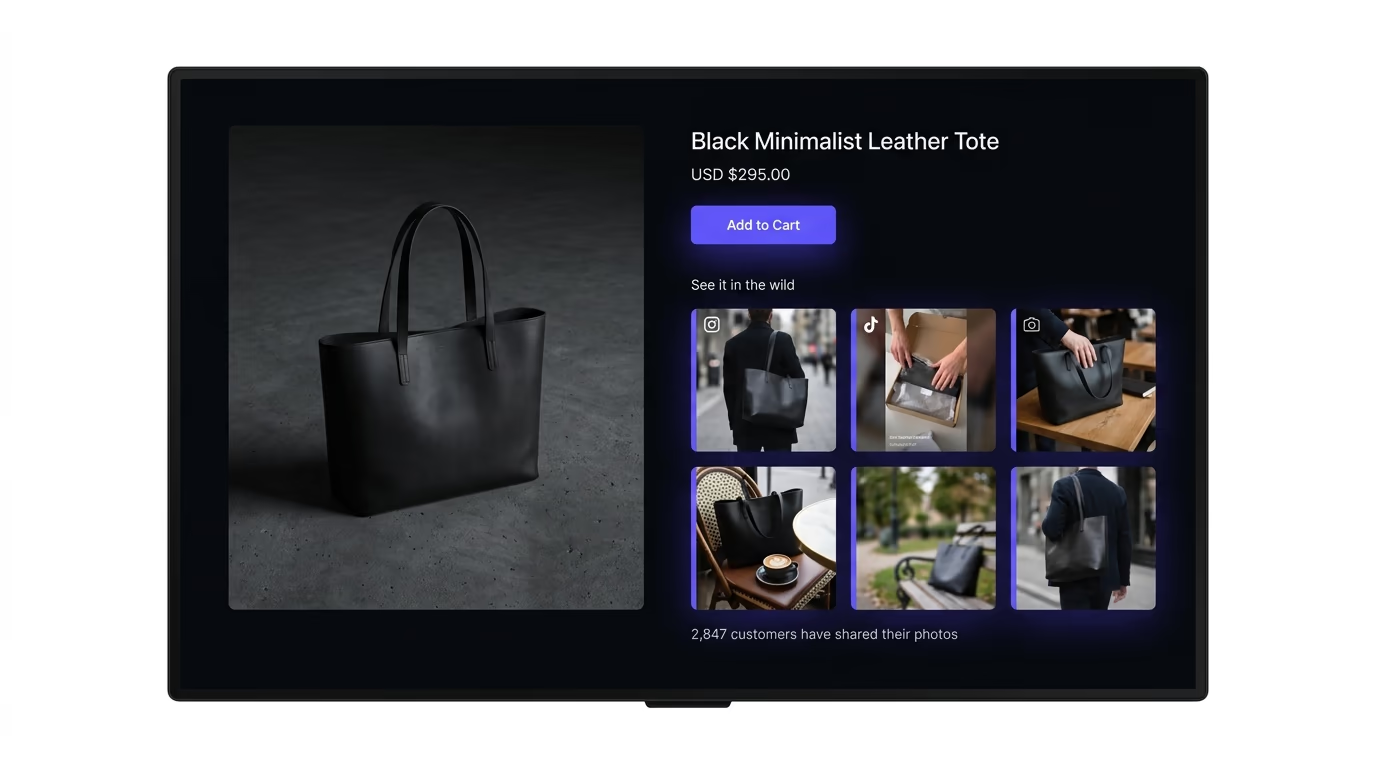
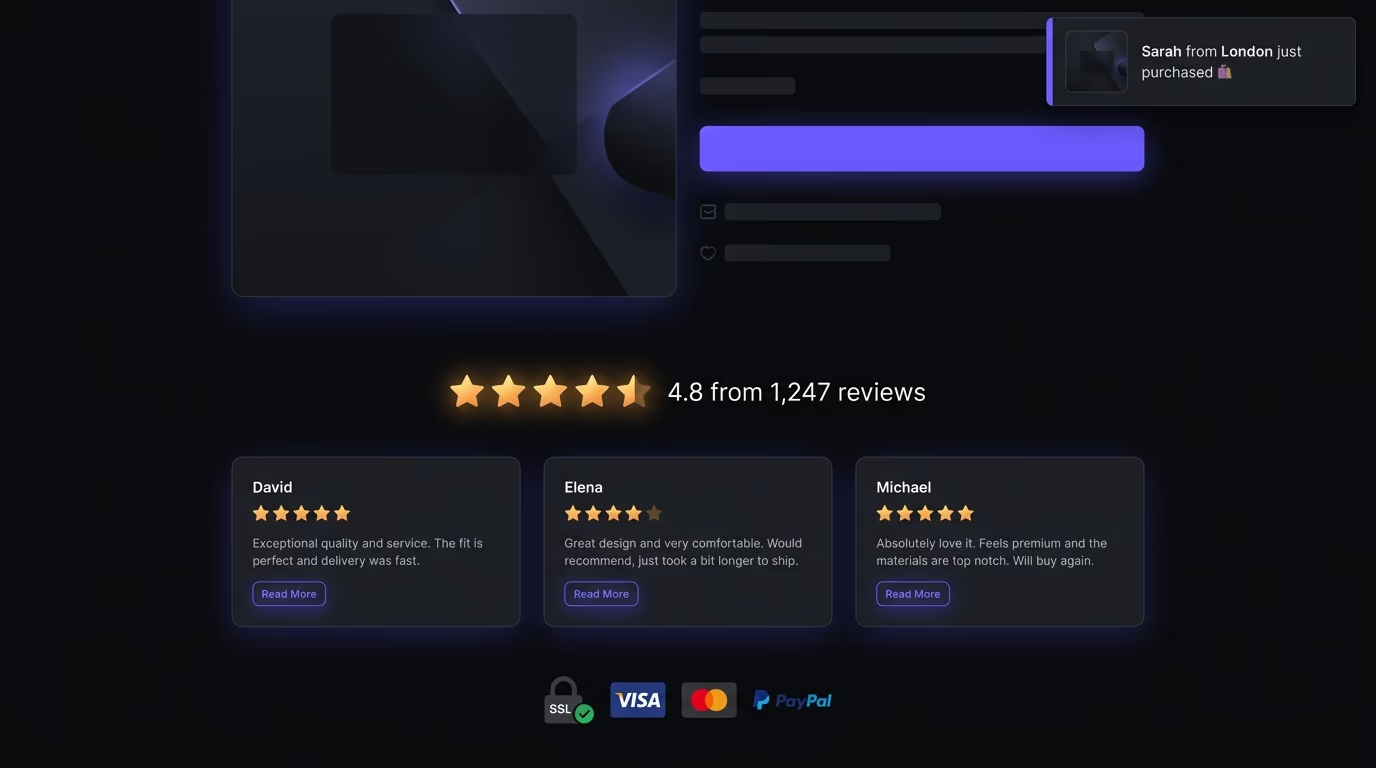
The most straightforward reason is that social content acts as social proof. A live feed of real customer photos and recent posts tells a visitor your brand is active and that real people engage with it. It’s more convincing than a static testimonial block, because the content is timestamped and clearly pulled from a real platform, not written by your marketing team.
The second reason is content reuse. Brands spend real time and money on social content: product shots, behind-the-scenes clips, event coverage. Without an aggregator, that content lives only on Instagram or TikTok, competing with every other post in the algorithm. Embed it on your site and it gets a second life on a surface you control, next to your pricing and product pages.
A feed of clickable posts also gives visitors a reason to follow your accounts, which extends the relationship past a single visit. For e-commerce, shoppable feeds that link each post to its tagged product page turn inspiration into a purchase without the visitor leaving the site.
The conversion data backs this up. Flowbox, a European social aggregator, published case studies showing conversion lifts of 7% to 19% for brands that embedded curated social feeds on product pages. Those numbers come from specific A/B tests on specific brands, so they aren’t universal guarantees, but the direction is consistent: putting real user-generated content next to a product tends to increase the rate at which visitors buy it.
What can you actually aggregate from each platform?
Each social platform gives aggregator tools different levels of access through its API, and the differences matter more than most comparison guides acknowledge.
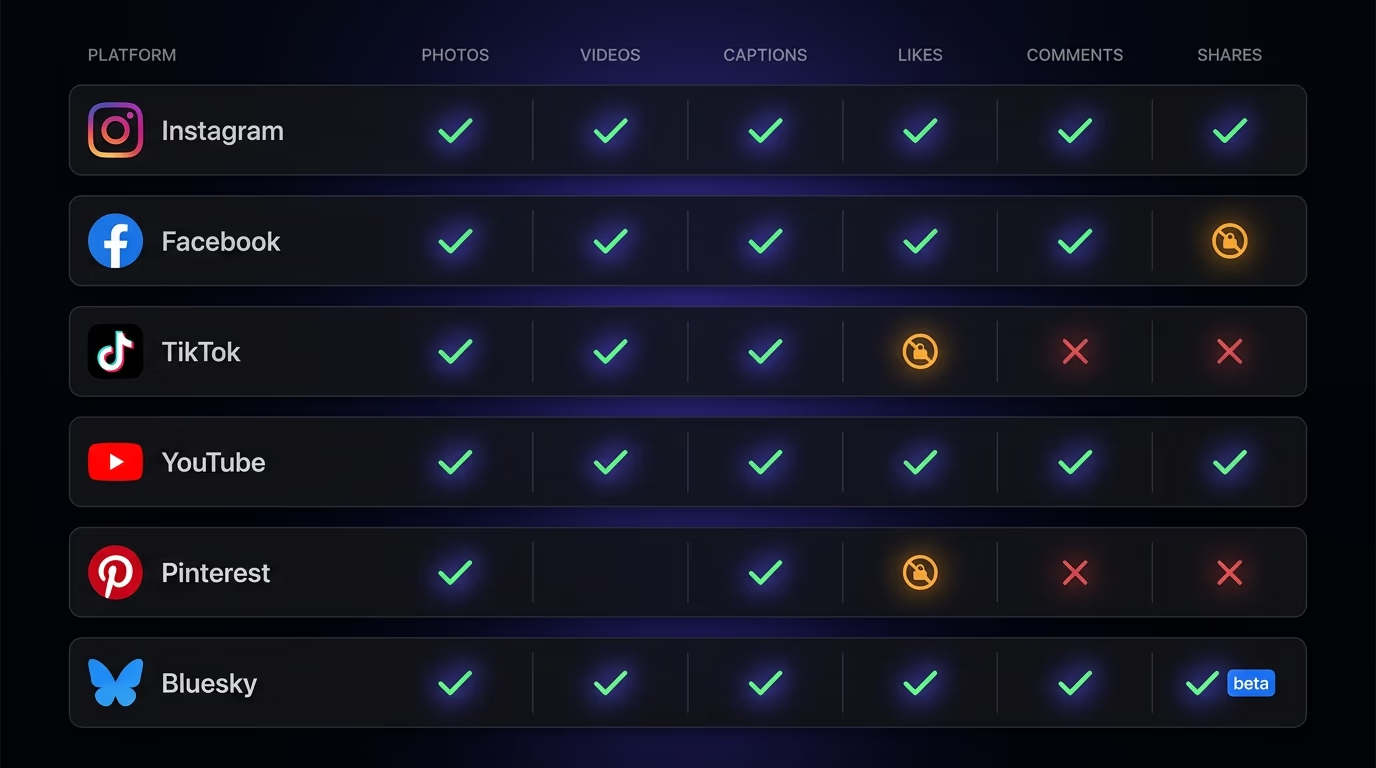
Instagram provides the broadest access for embedding purposes. Through the Instagram Graph API (which requires a Business or Creator account), aggregators can pull photos, videos, Reels, carousels, captions, timestamps, like counts, and comment counts. The feed updates are reliable and the media quality is high. If you’re only going to aggregate from one platform, Instagram is the one with the fewest limitations. For a deeper walkthrough on Instagram specifically, there’s a dedicated guide on how to embed an Instagram feed on your website.
Facebook’s API covers public Page posts (photos, videos, and text) from Pages you manage, not personal profiles, and its rate limits are stricter than Instagram’s. Most aggregators treat it as a secondary source, since fewer brands post actively on Facebook Pages now.
TikTok’s Display API is newer and more restricted. You can pull your own published videos with captions and view counts, but not comments or detailed engagement. It also requires a separate developer approval, so not every aggregator supports it yet. The ones that do are worth prioritizing if short-form video is central to your strategy.
YouTube’s Data API v3 is mature and well-documented. You can pull videos, playlists, titles, descriptions, thumbnails, view counts, and like counts. YouTube gives more data than most platforms, but the embed itself tends to be heavier because it loads YouTube’s iframe player, which adds significant weight to your page if you’re displaying multiple videos.
Pinterest’s API is more limited for aggregation purposes. You can pull pins from your own boards, but engagement data (saves, comments) is partially restricted, and the visual format of pins doesn’t always translate well to a mixed-platform feed layout.
Bluesky is the newest platform with aggregation potential. Its API is open and relatively permissive compared to the major platforms, but aggregator tool support is still catching up. Only a handful of tools offer Bluesky integration at this point, though that number is growing as the platform’s user base expands.
What features matter in a social media aggregator?
The features that matter most are the ones that determine whether the feed actually helps your site or becomes a liability: layout flexibility, content moderation, performance, and platform breadth.
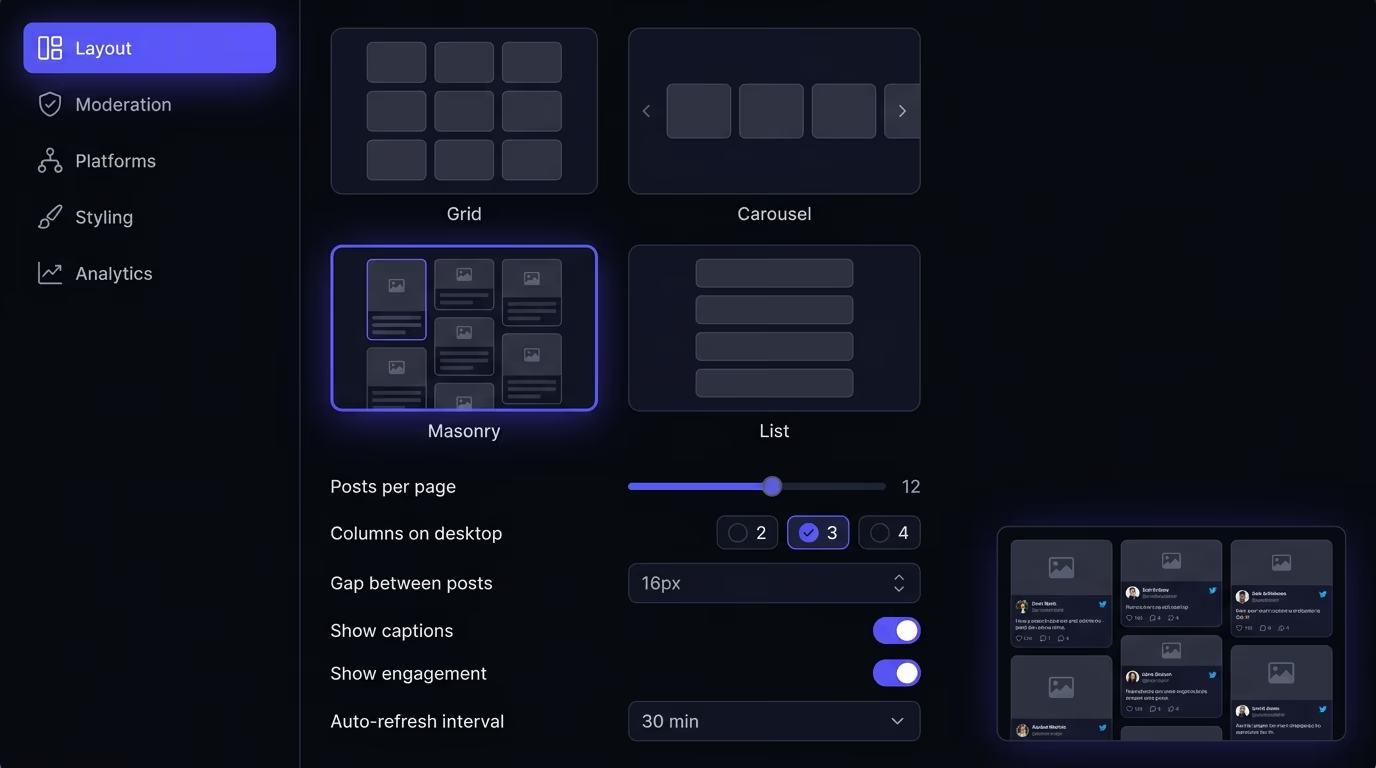
Layout options are the first thing to evaluate, because a feed that looks good on desktop but breaks on mobile is worse than no feed at all. The tool should offer at least a grid, a carousel, and a masonry layout, and every option should be fully responsive. Check how the layouts handle mixed media types: a feed that alternates between square Instagram photos and vertical TikTok videos needs a layout that adapts to different aspect ratios gracefully, not one that crops everything to the same square.
Content moderation controls decide what can appear on your site. At minimum you want keyword filtering and a way to manually hide posts, plus the manual approval queue any hashtag campaign needs (covered above). Some tools add AI moderation that flags inappropriate images, which helps when you’re processing a high volume of tagged content.
Platform coverage is worth checking against the breakdown above: confirm each tool connects to the networks you post on through a real API, not an RSS feed or a scraper that breaks the moment a platform changes its layout.
Customization should let you match the widget to your site: colors, fonts, spacing, and whether engagement counts show, so it doesn’t impose its own branding. And if the feed is a conversion element rather than decoration, look for per-post analytics on clicks and click-through, so you can see which content sends visitors to your product pages.
How do social feeds affect your site’s speed?
A social feed affects your site’s speed based entirely on how the widget loads, and a badly implemented one can add 500ms or more to your Largest Contentful Paint.
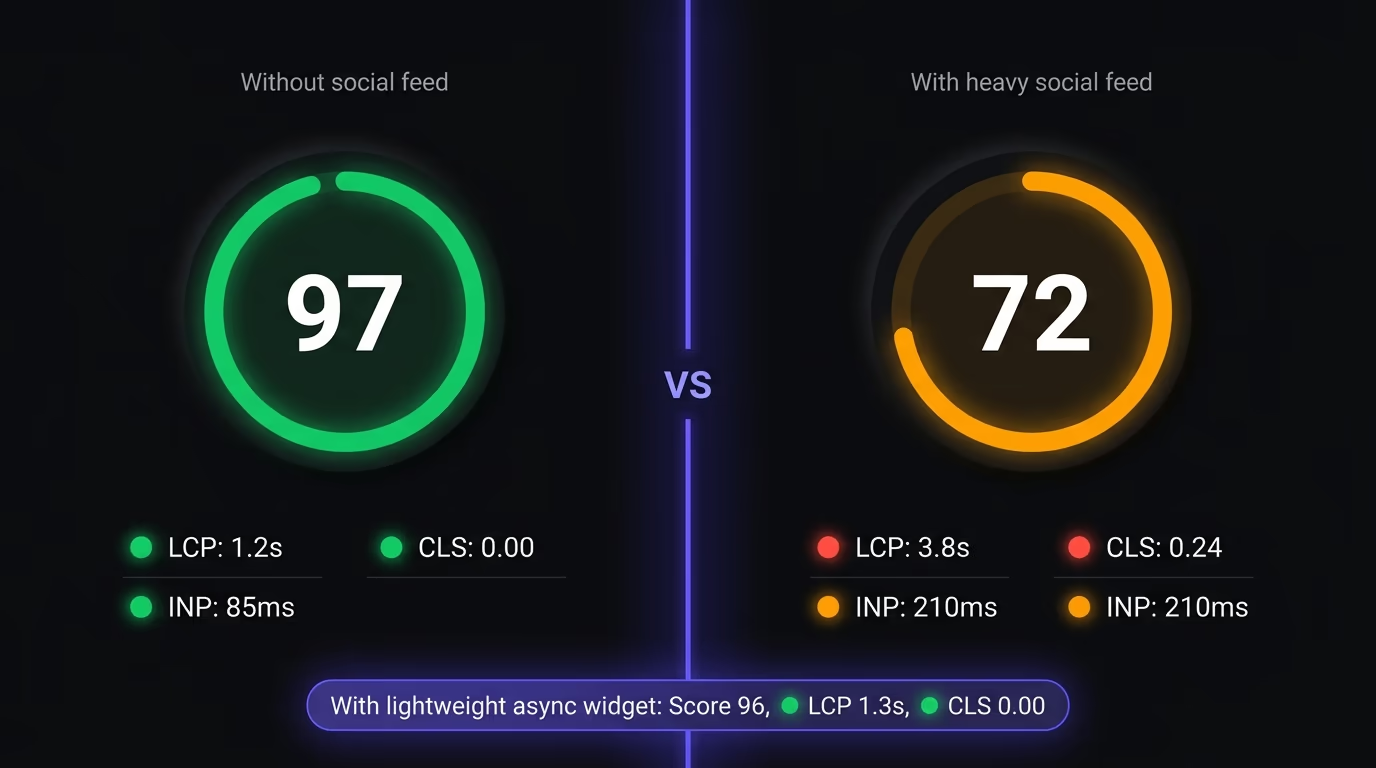
The cost comes from the widget’s JavaScript, the media it renders, and its requests to the platform servers. A widget that loads a 200KB synchronous script and renders twelve high-resolution images above the fold will measurably hurt your Core Web Vitals. One that loads a 5KB async script, lazy-loads images as the user scrolls, and renders inside an isolated container has a negligible impact.
Two Core Web Vitals are most at risk. CLS (Cumulative Layout Shift) breaks when the widget doesn’t reserve space before its content loads, so the page jumps as the feed appears. The fix is to declare a fixed height or aspect ratio on the container so the browser sets the space aside upfront. LCP (Largest Contentful Paint) suffers when a feed of large images sits above the fold and competes with your hero content, so place the feed lower on the page and lazy-load it.
The practical way to evaluate any tool’s performance impact is to run your page through Lighthouse or PageSpeed Insights twice: once with the feed active and once with the widget script removed. Compare the LCP and CLS numbers. A well-built widget should add less than one point of Lighthouse score difference. If the delta is larger than that, the tool is too heavy for a page where performance matters, and it will cost you both in search rankings and conversion rates.
Do you need consent before embedding social content?
Yes, in most jurisdictions you need visitor consent before the social feed’s scripts load, because those scripts set tracking cookies that privacy laws regulate.
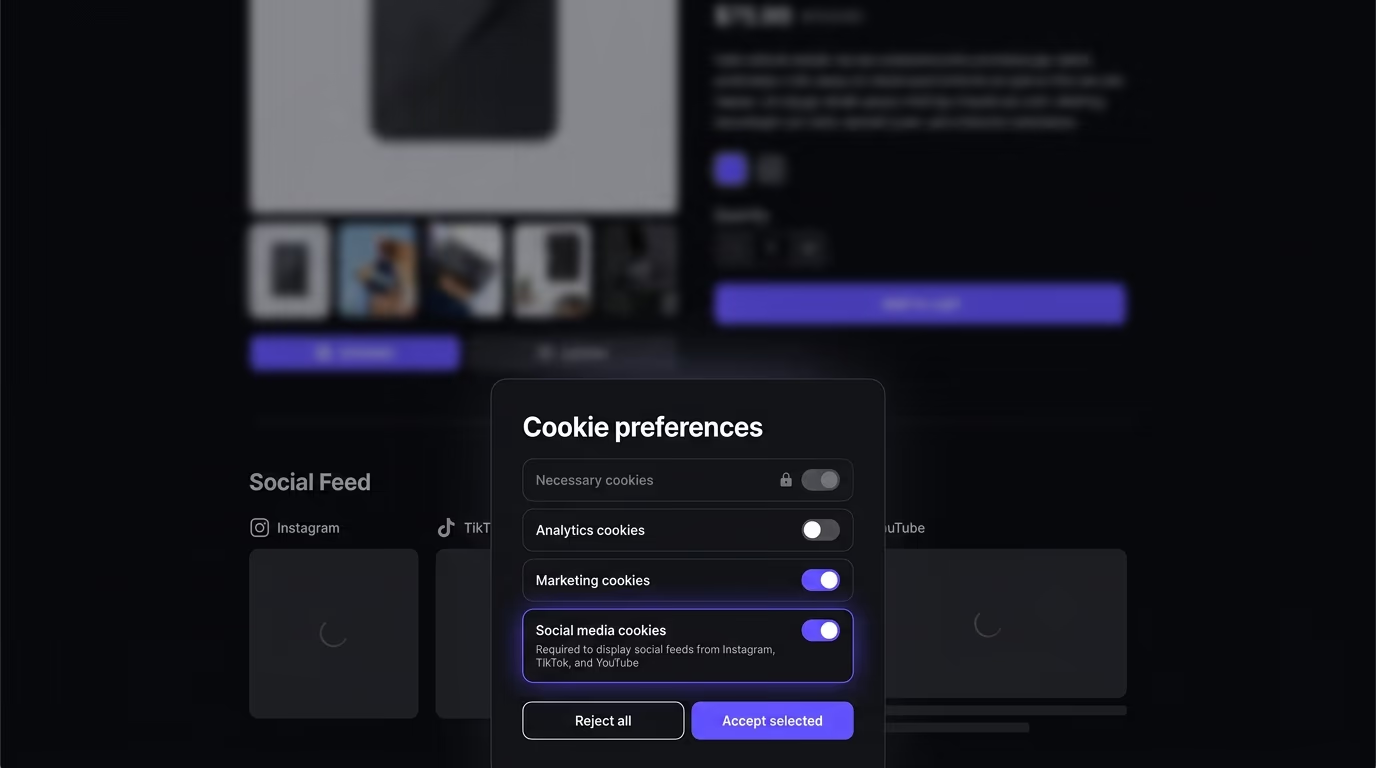
When an aggregator widget loads content from Instagram, Facebook, or TikTok, it makes requests to those platforms’ servers. Those servers can set cookies in the visitor’s browser that track their behavior across the web. Under GDPR (which covers the EU, EEA, and largely the UK), the ePrivacy Directive, and similar laws in Brazil (LGPD), South Africa (POPIA), and parts of Canada, you need the visitor’s explicit consent before those cookies fire.
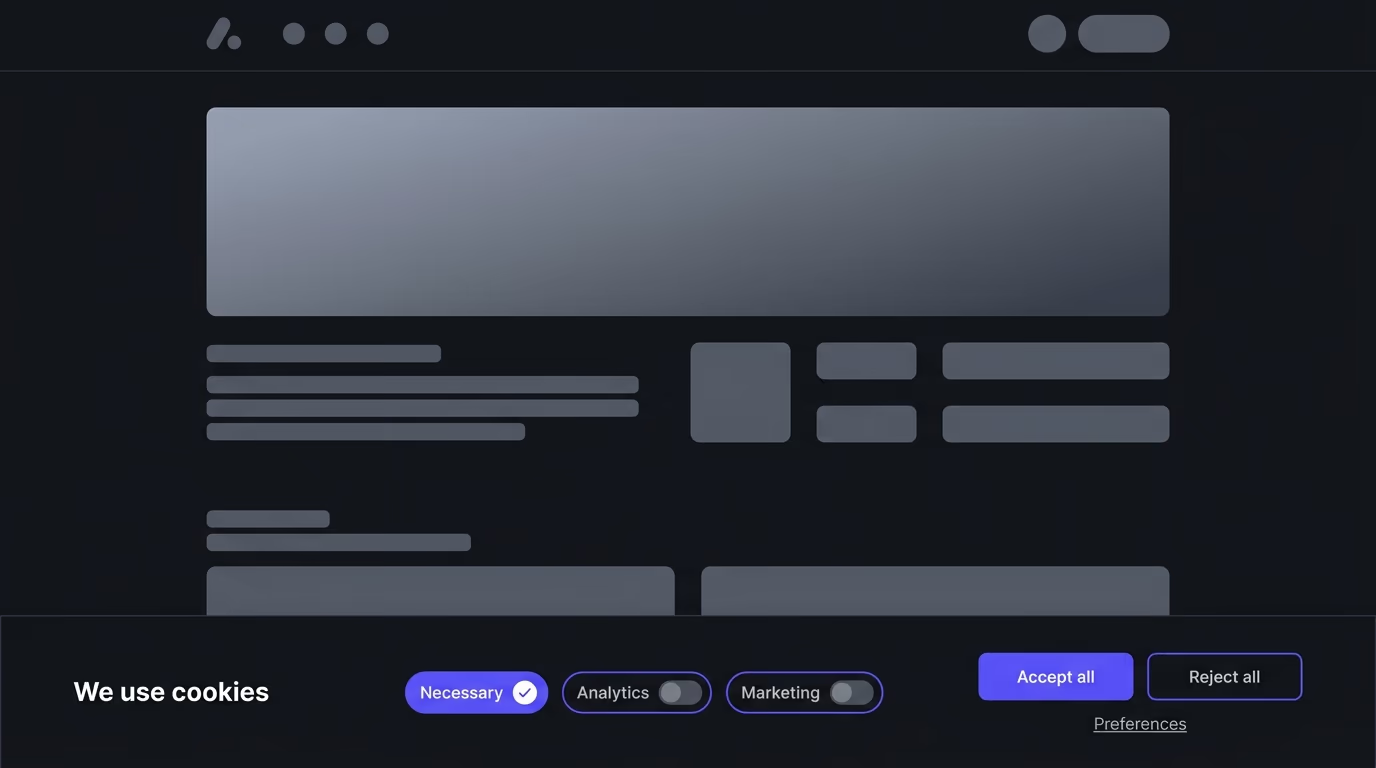
The technical fix is to treat the social feed script the same way you’d treat a Google Analytics or Facebook Pixel script: put it behind your cookie consent tool so it only loads after the visitor opts into the relevant cookie category. Most cookie consent tools let you categorize scripts as “necessary,” “analytics,” “marketing,” or “social media.” The aggregator script belongs in the marketing or social media category. When a visitor accepts that category, the consent tool releases the script and the feed loads. When they decline, the feed doesn’t appear, and no tracking cookies are set.
There’s a UX angle too. When EU visitors decline marketing cookies, they see a blank space where the feed would be, so good implementations show a short placeholder that explains the feed needs consent, with a link to update preferences. If your site already runs a cookie consent banner, the integration is usually just adding the aggregator’s script tag to the right consent category.
Even in markets without strict consent laws today, the global direction is toward requiring it, so building the integration from the start saves you from retrofitting later.
How do you set up a social media aggregator?
Setting up a social media aggregator takes about 15 minutes on most platforms and follows the same basic steps regardless of which tool you choose.
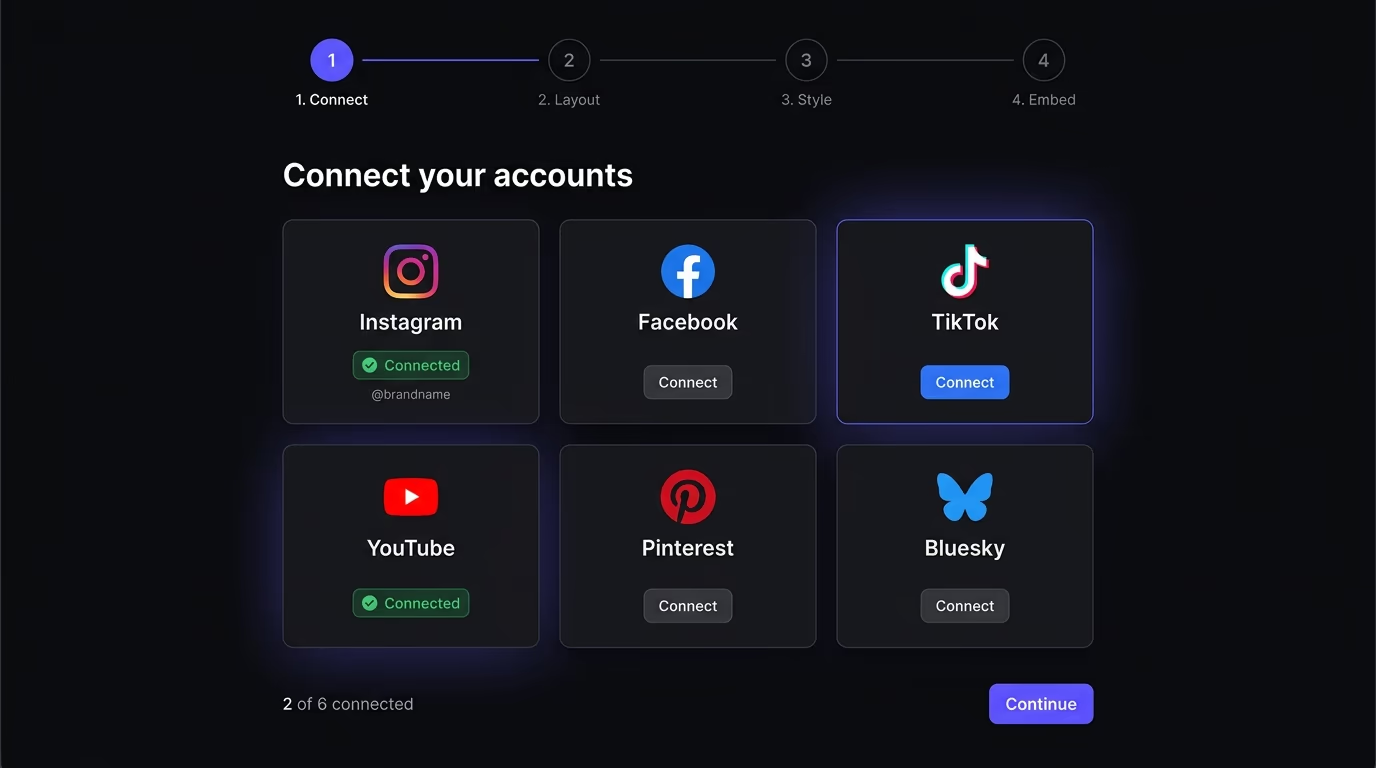
The first step is connecting your social accounts. You sign into the tool, pick which platforms to include, and authenticate through each one’s OAuth flow, the same consent screens described earlier. Each screen lists exactly what data the tool can read, and you can revoke access at any time from the platform’s settings.
Once your accounts are connected, you choose a layout. Most tools offer a grid (even rows and columns of posts), a carousel (a horizontal slider), a masonry layout (Pinterest-style stacked cards of varying heights), and sometimes a single-column list. Pick the layout that matches your site’s design and the type of content you’re displaying. Grid works well for Instagram-heavy feeds where every post is a consistent square. Masonry handles mixed aspect ratios from different platforms more gracefully.
Then configure the visual settings: colors, fonts, spacing, how many posts to show, and how often the feed refreshes. Some tools also let you filter by post type, or by specific hashtags and mentions.
The final step is embedding the feed on your actual page. The tool gives you a JavaScript snippet or a short HTML tag that you paste into your website’s code wherever you want the feed to appear. On WordPress this usually goes in a custom HTML block or a widget area. On Shopify it goes in a theme section. On any website builder that supports custom code, you paste the snippet into the page’s HTML editor. The widget loads asynchronously, so it won’t block the rest of your page from rendering.
Test the result on both desktop and mobile before publishing, and check that images load without shifting the page layout.
Start showing your social content where it counts
Your social content already exists on the platforms you post to every week, sitting there while an algorithm decides who sees it. An aggregator puts that same content on a surface you control, next to the pages where visitors decide whether to buy. Pick a tool that connects to the platforms you use, loads without wrecking your performance, and respects your cookie consent setup, then paste the snippet and start treating your social feed as a conversion asset instead of a silo somewhere else.
You paste a small JavaScript snippet into your site's HTML, and the aggregator tool handles the rest. The snippet loads asynchronously, connects to the platforms you've authorized, fetches your latest posts through their APIs, and renders them in a layout you've chosen. This works on WordPress, Shopify, Webflow, Wix, Squarespace, Framer, Ghost, and any custom-coded site, because the integration is just a script tag that runs wherever JavaScript runs.
Some tools offer a free tier, but every free plan comes with limits: fewer connected accounts, a visible watermark or branding badge, lower refresh rates, and restricted layouts. If you're running a personal blog or a test page, a free tier works fine. For a business site where the feed is part of your conversion strategy, you'll almost certainly need a paid plan to remove branding, connect more than one platform, and get feeds that update faster than once every few hours.
A social media management tool like Buffer or Hootsuite helps you schedule and publish posts to your social accounts. It's about pushing content out. A social media aggregator does the opposite: it pulls your published posts (or posts from a hashtag or mention) back into your website so visitors can see them without leaving your page. Some tools overlap, but most specialize in one direction or the other.
It can if the tool loads a heavy script upfront, renders dozens of high-resolution images above the fold, or injects iframes that block the main thread. The performance hit depends entirely on how the aggregator loads. Tools that use async scripts, lazy-load images, and render inside a shadow DOM or isolated container tend to have a negligible effect on Core Web Vitals. Before committing to any tool, test your page with and without the feed using Lighthouse or PageSpeed Insights and compare the LCP and CLS numbers.
In most cases, yes. When an aggregator loads content from Instagram, Facebook, TikTok, or YouTube, those platforms' scripts can set tracking cookies in the visitor's browser. Under GDPR, ePrivacy, and similar laws, those cookies need explicit consent before they fire. If you're already running a cookie consent banner, configure the social feed script to load only after the visitor opts into the relevant cookie category, usually labeled marketing or social media.
Most aggregators support Instagram, Facebook, TikTok, YouTube, and Twitter/X as their core set. Support beyond that varies: Pinterest, LinkedIn, and Bluesky are less commonly available because their APIs are either restricted or newer. Before picking a tool, check which platforms you actually post on and confirm the aggregator supports those specific networks with real API access, not just an RSS workaround.
A hashtag aggregator collects every public post carrying a specific hashtag and displays them together in one live feed, often called a hashtag wall or a social wall. Instead of pulling only from accounts you own, it pulls from anyone who used the tag, which is why event teams and marketing campaigns rely on it. You set the hashtag, the tool fetches matching posts through each platform's API, a moderation step filters out spam and off-brand content, and the approved posts render on your page or an event screen. Instagram limits hashtag search to Business and Creator accounts and caps it at 30 unique hashtags every 7 days, so confirm which networks a tool reaches through a real API before you commit.