Social Proof Examples That Actually Work in 2026
Real social proof examples that convert: reviews, testimonials, real-time notifications, trust badges, and UGC. How to add each type and when it backfires.

Social proof is the reason a restaurant with a line out the door fills faster than the empty one next to it, even when the food is the same quality. On a website, the same principle applies: visitors trust what other people have already done more than anything a brand says about itself. The types that actually move conversion numbers range from customer reviews and named testimonials to real-time purchase notifications and user-generated content. Each one works differently depending on where you place it, how honest it is, and whether your audience cares about that particular signal.
What Is Social Proof and Why Does It Still Convert?
Social proof is the psychological pattern where people copy the behavior of others when they’re uncertain, and it converts because the internet hasn’t changed that instinct at all.

The term comes from Robert Cialdini’s 1984 book “Influence,” where he identified it as one of six core principles of persuasion. The mechanism is straightforward: when a visitor lands on your pricing page and sees that 4,000 other companies already use the product, the decision feels less risky. When someone reads a five-star review from a buyer in their own industry, the hesitation that “maybe this isn’t for me” dissolves. None of this requires trickery or psychological manipulation. Social proof works because humans are genuinely uncertain when buying from a business they’ve never dealt with before, and evidence of other people’s positive experience is the fastest shortcut past that uncertainty.
BrightLocal’s 2024 consumer review survey found that 98% of people read online reviews before making a purchase decision. Nielsen’s trust research consistently shows that recommendations from other consumers rank as the second most trusted information source, ahead of every type of paid advertising. These aren’t abstract marketing concepts floating in a textbook. They describe what your visitors are already doing before they decide whether to buy, subscribe, or close the tab. The only question is whether that evidence lives on your page or scattered across platforms your visitor may never check.
How Do Customer Reviews Build Trust on a Page?
Customer reviews build trust because they come from someone who already took the risk the visitor is weighing, and that firsthand account carries more weight than any product description a brand writes about itself.
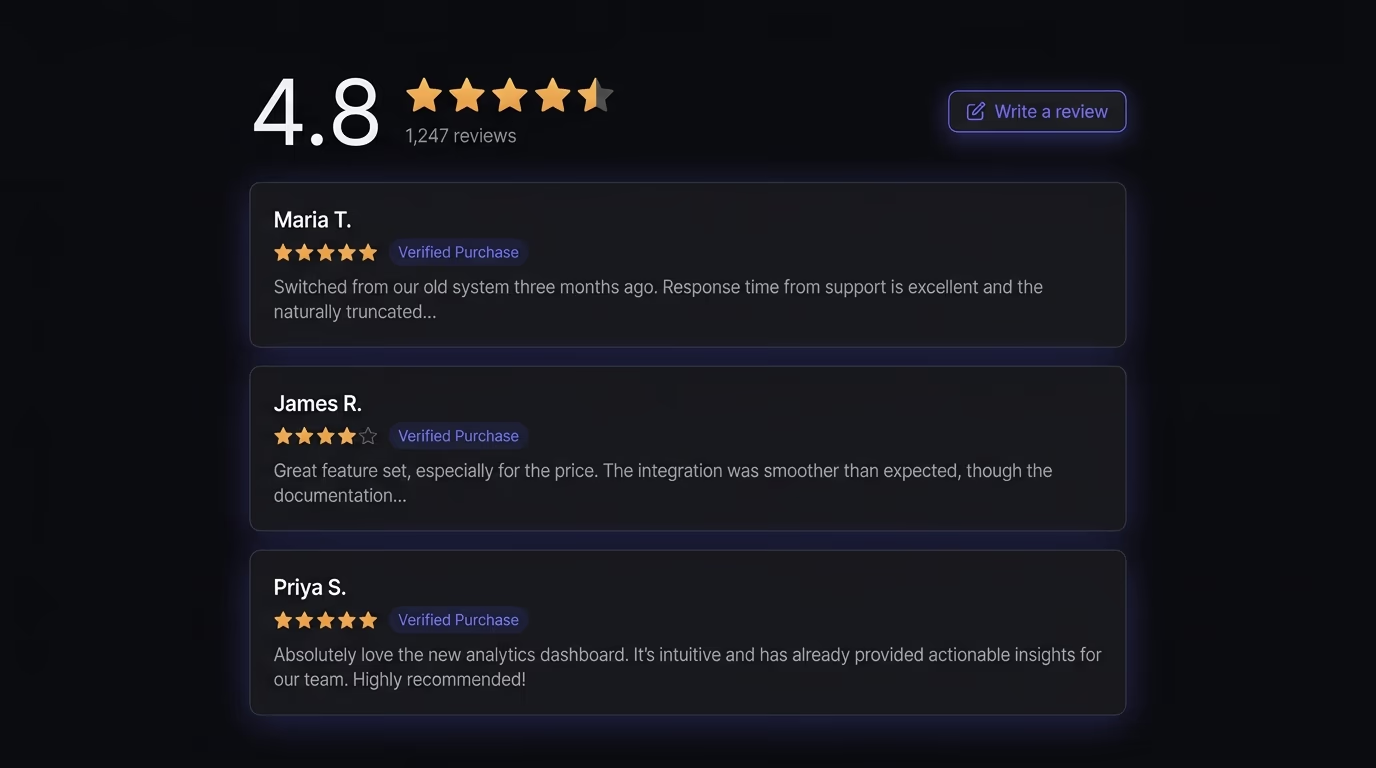
Research from the Spiegel Research Center at Northwestern found that displaying reviews increases conversion rates by 270% for higher-priced products, and the entire effect is front-loaded in the first five reviews. Going from zero to five is where the real conversion lift happens; going from five to five hundred adds comparatively little. What matters is that the reviews exist, that they’re specific about outcomes, and that they’re recent enough to feel relevant. A product page with three detailed reviews from the past month will outperform one with eighty generic one-liners from 2023, because visitors read dates and discount old feedback automatically.
Star ratings give visitors a quick decision shortcut when they’re scanning, but the text of the review carries the actual persuasive weight. A five-star rating says “this is good,” while a review that says “we switched our booking system in March and cut no-shows by 30% in the first month” tells the reader exactly what outcome to expect. The specificity is what separates useful social proof from a vanity metric that just looks nice. If you’re curating which reviews to display on your site, pick the ones that describe a concrete outcome or a specific frustration that got resolved, rather than the ones that just say “great product, highly recommend.” Amabrik’s reviews widget is built around exactly this principle: you choose your best reviews and present them in the layout that fits your page, rather than pulling an unfiltered feed from a platform where you can’t control what surfaces first.
What Makes a Testimonial More Convincing Than a Review?
A testimonial becomes more convincing than a generic review the moment it carries a full name, a real job title, a recognizable company, and a specific result, because that level of verifiable detail is nearly impossible to fabricate.
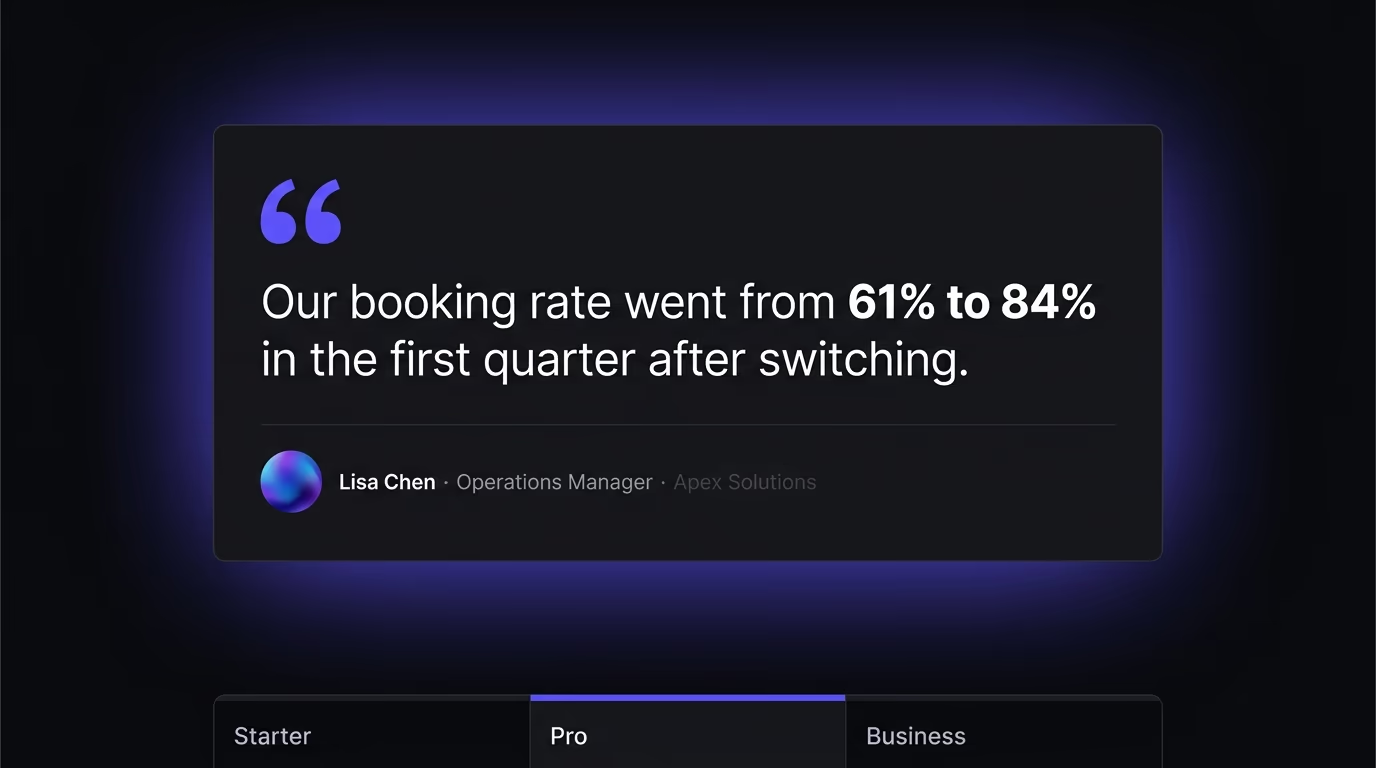
The practical difference between a testimonial and a review comes down to attribution and specificity. A review might say “Great tool, works perfectly” from “J. S.” with three stars and no other context. A testimonial says “We replaced our scheduling tool with this in January, and our booking rate went from 60% to 84% in the first quarter” from Lisa Chen, Operations Manager at a named company. The second one works because a visitor reads it and thinks “this person has a real job and a real reputation attached to this claim,” which makes the statement credible in a way that anonymous star ratings simply can’t match.
Video testimonials add another layer of trust because they’re nearly impossible to fabricate convincingly. A thirty-second clip of a real customer speaking about their experience carries more credibility than a full page of written quotes, even when the written quotes contain better information and sharper detail. The combination of a real face, a real voice, and a specific experience creates a trust signal that’s extremely hard to replicate with AI-generated content or stock footage. If you’re collecting testimonials, the most effective approach is to ask a specific question (“What measurable result did you see after the first three months?”) rather than “Tell us about your experience,” because the specificity of the answer is what determines whether visitors find the testimonial persuasive or forgettable.
The biggest mistake companies make with testimonials is putting them on a dedicated “Testimonials” page that nobody visits on their own. Research and conversion data consistently show that testimonials perform best when they’re placed near the decision point: next to the pricing table, beside the sign-up button, or directly on the product page where visitors are making up their minds.
How Do Real-Time Notifications Create Urgency?
Real-time purchase notifications create urgency by making other people’s buying activity visible, which turns an abstract sense of popularity into a live, specific signal that something is happening right now.
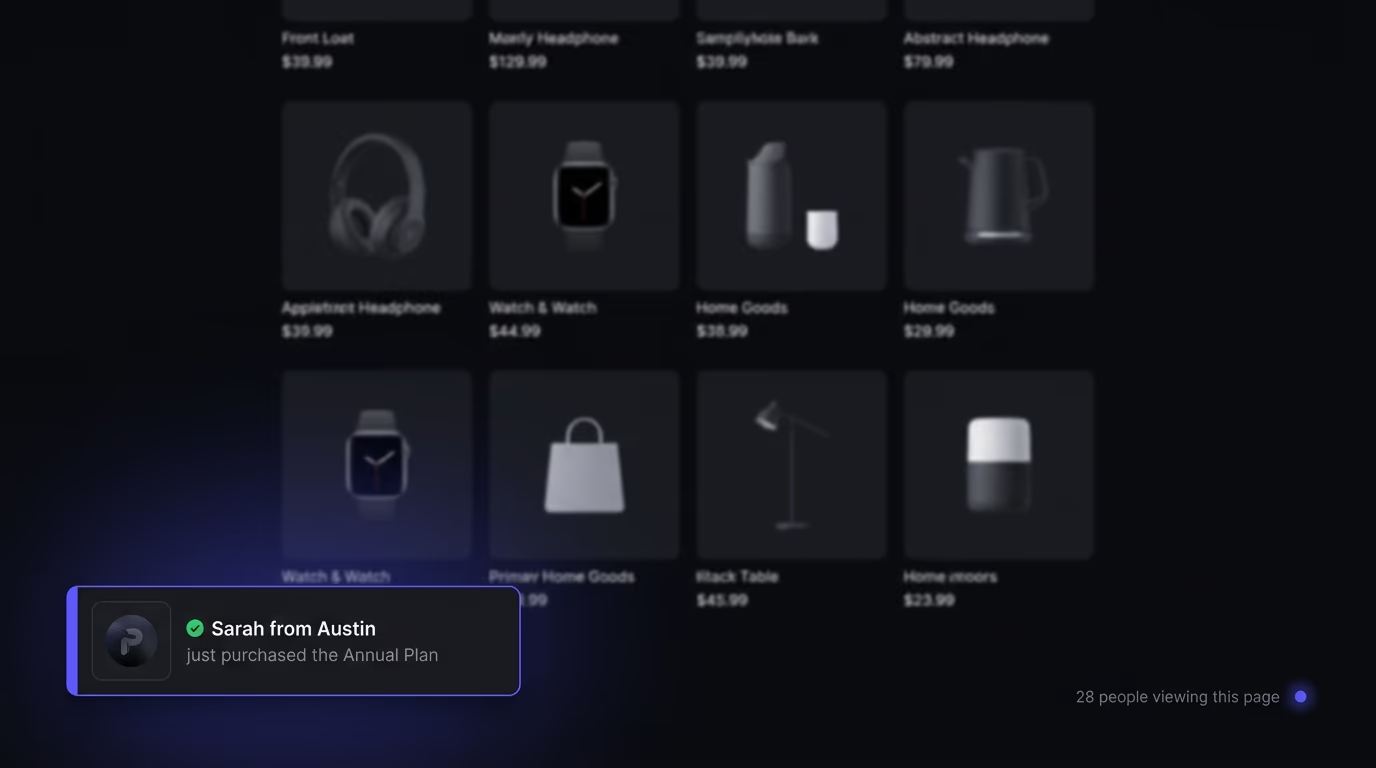
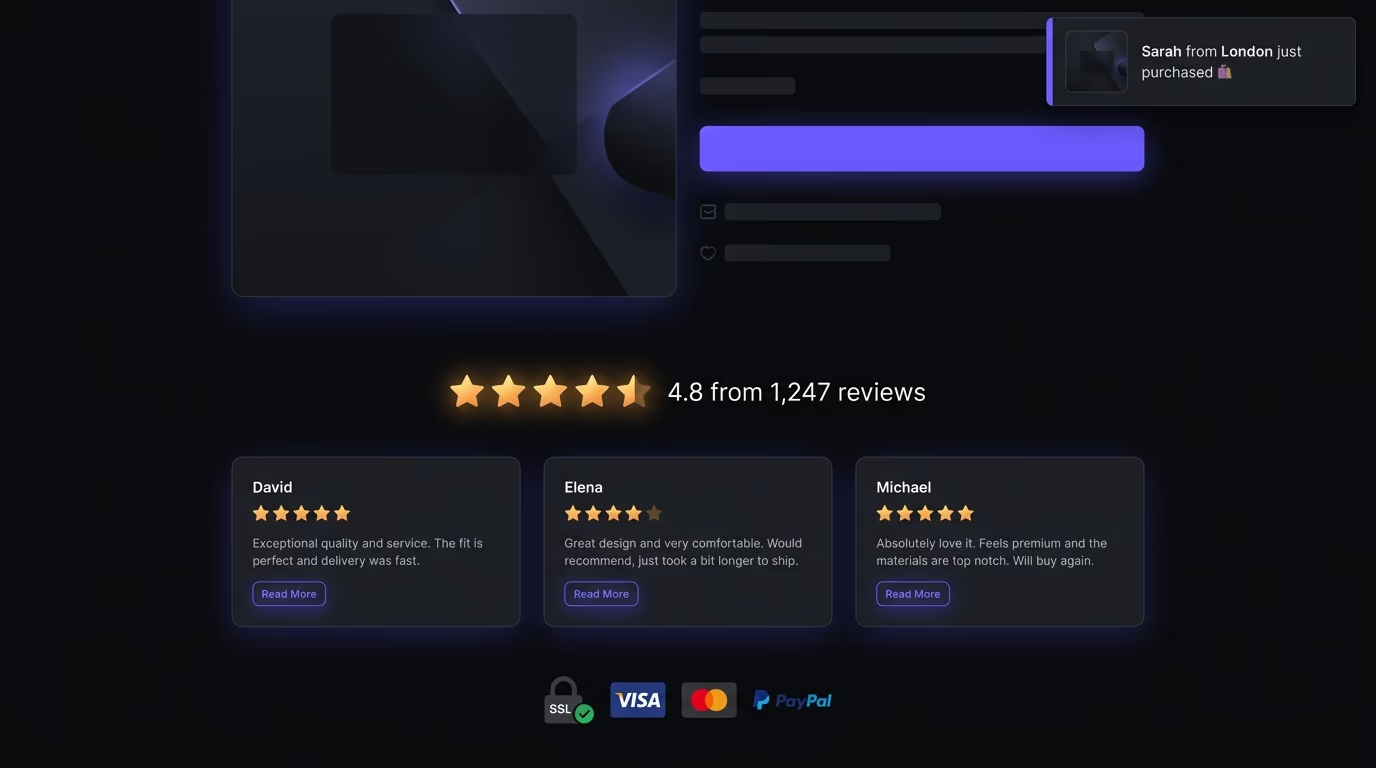
You’ve seen these on e-commerce sites: a small toast slides into a corner saying “Sarah from Austin just bought the Annual Plan” or “12 people are viewing this right now.” The psychology is direct and well-documented. When someone sees that purchases are happening in real time around them, the product feels more desirable and the window to decide feels shorter. This is the FOMO mechanism at its most literal, and it’s one of the most studied patterns in consumer behavior research.
The line that matters most with real-time notifications is the one between genuine signals and fabricated ones. A notification that fires from your store’s webhook the moment a real sale happens, showing a real first name and a real city, is an honest form of social proof that simply makes invisible activity visible. A notification that randomly generates names and cities on a timer, regardless of whether anyone actually bought anything, is outright deception. The difference matters for three concrete reasons. The FTC’s October 2024 rule now bans fake reviews and fake testimonials, and a fabricated purchase notification falls squarely within that scope. Visitors notice fabrication faster than most site owners think: a name like “A. K.” purchasing at 3 AM from a city that doesn’t match the target market is an obvious tell. And once a visitor spots one fake signal, they’ll distrust every other element on the page, including the ones that are genuine.
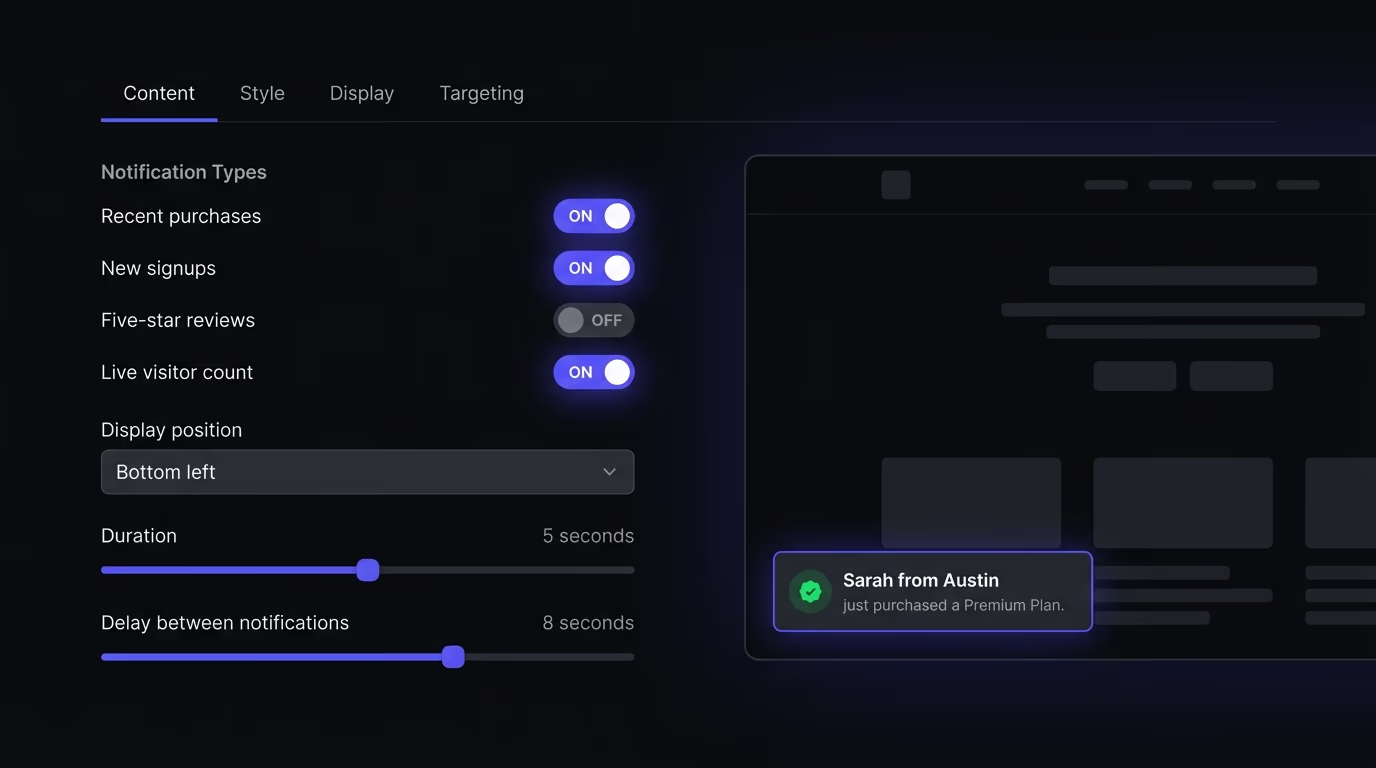
Amabrik’s social proof widget takes the honest approach by design: every notification fires from your own webhook when a real sale, signup, or review happens, and it stores no customer list on its side. It shows purchases, signups, five-star reviews, and a live count of people viewing the page right now. If your site doesn’t have enough real activity to sustain a visible notification stream, the right answer is to wait until it does, not to fake the numbers in the meantime.
Where Do Trust Badges and Certifications Belong?
Trust badges belong next to the payment form or the checkout button, which is the exact spot where visitors’ concerns about security and legitimacy reach their highest point.
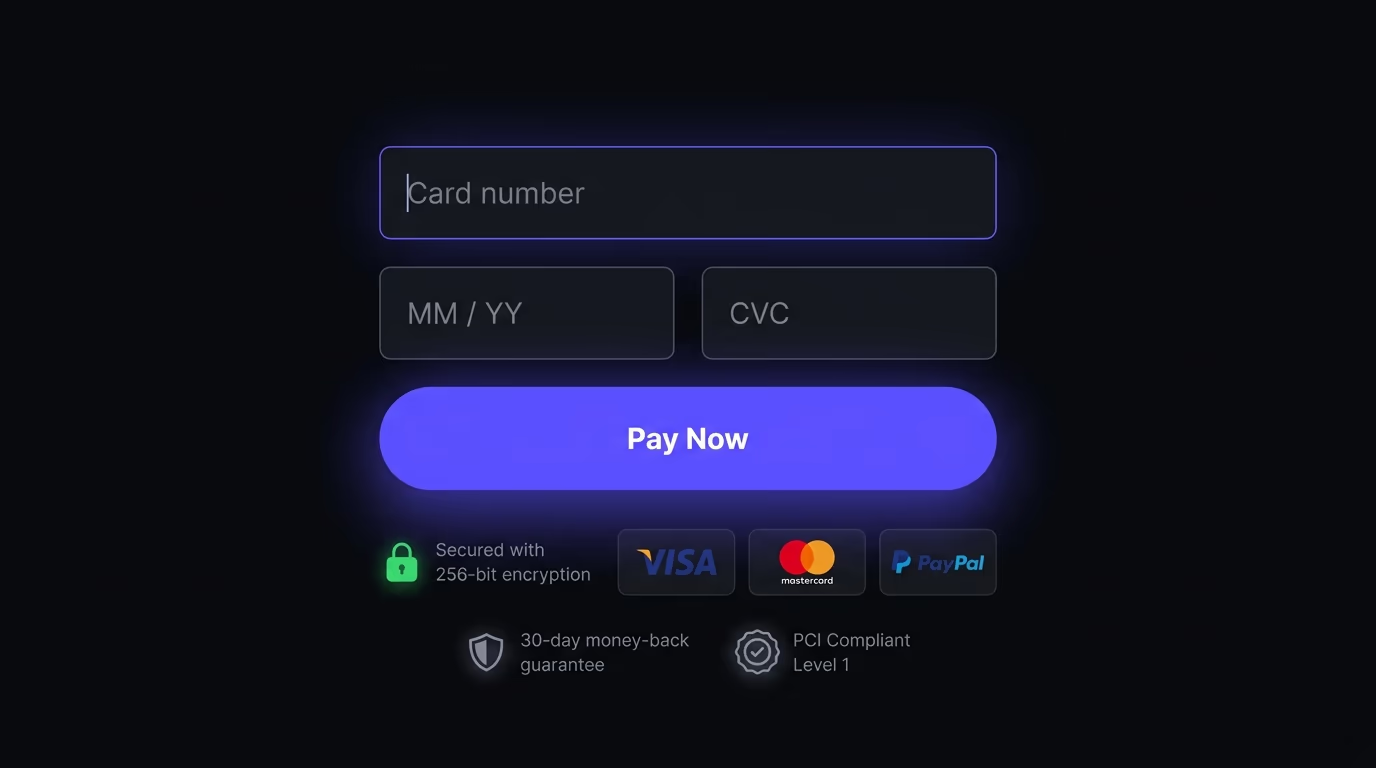
Payment logos (Visa, Mastercard, PayPal, Apple Pay) and security seals (SSL padlock, PCI compliance, money-back guarantee) reduce a specific and measurable type of friction: the fear of entering credit card details on an unfamiliar site. Research from the Baymard Institute found that 18% of cart abandonments happen because the shopper didn’t trust the site with their payment information, and trust badges directly address that single objection. The key detail that most sites get wrong is placement. A security seal at the bottom of your homepage does almost nothing useful. The same seal displayed right next to the credit card input field on your checkout page catches the visitor at the exact moment they’re deciding whether this site is safe enough to trust with their card number.
Industry certifications serve a parallel function but for credibility rather than security. A USDA Organic badge on a food product page, an ISO 27001 badge on a SaaS security page, or a Google Partner badge on a marketing agency’s site all signal that a third party has verified a specific claim the company is making. These certifications work best when they’re relevant to the specific evaluation the visitor is performing right now. Showing twenty badges crammed into a grid at the bottom of every page dilutes the signal into background noise; showing the one certification that directly answers the visitor’s current concern, placed within visual proximity of the conversion action, sharpens it into a genuine trust accelerator.
The pattern to avoid is what’s sometimes called the “trust badge carpet”: a dense row of every seal, certification, and award the company has ever received, pasted across the footer of every page regardless of context. When everything on the page is highlighted as important, nothing stands out as important.
Does User-Generated Content Work as Social Proof?
User-generated content is one of the strongest forms of social proof available because it shows the product in real use, by real people, without the brand controlling the framing or the narrative.

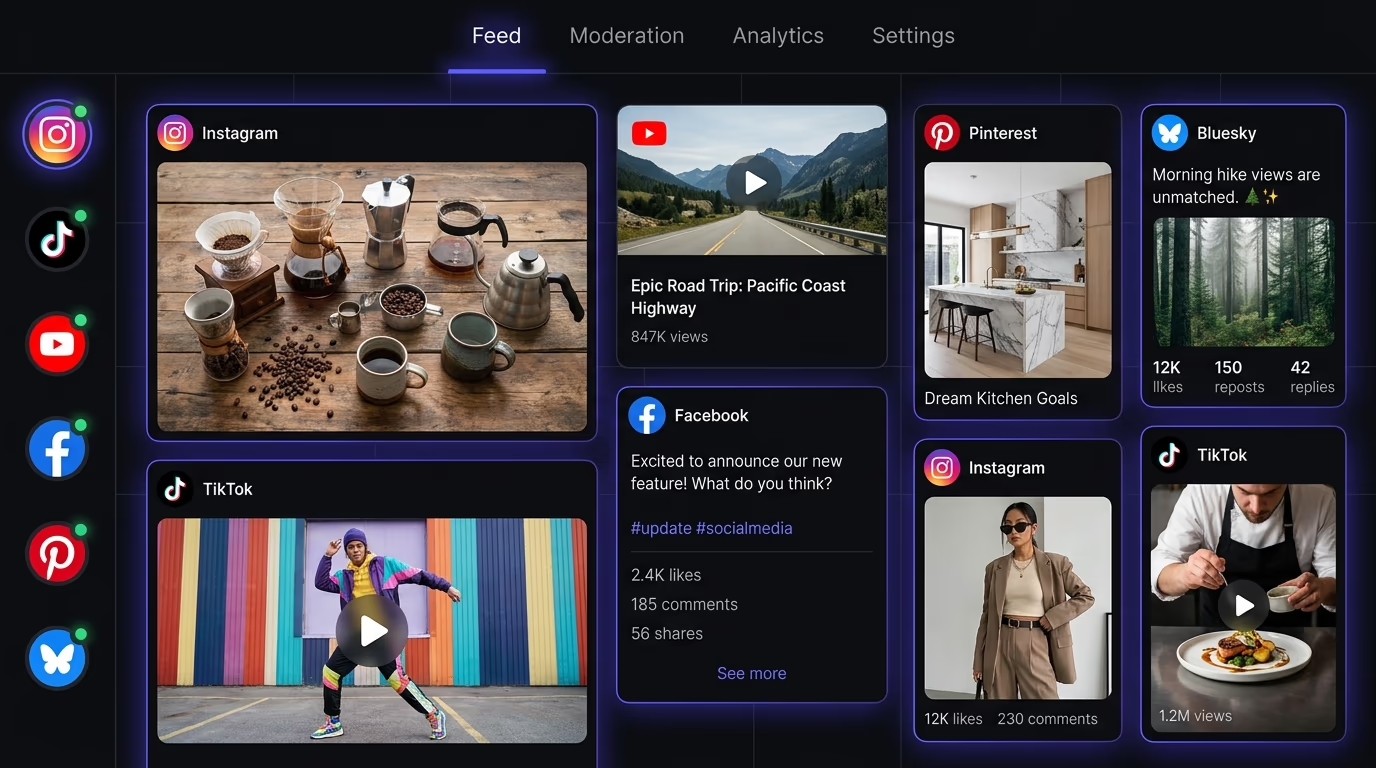
When a visitor scrolls through a grid of customer photos on a product page, they’re seeing something no marketing team could replicate: proof that real people bought this thing and liked it enough to take a photo. UGC works particularly well for physical products (fashion, food, home goods) and experiential businesses (restaurants, hotels, fitness studios) because the visual proof answers the question “will this actually look like the professional photos?” better than any studio shoot can. The authenticity is the value proposition itself, and visitors can distinguish a customer’s phone photo from a staged product shot almost instantly.
Embedding social feeds, like an Instagram grid on your website, is one of the most common ways to surface UGC on the page where it matters. A social media aggregator takes this further by pulling posts from a branded hashtag, so photos your customers share flow onto the page as they publish them. It pulls in content that customers have already posted publicly and makes it visible right alongside the buying decision, instead of leaving it buried on a separate platform where prospective buyers may never look. The practical consideration worth planning for is consent and privacy compliance: if your embed loads third-party tracking scripts from Instagram or Facebook, you need the right cookie consent mechanisms in place before those scripts fire. Our best cookie consent banner guide compares the tools that handle this correctly under GDPR and similar privacy regulations.
Community-generated content works on the same principle. Forum threads, customer Q&A sections on product pages, and community discussions all serve as social proof because they demonstrate that real people have investigated the same concerns the visitor currently has. Amazon’s Q&A section is the most visible example of this pattern, and it contributes measurably to conversion rates on products where buyers have technical questions that the product description alone doesn’t answer.
How Do You Add Social Proof to Any Website?
Adding social proof to your website comes down to two approaches: manual implementation for static proof that changes rarely, or a widget for anything live that updates on its own.
For a single block of customer testimonials or a static row of client logos, manual implementation is straightforward enough. You write the HTML, style it with your existing CSS, and update it whenever a new testimonial comes in. This approach works fine for simple, infrequent changes on a site where a developer is available to make edits. The tradeoff is maintenance: every new testimonial means editing code and redeploying, and adding features like layout switching, multi-language support, or proper schema markup means building each of those yourself from scratch.
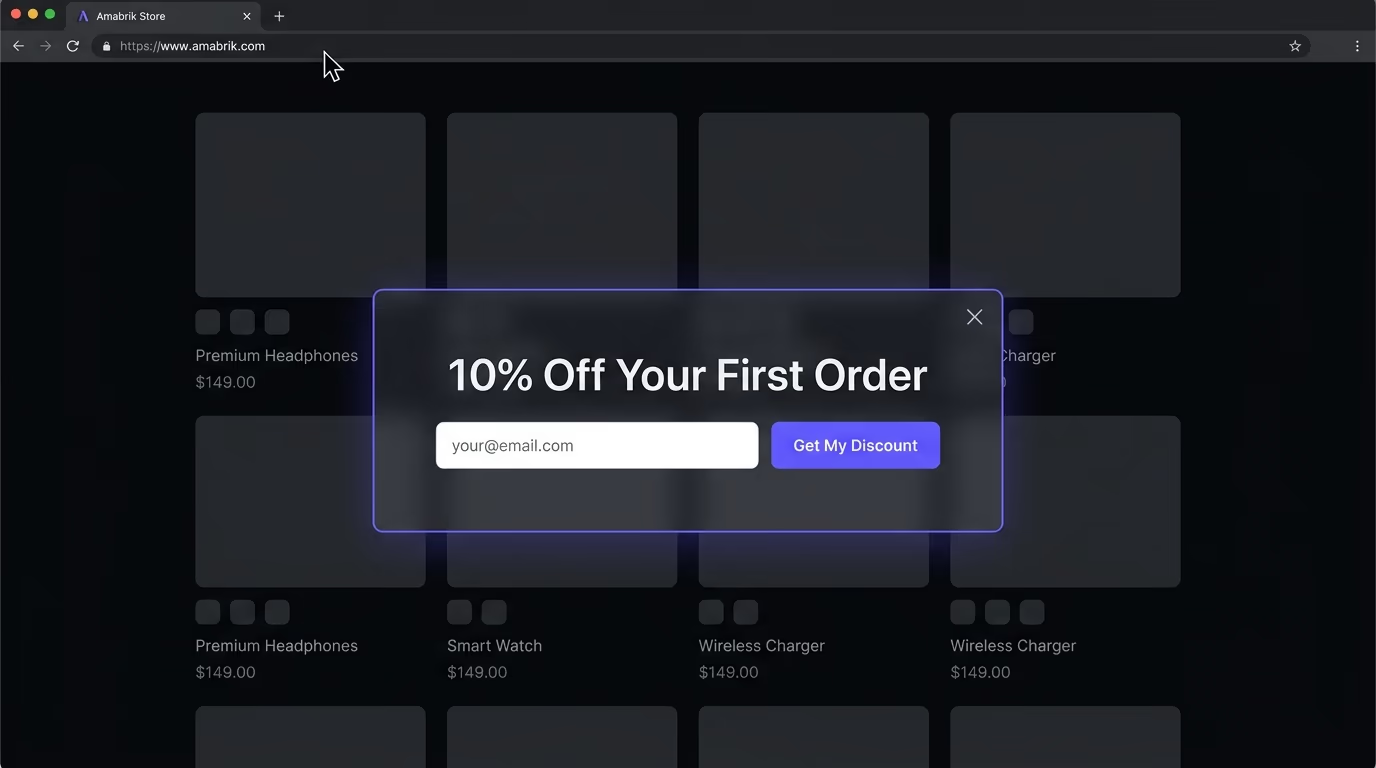
For anything that updates in real time, or for sites without a developer on hand, a widget is the more practical path. Review widgets let you curate which reviews show and switch between layouts (carousel, grid, masonry, list) without writing code. Social proof notification widgets fire real-time toasts from your store’s webhook whenever a real sale or signup happens. Either type typically installs with a single script snippet and works across WordPress, Shopify, Webflow, Framer, Wix, Squarespace, and any custom-built site. You can also pair social proof with an exit intent popup to show a relevant testimonial or offer when someone’s about to leave the page.
The approach that tends to fail is the one where a site owner installs five separate tools for five types of social proof: a review plugin, a FOMO notification app, a testimonial slider, a trust badge plugin, and a UGC feed embed. Each one adds its own JavaScript, its own CSS, and its own performance overhead. Amabrik puts reviews, social proof notifications, popups, and the rest of the widget stack under one lightweight script with no pageview caps, so the performance cost doesn’t multiply every time you add a new type of proof to your site.
When Does Social Proof Cross Into Manipulation?
Social proof crosses into manipulation when the proof is fabricated, the urgency is artificial, or the numbers are presented in a way that’s designed to mislead rather than inform.
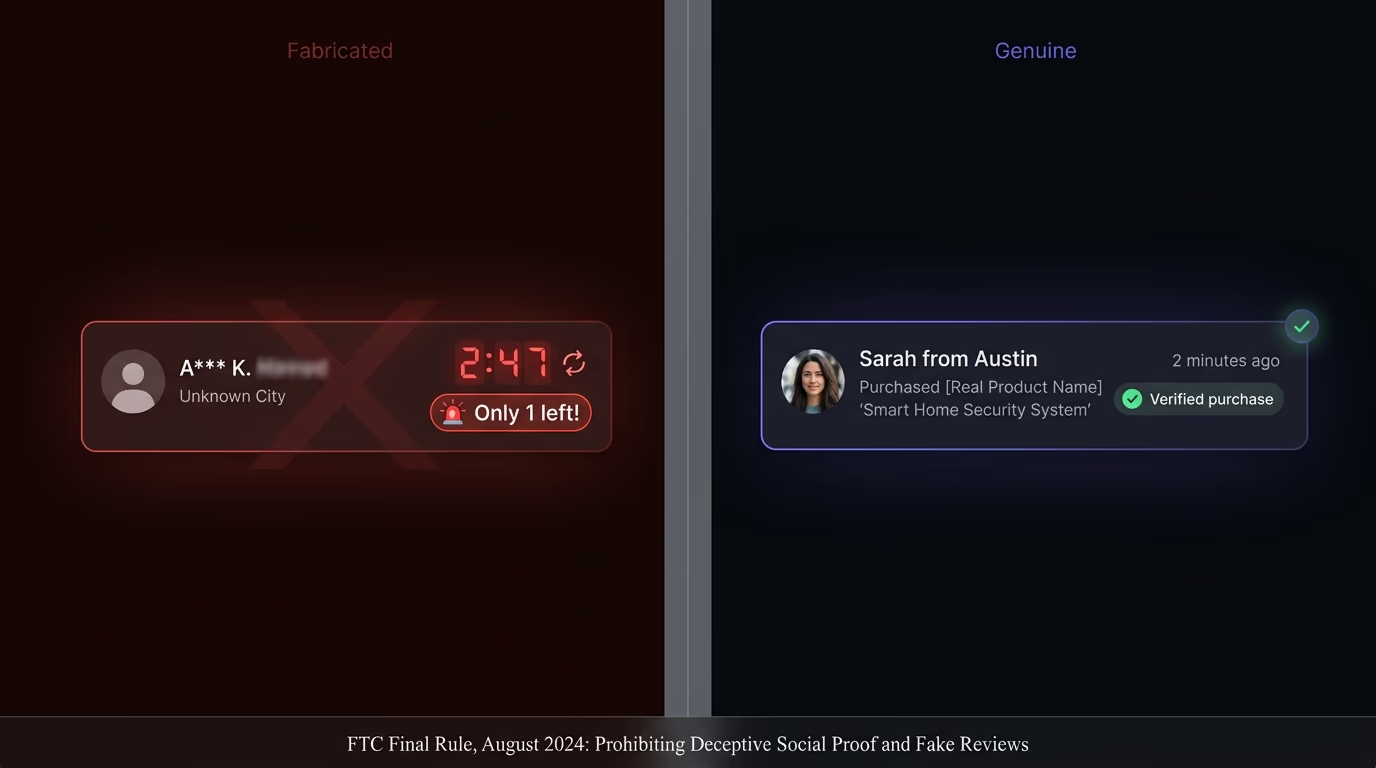
The line between persuasion and deception is clearer than most marketing articles make it sound. Showing a genuine five-star review from a real customer is honest persuasion that helps the visitor make a better decision. Generating fake names and fake purchase events on a timer to manufacture the appearance of demand that doesn’t exist is deception, full stop. The FTC formalized this in August 2024 with a final rule that bans fake reviews, fake testimonials, and AI-generated consumer endorsements that misrepresent real consumer experiences. The EU’s Omnibus Directive carries similar prohibitions with its own enforcement teeth. These aren’t theoretical risks that only apply to large companies; they’re enforceable laws that apply to any business operating in those markets.
The most widespread dark pattern in social proof is the fake scarcity countdown: a timer that says “offer expires in 2:47” but resets to the same value every time someone reloads the page. The same principle applies to “only 3 left in stock” warnings on products with unlimited inventory, or visitor counters that inflate the displayed number to make a page look busier than it actually is. These tactics accelerate short-term decisions because urgency genuinely does compress decision timelines, but they erode long-term trust because returning visitors will eventually notice the countdown never actually reaches zero.
The test for whether your social proof is honest is simple enough to apply in practice: if you removed the element entirely, would a customer who’d seen it feel deceived about what was real? A genuine purchase notification that appears and fades after a few seconds leaves no trace of dishonesty. A countdown timer that was never counting down to anything real makes the customer feel tricked once they realize the pattern. Build your social proof from events that are genuinely happening on your site (real purchases, real reviews, real visitor counts) and the legal question and the trust question both answer themselves.
Start With the Proof You Already Have
Every business already has some form of social proof sitting unused somewhere: a great email from a happy customer, a positive Google review buried in Maps, a screenshot of someone sharing your product on social media, or a case study that only lives in a sales deck nobody opens.
The most effective move isn’t installing a new tool or subscribing to another service. It’s taking the proof that already exists and putting it on the page where the actual buying decision happens. Move your best Google review onto your homepage. Put a specific customer quote next to your pricing table. If you have real purchase volume, make it visible as it happens with live notifications. Every type of social proof covered here works best when it’s visible at the moment of hesitation, not hidden on a page visitors never find on their own.
Customer reviews are the most effective type for most websites, because they combine specificity, volume, and third-party credibility in one element. A product page with even five genuine reviews converts at roughly 270% the rate of the same page with zero reviews, according to the Spiegel Research Center. The lift comes from specificity: a review describes a real person's experience in their own words, which carries more weight than a brand's own copy. That said, different industries lean on different types. SaaS companies tend to get more mileage from named testimonials and case studies, while local businesses depend heavily on Google and Yelp ratings.
Five genuine reviews is the tipping point where conversion rates jump. Research from the Spiegel Research Center found that conversion rates climb steeply from zero to five reviews, then plateau. You don't need hundreds to see the effect, you need the first handful to be real and specific. After the initial five, recency matters more than volume: a product with five recent reviews outperforms one with fifty reviews from two years ago, because visitors read dates.
In the United States, yes. The FTC's final rule on fake reviews and testimonials, effective October 2024, prohibits fabricated consumer reviews, fake celebrity endorsements, and AI-generated testimonials that don't represent real consumer experiences. Penalties can reach over $50,000 per violation. The EU's Omnibus Directive similarly bans presenting fake reviews as genuine. Beyond the legal risk, a visitor who spots a notification with an implausible name or a purchase that doesn't match your product will trust your site less than if you'd shown nothing at all.
Place it where the buying decision happens: next to the add-to-cart button on product pages, near the pricing section on SaaS landing pages, and beside the contact form on service pages. Reviews and testimonials perform best when they're close to the conversion action, not buried in a separate tab or on a dedicated testimonials page. Trust badges belong near payment forms, where security concerns peak. Real-time notifications work as an ambient signal on any page, since they sit in a corner without blocking content.
Indirectly, yes. Social proof doesn't affect rankings on its own, but it increases time on page, click-through rates, and conversion rates, all of which are behavioral signals search engines track. Structured review markup using schema.org can earn star snippets in Google results, though only for product reviews and certain other eligible categories, not for testimonials you place on your own site. For AI search engines like ChatGPT and Perplexity, pages with concrete data points, named sources, and comparison tables are more likely to be cited in AI-generated answers.
It can, and it usually backfires in one of three ways. First, low numbers hurt more than no numbers: showing 'two people bought this today' on a product page makes a site look unpopular rather than social. If your volume is low, don't display it. Second, fake proof destroys trust: a notification with a generic name and a city that doesn't match your market tells visitors the proof is invented. Third, aggressive FOMO tactics (countdown timers that reset on refresh, 'only 1 left' warnings on items that never sell out) train visitors to ignore every signal on your page, including the honest ones.