API Security Best Practices for AI-Built Apps
API security best practices for AI-built apps: authenticate every request, rate-limit abuse, hide your keys, and fix the OWASP API risks before you ship.

API security best practices come down to a handful of habits: authenticate and authorize every request on the server, cap how often each client can call you, validate every input against a strict schema, keep your keys off the browser and out of git, and check your API against the OWASP API Security Top 10 before you ship. Apps built with AI coding tools skip most of these by default, because the generated code handles the happy path and leaves the guardrails out.
If you built your backend by prompting Cursor, v0, Bolt, or Lovable, this matters more than it sounds. The code runs, the demo works, and the missing locks stay invisible until someone changes an id in a URL or points a script at your login. This piece walks through each practice with the specific mistake AI-generated code tends to make, short fixes you can paste in, and where each OWASP API risk fits, so you can secure the API you already shipped instead of rebuilding it.
What is API security, and why do AI-built apps miss it?
API security is the set of controls that decide who can call your API, what each caller is allowed to touch, and how much they can do at once. Your API is the door to your database and any paid service behind it, so an endpoint with no lock hands that access to anyone who finds the URL.
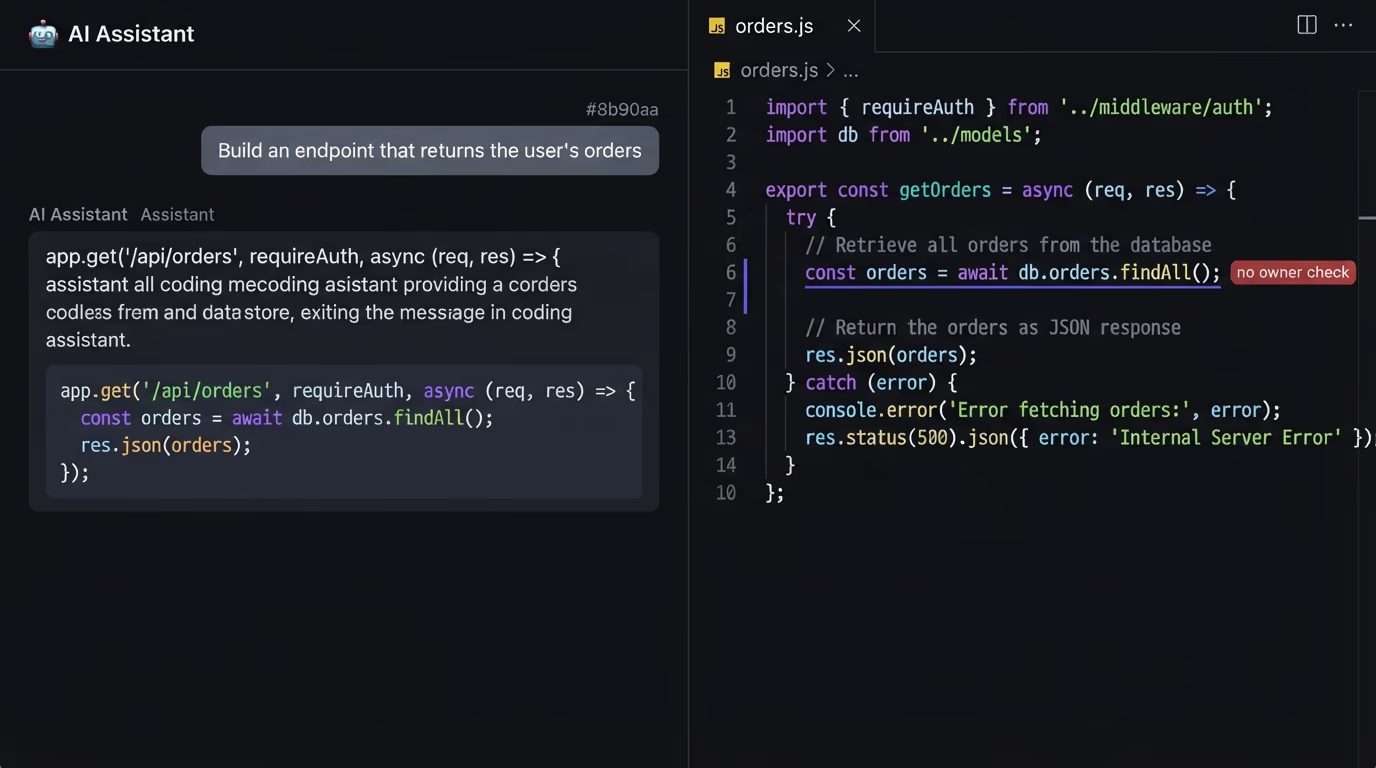
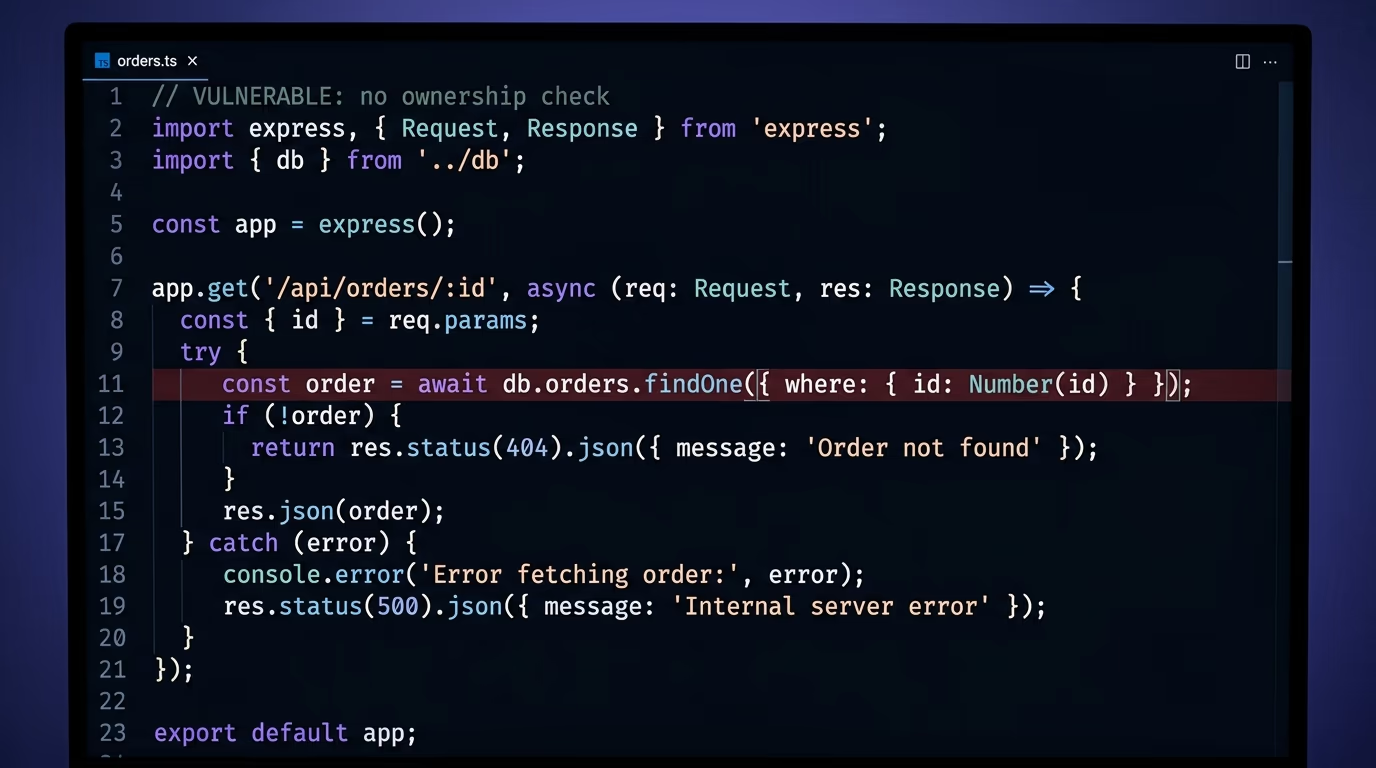
Older web apps kept most logic on the server and sent back finished pages. Modern apps built with AI tools push that logic into API routes the browser calls directly, so the endpoints are exposed by design and every one of them needs its own checks. An assistant asked to build an endpoint that returns a user’s orders writes code that returns orders. It rarely adds the check that the orders belong to the person asking, because you didn’t put that in the prompt and the feature works without it.
That same gap runs through every practice below. The controls that keep an API safe sit outside the feature you asked for, so they only show up when you name them. The rest of this article names them one at a time, in the order that closes the most risk for the least work.
What are the OWASP API Security Top 10?
The OWASP API Security Top 10 is the reference list of the ten most common ways APIs get attacked, last revised in 2023 by the Open Worldwide Application Security Project. Security teams treat it as the baseline audit, and most of its entries map cleanly onto a default that an AI coding tool leaves in place.
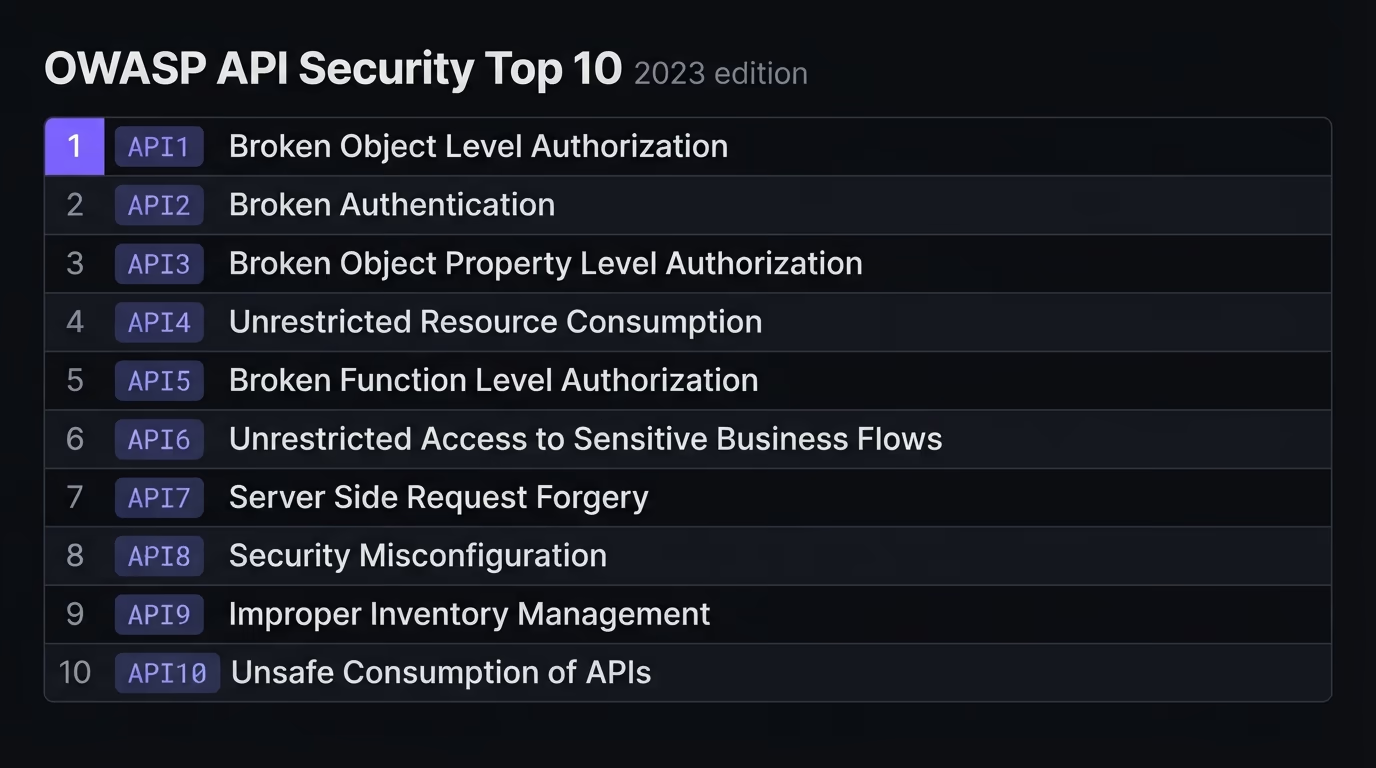
Here’s the 2023 list in plain language, next to the mistake that tends to create each one in generated code.
| OWASP API risk (2023) | What it means | Common mistake in AI code |
|---|---|---|
| API1 Broken object level authorization | A user reads or edits records that aren’t theirs by changing an id | The route checks login but not ownership |
| API2 Broken authentication | Logins or tokens can be faked or stolen | Weak session handling, tokens kept in local storage |
| API3 Broken object property authorization | Users read or set fields they shouldn’t | The whole object is returned or accepted, extra fields included |
| API4 Unrestricted resource consumption | One client exhausts your CPU, quota, or budget | No rate limit and no size cap on requests |
| API5 Broken function level authorization | A normal user reaches admin actions | The admin route trusts a hidden button, not a role check |
| API6 Unrestricted access to sensitive business flows | Bots abuse signup, checkout, or similar at scale | No throttling on the flow itself |
| API7 Server side request forgery | The API fetches a URL a user supplied and hits internal systems | A user-provided link is fetched without validation |
| API8 Security misconfiguration | Debug endpoints, verbose errors, or missing headers stay on | Default config shipped, stack traces exposed |
| API9 Improper inventory management | Old or undocumented endpoints stay live and forgotten | Test routes and old versions never removed |
| API10 Unsafe consumption of third-party APIs | Data from another API is trusted blindly | Third-party responses used without any checks |
The pattern across the list is the same. Almost every risk is an access check or a limit that the feature runs fine without, so it never gets written unless you require it. The sections below fix the ones that show up most in small, AI-built apps.
How do you authenticate and authorize every request?
Authentication proves who is calling and authorization decides what that caller may touch, and every protected endpoint needs both, enforced on the server. The most common API break on the OWASP list, broken object level authorization, happens when a route confirms you’re logged in but never confirms that the record you asked for is yours.
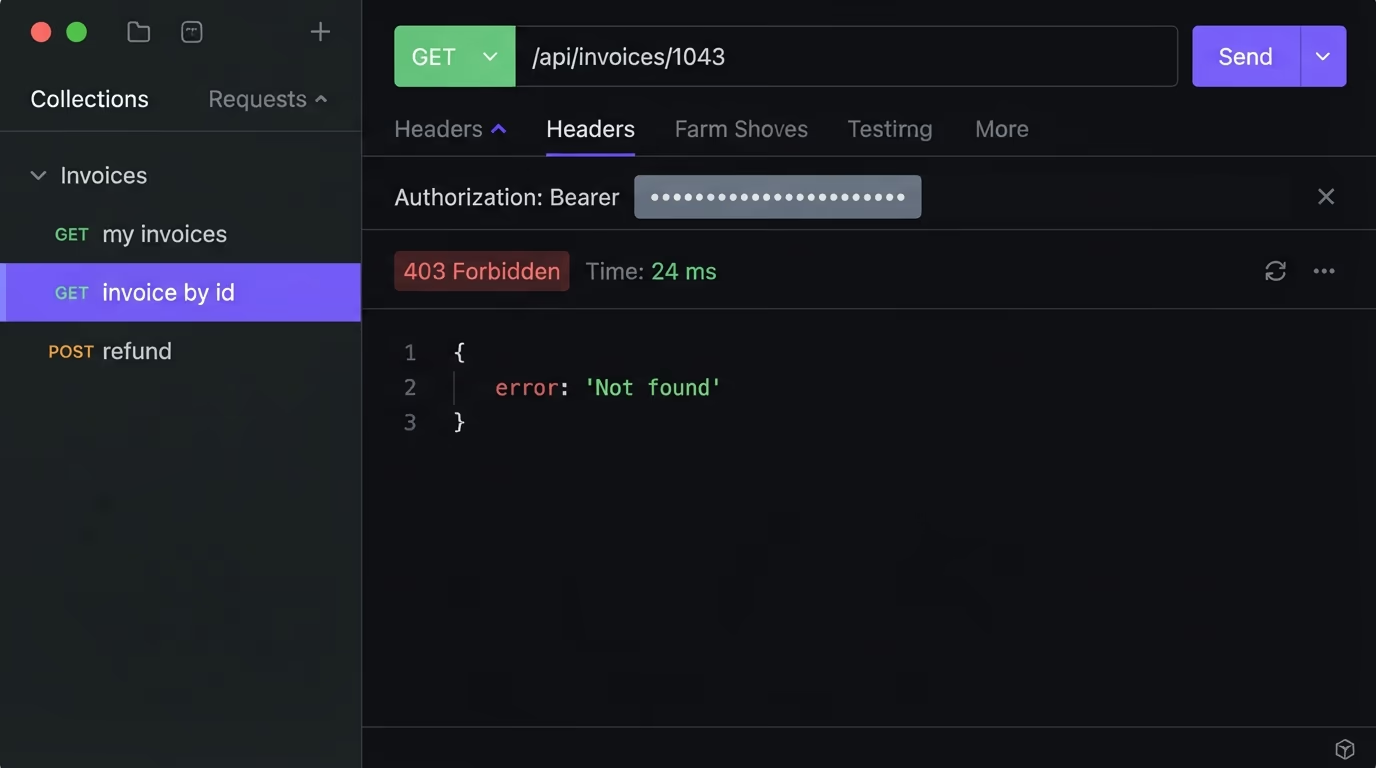
Picture an endpoint that returns an invoice by id. The generated version checks that a user is signed in, reads the id from the URL, and returns the matching row. Change the id in the URL and you get someone else’s invoice, because nothing tied the record to your account.
// Vulnerable: any logged-in user can read any invoice
app.get("/api/invoices/:id", requireAuth, async (req, res) => {
  const invoice = await db.invoice.findById(req.params.id);
  res.json(invoice);
});
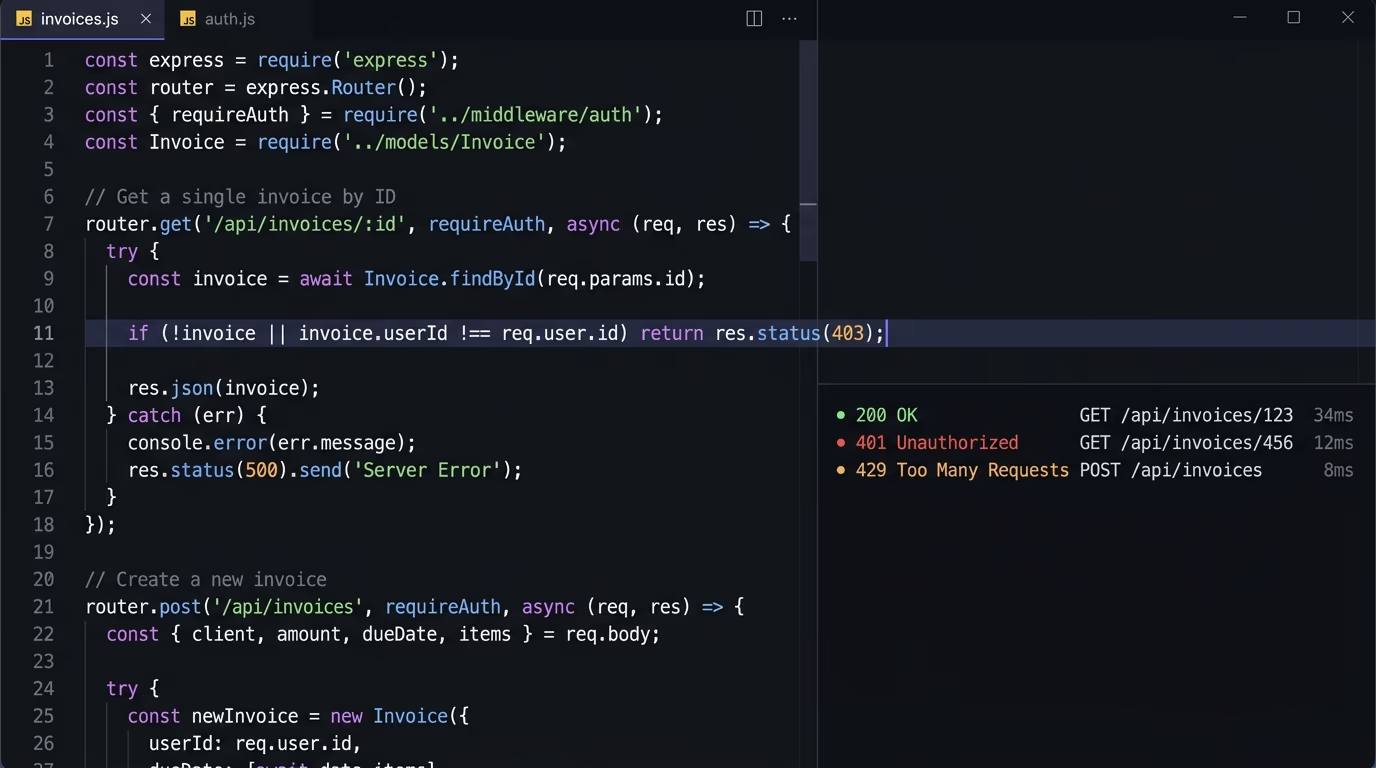
The fix is one condition: load the record, then check it belongs to the caller before you return it. The same rule covers admin actions: check the user’s role on the server and never trust a hidden menu or a disabled button, since anyone can call the endpoint directly.
// Fixed: the record must belong to the caller
app.get("/api/invoices/:id", requireAuth, async (req, res) => {
  const invoice = await db.invoice.findById(req.params.id);
  if (!invoice || invoice.userId !== req.user.id) {
    return res.status(404).json({ error: "Not found" });
  }
  res.json(invoice);
});
Authentication itself is the second risk on the OWASP list, and the details decide whether it holds. Store session tokens in an httpOnly cookie rather than in local storage, where any injected script can read them, and give tokens a short lifetime so a stolen one expires fast. This is the same object-level flaw as an IDOR vulnerability, and stolen or weak tokens are how session hijacking skips the login entirely. Add the ownership check on every route that reads or writes a record, including the ones that didn’t feel sensitive when you built them.
How do you stop API abuse and resource exhaustion?
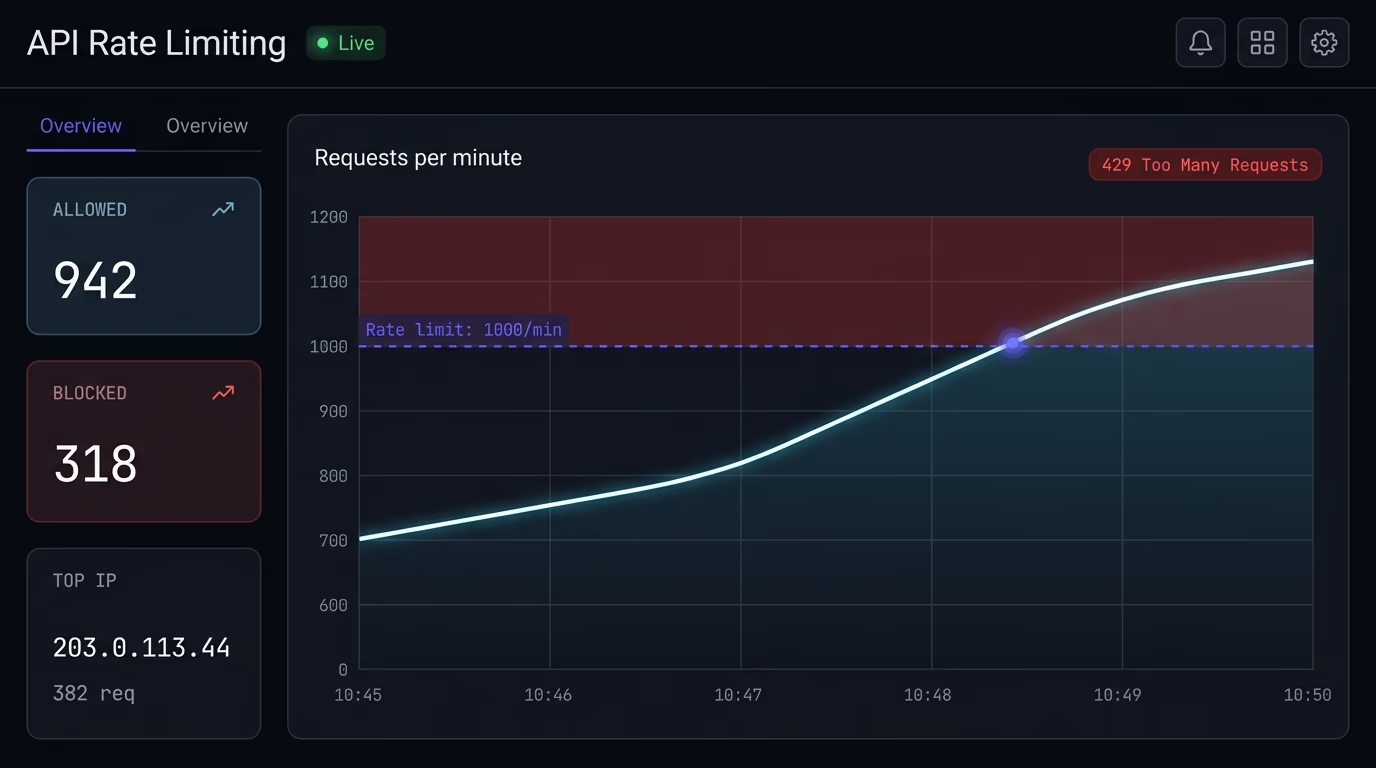
You stop API abuse by capping how many requests each client can make in a window and rejecting the rest with an HTTP 429 status. With no cap, a single script can scrape your entire catalog, brute-force a login with stolen passwords, or push a metered-service bill into the thousands overnight. For the public forms sitting in front of those endpoints, a reCAPTCHA alternative adds a challenge that stops bots without shipping Google’s tracking script to every visitor.
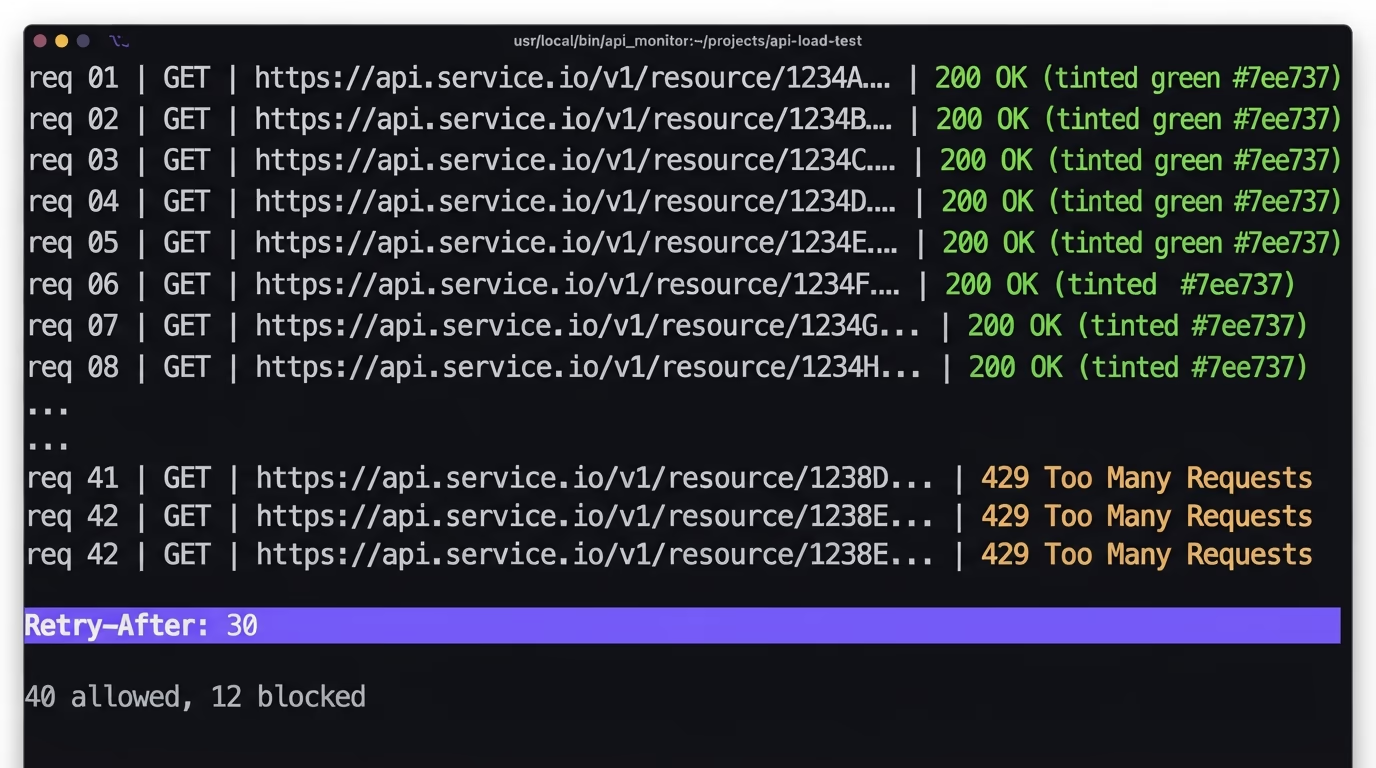
Decide what counts as one client first. An IP address is easy and catches anonymous floods, while an API key or user id is fairer because it tracks the real account. Most systems use both, a loose IP limit as a blanket and a tighter per-key limit on the endpoints that cost money. Put a broad limit at your edge or CDN, which is the only layer that helps against a real flood, then per-user limits in your code for the business rules the edge can’t see.
One trap hits serverless apps in particular. If you keep the counter in memory, every function instance has its own count and the limit multiplies by the number of instances, so it enforces almost nothing. Keep the count in a shared store like Redis or Cloudflare KV instead. Our guide to API rate limiting covers the algorithms and the exact library setup for both server and serverless apps.
How do you validate input and limit what you return?
Treat every value that reaches your API from outside as untrusted until it passes a strict schema, and return only the fields the client actually needs. Injection bugs and data-exposure bugs are the two halves of one habit, one on the way in and one on the way out.
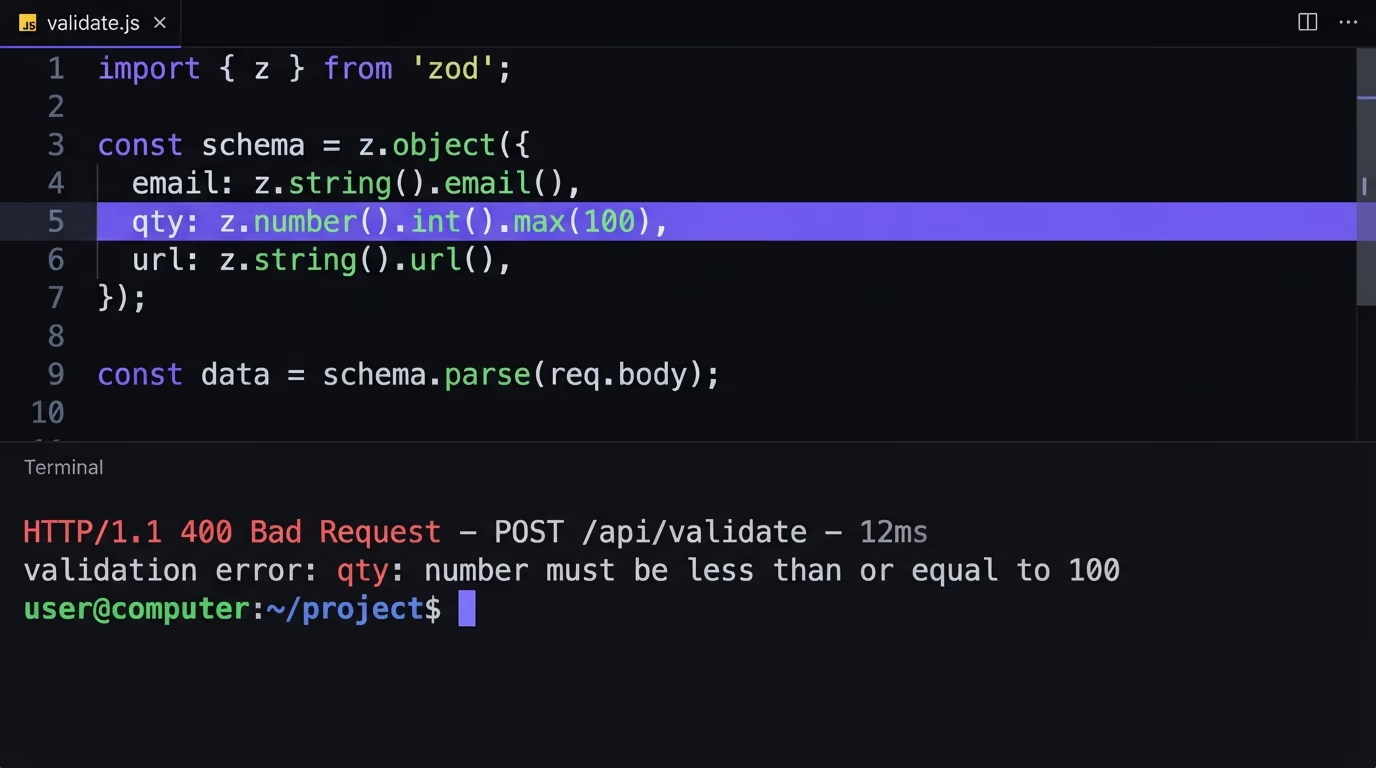
On the way in, validate types, lengths, and allowed values before the data touches your database or a shell command. A parameter you assume is a number but never check can carry a SQL fragment or a giant payload that ties up your server. Use a schema library like Zod on every route rather than hand-checking fields, because the hand-checks are exactly what get skipped under time pressure. Parameterized queries close the database side, which our post on SQL injection prevention walks through with real vulnerable examples.
One input deserves special care: a URL the caller hands you. If your API fetches a user-supplied link for a webhook, a link preview, or an image import, an attacker can point it at an internal address like your cloud metadata endpoint and read secrets meant to stay private. That’s server side request forgery, and the fix is to validate the URL against an allowlist of hosts and block requests to internal ranges before you fetch. AI-generated code that fetches whatever URL it’s given almost never adds that guard.
On the way out, send back a shaped response, not the raw database row. AI-generated code tends to return the whole object, which quietly leaks a password hash, an internal flag, or another user’s email that happened to sit in the same record. The same over-trust runs in reverse as mass assignment, where accepting a whole object lets a caller set a field like role or isAdmin that you never meant to expose. Name the fields you read and the fields you accept in both directions, and the two OWASP property-level risks close together.
How do you manage API keys and secrets?
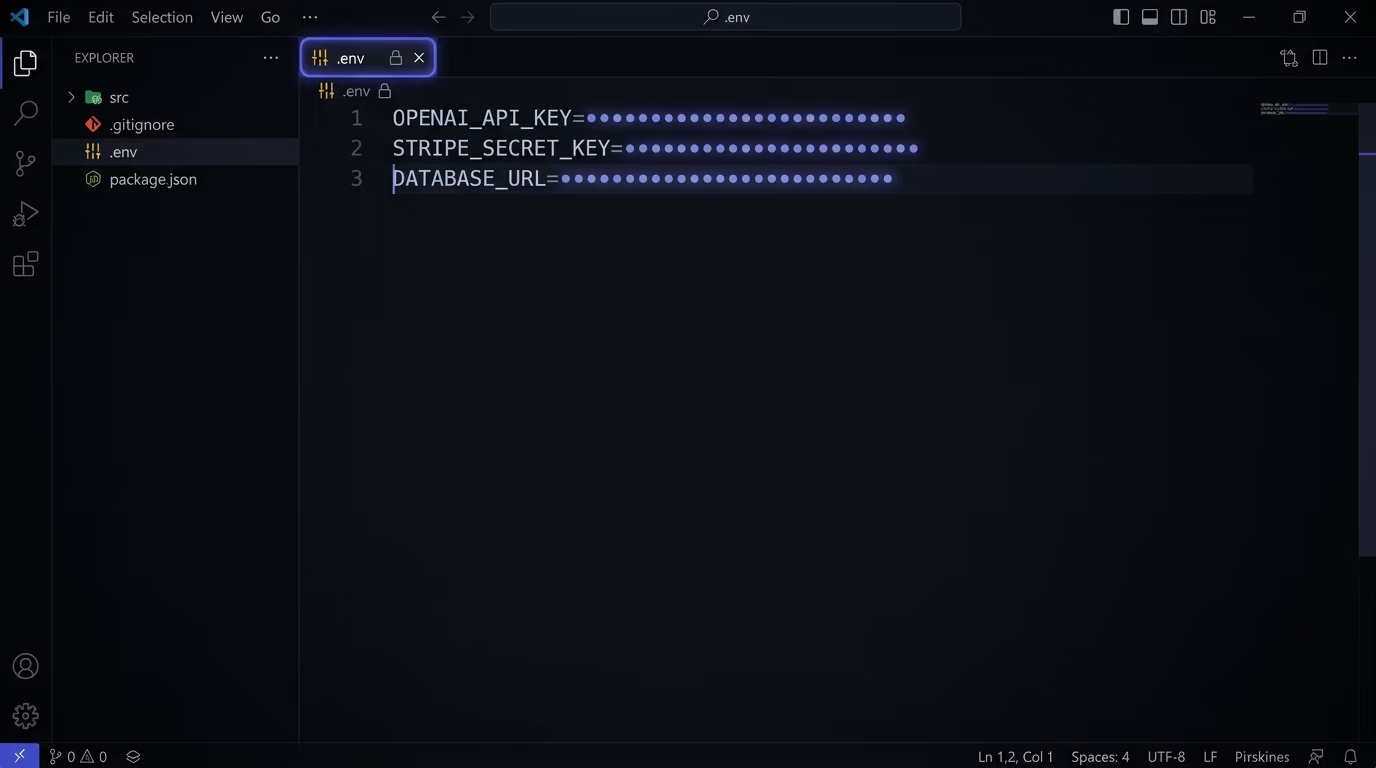
API keys, database URLs, and tokens belong on the server in environment variables or a secret manager, never in client-side code, a public repository, or a response body. A secret that reaches the browser or lands in git is compromised from that moment, however quickly you delete it afterward.
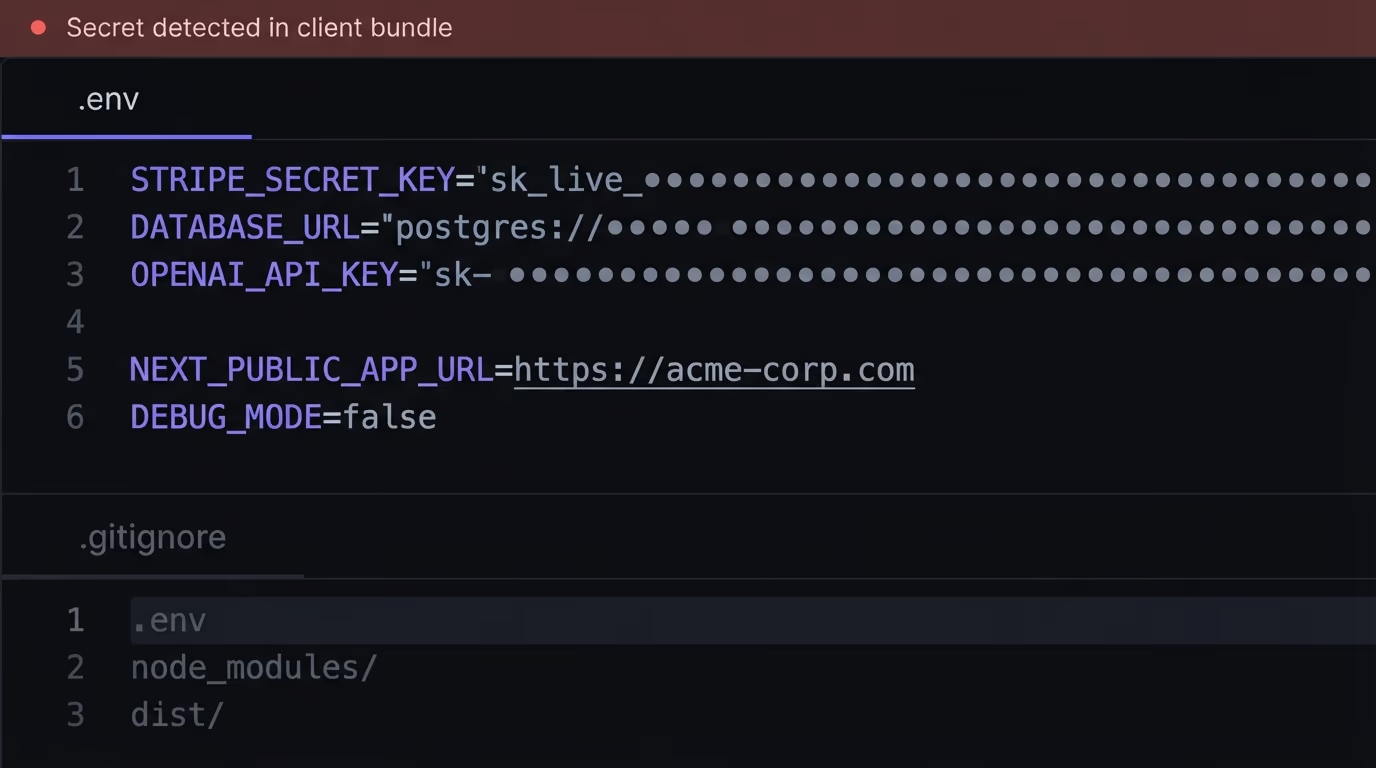
The classic AI-built mistake is calling a third-party API straight from the frontend, which ships the key to every visitor in the network tab. Route those calls through your own backend so the key stays server-side and the browser only ever talks to you. In frameworks like Next.js, watch the prefix too: anything in a NEXT_PUBLIC_ variable is bundled into the client, so a secret named that way is public by definition.
Git history is the other leak. A key committed once stays in the history even after a later commit removes it, so rotate any secret that was ever pushed and keep your env files in a real .gitignore. Give each key the narrowest scope it needs and rotate keys on a schedule, so a leak has a short life and limited reach. Our guide on how to store API keys securely has the full routine, and a scan of your live site will also flag a key that’s already sitting in your HTML or JavaScript.
When do you need an API gateway or an OAuth server?
You don’t need an API gateway or a dedicated OAuth server to run a secure API, and reaching for that infrastructure too early adds cost and complexity you’ll fight for no real gain. A small app is secure with per-route auth checks, a rate-limit library, schema validation, and secrets kept server-side.
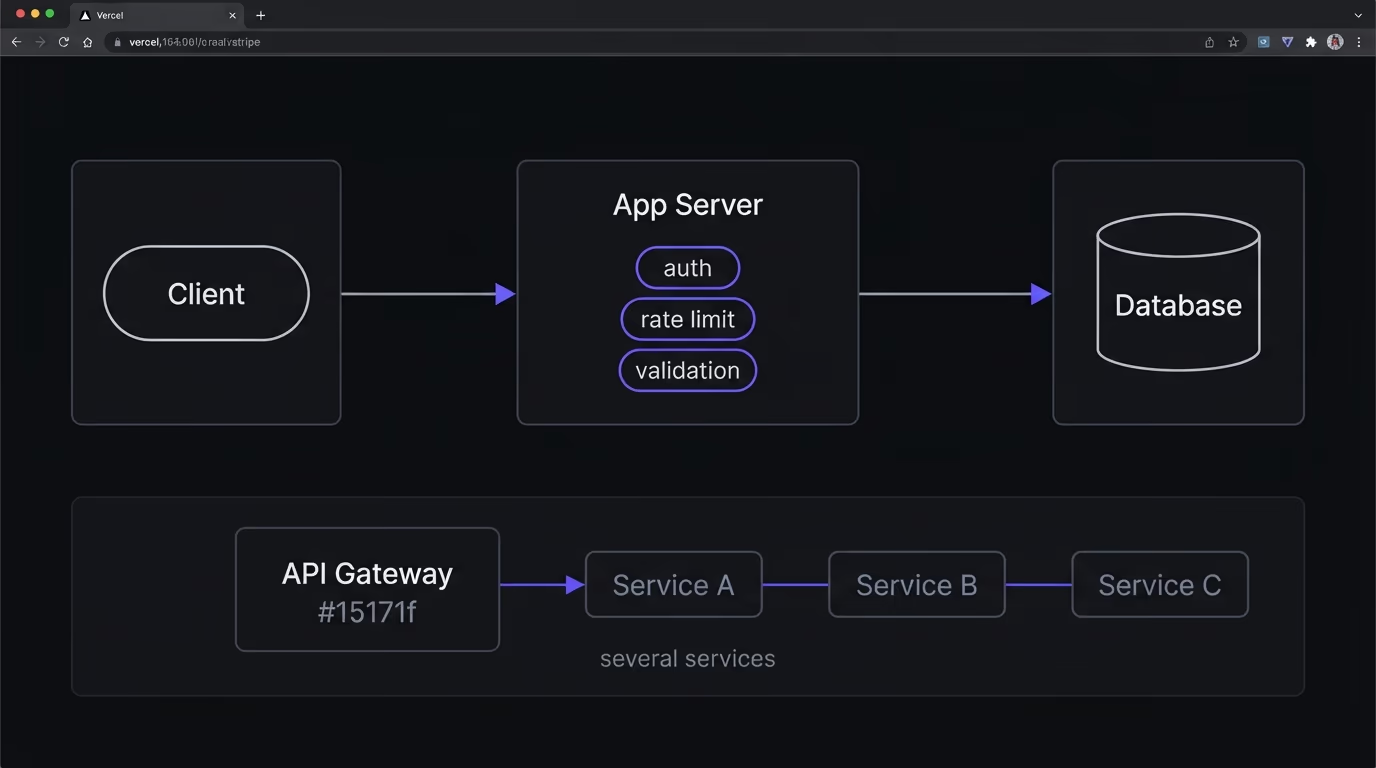
A gateway is a single front door that applies limits, logging, and auth in one place. That’s worth it once you run several services that all need the same rules, because it saves you from copying the logic into each one. Below that scale, the same controls live in your application code and hold up fine. The same goes for authentication: a managed auth provider handles login and tokens for most apps without you standing up your own OAuth server.
What every app needs, gateway or not, is a clean configuration. Turn off debug endpoints and verbose stack traces before production, set your security headers, and delete the test routes and old API versions you forgot about. Security misconfiguration and improper inventory are two separate entries on the OWASP list for a reason, and both are pure cleanup rather than new code. Our rundown of the security headers that matter covers the response-header half in a few minutes.
The API security best practices checklist
Run through this list before you ship an API, in priority order for a small team with no dedicated security staff. Each item maps to a section above and to at least one risk on the OWASP API Security Top 10.
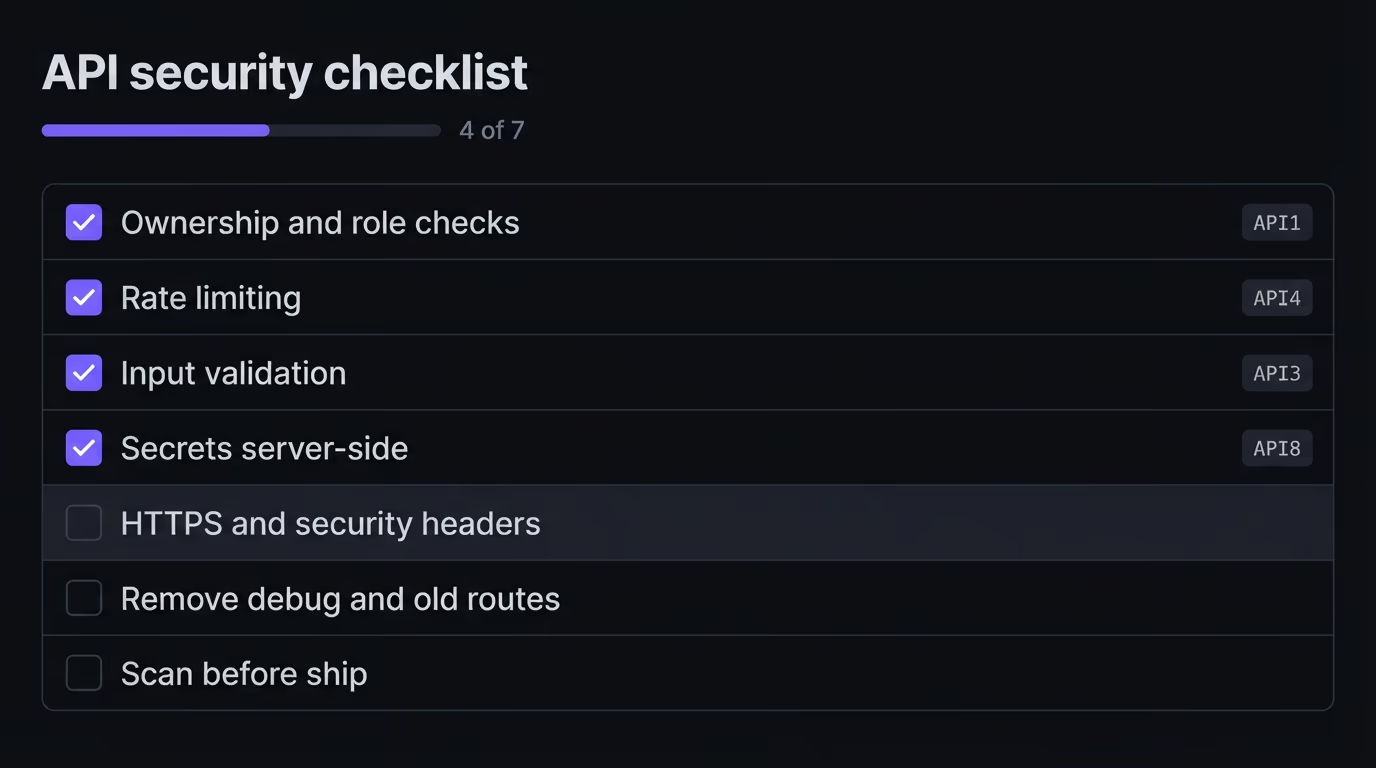
- Check ownership and role on every route that reads or writes a record, on the server.
- Rate-limit every endpoint, with tighter caps on login and anything metered.
- Validate every input against a schema, and return only the fields the client needs.
- Keep keys and secrets server-side, out of
NEXT_PUBLIC_variables and out of git. - Serve everything over HTTPS and set your security headers.
- Turn off debug endpoints and verbose errors, and delete old or test routes.
- Scan the live site before launch and after every big change.
None of these needs a security team or a rewrite. They’re checks you add to code you already have, and the first four close the risks that get small apps breached most often.
Scan your API and site before you ship
The quickest way to catch the misconfigurations on this list is to scan your live site before you launch, then again after each big change. A scan reads what you actually shipped, which is where the gap between the code you meant to write and the code that’s running shows up.
Amabrik’s security scan crawls your pages, headers, and scripts and flags exposed API keys, missing security headers, open databases, and email-spoofing gaps, with a plain-English explanation and a copy-paste fix prompt for each finding. It won’t test your auth logic for you, so the ownership and role checks stay your job, but it catches the leaks and misconfigurations that hide in what’s already live. Fix the access checks by hand, scan for the rest, and you’ve closed most of the OWASP API list before your first real user arrives. If you want the whole-site version of this, our website security checklist covers the checks beyond the API surface.
The core API security best practices are to authenticate and authorize every request on the server, rate-limit each client, validate all input against a schema, keep secrets off the browser and out of git, and check your API against the OWASP API Security Top 10 before launch. For a small app the first two, ownership checks and rate limits, close the risks that cause most breaches.
It's the reference list of the ten most common API attacks, last updated in 2023 by the Open Worldwide Application Security Project. The entries include broken object level authorization, broken authentication, unrestricted resource consumption, and security misconfiguration. Security teams use it as the baseline audit, and most items map to a default that AI coding tools leave in place.
AI coding tools generate the happy path. Asked to build an endpoint that returns data, an assistant writes code that returns data and stops there. The API security best practices that keep it safe, like access checks, rate limits, and input validation, sit outside that feature, so they only appear when you name them in the prompt. The code works in a demo, which is why the missing controls stay invisible until someone probes them.
Secure a REST API by requiring authentication on every protected route, then checking that the caller owns or is allowed to touch the specific record, rather than only that they're logged in. Add a rate limit backed by a shared store, validate every input, return only the fields the client needs, and keep keys server-side. Then scan the live site for exposed secrets and missing headers before you ship.
You don't need an API gateway to secure a small or mid-size app. It stays safe with per-route auth checks, a rate-limit library, schema validation, and secrets kept server-side. An API gateway centralizes those controls and earns its place once you run several services that need the same rules enforced the same way. Below that scale it adds complexity without extra safety.
Broken object level authorization, or BOLA, is when an API confirms a user is logged in but never confirms that the record they requested belongs to them. Changing an id in the URL then returns another user's data. It's the top risk on the OWASP API Security Top 10 and the most common serious flaw in AI-generated code. The fix is to check ownership on the server for every record you read or write.